
1. Pengenalan
The Unitek Y-3036 is a tool-free external enclosure designed for 2.5-inch SATA I/II/III Hard Disk Drives (HDDs) and Solid State Drives (SSDs). It provides a convenient solution for connecting your 2.5-inch drives to a computer via USB 3.0, offering fast data transfer speeds and easy portability. This manual provides detailed instructions for the proper installation, operation, and maintenance of your Unitek Y-3036 enclosure.
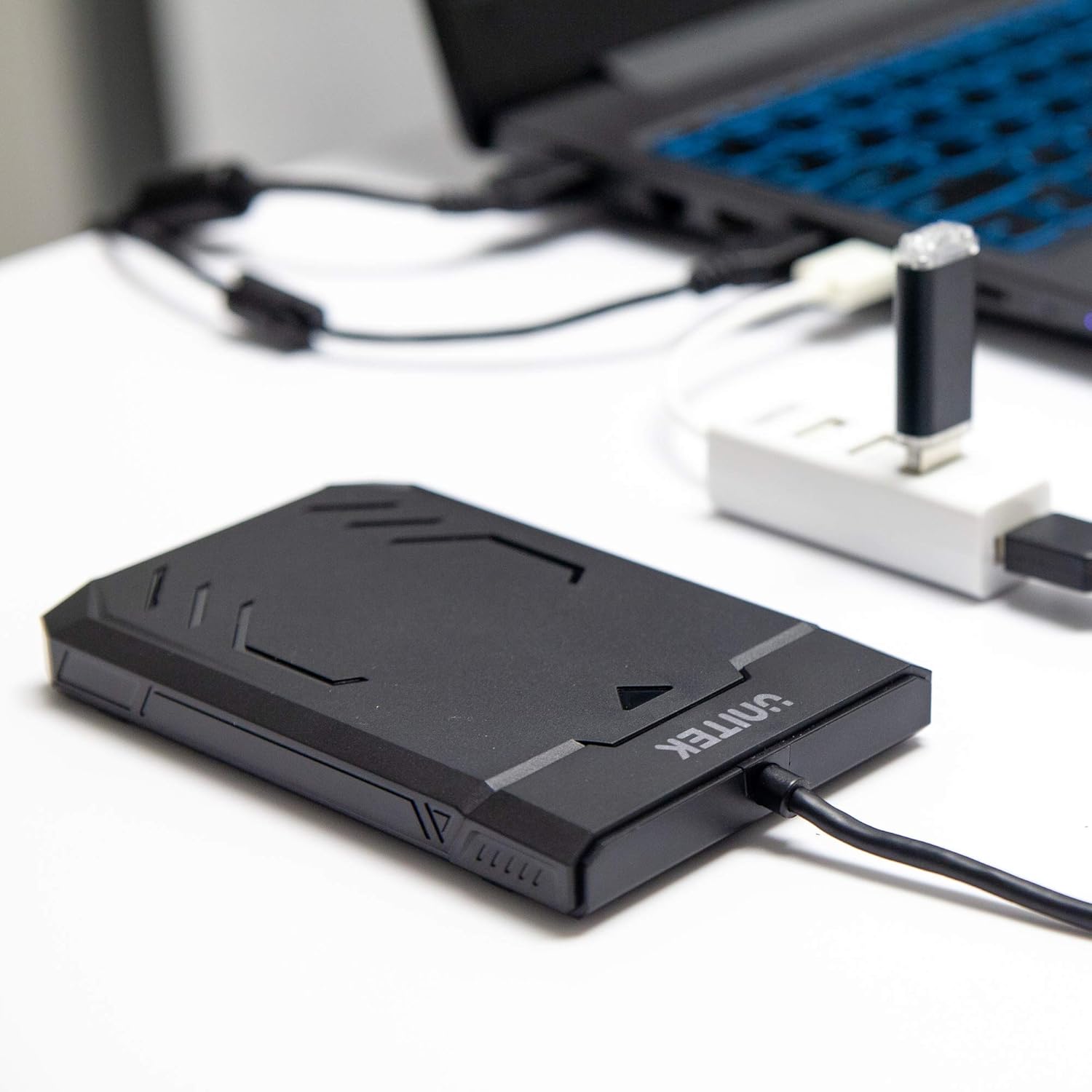
Image 1.1: Unitek Y-3036 enclosure connected to a laptop.
2. Kandungan Pakej
Sila sahkan bahawa semua item terdapat dalam pakej anda:
- Unitek Y-3036 2.5-inch Hard Drive Enclosure with integrated USB 3.0 cable
- Foam pad for drive stability
- Manual Arahan (dokumen ini)

Image 2.1: Enclosure with integrated cable and foam pad.
3. Spesifikasi
| Model | Unitek Y-3036 |
| Jenis Pemacu yang serasi | 2.5-inch SATA I/II/III HDD/SSD (up to 9.5mm thickness) |
| Antara muka | USB 3.0 (serasi ke belakang dengan USB 2.0) |
| Kadar Pemindahan Data | Up to 6Gbps (SATA III), supports UASP |
| Dimensi (L x W x H) | 130mm x 85mm x 15mm (5.12 "x 3.27" x 0.59 ") |
| bahan | plastik |
| Ciri-ciri | Tool-free assembly, Plug & Play, LED indicator, Sleep function, Built-in USB cable |

Imej 3.1: Dimensi produk.
4. Persediaan dan Pemasangan
The Unitek Y-3036 enclosure features a tool-free design for easy installation of your 2.5-inch HDD or SSD.
- Buka Kandang: Gently slide the top cover of the enclosure to open it.
- Masukkan Pemacu: Align your 2.5-inch SATA HDD or SSD with the SATA connector inside the enclosure. Carefully push the drive into the connector until it is firmly seated. Ensure the drive is oriented correctly.
- Add Foam Pad (Optional): If your drive is thinner than 9.5mm, you may use the included foam pad to secure it snugly within the enclosure and prevent movement. Place the foam pad on top of the drive before closing the cover.
- Tutup Kandang: Luncurkan penutup atas kembali ke tempatnya sehingga ia berbunyi klik dengan selamat.

Image 4.1: Enclosure open with a 2.5-inch HDD inserted.

Imej 4.2: Terperinci view of drive insertion.
5. Arahan Operasi
Once your drive is installed in the enclosure, follow these steps to use it with your computer:
- Sambung ke Komputer: Plug the integrated USB 3.0 cable from the enclosure into an available USB port on your computer. For optimal performance, use a USB 3.0 port.
- Penunjuk LED: The enclosure features an LED indicator. When connected, the LED will illuminate, indicating power. It will flash during data transfer activity.
- Pengecaman Drive: Your operating system should automatically detect the new drive. If it's a new drive, you may need to initialize and format it through your operating system's disk management utility before it appears in 'My Computer' or 'Finder'.
- Penyingkiran Selamat: Always safely eject the drive from your operating system before disconnecting the USB cable to prevent data corruption.
6. Penyelenggaraan
To ensure the longevity and optimal performance of your Unitek Y-3036 enclosure:
- Pembersihan: Gunakan kain lembut dan kering untuk membersihkan bahagian luar kandang. Elakkan menggunakan pembersih cecair atau pelarut.
- Storan: Apabila tidak digunakan, simpan penutup di tempat yang sejuk dan kering, jauh dari cahaya matahari langsung dan suhu yang melampau.
- Pengendalian: Handle the enclosure with care to avoid drops or impacts, which could damage the internal drive or the enclosure itself.
7. Penyelesaian masalah
If you encounter issues with your Unitek Y-3036 enclosure, refer to the following common problems and solutions:
- Pemanduan Tidak Dikesan:
- Pastikan kabel USB disambungkan dengan kukuh pada kedua-dua penutup dan komputer.
- Cuba sambungkan ke port USB lain pada komputer anda.
- Verify that the 2.5-inch HDD/SSD is properly seated in the enclosure's SATA connector.
- Check your computer's Disk Management (Windows) or Disk Utility (macOS) to see if the drive is recognized but uninitialized or unformatted.
- Test the enclosure with a different 2.5-inch SATA drive, or test your drive directly with another enclosure/adapter if available.
- Kelajuan Pemindahan Lambat:
- Ensure you are connected to a USB 3.0 port on your computer. USB 2.0 ports will operate at slower speeds.
- Sahkan bahawa sistem pengendalian dan pemacu anda adalah terkini.
- The actual speed depends on the performance of the installed HDD/SSD.
- Penunjuk LED Tidak Menyala:
- Confirm the USB cable is fully plugged into a powered USB port.
- Cuba port USB lain.
8. Maklumat Keselamatan
Sila patuhi garis panduan keselamatan berikut:
- Do not expose the enclosure to water, moisture, or extreme temperatures.
- Avoid dropping or subjecting the enclosure to severe impacts.
- Do not attempt to open or modify the enclosure beyond the intended drive installation. This may void any warranty and could cause damage.
- Jauhkan daripada kanak-kanak.
9. Waranti dan Sokongan
Unitek products are designed for reliability and performance. For warranty information or technical support, please refer to the official Unitek webtapak atau hubungi peruncit tempatan anda. Simpan resit pembelian anda sebagai bukti pembelian untuk tuntutan jaminan.