
1. Pengenalan
This manual provides essential information for the safe and efficient operation of your CAMIPRO Carrier Digital Display Wall Mountable Voltage Stabilizer. This device is designed to protect your 2 Ton Inverter AC from voltage fluctuations, ensuring its longevity and optimal performance. Please read this manual thoroughly before installation and use.
2. Maklumat Keselamatan
- Ensure the stabilizer is installed by a qualified technician to prevent electrical hazards.
- Do not open the stabilizer casing. Tiada bahagian yang boleh diservis pengguna di dalamnya.
- Keep the stabilizer away from water, moisture, and direct sunlight.
- Pastikan pengudaraan yang betul di sekeliling unit untuk mengelakkan terlalu panas.
- This stabilizer is specifically designed for Air Conditioners up to 2 Ton capacity. Do not connect other appliances.
- The unit features Intelligent Auto Restart with Microchip Low & High Auto Cut Off for enhanced safety against extreme voltage syarat.
3. Kandungan Pakej
Upon opening the package, verify that the following item is included:
- CAMIPRO Carrier Digital Display Voltage Stabilizer (1 unit)
4. Persediaan dan Pemasangan
The CAMIPRO Voltage Stabilizer is designed for wall mounting. Follow these steps for proper installation:
- Pilih Lokasi: Select a dry, well-ventilated area near your 2 Ton Inverter AC unit. Ensure the surface is sturdy enough to support the stabilizer's weight (approximately 8.24 kg).
- Pemasangan: Securely mount the stabilizer to the wall using appropriate fasteners. Ensure it is level and stable.
- Sambungkan Kuasa Input: Connect the main power supply to the stabilizer's input terminal. The operating voltage range for the input is 140V-270V. The product will automatically cut off power if the voltage falls outside this range.
- Connect AC Unit: Connect your 2 Ton Inverter AC unit to the stabilizer's output terminal. Ensure all connections are tight and secure.
- Kuasa Awal Hidup: Once all connections are made, switch on the main power supply. The digital display on the stabilizer will illuminate, showing the current voltage.
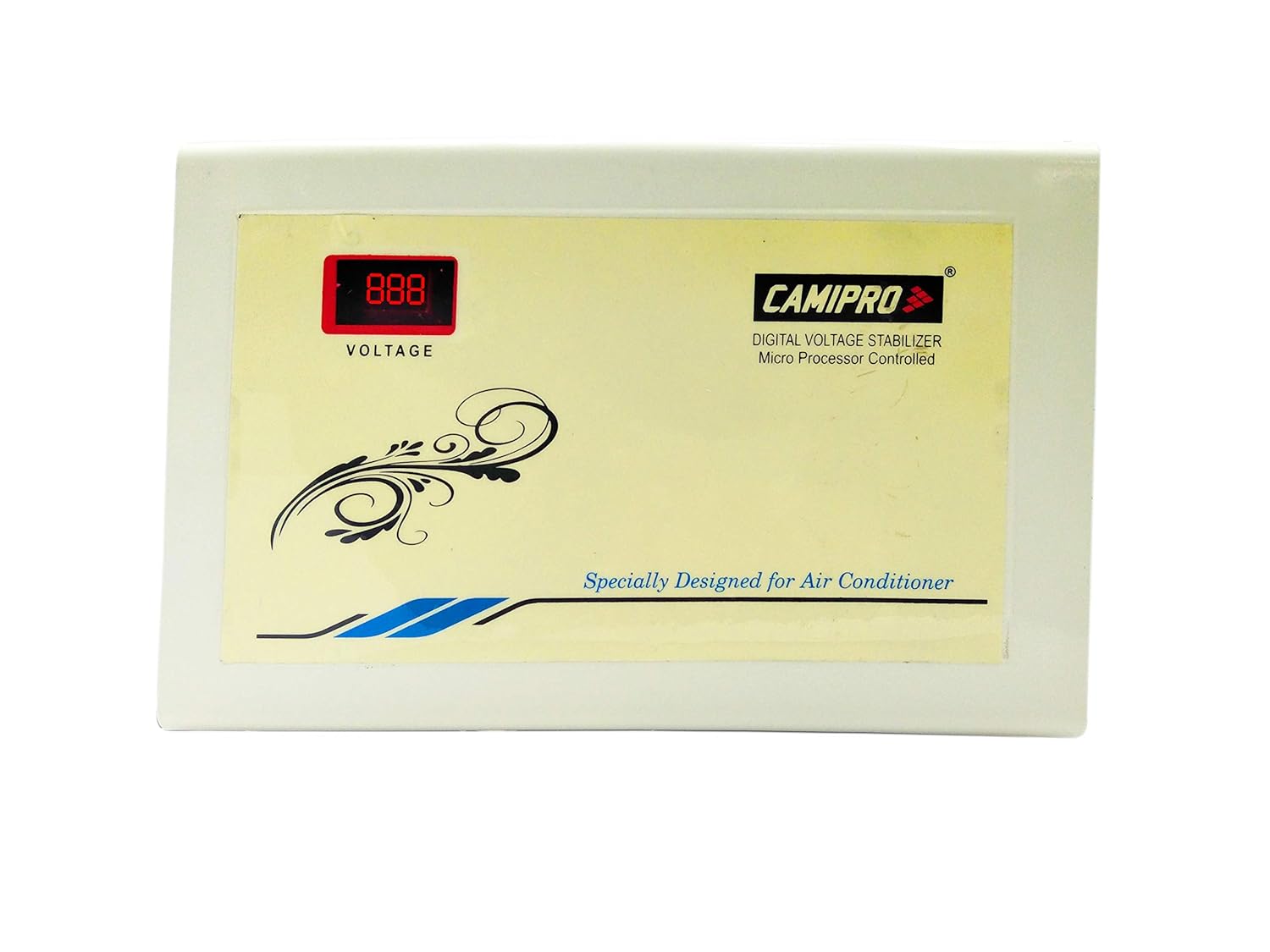
Rajah 4.1: Depan view of the CAMIPRO Voltage Stabilizer, showing the digital display and branding.
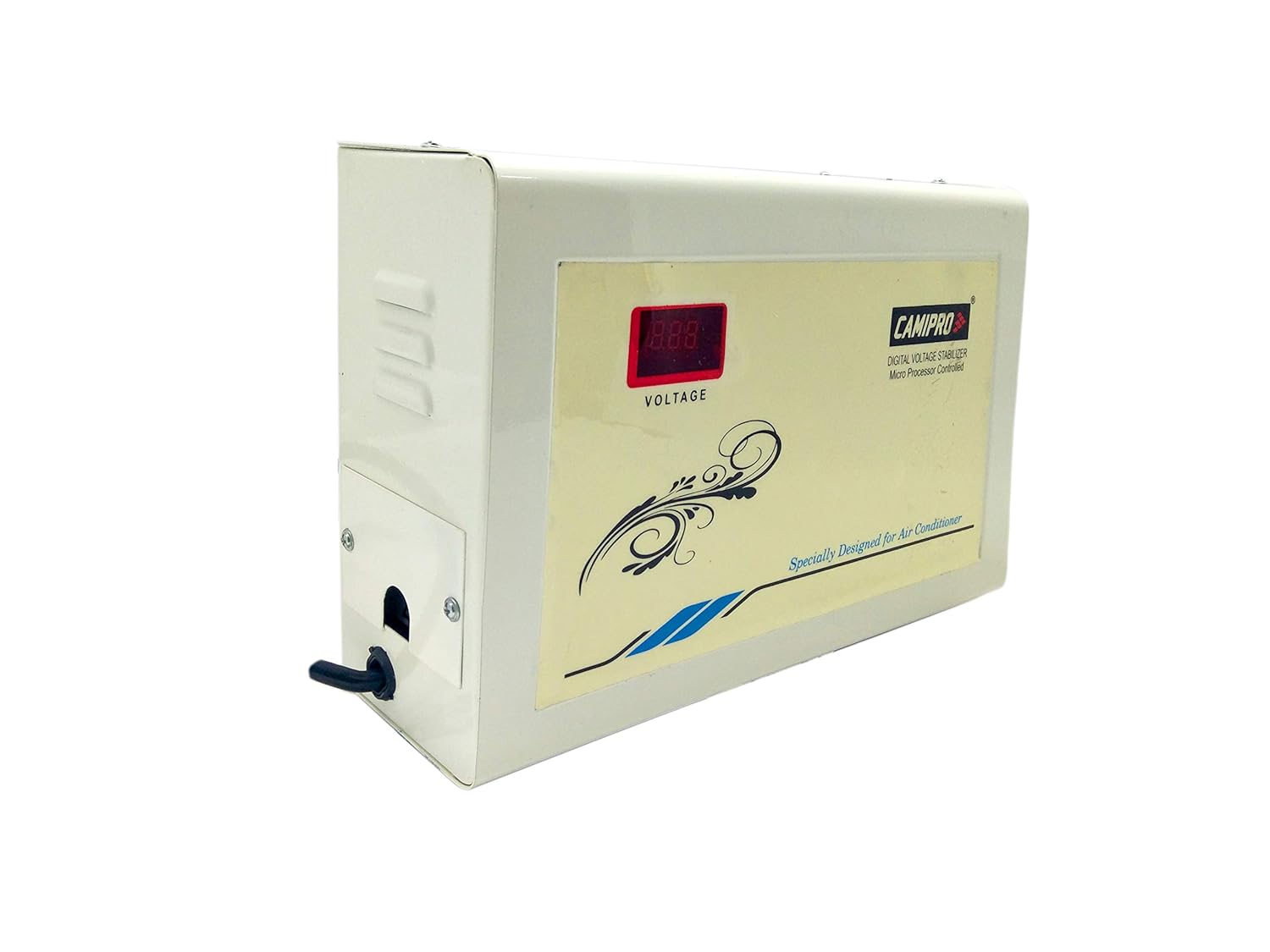
Rajah 4.2: Sisi view of the CAMIPRO Voltage Stabilizer, illustrating its compact design and power connection point.
5. Arahan Operasi
The CAMIPRO Voltage Stabilizer operates automatically to protect your AC unit.
- Paparan Digital: The front digital display continuously shows the incoming voltage. This allows you to monitor the power supply to your AC.
- Vol. Automatiktage Peraturan: The stabilizer automatically adjusts the output voltage to a safe range for your AC, even if the input voltage fluctuates between 140V and 270V.
- Vol. Tinggi / Rendahtage Potongan: Jika vol inputtage goes below 140V or above 270V, the stabilizer will automatically cut off the power supply to your AC to prevent damage.
- Mulakan semula Auto: Sebaik sahaja voltage returns to the safe operating range, the stabilizer will automatically restart and restore power to your AC after a short delay, ensuring continuous protection.
6. Penyelenggaraan
To ensure the longevity and optimal performance of your voltage stabilizer, follow these simple maintenance guidelines:
- Pembersihan: Periodically wipe the exterior of the stabilizer with a soft, dry cloth. Do not use liquid cleaners or abrasive materials.
- Pengudaraan: Ensure that the ventilation openings on the stabilizer are not blocked by dust or other objects. Good airflow is crucial for heat dissipation.
- Sambungan: Occasionally check that all power connections are secure and free from corrosion.
- Elakkan beban berlebihan: This stabilizer is rated for AC units up to 2 Ton. Do not connect appliances that exceed this capacity or other types of appliances.
7. Penyelesaian masalah
If you encounter issues with your CAMIPRO Voltage Stabilizer, refer to the following common problems and solutions:
| Masalah | Kemungkinan Punca | Penyelesaian |
|---|---|---|
| Stabilizer not turning on / Digital display is off. | No input power, loose connection, or internal fault. | Check the main power supply. Ensure all connections are secure. If the problem persists, contact customer support. |
| AC not receiving power / Stabilizer shows 'Hi' or 'Lo' cut. | Masukan voltage is outside the 140V-270V operating range. | This is normal operation. The stabilizer has cut off power to protect your AC. Power will be restored automatically once the voltage returns to a safe range. If the voltage remains outside the range for an extended period, contact your electricity provider. |
| Stabilizer is on, but AC is not working. | AC unit issue, or stabilizer output issue. | Check if the AC unit itself is powered on and functioning correctly. Ensure the connection between the stabilizer and AC is secure. If the stabilizer display shows a stable voltage but the AC doesn't work, the issue might be with the AC unit. |
| Unusual noise or smell from the stabilizer. | Isu komponen dalaman. | Immediately disconnect power from the stabilizer and contact customer support. Do not attempt to repair it yourself. |
8. Spesifikasi
| Ciri | Perincian |
|---|---|
| Jenama | CAMIPRO |
| Nama Model | CAMIPRO Carrier Digital Display Wall Mountable 2 Ton Inverter AC Double Booster Voltage Penstabil |
| Kegunaan Disyorkan Untuk Produk | Home (specifically for 2 Ton AC) |
| Input Voltage Julat | 140V - 270V |
| AC Capacity Compatibility | Up to 2 Ton (Inverter AC) |
| Jenis Paparan | digital |
| Ciri Keselamatan | Intelligent Auto Restart, Microchip Low & High Auto Cut Off |
| Jenis Transformer | Toroidal Transformers (German technology) |
| Jenis Pemasangan | Boleh Dipasang di Dinding |
| Berat Barang | 8 kg 240 g |
| Dimensi Item (LxWxH) | 32 x 14 x 22 Sentimeter |
| Komponen yang Disertakan | Penstabil |
| Pengeluar | Pembawa Midea India Pvt. Ltd. |
9. Waranti dan Sokongan
Your CAMIPRO Voltage Penstabil disertakan dengan a Waranti 2 Tahun dari tarikh pembelian. Waranti ini meliputi kecacatan pembuatan di bawah penggunaan biasa.
For warranty claims, technical support, or any inquiries regarding your product, please contact the manufacturer:
- Pengeluar: Pembawa Midea India Pvt. Ltd.
- Webtapak: www.carriermideaindia.com
Sila simpan resit pembelian anda sebagai bukti pembelian untuk perkhidmatan jaminan.