
pengenalan
This manual provides comprehensive instructions for the safe and efficient installation, operation, and maintenance of your LogiLink BP0074 Dual Monitor Desk Mount. Please read this manual thoroughly before beginning installation to ensure correct setup and to prevent damage to the product or injury. Keep this manual for future reference.
Maklumat Keselamatan
- Pastikan semua komponen ada dan tidak rosak sebelum pemasangan. Jangan gunakan jika mana-mana bahagian hilang atau rosak.
- Verify that the desk surface can support the combined weight of the mount and two monitors.
- Do not exceed the maximum load capacity of 6 kg (13.22 lbs) per arm.
- Use appropriate tools and follow all steps carefully. Improper installation may result in product failure or personal injury.
- Jauhkan kanak-kanak dan haiwan peliharaan semasa pemasangan.
Kandungan Pakej
Please check the package to ensure all items listed below are included:
- 1 x Dual Monitor Desk Mount Assembly
- 2 x VESA Monitor Plates
- 1 x Meja Clamp Perhimpunan
- 1 x Hardware Kit (screws, washers, spacers, Allen keys)
- 1 x Manual Arahan
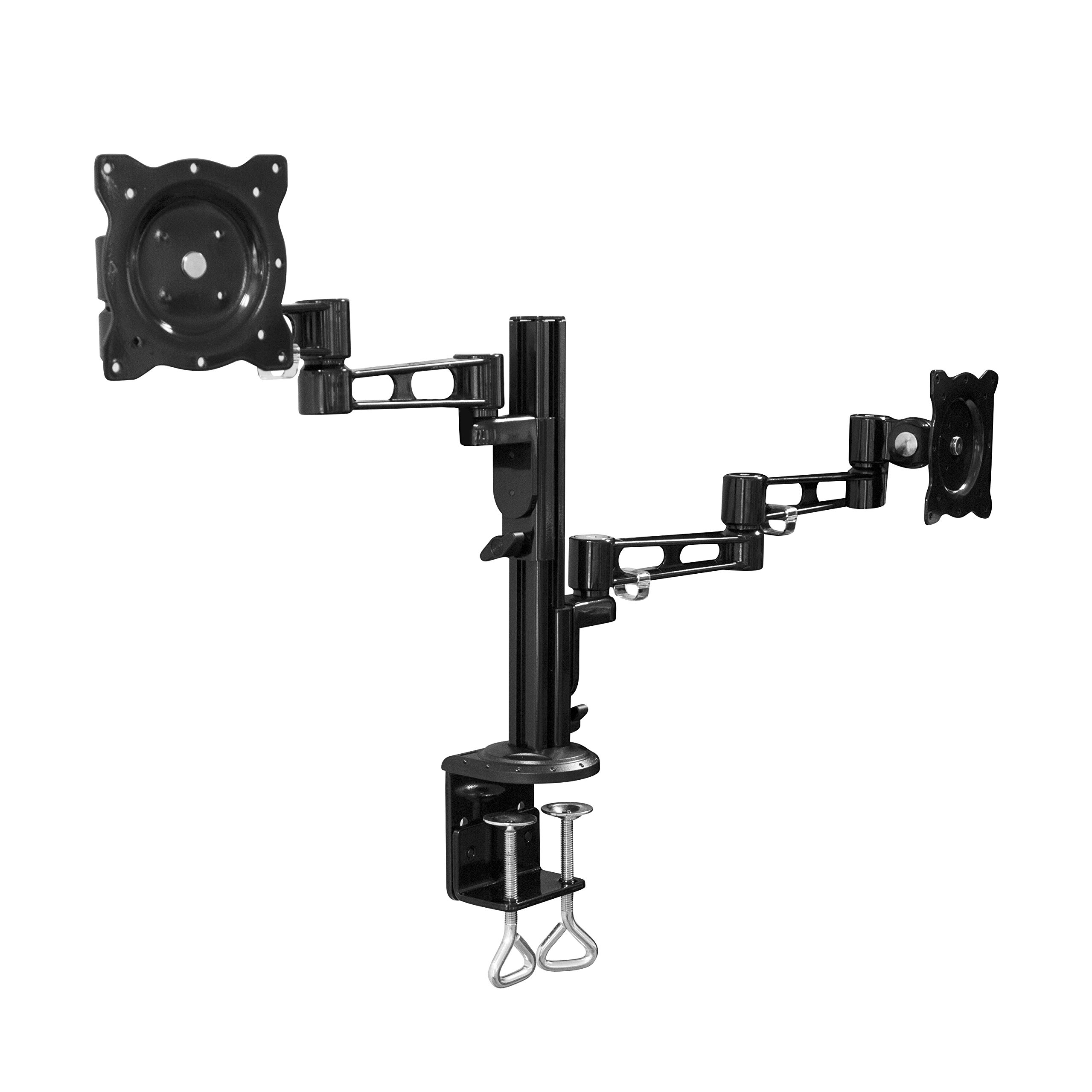
Image: All components of the LogiLink BP0074 Dual Monitor Desk Mount.
Arahan Persediaan
Langkah 1: Pasangkan Meja Clamp ke Meja
Letakkan meja clamp assembly on the edge of your desk. Tighten the clamp screws securely until the mount is stable. Ensure the clamp is flush with the desk surface for maximum stability.
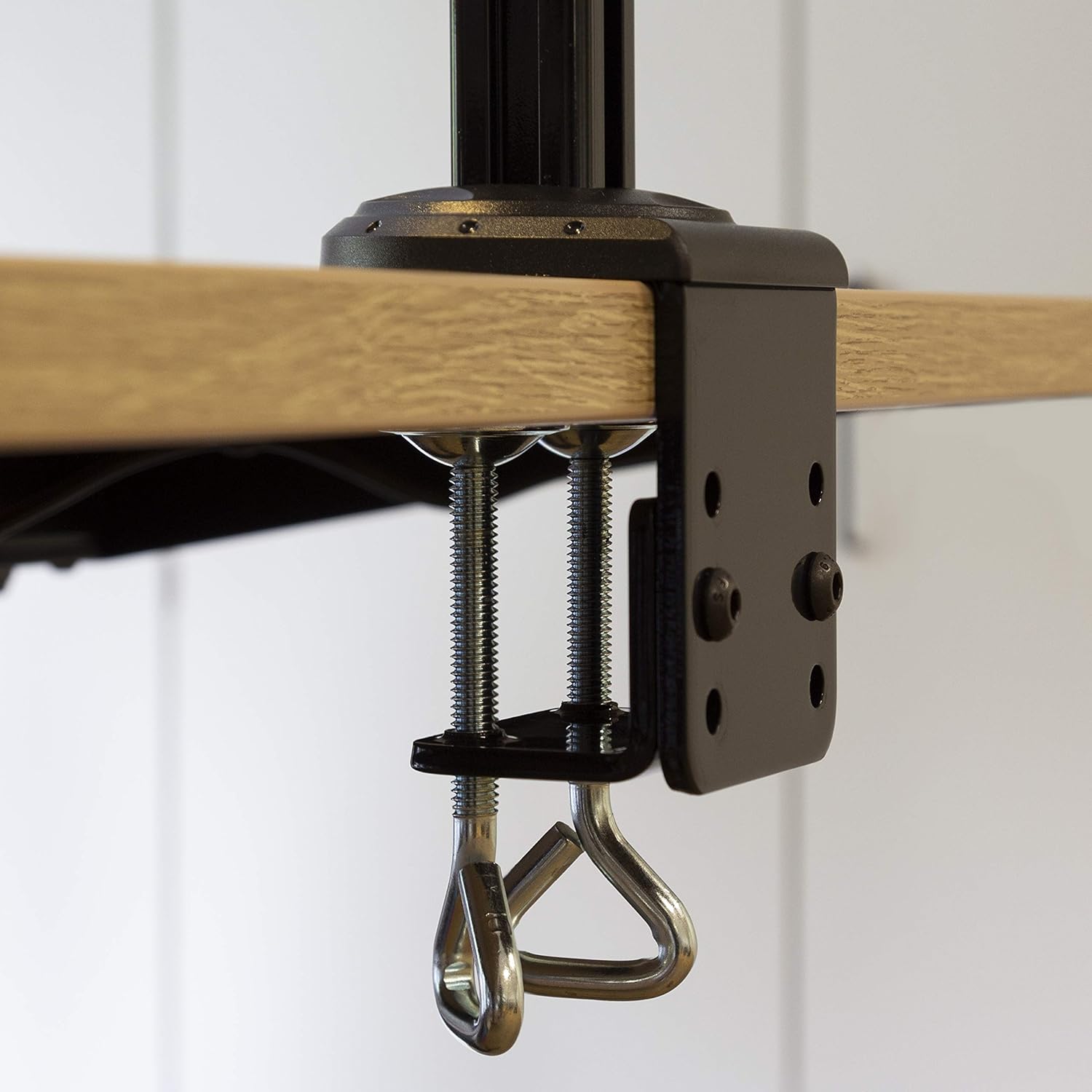
Image: Close-up of the desk clamp mechanism securely attached to a desk.
Step 2: Assemble Monitor Arms
Slide the monitor arms onto the main pole of the desk clamp assembly. Adjust their height to your desired position and secure them using the provided locking mechanisms. Ensure both arms are at a similar height for ergonomic viewing.
Langkah 3: Pasang Plat VESA pada Monitor
Align the VESA monitor plates with the mounting holes on the back of your monitors. Use the appropriate screws, washers, and spacers from the hardware kit to secure the plates to each monitor. Ensure the screws are tightened firmly but do not overtighten.

Image: VESA plate attached to the back of a monitor.
Langkah 4: Pasang Monitor ke Lengan
Carefully slide the monitors (with VESA plates attached) onto the ends of the monitor arms. Secure them in place using the quick-release or locking mechanisms on the arms. Ensure both monitors are firmly attached before releasing mereka.

Image: Two monitors mounted on the LogiLink BP0074 desk mount.
Arahan Operasi
Melaraskan Kedudukan Monitor
The LogiLink BP0074 mount offers full motion capabilities:
- Condong: Adjust the monitor vertically (up/down) to reduce glare and optimize viewsudut-sudut.
- Pusing: Rotate the monitor horizontally (left/right) to share your screen or change viewarah dalam.
- Putaran: Putar monitor 360 darjah untuk bertukar antara orientasi landskap dan potret.
Loosen the adjustment screws slightly with the provided Allen key before making adjustments, then tighten them once the desired position is achieved.

Image: Demonstrating the flexible positioning of monitors on the mount.
Pengurusan Kabel
Utilize the integrated cable management clips on the monitor arms to route and organize your cables. This helps maintain a tidy workspace and prevents cable damage.

Image: Cable management clips on the monitor arm.

Image: Detail of cables routed through the clips for organization.
Penyelenggaraan
Regular maintenance ensures the longevity and safe operation of your monitor mount:
- Pembersihan: Lap pelekap dengan lembut, damp kain. Elakkan pembersih atau pelarut yang melelas.
- Periksa Keketatan: Periodically check all screws and bolts, especially the desk clamp and VESA plate attachments, to ensure they remain tight. Retighten if necessary.
- Pelinciran: Pelinciran biasanya tidak diperlukan untuk jenis pemasangan ini.
Menyelesaikan masalah
Jika anda menghadapi masalah, rujuk kepada masalah dan penyelesaian biasa berikut:
| Masalah | Kemungkinan Punca | Penyelesaian |
|---|---|---|
| Monitor is unstable or sags | Screws are loose; monitor weight exceeds capacity | Tighten all connection screws. Verify monitor weight is within 6 kg per arm. |
| Difficulty adjusting monitor position | Adjustment screws are too tight | Slightly loosen the relevant adjustment screws with the Allen key. |
| Mount slides on desk | Meja klamp is not tight enough | Pastikan meja clamp is fully tightened and flush against the desk surface. |
Spesifikasi
| Ciri | Perincian |
|---|---|
| Nombor Model | BP0074 |
| Saiz Skrin yang Disokong | 13 - 26 inches (per monitor) |
| Bilangan Monitor | 2 |
| Kapasiti Beban Maksimum | 6 kg (13.22 lbs) per arm |
| Keserasian VESA | 75x75mm, 100x100mm |
| Julat Pergerakan | Full Motion (Tilt, Swivel, Rotation) |
| bahan | logam |
| Dimensi Produk (LxWxH) | 55.3 x 79.2 x 11.6 cm (overall package/product dimensions) |
| Berat Barang | 4.1 kg |
| Panjang Lengan | Each 358 mm |

Image: Technical drawing showing key dimensions and VESA patterns.
Waranti dan Sokongan
LogiLink products are designed for reliability and performance. For warranty information or technical support, please refer to the contact details provided with your purchase documentation or visit the official LogiLink webtapak. Sila simpan bukti pembelian anda untuk tuntutan waranti.