
ORCATORCH D620
ORCATORCH D620 V2.0 Primary Canister Dive Light Instruction Manual
Model: D620 V2.0 | Brand: ORCATORCH
1. Pengenalan
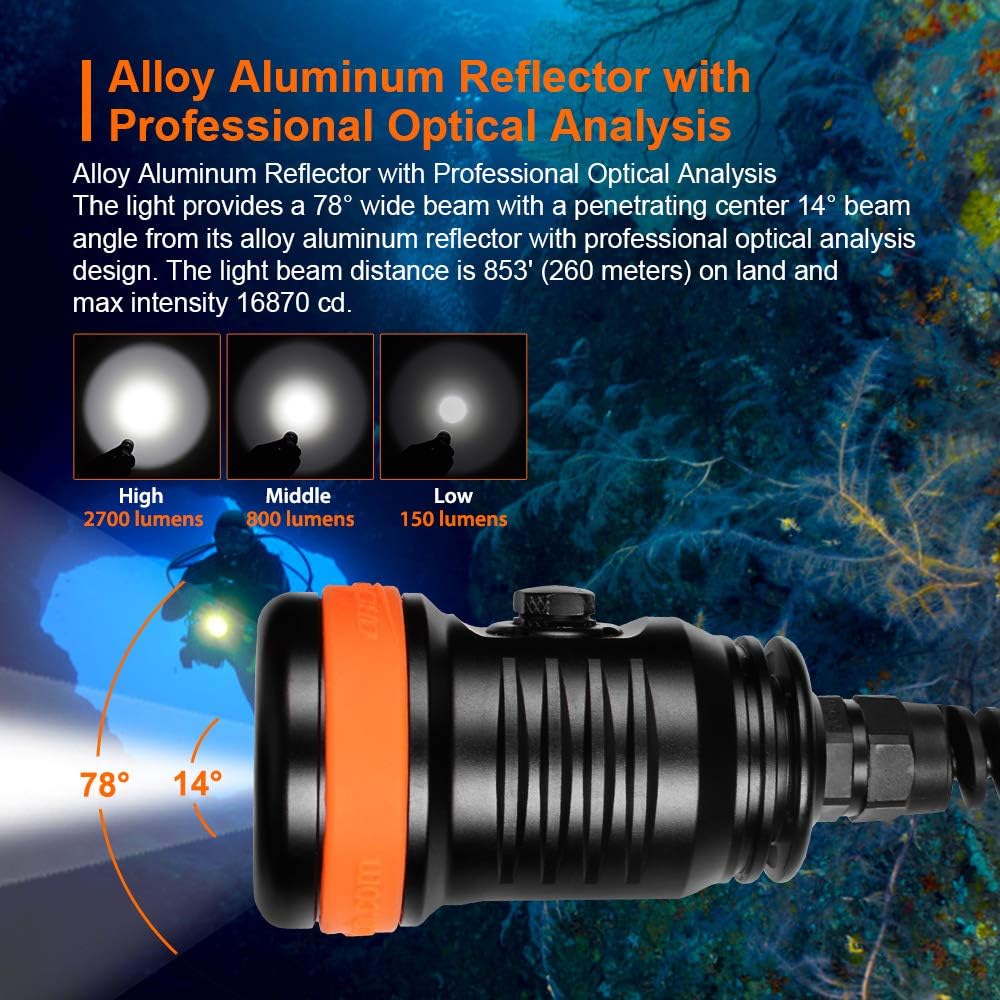
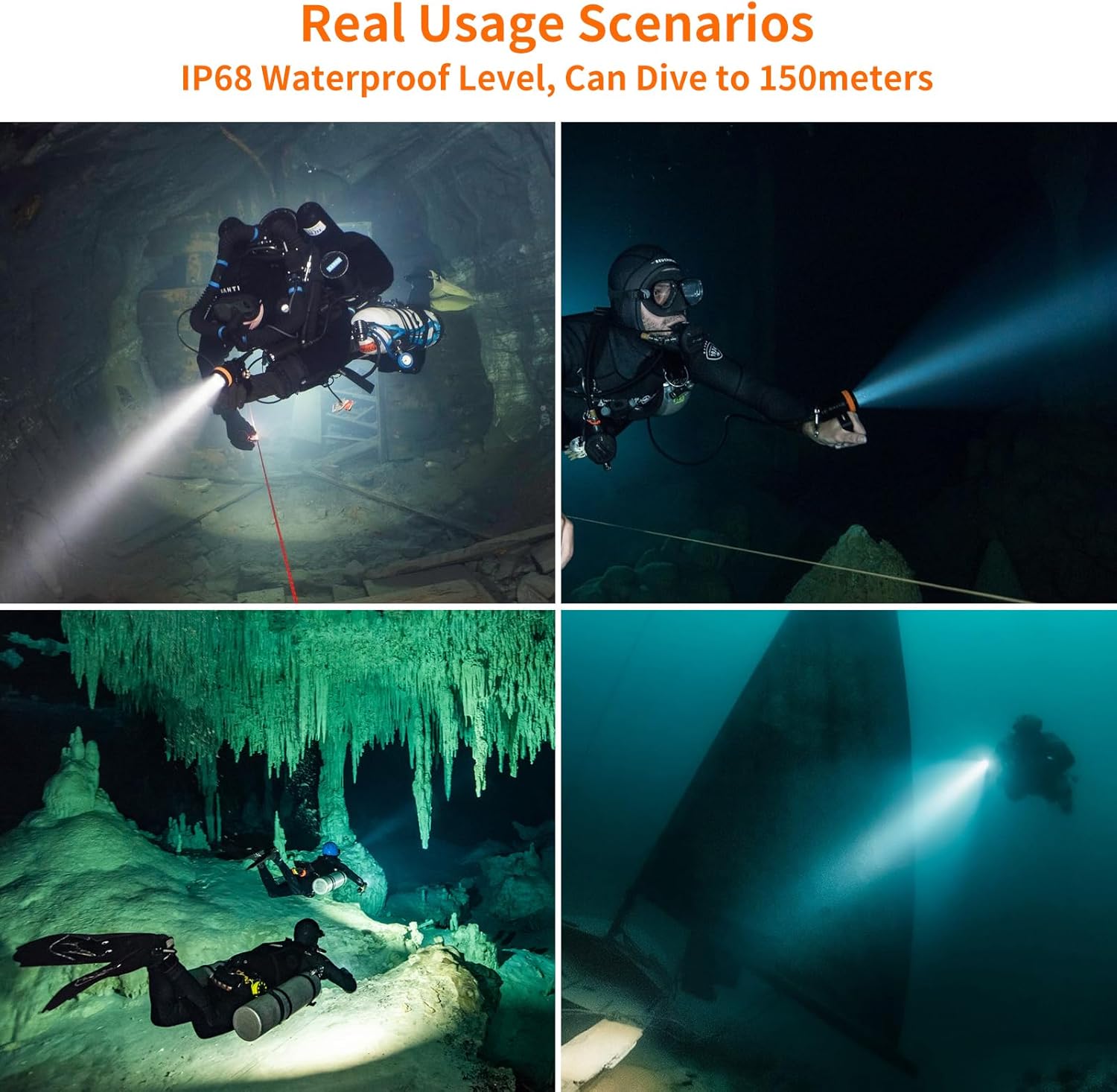
The ORCATORCH D620 V2.0 is a high-performance primary canister dive light designed for technical diving, including caving and wreck exploration. It features a powerful 2700 lumen output, multiple operating modes, and a robust, water-pressure resistant construction rated for depths up to 150 meters. This manual provides essential information for the safe and effective use, maintenance, and troubleshooting of your dive light.
2. Maklumat Keselamatan
- Always inspect the dive light for any damage or leaks before each dive.
- Ensure O-rings are clean, lubricated, and properly seated to maintain waterproof integrity.
- Do not look directly into the light beam, especially on high settings, as it can cause temporary vision impairment.
- Jauhkan cahaya daripada kanak-kanak.
- Use only recommended batteries and chargers. Improper use can lead to battery damage or explosion.
- Avoid disassembling the sealed head of the light to prevent damage and voiding the warranty.
- Rinse the light with fresh water after every dive and allow it to dry completely.
3. Kandungan Pakej
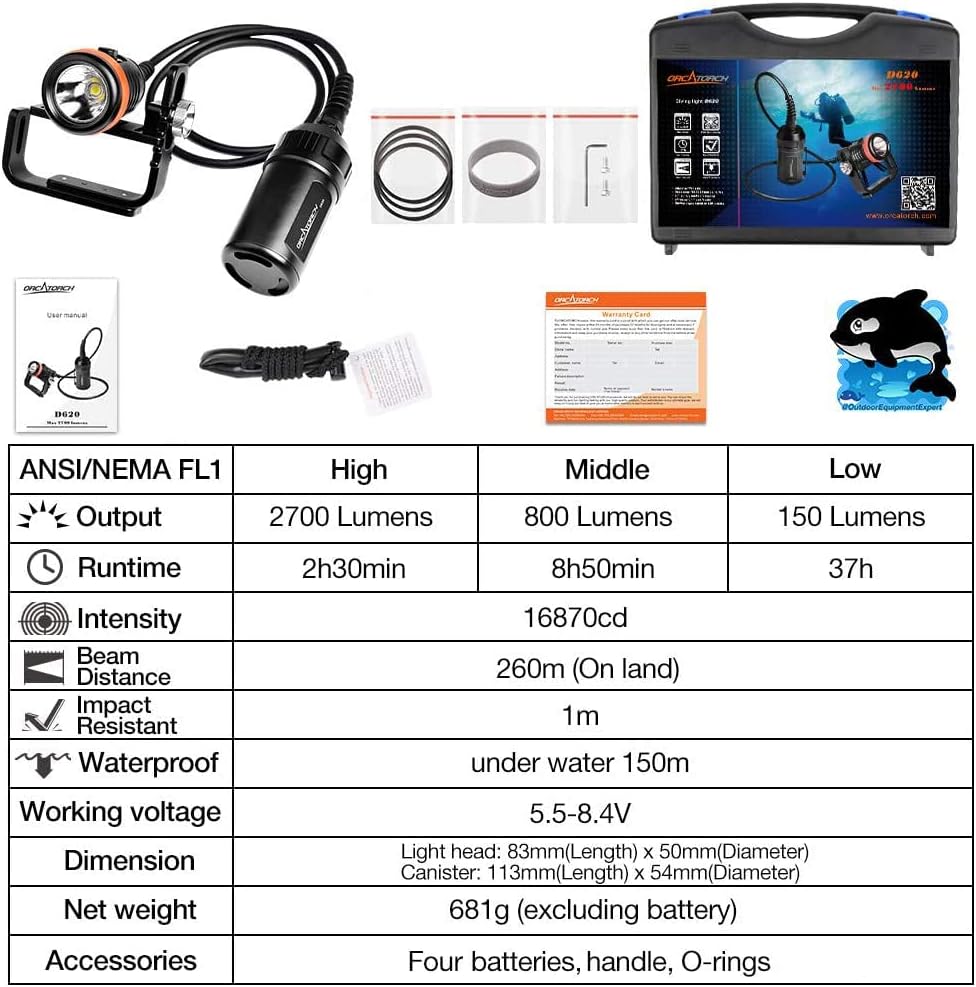
The ORCATORCH D620 V2.0 package includes the following items:
- 1 x OrcaTorch D620 canister dive light
- 4 x Bateri Boleh Dicas Semula
- 1 x Pengecas
- 1 x Goodman Handle
- 3 x O-Rings Ganti
- 1 x Manual Pengguna
- 1 x Exquisite Carrying Case


4. Persediaan
4.1 Attaching the Goodman Handle
The adjustable rotary Goodman handle allows for comfortable and secure handling during dives. It can be easily assembled and adjusted to fit your hand.
- Align the Goodman handle with the light head.
- Secure the handle using the provided screws and adjust the position for optimal comfort and grip.
- The handle can be folded across the light face for compact storage and protection.

Video: Demonstration of assembling and adjusting the Goodman handle on the OrcaTorch D620 dive light. This video shows how to attach the handle and customize its fit for comfortable use during dives.
4.2 Pemasangan dan Pengecasan Bateri
The D620 V2.0 is powered by four rechargeable batteries. Ensure batteries are fully charged before each dive.
- Unscrew the battery compartment of the canister.
- Insert the four rechargeable batteries according to the polarity markings.
- Securely close the battery compartment, ensuring O-rings are correctly seated.
- Connect the charger to the battery canister and a power source. The charger's indicator will show charging status.
5. Arahan Operasi
5.1 Hidupkan/Mati Kuasa dan Tukar Mod
The D620 V2.0 features a titanium alloy switch for reliable operation and multiple brightness levels.
- Untuk Menghidupkan: Press the side button once.
- Untuk Menukar Mod: Press the side button repeatedly to cycle through High, Medium, and Low brightness settings.
- Untuk Mematikan: Press and hold the side button for approximately 1 second.
5.2 Electronic Safety Lock
The new upgraded switch locking design prevents accidental activation during transport or storage.
- Untuk mengunci: When the light is off, press and hold the side button for 5 seconds. The main light will flash twice to indicate the lock status. Once locked, the button will emit a green light when pressed.
- Untuk Membuka Kunci: Press and hold the side button for 5 seconds. The main light will flash twice to indicate the unlock status. After unlocking, press the button to adjust the mode.

Video: Tamatview of the OrcaTorch D620 V2.0 Canister Dive Light, demonstrating its features including the upgraded switch, battery indicator, and electronic safety lock. The video also highlights its water pressure resistance and adjustable Goodman handle.
5.3 Petunjuk Status Bateri
The LED indicator on the switch provides real-time battery status:
- hijau: Battery level over 30%.
- merah: Tahap bateri antara 10% dan 30%.
- Merah Berkelip: Paras bateri kurang daripada 10%.
6. Spesifikasi
The ORCATORCH D620 V2.0 is built with high-quality materials and advanced features for demanding underwater environments.
| Ciri | Mod Tinggi | Middle Mode | Mod Rendah |
|---|---|---|---|
| Keluaran | 2700 Lumen | 800 Lumen | 150 Lumen |
| Masa jalan | 2j 30min | 8j 50min | 37j |
| Intensiti | 16870cd | ||
| Jarak Pancaran | 260m (Di darat) | ||
| Tahan Kesan | 1m | ||
| Kalis air | Bawah air 150m | ||
| Bekerja Voltage | 5.5-8.4V | ||
| Dimensi | Light head: 83mm(L) x 50mm(D), Canister: 113mm(L) x 54mm(D) | ||
| Berat Bersih | 681g (tidak termasuk bateri) | ||
| Aksesori | Four batteries, handle, O-rings | ||
7. Penyelenggaraan
- Pembersihan: After each dive, thoroughly rinse the dive light with fresh water to remove salt, sand, and other debris. Allow it to air dry completely before storage.
- Penjagaan O-Ring: Regularly inspect the O-rings for any signs of wear, cracks, or damage. Clean them and apply a thin layer of silicone grease to ensure a proper seal. Replace damaged O-rings immediately.
- Penjagaan Bateri: Store batteries in a cool, dry place. If not used for an extended period, charge them every 3-6 months to prolong their lifespan.
- Storan: Store the dive light in its protective carrying case in a cool, dry environment, away from direct sunlight and extreme temperatures.
8. Penyelesaian masalah
If you encounter issues with your ORCATORCH D620 V2.0, please refer to the following common solutions:
- Lampu tidak menyala:
- Check if the batteries are correctly installed and fully charged.
- Ensure the electronic safety lock is disengaged (refer to Section 5.2).
- Inspect the battery contacts for corrosion or debris.
- Cahaya berkelip-kelip atau malap tanpa diduga:
- The battery level may be low; recharge the batteries.
- Check for loose connections in the battery compartment or between the light head and canister.
- Kebocoran air:
- Immediately rinse the light with fresh water and dry it.
- Inspect all O-rings for damage, proper seating, and lubrication. Replace if necessary.
- Ensure all threaded connections are tightened securely.
If the issue persists, please contact ORCATORCH customer support for assistance.
9. Waranti dan Sokongan
ORCATORCH provides a 2-year free replacement warranty for its products to ensure customer satisfaction. For any product-related inquiries, technical support, or warranty claims, please visit the official ORCATORCH webtapak atau hubungi perkhidmatan pelanggan mereka.
rasmi Webtapak: www.orcatorch.com
Ask a question about this manual
Ask about setup, troubleshooting, compatibility, parts, safety, or missing instructions. Manuals+ will review the question and use this page’s manual context to help answer it.