
1. Pengenalan
This manual provides instructions for the Zerone Replacement Remote Control, Model Zerone15zhcexa2d. This remote is designed as a direct replacement for various televisions, offering essential functions for daily TV operation. It is constructed from durable ABS material for longevity.
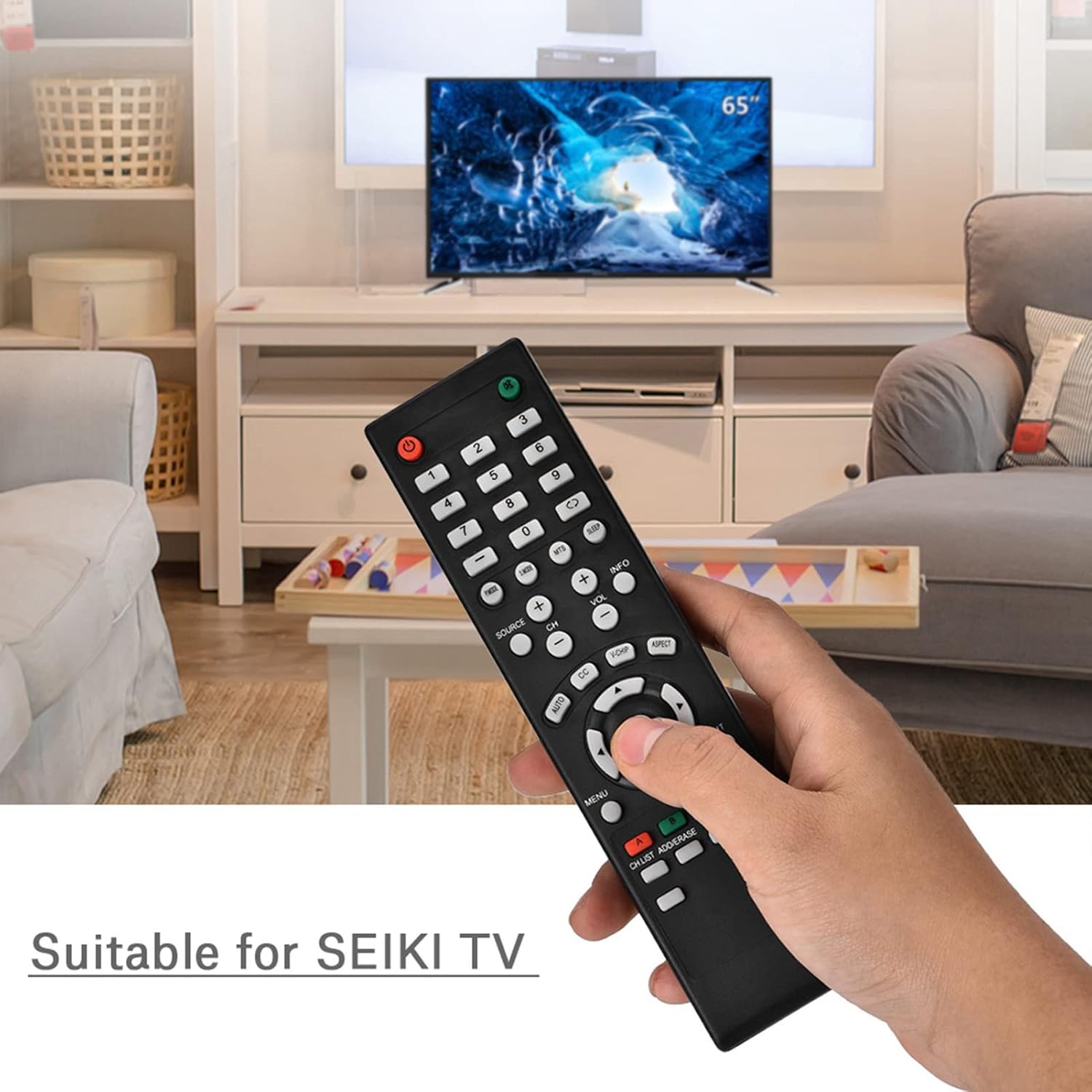
Image 1.1: The Zerone Replacement Remote Control in use, demonstrating its compatibility with televisions.
2. Persediaan
2.1 Pemasangan Bateri
Alat kawalan jauh memerlukan dua bateri AAA (tidak termasuk). Ikuti langkah ini untuk memasang bateri:
- Cari petak bateri di belakang alat kawalan jauh.
- Luncurkan penutup petak bateri ke bawah untuk membukanya.
- Masukkan dua bateri AAA, pastikan terminal positif (+) dan negatif (-) sejajar dengan tanda di dalam petak.
- Gantikan penutup petak bateri dengan menggelongsorkannya semula ke tempatnya sehingga ia berbunyi dengan selamat.

Imej 2.1: Belakang view of the remote control, illustrating the battery compartment.
2.2 Penggunaan Awal
This remote control is designed for immediate use with compatible televisions. No programming or setup is typically required. Once batteries are installed, the remote should function directly with your TV.
Video 2.1: Demonstration of battery installation for the Zerone Replacement Remote Control.
3. Arahan Operasi
3.1 Fungsi Asas
The remote control provides standard television functions. Point the remote directly at your television's infrared receiver for optimal performance.
- Butang kuasa (●): Menghidupkan atau mematikan TV.
- Butang Nombor (0-9): Pilih saluran secara terus.
- Kelantangan Naik/Kurang (KALAN VOL +/-): Melaraskan kelantangan bunyi.
- Saluran Atas/Bawah (CH +/-): Menukar saluran TV.
- Source Button (SOURCE): Cycles through input sources (HDMI, AV, etc.).
- Butang Menu (MENU): Mengakses menu utama TV.
- Navigation Buttons (Arrows & OK): Navigate menus and confirm selections.
- Butang Keluar (KELUAR): Exits current menu or function.
- Butang Redam (●): Membisukan atau menyahredamkan bunyi TV.

Imej 3.1: Depan view alat kawalan jauh, yang menonjolkan susun atur butang.
3.2 Julat Operasi
The effective operating distance for this remote control is typically over 8 meters (approximately 26 feet). Actual range may vary depending on the specific television model and environmental factors such as obstacles or interference.

Image 3.2: Illustration of the remote control's effective operating range.
4. Penyelenggaraan
4.1 Pembersihan
Untuk membersihkan alat kawalan jauh, gunakan kain lembut dan kering. Untuk kotoran degil, gunakan sedikit kainampen the cloth with water or a mild, non-abrasive cleaner. Avoid using harsh chemicals or abrasive materials, as these can damage the remote's surface or internal components.
4.2 Penggantian Bateri
Replace batteries when the remote's performance degrades (e.g., reduced range, unresponsive buttons). Refer to Section 2.1 for battery installation instructions. Always replace both batteries at the same time with new ones of the same type (AAA).

Image 4.1: The remote control, showcasing its durable construction material.
5. Penyelesaian masalah
| Masalah | Kemungkinan Punca | Penyelesaian |
|---|---|---|
| Jauh tidak berfungsi. | Bateri mati atau tidak dipasang dengan betul. | Check battery orientation. Replace with new AAA batteries (refer to Section 2.1). |
| Julat operasi terhad. | Weak batteries, obstruction, or remote not pointed at TV. | Replace batteries. Ensure a clear line of sight to the TV's IR receiver. Point the remote directly at the TV. |
| Specific buttons not responding. | Dirt or debris under buttons, or internal malfunction. | Clean the remote. If the issue persists after battery replacement and cleaning, the remote may require replacement. |
6. Spesifikasi
| Ciri | Perincian |
|---|---|
| Jenama | Zerone |
| Nombor Model | Zerone15zhcexa2d |
| Peranti Serasi | Televisions (specifically designed for SEIKI TVs, but compatible with others) |
| Teknologi Ketersambungan | Inframerah (IR) |
| Julat Maksimum | Over 8 meters (approx. 26 feet) |
| Sumber Kuasa | 2 x Bateri AAA (tidak termasuk) |
| bahan | ABS |
| Dimensi (L x W x H) | 7.1" x 2" x 0.6" (180mm x 50mm x 15mm) |
| Kuantiti Butang | 45 |

Image 6.1: Dimensions of the Zerone Replacement Remote Control.
7. Waranti dan Sokongan
7.1 Maklumat Waranti
Specific warranty details for the Zerone Replacement Remote Control may vary. Please refer to the product packaging or the retailer's purchase terms for the most accurate and up-to-date warranty information.
7.2 Sokongan Pelanggan
For further assistance or inquiries regarding your Zerone Replacement Remote Control, please contact the retailer or manufacturer's customer support channels. Contact information is typically provided with your purchase documentation or on the manufacturer's official webtapak.