
pengenalan
Thank you for choosing the Uncaged Ergonomics Rise Up Electric Standing Desk. This manual provides essential information for the safe and efficient assembly, operation, and maintenance of your new adjustable height desk. Please read these instructions carefully before use and retain them for future reference.

Image: The Rise Up Electric Standing Desk with a black bamboo desktop and gray frame.
Maklumat Keselamatan
Untuk memastikan operasi yang selamat dan mencegah kerosakan, sila patuhi perkara berikut:
- Ensure all cables are properly connected and secured before operation.
- Jauhkan kanak-kanak dan haiwan peliharaan daripada meja semasa pelarasan ketinggian.
- Jangan bebankan meja secara berlebihan. Kapasiti berat maksimum ialah 250 lbs (113 kg).
- Avoid placing objects that could be damaged by movement under the desk.
- Jangan duduk atau berdiri di atas meja meja.
- If the desk makes unusual noises or movements, discontinue use and consult the troubleshooting section.
- Only use the provided power adapter and control panel.
Kandungan Pakej
Sahkan bahawa semua komponen hadir sebelum memulakan pemasangan:
- Electric Desk Frame (Gray)
- 48x30 inch Solid Bamboo Desktop (Black)
- Kotak Kawalan
- Panel Kawalan dengan Pratetap Memori
- Penyesuai Kuasa dan Kabel
- Perkakasan Pemasangan (skru, alatan)
- Manual Arahan (dokumen ini)
Arahan Perhimpunan
Assembly requires careful attention to detail. A second person may be helpful due to the weight of the components. A drill can simplify the process, though it is not strictly required.
Langkah 1: Buka Pembungkusan Komponen
Keluarkan semua bahagian dari bungkusan dengan berhati-hati. Letakkannya di atas permukaan yang bersih dan lembut untuk mengelakkan calar.
Step 2: Assemble the Desk Frame
Follow the detailed diagrams provided in the separate assembly guide (if included) to connect the crossbar, lifting columns, and feet of the desk frame. Ensure all screws are tightened securely.
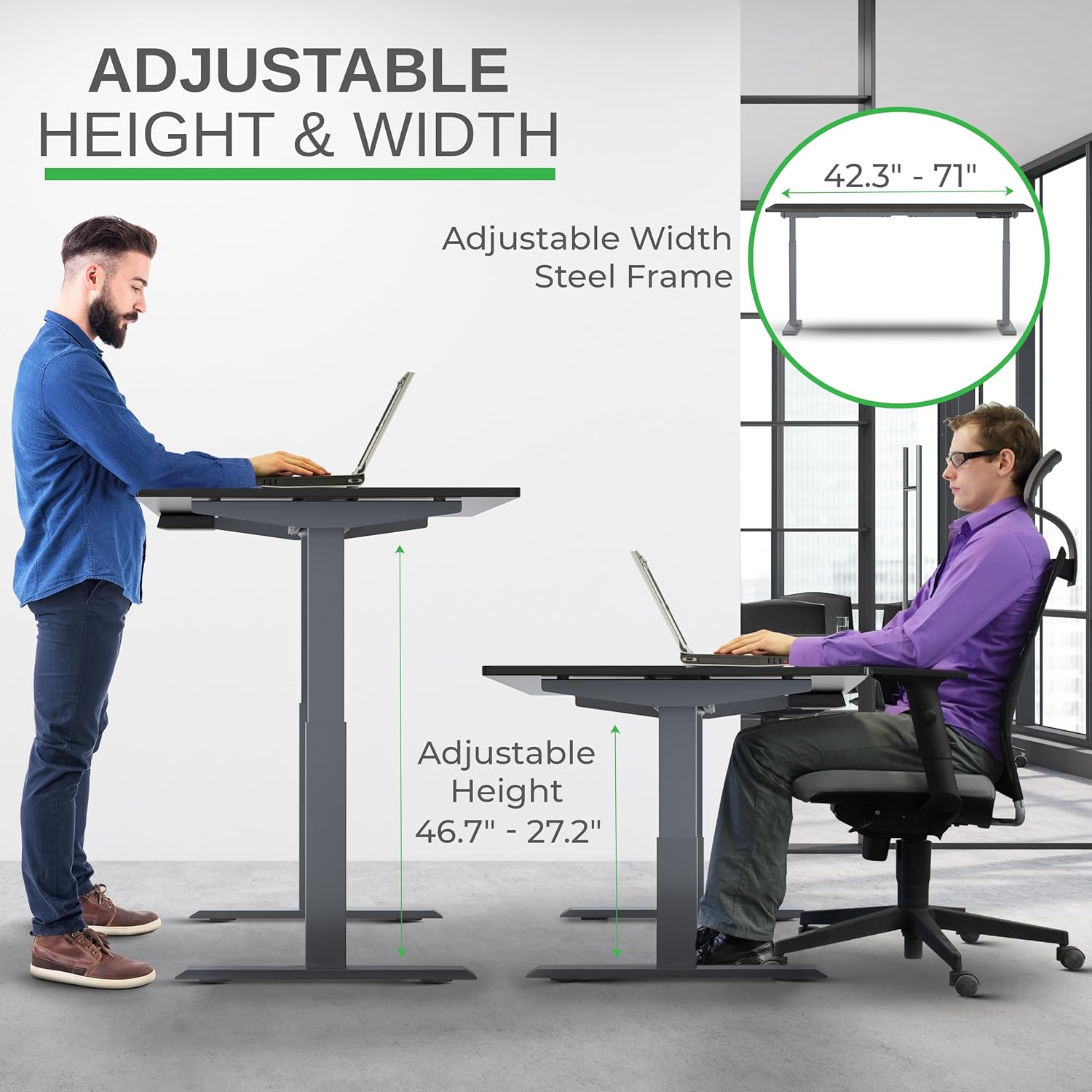
Image: Illustration of the adjustable height and width features of the desk frame, highlighting the range from 27.2" to 46.7" in height and 42.3" to 71" in width.
Step 3: Attach the Desktop
Carefully place the bamboo desktop upside down on a soft surface. Position the assembled desk frame onto the desktop, aligning the pre-drilled holes (if any) or marking new ones. Secure the desktop to the frame using the provided screws. The solid bamboo desktop is designed to accept screws without chipping.

Image: The Rise Up desk illustrating its adjustable height range from 27.2 inches to 46.7 inches, with a chair shown at both sitting and standing heights.
Step 4: Connect the Control Box and Cables
Mount the control box and control panel to the underside of the desktop as indicated in the assembly guide. Connect all motor cables and the power cable to the control box. Ensure all connections are secure.
Imej: Dari dekat view of the dual motors and two-stage lifting columns, indicating fast and quiet operation.
Arahan Operasi
Pelarasan Ketinggian
Use the up (▲) and down (▼) arrows on the control panel to adjust the desk to your desired height. The current height in centimeters will be displayed on the LCD screen.

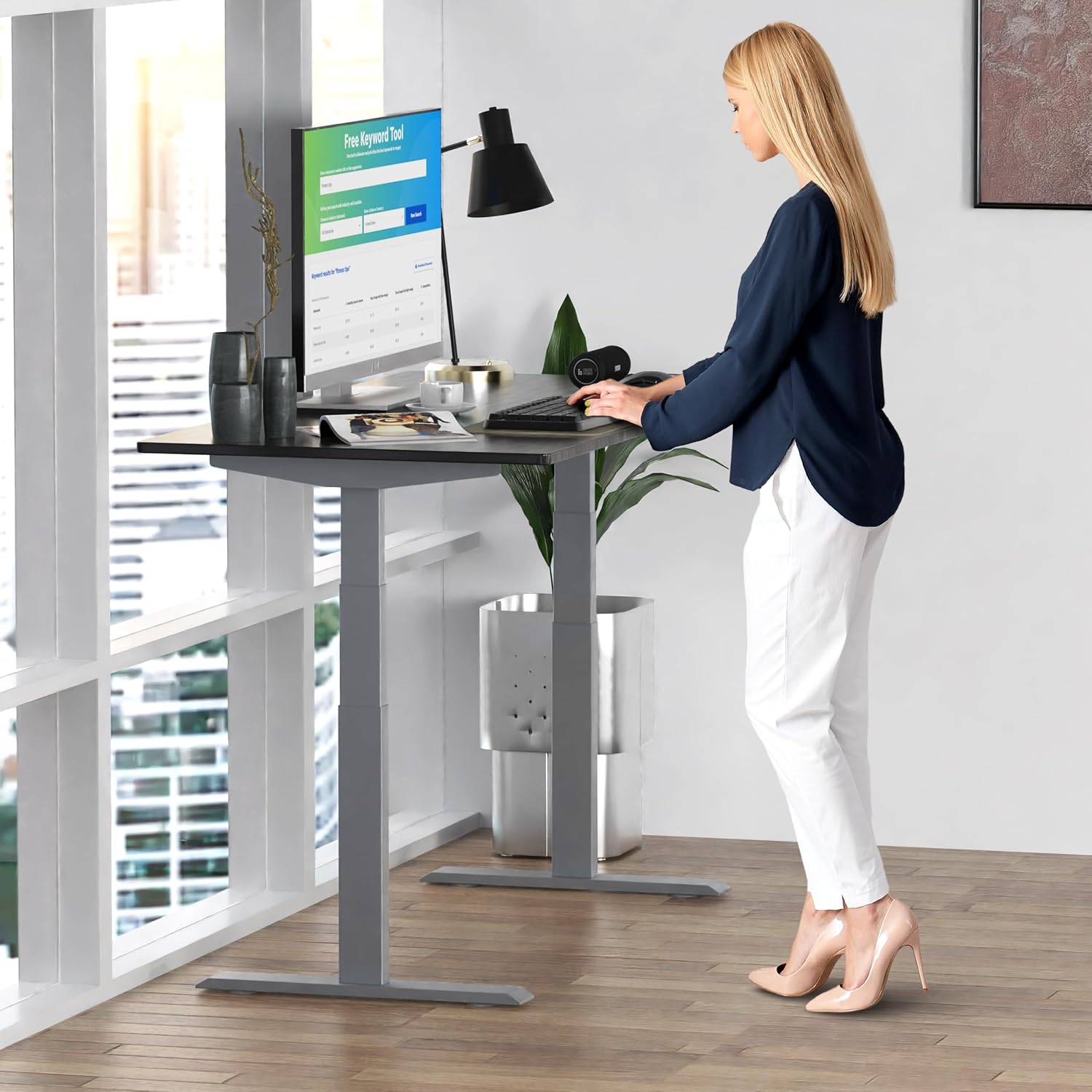
Image: A person standing at the Rise Up Electric Standing Desk, demonstrating the ease of height adjustment for an ergonomic work setup.
Pratetap Memori
The control panel features four memory presets (1, 2, 3, 4) to save your preferred sitting and standing heights.
- Laraskan meja mengikut ketinggian yang diingini menggunakan anak panah atas/bawah.
- Press and hold the "M" button until the LCD screen flashes.
- Immediately press the number button (1, 2, 3, or 4) where you want to save the current height.
- To recall a saved height, simply press the corresponding number button. The desk will automatically adjust to that position.
Video: This video demonstrates how to set and use the memory presets on the Rise Up Electric Standing Desk control panel for quick height adjustments.
Tetapkan semula Prosedur
If the desk is not adjusting properly, or if the LCD screen displays an error message like "ASR" or "000", a motor reset may be required. This procedure is simple and fast:
- Unplug all cables from the desk.
- Allow the desk to rest for a few seconds to dissipate any residual electricity.
- Plug all cables back in securely.
- Press and hold both the up (▲) and down (▼) arrows simultaneously for approximately 20-30 seconds.
- The desk will drop to its lowest position and then beep, indicating that the reset procedure is complete.
Video: This video provides a step-by-step guide on how to reset the motors of your Rise Up Electric Standing Desk if it encounters adjustment issues or displays error codes.
Penyelenggaraan
Regular maintenance ensures the longevity and optimal performance of your desk:
- Pembersihan: Lap desktop dan bingkai dengan lembut, damp kain. Elakkan bahan kimia yang keras atau pembersih yang kasar.
- Pengurusan Kabel: Periodically check that all cables are neatly organized and not pinched or tangled.
- Pengikat: Occasionally inspect all screws and bolts to ensure they remain tight. Retighten if necessary.
Menyelesaikan masalah
| Masalah | Kemungkinan Punca | Penyelesaian |
|---|---|---|
| Desk does not move / LCD shows "ASR" or "000" | Motor error or system needs reset. | Perform the "Reset Procedure" as described in the Operating Instructions section. |
| Uneven movement or noise | Loose connections or uneven load. | Check all cable connections. Ensure the desk load is evenly distributed. Perform a reset. |
| Perhentian meja di pertengahan pelarasan | Overload protection activated or anti-collision engaged. | Reduce the weight on the desk. Check for obstructions. Wait a few minutes and try again. |
Spesifikasi
| Ciri | Perincian |
|---|---|
| Nombor Model | RU2gbk48 |
| Bahan Desktop | Solid Bamboo (Black) |
| Bahan Bingkai | Alloy Steel (Gray) |
| Dimensi Desktop | 48 inches (D) x 30 inches (W) |
| Julat Ketinggian Boleh Laras | 27.2 inci - 46.7 inci |
| Julat Lebar Boleh Laras | 42 inci - 71 inci |
| Jenis Motor | Motor Dwi |
| Kapasiti Berat | 250 paun (113 kg) |
| Ciri Khas | Anti-collision technology, 4 memory presets |
Waranti dan Sokongan
The Uncaged Ergonomics Rise Up Electric Standing Desk comes with a 5-year warranty on the electric components and frame. For technical support, warranty claims, or any questions regarding your product, please visit our webtapak atau hubungi pasukan perkhidmatan pelanggan kami.
Webtapak: UncagedErgonomics.com