
pengenalan
Thank you for choosing the Conceptronic REGAS01B Optical Desktop Mouse. This manual provides essential information for setting up, operating, and maintaining your new mouse. Please read these instructions carefully before use to ensure proper functionality and longevity of your device.
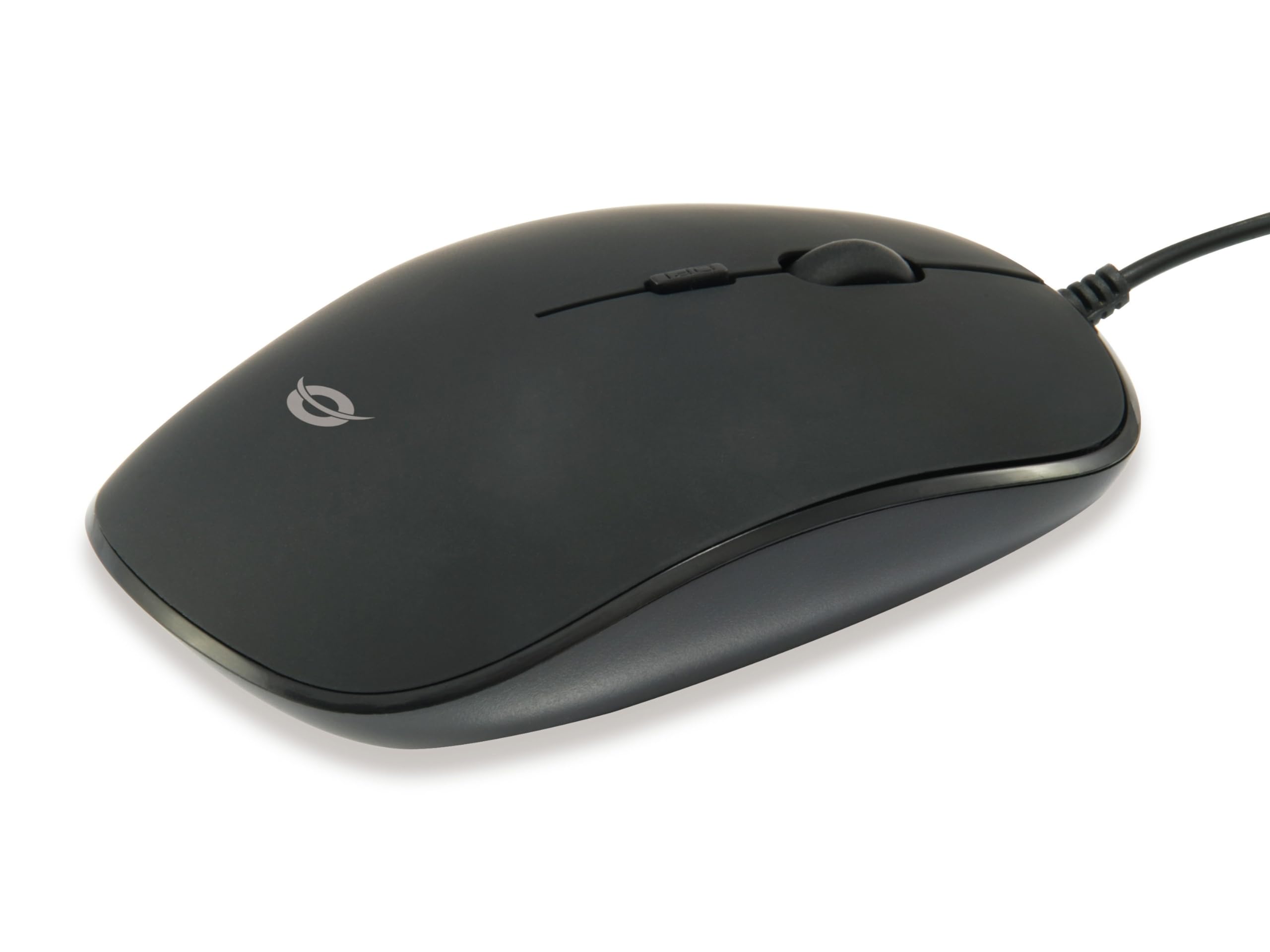
Imej: Atas view of the Conceptronic REGAS01B Optical Desktop Mouse, showcasing its ergonomic black design.
Kandungan Pakej
Pastikan semua item ada dalam pakej:
- Conceptronic REGAS01B Optical Desktop Mouse
- Manual Pengguna (dokumen ini)
- Note: This is a wired USB mouse and does not require external batteries for operation, despite some generic product data indicating otherwise.
Ciri-ciri
- Suis DPI: Adjustable sensitivity (800/1000/1200 DPI) for precise control.
- Pasang dan Main: Pemasangan mudah tanpa memerlukan pemacu tambahan.
- Reka Bentuk Ambidextrous: Comfortable for both left and right-handed users.
- Rubberized Surface: Provides enhanced grip and comfort during extended use.
- Penjejakan Optik: Pergerakan kursor yang boleh dipercayai dan tepat.
- Kesambungan USB: Standard wired connection for stable performance.
Persediaan
- Sambungkan Tetikus: Locate an available USB port on your computer. Insert the USB connector of the Conceptronic REGAS01B mouse into the USB port.
- Pemasangan Automatik: Your operating system (Windows, Linux, etc.) will automatically detect and install the necessary drivers. This process typically takes a few seconds.
- Sedia untuk Digunakan: Once the installation is complete, the mouse is ready for immediate use. No additional software is required.

Imej: Jarak dekat view of the mouse's scroll wheel and the DPI switch button, located behind the scroll wheel.
Arahan Operasi
Fungsi Asas
- Klik Kiri: Press the left button to select items, open files, or activate functions.
- Klik kanan: Tekan butang kanan untuk membuka menu konteks atau mengakses pilihan tambahan.
- Roda Tatal: Gulung roda skrol ke atas atau ke bawah untuk menavigasi dokumen dan web halaman. Roda skrol juga boleh ditekan untuk fungsi klik tengah, bergantung pada konfigurasi perisian.
Melaraskan Sensitiviti DPI
The Conceptronic REGAS01B mouse features a DPI switch to adjust cursor sensitivity on the fly. This allows you to quickly change between different tracking speeds for various tasks, such as precise editing or fast-paced gaming.
- Butang Suis DPI: Located behind the scroll wheel.
- Tahap Sensitiviti: Press the DPI switch button to cycle through 800, 1000, and 1200 DPI settings.
- Pilihan: Each press will change the sensitivity, allowing you to find the optimal speed for your current activity.
Penyelenggaraan
- Pembersihan: Use a soft, dry cloth to clean the mouse surface. For stubborn dirt, slightly dampen kain dengan air atau larutan pembersih lembut. Elakkan bahan kimia yang keras atau bahan yang melelas.
- Sensor Optik: Pastikan sensor optik di bahagian bawah tetikus bersih dan bebas daripada habuk atau serpihan untuk memastikan penjejakan yang tepat.
- Storan: When not in use, store the mouse in a clean, dry environment.
- Elakkan Cecair: Do not expose the mouse to excessive moisture or immerse it in liquids.
Menyelesaikan masalah
Tetikus Tidak Membalas
- Semak Sambungan USB: Pastikan kabel USB dipasang dengan kukuh ke port USB yang berfungsi pada komputer anda. Cuba port USB yang lain.
- Mulakan semula Komputer: Sometimes a simple computer restart can resolve connectivity issues.
- Uji pada Komputer Lain: Jika boleh, uji tetikus pada komputer lain untuk menentukan sama ada masalahnya berpunca daripada tetikus atau tetapan komputer anda.
Inaccurate Cursor Movement
- Sensor Optik Bersih: Pastikan sensor optik di bahagian bawah tetikus bersih dan bebas daripada habuk atau serpihan.
- Pad Tetikus/Permukaan: Gunakan tetikus pada permukaan yang bersih, tidak memantulkan cahaya dan seragam. Elakkan permukaan yang sangat memantulkan cahaya atau lutsinar.
- Laraskan DPI: Experiment with the DPI switch to find a sensitivity setting that provides accurate tracking for your needs.
Spesifikasi
| Ciri | Perincian |
|---|---|
| Jenama | Konsepronik |
| Nama Model | REGAS01B |
| warna | Hitam |
| Teknologi Ketersambungan | USB (Berwayar) |
| Teknologi Pengesanan Pergerakan | Optik |
| Tetapan DPI | 800 / 1000 / 1200 DPI (Boleh Laras) |
| Kuantiti Butang | 3 (Left, Right, Scroll Wheel/Middle Click) + DPI Switch |
| Orientasi Tangan | Ambidextrous |
| Peranti Serasi | Komputer Peribadi |
| Keserasian Sistem Pengendalian | Linux, Windows 7, Windows XP (and newer versions) |
| Berat Barang | 61 Gram |
| Ciri Khas | Ergonomic Design, Rubberized Surface, Plug & Play |
| Nombor Bahagian Pengilang | REGAS01B |
| GTIN (UPC) | 04015867208526 |
Waranti dan Sokongan
Untuk maklumat jaminan dan sokongan teknikal, sila rujuk laman web rasmi Conceptronic webtapak atau hubungi peruncit tempatan anda. Simpan bukti pembelian anda untuk tuntutan waranti.
- Sokongan dalam talian: melawat www.conceptronic.net (Nota: Ini ialah pemegang tempat URL, please replace with the actual support URL jika ada.)
- Hubungi: Refer to the contact information provided on the product packaging or the Conceptronic webtapak untuk perkhidmatan pelanggan.