
1. Pengenalan
The ThermoPro TP200B is a digital indoor/outdoor thermometer designed to monitor temperature and humidity levels in your environment. This manual provides detailed instructions for setting up, operating, and maintaining your device to ensure accurate readings and optimal performance.
2. Kandungan Pakej
- 1 x ThermoPro TP200B Main Unit (Indoor Display)
- 1 x Outdoor Temperature Sensor (Wireless)
- 5 x Bateri AAA (termasuk)
- 1 x Manual Pengguna
3. Ciri-ciri Utama
- Large Backlit Display with Large Digits: Features a 3.3-inch LCD display with large digits for easy readability, even in low light conditions.
- Rekod Maks/Min: Stores and displays maximum and minimum temperature and humidity records for the past 24 hours.
- Color Air Comfort Indicator: A visual indicator with an arrow shows current air conditions (Dry/Comfort/Wet), allowing for environmental adjustments.
- Bacaan Sangat Tepat: Equipped with a premium sensor for precise temperature and humidity measurements, accurate to ±2°F and ±2-3%RH.
- Reka Bentuk Mesra Pengguna: Easily adjust settings with three front-facing buttons.
- Pelbagai Pilihan Peletakan: Can be wall-mounted, placed on a tabletop, or attached via magnetic back.
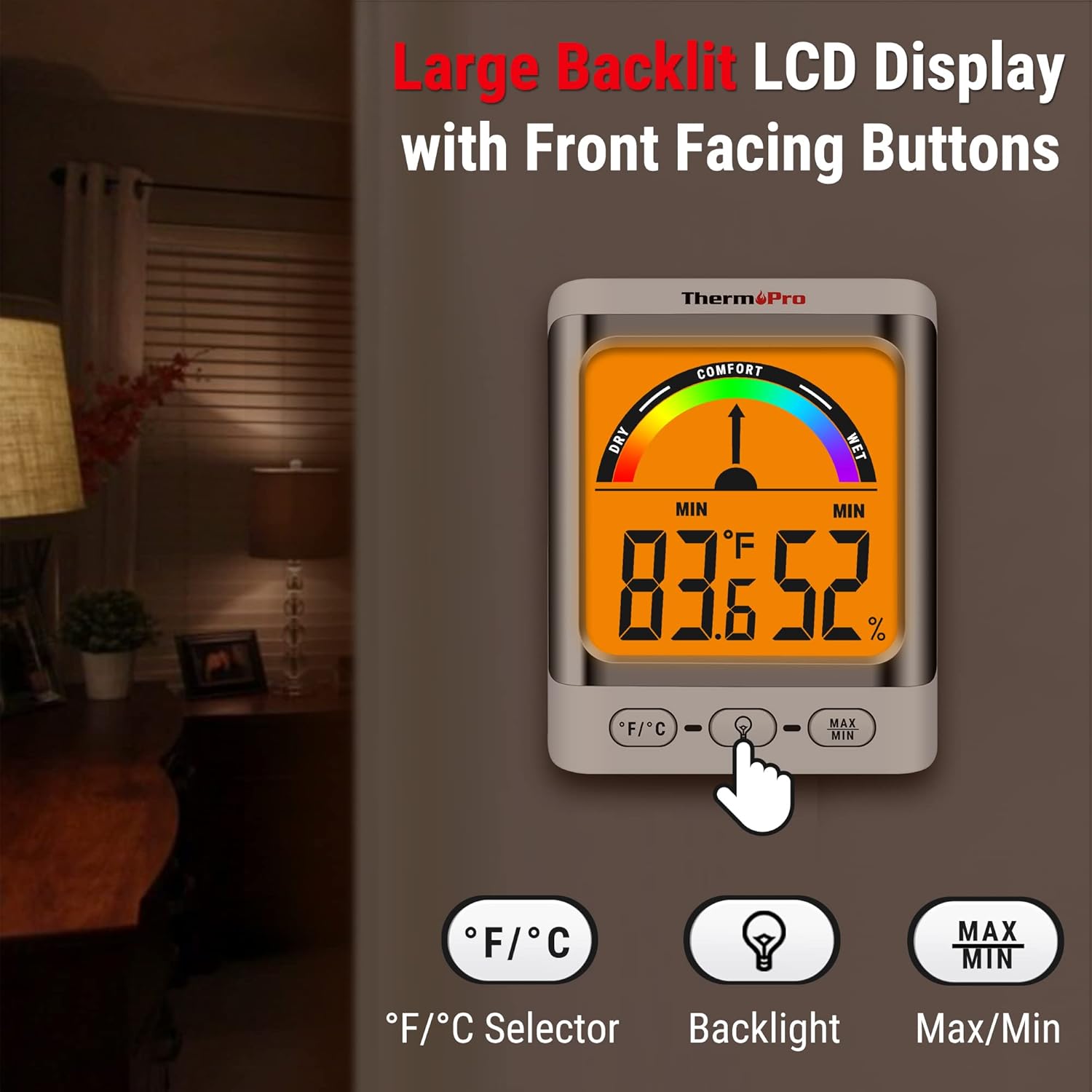
Image: The ThermoPro TP200B main unit display, highlighting the large digits, comfort indicator, and the three control buttons: °F/°C selector, Backlight, and Max/Min.
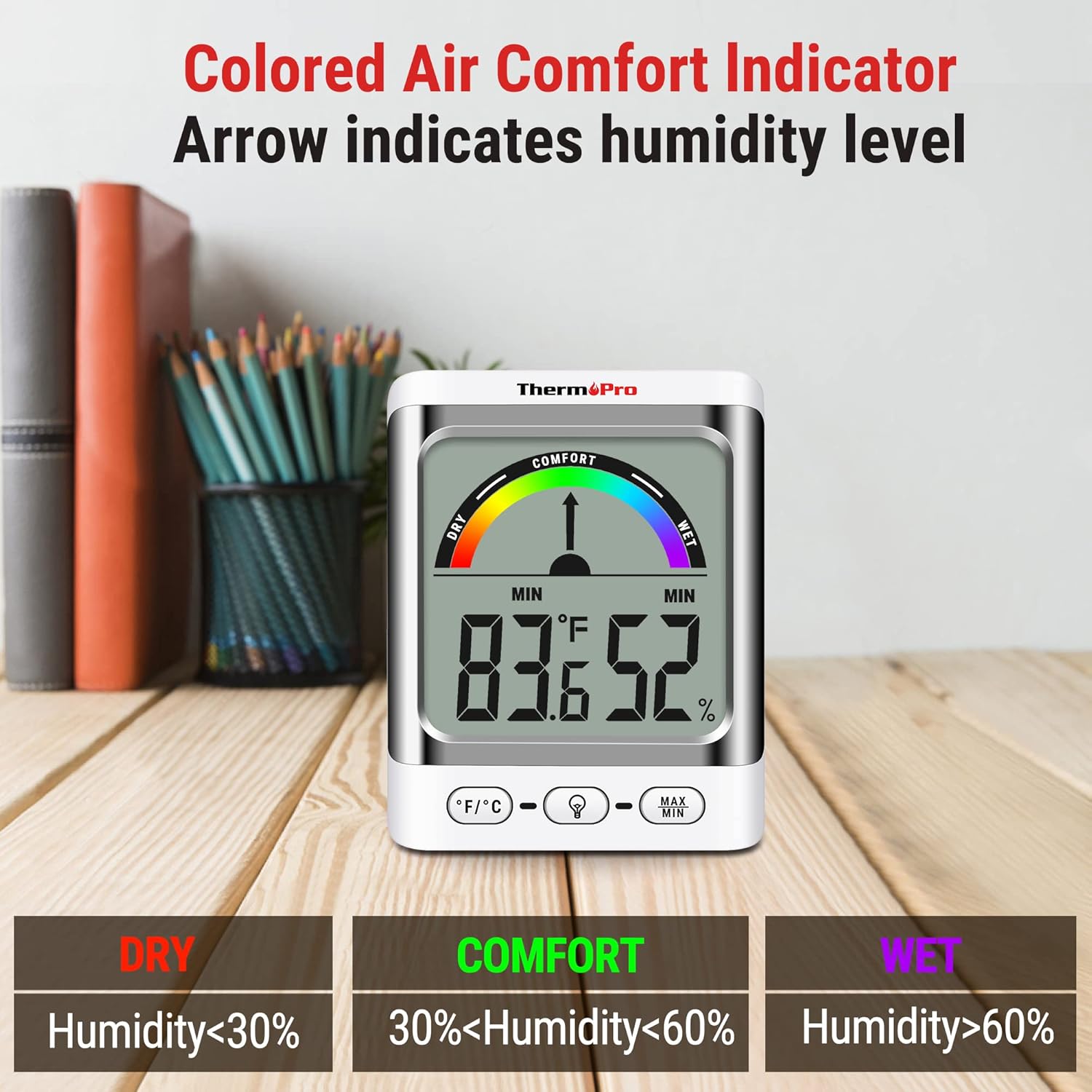
Image: A close-up of the ThermoPro TP200B display, illustrating the colored comfort indicator that visually represents dry (humidity <30%), comfort (30% < humidity < 60%), and wet (humidity >60%) conditions.
4. Persediaan
- Pemasangan Bateri:
- Open the battery compartment on the back of both the main unit and the outdoor sensor.
- Insert the provided AAA batteries, ensuring correct polarity (+/-).
- Tutup petak bateri dengan selamat.
- Peletakan Sensor:
- Place the outdoor sensor in a location that is protected from direct sunlight and precipitation for accurate readings.
- Ensure the sensor is within the 500ft wireless range of the main unit.
- Penempatan Unit Utama:
- The main unit can be placed on a tabletop using its integrated stand, mounted on a wall, or attached to a metallic surface via its magnetic back.
- Position the main unit in a central location indoors for optimal signal reception from the outdoor sensor.

Imej: Cthamples of flexible placement options for the ThermoPro TP200B, including wall mounting, magnetic attachment to a refrigerator, and freestanding on a countertop.
5. Arahan Operasi
5.1 Paparan Terlaluview
The large LCD display shows indoor temperature, humidity, and the comfort level indicator. The outdoor temperature is displayed from the wireless sensor.
5.2 Fungsi Butang
- Butang ° F / ° C: Press to switch between Fahrenheit and Celsius temperature units.
- Butang Lampu Belakang: Press to activate the backlight for 15 seconds, improving visibility in dim conditions.
- Butang MAX/MIN: Tekan untuk view the maximum and minimum temperature and humidity recorded over the past 24 hours. Press again to cycle through current, MAX, and MIN readings. Hold to reset MAX/MIN records.

Image: The ThermoPro TP200B displaying maximum and minimum temperature and humidity values, accompanied by a conceptual graph showing how these values fluctuate over a 24-hour period.
6. Penyelenggaraan
- Pembersihan: Lap unit dan sensor dengan kain lembut,amp kain. Jangan gunakan pembersih yang melelas atau rendam dalam air.
- Penggantian Bateri: Replace batteries when the low battery indicator appears on the display. Ensure to use fresh AAA batteries.
- Storan: Jika menyimpan peranti untuk tempoh yang lama, tanggalkan bateri untuk mengelakkan kebocoran.
7. Penyelesaian masalah
- Tiada Paparan/Penunjuk Bateri Rendah: Replace all batteries in both the main unit and the outdoor sensor.
- Bacaan Tidak Tepat:
- Ensure the outdoor sensor is not in direct sunlight or exposed to extreme weather conditions.
- Verify the main unit and sensor are within effective range and not obstructed by thick walls or electronic interference.
- Allow both units to stabilize for 30 minutes after initial setup or battery replacement.
- No Signal from Outdoor Sensor:
- Relocate the main unit or sensor closer to each other.
- Check batteries in both units.
- Reset the connection by removing batteries from both units, waiting a few minutes, then reinserting them.
8. Spesifikasi
| Ciri | Perincian |
|---|---|
| Nama Model | TP200B |
| Jenama | ThermoPro |
| Ciri Khas | Ketepatan Tinggi |
| warna | putih |
| Jenis Paparan | digital |
| Sumber Kuasa | Dikuasakan Bateri (termasuk 5 bateri AAA) |
| Ketepatan Suhu | ± 2 ° F (± 1.1 ° C) |
| Ketepatan Kelembapan | ±2% from 30% to 80% RH; ±3% outside this range |
| Masa Tindak Balas | 0.5 saat |
| Berat Barang | 4.2 auns |
| Panjang Item | 3.9 Inci |

Image: Multiple ThermoPro TP200B units demonstrating consistent temperature and humidity readings, highlighting the specified accuracy tolerances of ±2°F (±1.1°C) for temperature and ±2% RH (30-80% range) for humidity.

Image: A visual comparison showcasing the large, compact display of the ThermoPro TP200B (3.3 inches) next to a smaller, generic thermometer (1.7 inches), emphasizing its enhanced readability.
9. Waranti dan Sokongan
ThermoPro menyediakan jaminan untuk produk ini terhadap kecacatan pada bahan dan mutu kerja. Untuk maklumat jaminan terperinci, pendaftaran produk atau sokongan teknikal, sila lawati ThermoPro rasmi webtapak atau hubungi perkhidmatan pelanggan mereka. Simpan resit pembelian anda sebagai bukti pembelian.
ThermoPro Rasmi Webtapak: www.thermopro.com