
1. Pengenalan
Thank you for choosing the Easytry123 Replacement Remote Control. This remote is designed to function as a replacement for various Sony CRT HDTV TV models, including RM-Y165, KV-36HS20, KV-32XBR200, RM-Y184, KV-36HS20H, KV-32XBR450, and KV-36XBR450H. This manual provides essential information for setting up, operating, and maintaining your new remote control.
Important Note: As a replacement unit, this remote control may not support all functions of your original remote. Please ensure your TV model is listed as compatible before use.
2. Produk Lebihview
The Easytry123 Replacement Remote Control is an ergonomic, infrared (IR) device designed for ease of use with compatible Sony televisions. It features a standard layout for common television functions.
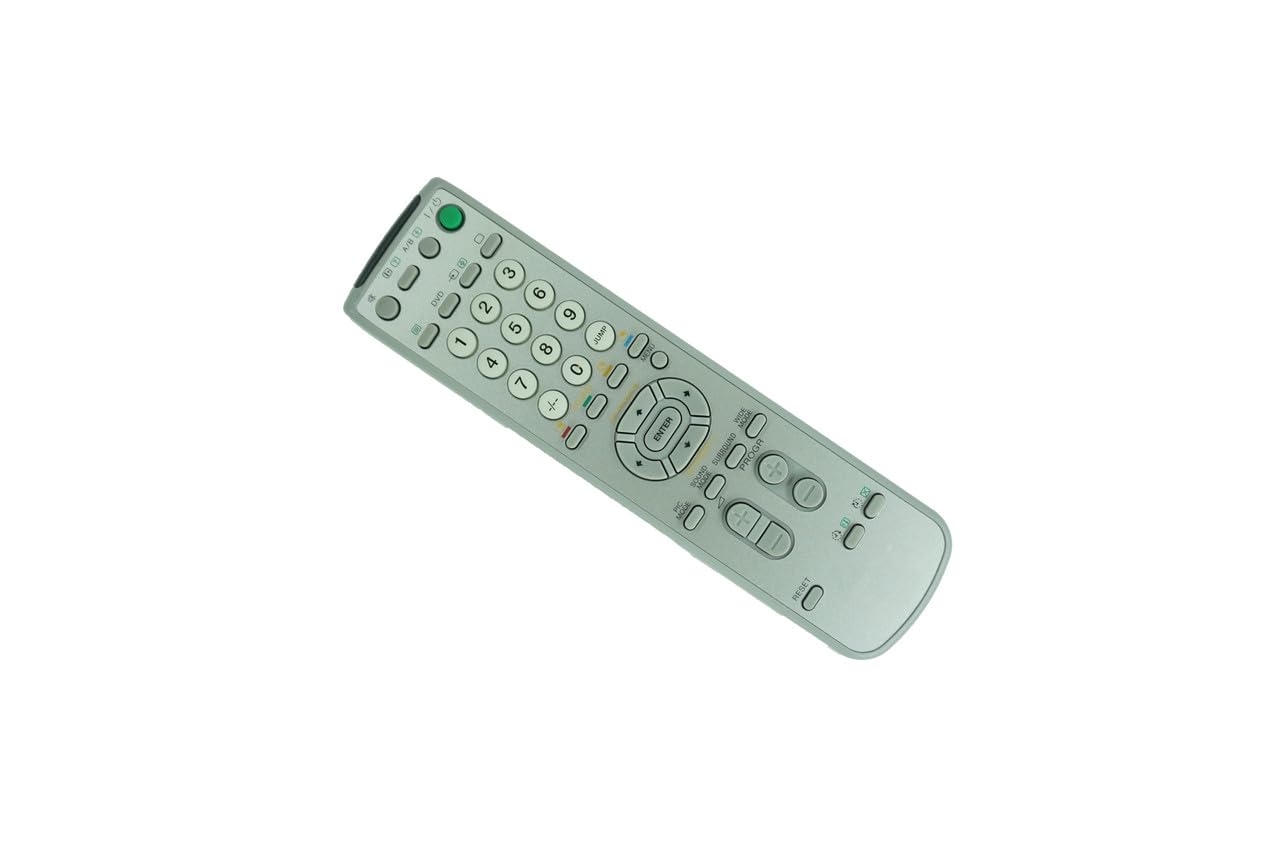
Rajah 2.1: Depan view of the Easytry123 Replacement Remote Control. This image displays the full button layout, including number keys, channel and volume controls, menu navigation, and power button.

Rajah 2.2: Bersudut view of the Easytry123 Replacement Remote Control. This image provides a perspective view of the remote, highlighting its ergonomic design and button placement.
Ciri-ciri Utama:
- Reka bentuk ergonomik: Selesa untuk dipegang dan dikendalikan.
- Kesambungan Inframerah: Standard IR signal for reliable communication with your TV.
- Penggantian Langsung: Functions without complex programming for listed compatible models.
3. Persediaan
3.1 Pemasangan Bateri
The remote control requires two (2) AA batteries (not included) for operation.
- Cari penutup petak bateri di belakang alat kawalan jauh.
- Luncurkan penutup ke bawah atau tekan selak (jika ada) untuk membuka petak.
- Insert two new AA batteries, ensuring the positive (+) and negative (-) terminals align correctly with the markings inside the compartment.
- Luncurkan penutup petak bateri kembali ke tempatnya sehingga ia berbunyi dengan selamat.
Nota: Always use fresh batteries and replace both batteries at the same time. Do not mix old and new batteries or different types of batteries.
3.2 Penggunaan Awal
This replacement remote control is designed to work directly with compatible Sony CRT HDTV TV models without requiring any programming. Once batteries are installed, point the remote at your television and begin operation.
4. Arahan Operasi
The remote control provides standard functions for your television. Familiarize yourself with the button layout shown in Figure 2.1.
- Butang Kuasa: Located at the top right, typically green. Press to turn the TV on or off.
- Butang Nombor (0-9): Used for direct channel selection.
- Saluran Atas/Bawah: Navigasi melalui saluran secara berurutan.
- Kelantangan Naik/Turun: Laraskan tahap audio.
- Butang Bisukan: Temporarily silences the TV audio.
- Butang Menu: Accesses the TV's on-screen menu system.
- Navigation (Arrow) Buttons & ENTER: Used to navigate within menus and confirm selections.
- Butang Input/Sumber: Switches between different video input sources (e.g., TV, DVD, AV).
For specific advanced functions or TV settings, refer to your television's original user manual.
5. Penyelenggaraan
5.1 Pembersihan
To clean your remote control, gently wipe it with a soft, dry cloth. For stubborn dirt, slightly dampLap kain dengan air atau pencuci lembut yang tidak kasar. Elakkan menggunakan bahan kimia yang keras atau kelembapan berlebihan, kerana ini boleh merosakkan elektronik alat kawalan jauh.
5.2 Penggantian Bateri
Replace batteries when the remote's response becomes sluggish or stops working. Follow the battery installation steps in Section 3.1. Dispose of used batteries responsibly according to local regulations.
5.3 Penyimpanan
Jika alat kawalan jauh tidak akan digunakan untuk tempoh yang lama, keluarkan bateri untuk mengelakkan kebocoran dan kemungkinan kerosakan pada peranti.
6. Penyelesaian masalah
- Jauh tidak bertindak balas:
- Ensure the remote is pointed directly at the TV's IR receiver.
- Check if there are any obstructions between the remote and the TV.
- Gantikan bateri dengan bateri AA yang baru.
- Verify that your TV model is listed as compatible with this remote.
- Some functions do not work:
- As a replacement remote, some advanced or specific functions of your original TV remote may not be supported. This is normal for universal or replacement remotes.
- Refer to your TV's original manual for specific function details.
- Butang melekit atau tidak responsif:
- Bersihkan alat kawalan jauh seperti yang diterangkan dalam Bahagian 5.1.
- Ensure no liquids have entered the remote.
7. Spesifikasi
| Jenama | Easytry123 |
| Nombor Model | B07VFRVV8P |
| Peranti Serasi | Sony CRT HDTV Televisions (e.g., RM-Y165, KV-36HS20, KV-32XBR200, RM-Y184, KV-36HS20H, KV-32XBR450, KV-36XBR450H) |
| Teknologi Ketersambungan | Inframerah (IR) |
| Sumber Kuasa | 2 x Bateri AA (tidak termasuk) |
| Ciri Khas | Reka Bentuk Ergonomik |
| Bilangan Butang | 12 (as per product specifications, though visual inspection shows more) |
8. Waranti dan Sokongan
Specific warranty information for this Easytry123 Replacement Remote Control is not provided in the product details. For any questions regarding warranty, returns, or technical support, please contact the seller directly through your purchase platform.
For further assistance or inquiries, please refer to the contact information provided by the retailer or seller where you purchased this product.