
1. Pengenalan
The Eyoyo EF360 Underwater Fishing Camera System is designed to provide real-time underwater viewing for various fishing environments. This system features a 9-inch LCD color screen, a 1000TVL camera with 360-degree horizontal panning, and 18 infrared (IR) lights for clear visibility in low-light conditions. It also includes a DVR function for recording footage to an 8GB TF card. This manual provides instructions for setup, operation, maintenance, and troubleshooting to ensure optimal performance of your device.
2. Kandungan Pakej
Sahkan bahawa semua item yang disenaraikan di bawah disertakan dalam pakej anda. Jika ada item yang hilang atau rosak, sila hubungi sokongan pelanggan.
- Monitor LCD 1 x 9 inci
- 1 x 360 Degree Rotating Camera with 30M cable
- 1 x Pek Bateri
- 1 x Beg Pembawa Aluminium
- 1 x Penyesuai Kuasa/Pengecas
- 1 x Sun Visor
- 1 x Manual Pengguna (dokumen ini)
- 1 x 8GB TF Card (pre-installed or included for DVR function)
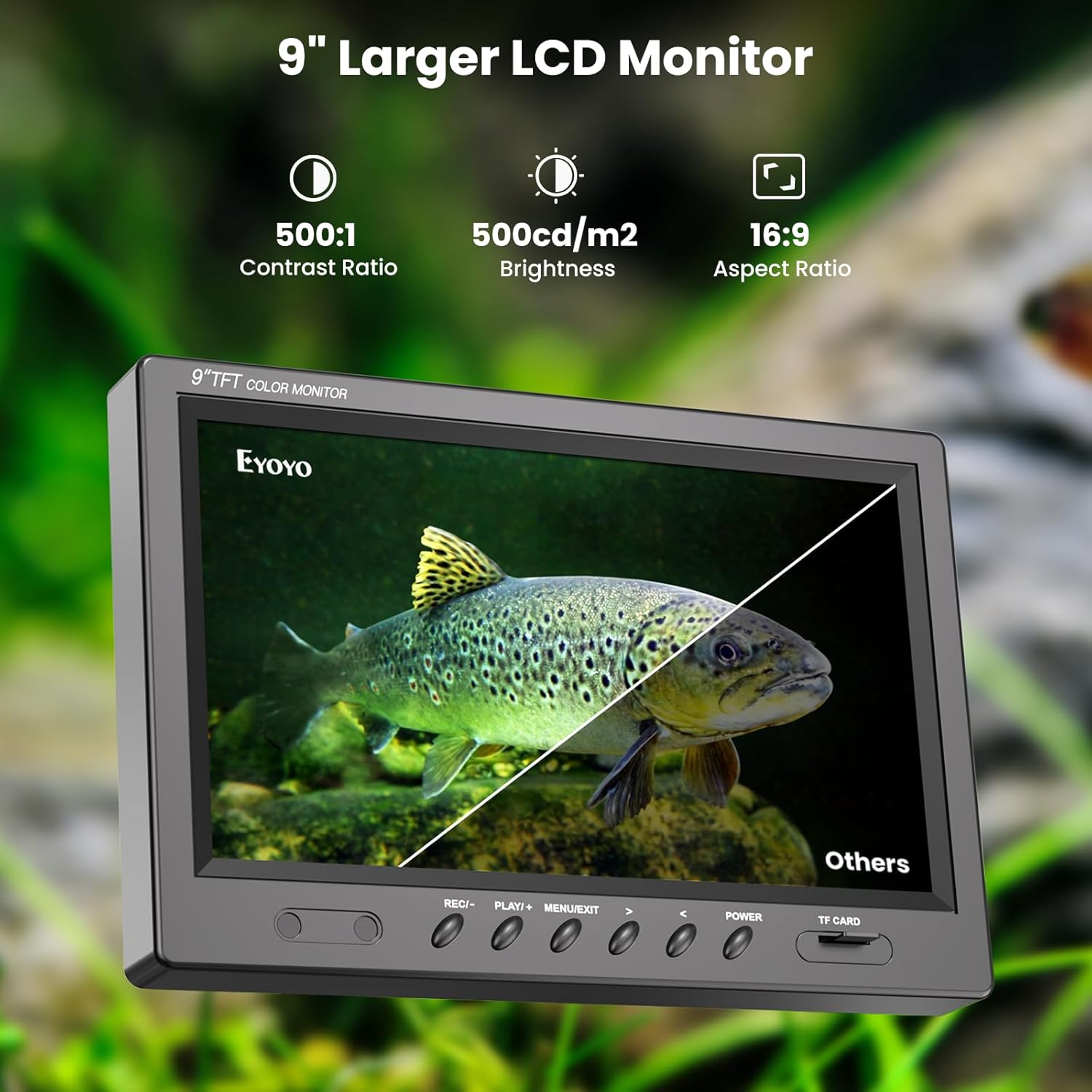
Image: All components of the Eyoyo EF360 Underwater Fishing Camera System laid out, including the monitor, camera, battery, charger, sun visor, and carrying case.
3. Spesifikasi
| Ciri | Perincian |
|---|---|
| Nama Model | EF360 |
| Saiz Skrin | 9 Inci |
| Resolusi Tangkapan Video | 1000TVL |
| Panning Kamera | 360 Degrees Horizontal |
| Pencahayaan | 18 Infrared (IR) Lights |
| Fungsi DVR | Yes, with 8GB Micro SD Card |
| Panjang Kabel | 30 Meter (98 kaki) |
| Tahan Air | Waterproof (Camera) |
| Hayat Bateri | Lebih kurang 5-8 Jam |
| Video File Format | AVI, MP4 |
| Media Storan | Kad SD Mikro |
4. Panduan Persediaan
Follow these steps to set up your Eyoyo EF360 Underwater Fishing Camera System.
4.1 Mengecas Bateri
- Connect the power adapter to the battery pack.
- Palamkan penyesuai kuasa ke soket elektrik standard.
- Allow the battery to charge fully before first use (typically 6-8 hours). The indicator light on the charger will change when charging is complete.
4.2 System Assembly
- Open the aluminum carrying case and carefully remove all components.
- Place the 9-inch LCD monitor securely in its designated slot within the case.
- Connect the camera cable to the monitor's input port. Ensure a secure connection.
- Connect the battery pack to the monitor's power input port.
- If not already inserted, locate the 8GB TF card slot on the monitor and insert the card.
- Attach the sun visor to the monitor for improved visibility in bright conditions.
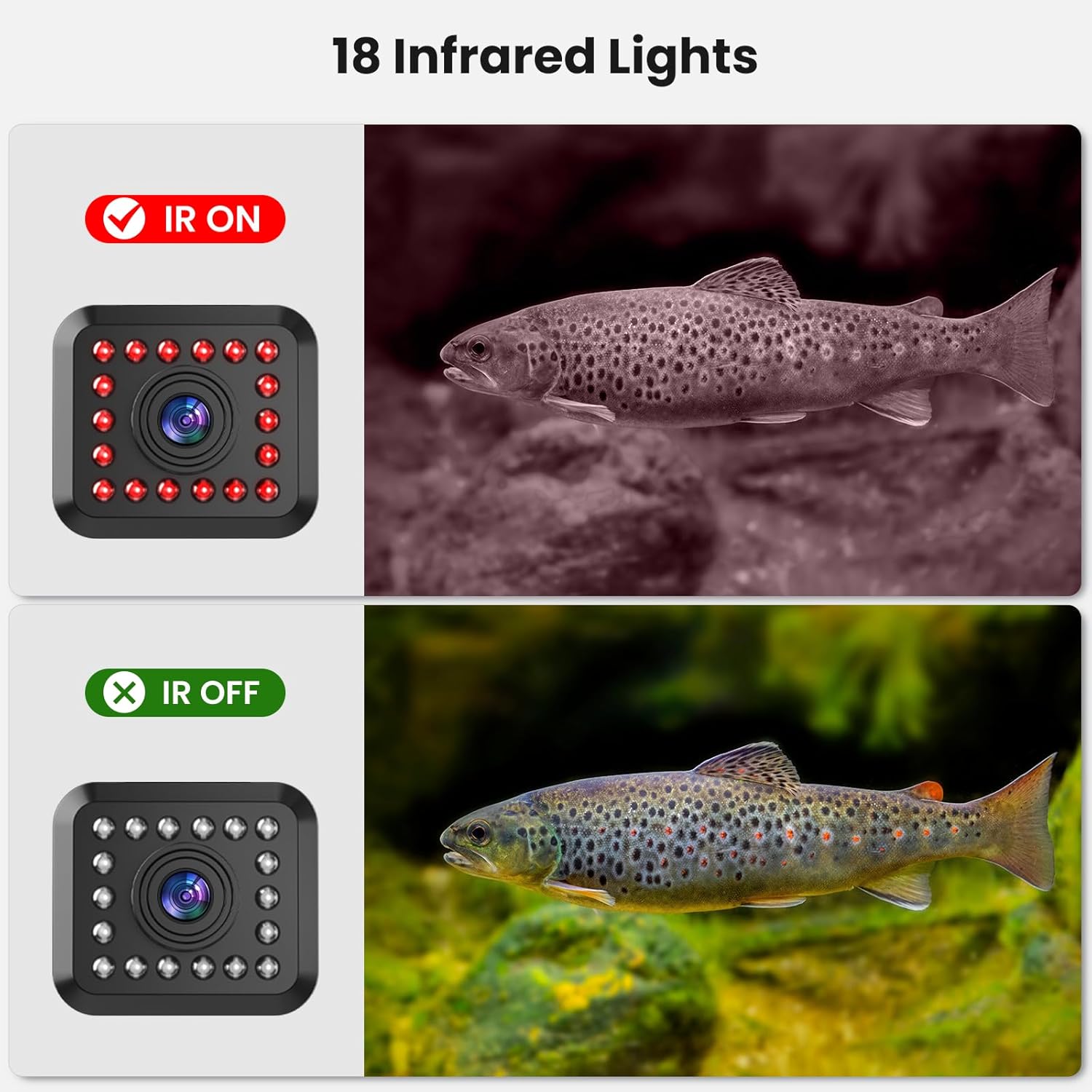
Image: Diagram showing the connection points for the camera, monitor, battery, and remote control unit.
Video: A detailed setup guide for the Eyoyo EF360 Underwater Fishing Camera, demonstrating how to connect components and prepare for use.
5. Arahan Operasi
5.1 Menghidupkan/Mematikan
- Untuk menghidupkan, tekan dan tahan KUASA button on the monitor until the screen illuminates.
- Untuk mematikan, tekan dan tahan KUASA butang sekali lagi sehingga skrin dimatikan.
5.2 Deploying the Camera
- Carefully unspool the camera cable to the desired depth.
- Ensure the camera is oriented correctly for optimal viewing. The 2 lb weight helps stabilize the camera in water.
5.3 360° Panning Control
- Use the wired remote control unit to rotate the camera horizontally.
- Press the directional buttons on the remote to pan the camera left or right for a full 360-degree view.
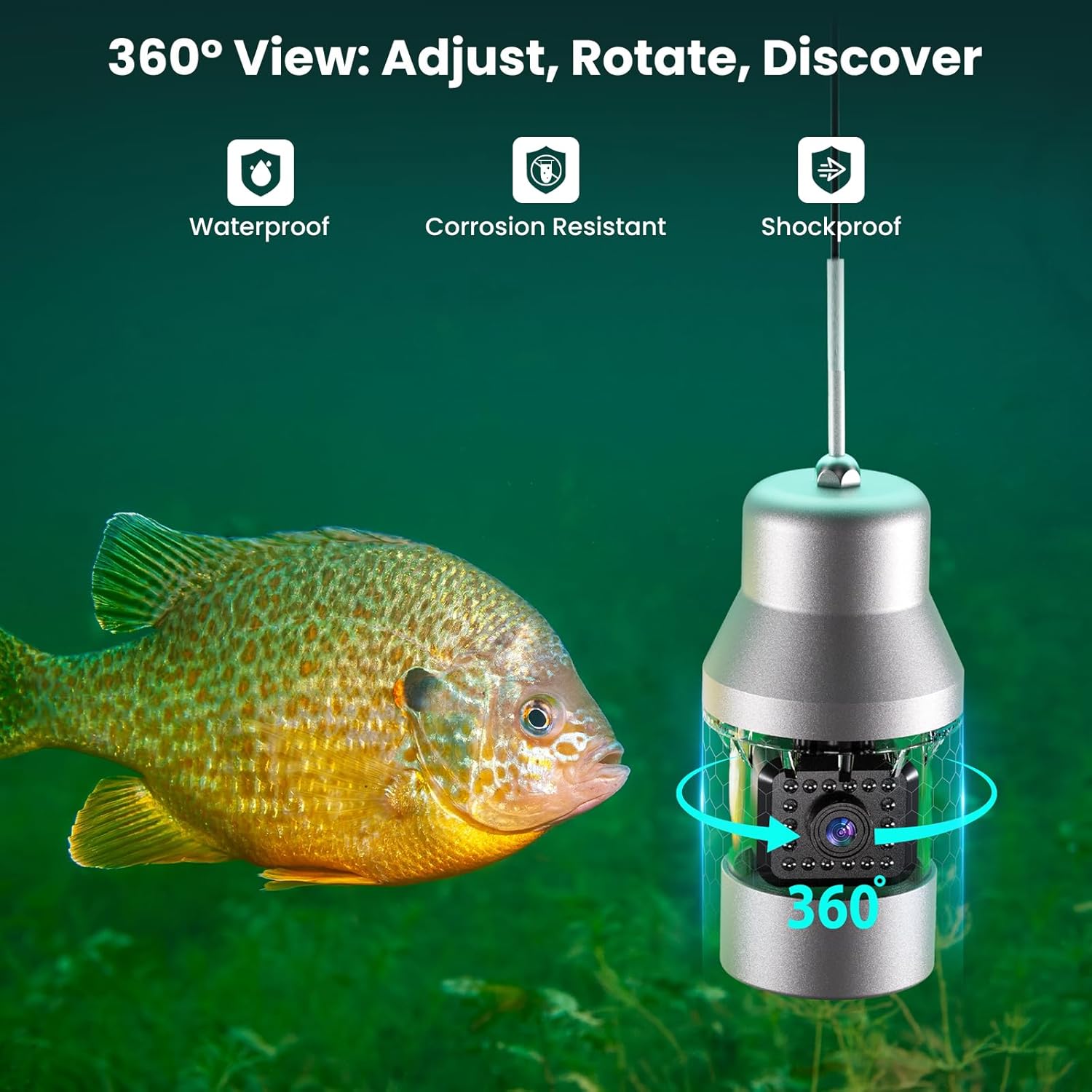
Image: The underwater camera unit with an arrow indicating its 360-degree rotation capability, highlighting its waterproof, corrosion-resistant, and shockproof design.
5.4 Adjusting Infrared (IR) Lights
- The camera is equipped with 18 IR lights for low-light conditions.
- Use the remote control to turn the IR lights on or off, or adjust their intensity, to achieve optimal visibility without startling fish.

Image: A comparison showing the underwater view with infrared lights on (black and white image) and off (color image), demonstrating improved visibility in dark water.
5.5 DVR Function (Recording and Playback)
- Untuk mula merakam, tekan butang REC button on the monitor or remote. A recording indicator will appear on the screen.
- Untuk berhenti merakam, tekan REC butang lagi.
- To play back recorded footage, tekan butang BERMAIN button. Use the directional buttons to navigate through files.
- The system records to the 8GB TF card. Ensure the card has sufficient space.

Image: The monitor displaying recorded underwater footage, with an icon indicating the 8GB memory card for storage.
Video: A demonstration of the Eyoyo EF360 Underwater Fishing Camera in action, showcasing its features and video quality.
6. Penyelenggaraan
Proper maintenance ensures the longevity and performance of your fishing camera system.
- Pembersihan: After each use, especially in saltwater, rinse the camera and cable with fresh water. Wipe the monitor and case with a soft, dry cloth. Do not use abrasive cleaners.
- Storan: Store the system in its original aluminum carrying case in a cool, dry place away from direct sunlight. Ensure the cable is neatly spooled to prevent kinks or damage.
- Penjagaan Bateri: For long-term storage, charge the battery to about 50-70% capacity. Recharge every 3-6 months to prevent deep discharge.
- Pemeriksaan Kabel: Regularly inspect the camera cable for any signs of wear, cuts, or damage. Replace if necessary to maintain waterproof integrity.
7. Penyelesaian masalah
If you encounter issues with your Eyoyo EF360, refer to the table below for common problems and solutions.
| Masalah | Kemungkinan Punca | Penyelesaian |
|---|---|---|
| Tiada gambar di skrin | Loose cable connection, low battery, camera malfunction. | Check all cable connections. Ensure battery is charged. Power cycle the unit. |
| Imej kabur atau tidak jelas | Dirty camera lens, poor water clarity, incorrect IR light setting. | Clean camera lens. Adjust IR lights. Move to clearer water. |
| Camera not panning | Remote control issue, motor obstruction, cable damage. | Check remote battery (if applicable) and connection. Ensure no debris is obstructing the camera's rotation. |
| DVR tidak merakam | TF card full, TF card not inserted correctly, card error. | Check TF card storage and format if necessary. Reinsert TF card. Try a different TF card. |
| Hayat bateri pendek | Battery not fully charged, aged battery, extreme cold temperatures. | Ensure full charge. Battery performance decreases in cold; keep battery warm if possible. Consider battery replacement if significantly degraded. |
8. Maklumat Waranti
The Eyoyo EF360 Underwater Fishing Camera System comes with a Waranti 2 tahun dari tarikh pembelian. Waranti ini meliputi kecacatan pembuatan dan pincang fungsi dalam penggunaan biasa. Ia tidak melindungi kerosakan yang disebabkan oleh penyalahgunaan, kemalangan, pengubahsuaian yang tidak dibenarkan, atau penyelenggaraan yang tidak betul. Sila simpan bukti pembelian anda untuk tuntutan waranti.
9. Sokongan Pelanggan
For technical assistance, warranty claims, or any questions regarding your Eyoyo EF360 Underwater Fishing Camera System, please contact Eyoyo customer support through the following channels:
- Webtapak: Visit the official Eyoyo webtapak untuk Soalan Lazim dan sumber sokongan.
- e-mel: Refer to your product packaging or the Eyoyo webtapak untuk alamat e-mel perkhidmatan pelanggan.
- Peruncit Dalam Talian: If purchased through an online retailer, you may contact their customer service for initial support.
When contacting support, please have your product model (EF360) and proof of purchase readily available.