
pengenalan
Thank you for choosing the Bulbright 6 Pack RGB LED Spotlight Bulb with Remote Control. This manual provides essential information for the safe and efficient use of your new LED bulbs. Please read these instructions carefully before installation and retain them for future reference.
Maklumat Keselamatan
- Always turn off the power supply before installing or replacing bulbs.
- Ensure the bulb is securely fastened in the GU10 socket.
- Do not use with dimmers unless explicitly stated as compatible. This product is designed for remote control dimming.
- Avoid direct exposure to water or high humidity environments. This product is for indoor use only.
- Do not disassemble the bulb; it contains no user-serviceable parts.
- Jauhkan alat kawalan jauh daripada kanak-kanak.
Kandungan Pakej
- 6 x Bulbright RGB LED Spotlight Bulbs (GU10 Base)
- 1 x Remote Control (battery not included, typically CR2025 or CR2032)
Produk Selesaiview
The Bulbright RGB LED Spotlight Bulb features a GU10 base, offering 3 watts of power with color-changing capabilities. It includes a remote control for easy adjustment of colors and modes.

Image: Bulbright GU10 RGB LED Spotlight Bulb with its accompanying remote control, showcasing the product's design and primary components.

Image: Detailed dimensions of the Bulbright GU10 RGB LED Spotlight Bulb, indicating a width of 50mm (1.96 inches) and a height of 63mm (2.48 inches).
Persediaan dan Pemasangan
- Matikan: Before installation, ensure the power supply to the light fixture is completely turned off at the main switch or circuit breaker.
- Identify Socket: Confirm your fixture uses a GU10 base socket.
- Sisipkan Mentol: Align the two pins of the GU10 bulb with the holes in the socket. Push the bulb into the socket and twist it clockwise until it locks securely into place.
- Pulihkan Kuasa: Once the bulb is securely installed, restore power to the light fixture.
- Bateri Jauh: Insert the required battery (e.g., CR2025 or CR2032) into the remote control, ensuring correct polarity.
Arahan Operasi
The Bulbright RGB LED Spotlight Bulb is controlled using the provided infrared remote control.

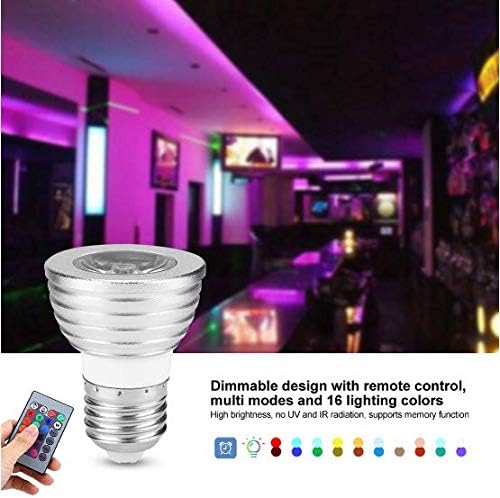
Image: The remote control for the Bulbright RGB LED Spotlight Bulb, showing various color buttons and mode selections. A hand is shown operating the remote, with the bulb visible in the background.
Fungsi Kawalan Jauh:
- Hidup/Mati: Tekan ke ON button to turn the bulb on, and the DIMATIKAN butang untuk mematikannya.
- Pelarasan Kecerahan: Gunakan Kecerahan Naik dan Kecerahan Turun buttons to adjust the light intensity.
- Pilihan Warna: Press any of the 16 color buttons to select a specific static color. The main colors are Red, Green, Blue, and White.
- Pemilihan Mod:
- KILAT: Cycles through colors quickly.
- STROB: Berkelip satu warna.
- PUDAR: Peralihan antara warna dengan lancar.
- LICIN: Gradually changes between colors.
- Fungsi Memori: The bulb features a memory function. The last selected color or mode setting will be remembered when the bulb is turned off and then back on.
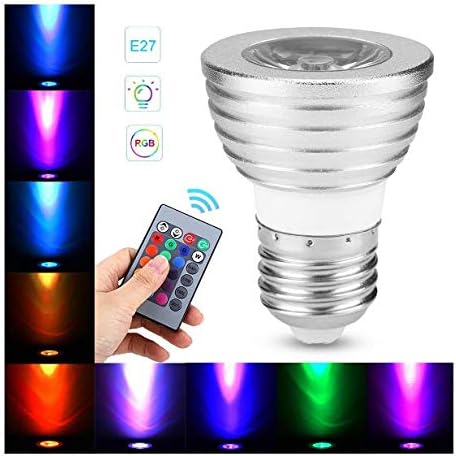
Image: The Bulbright RGB LED Spotlight Bulb demonstrating its ability to emit various colors, including red, orange, yellow, green, blue, and purple, showcasing its versatile lighting options.
Penyelenggaraan
- Pembersihan: Pastikan kuasa dimatikan sebelum membersihkan. Lap mentol dengan kain lembut dan kering. Jangan gunakan pembersih cecair atau bahan kasar.
- Kawalan Jauh: If the remote control stops responding, check and replace the battery if necessary. Ensure there are no obstructions between the remote and the bulb's sensor.
- Storan: Jika menyimpan mentol untuk tempoh yang lama, simpannya di tempat yang sejuk dan kering, jauh daripada cahaya matahari langsung.
Menyelesaikan masalah
| Masalah | Kemungkinan Punca | Penyelesaian |
|---|---|---|
| Mentol tidak menyala. | Tidak ada kekuatan untuk perlawanan. Bulb not installed correctly. Mentol rosak. | Periksa bekalan kuasa dan pemutus litar. Ensure bulb is securely twisted into the GU10 socket. Test with another working bulb or replace the bulb. |
| Alat kawalan jauh tidak berfungsi. | Remote battery is dead or incorrectly inserted. Obstruction between remote and bulb. Remote is too far from the bulb. | Replace the remote control battery, ensuring correct polarity. Keluarkan sebarang objek yang menghalang garis penglihatan. Move closer to the bulb (within 5-8 meters). |
| Bulb flickers or changes color unexpectedly. | Sambungan longgar. Gangguan elektrik. Mentol rosak. | Turn off power, re-seat the bulb firmly. Ensure the bulb is not near strong electromagnetic sources. Replace the bulb if the issue persists. |
Spesifikasi
| Ciri | Spesifikasi |
|---|---|
| Jenis Produk | LED RGBW Light Bulb |
| Jenis Asas | GU10 |
| Bekerja Voltage | 85V-265V |
| Wattage | 3 Watt |
| Warna Cerah | Multicolor (4 main colors: Red, Green, Blue, White; 16 total tones) |
| Kecerahan | 240 Lumen |
| Suhu Warna | 2700 Kelvin |
| Jangka hayat | > 50000 jam |
| bahan | Glass & Aluminum |
| Dimensi | 50mm (1.97") W x 63mm (2.48") H |
| Kaedah Kawalan | Alat kawalan jauh inframerah |
| Penggunaan Dalaman/Luar | Penggunaan dalaman sahaja |
Waranti dan Sokongan
Bulbright products are manufactured to high-quality standards. For any issues or support inquiries, please refer to your purchase documentation or contact the retailer where the product was purchased. Keep your proof of purchase for warranty claims.