
EDISLIVE YLC002195-50
EDISLIVE Modern Minimalist LED Round Shaped Flush Mount Ceiling Light User Manual
model: YLC002195-50
Jenama: EDISLIVE
1. Pengenalan
Thank you for choosing the EDISLIVE Modern Minimalist LED Round Shaped Flush Mount Ceiling Light. This manual provides detailed instructions for the safe installation, operation, and maintenance of your new lighting fixture. Please read this manual thoroughly before installation and retain it for future reference.
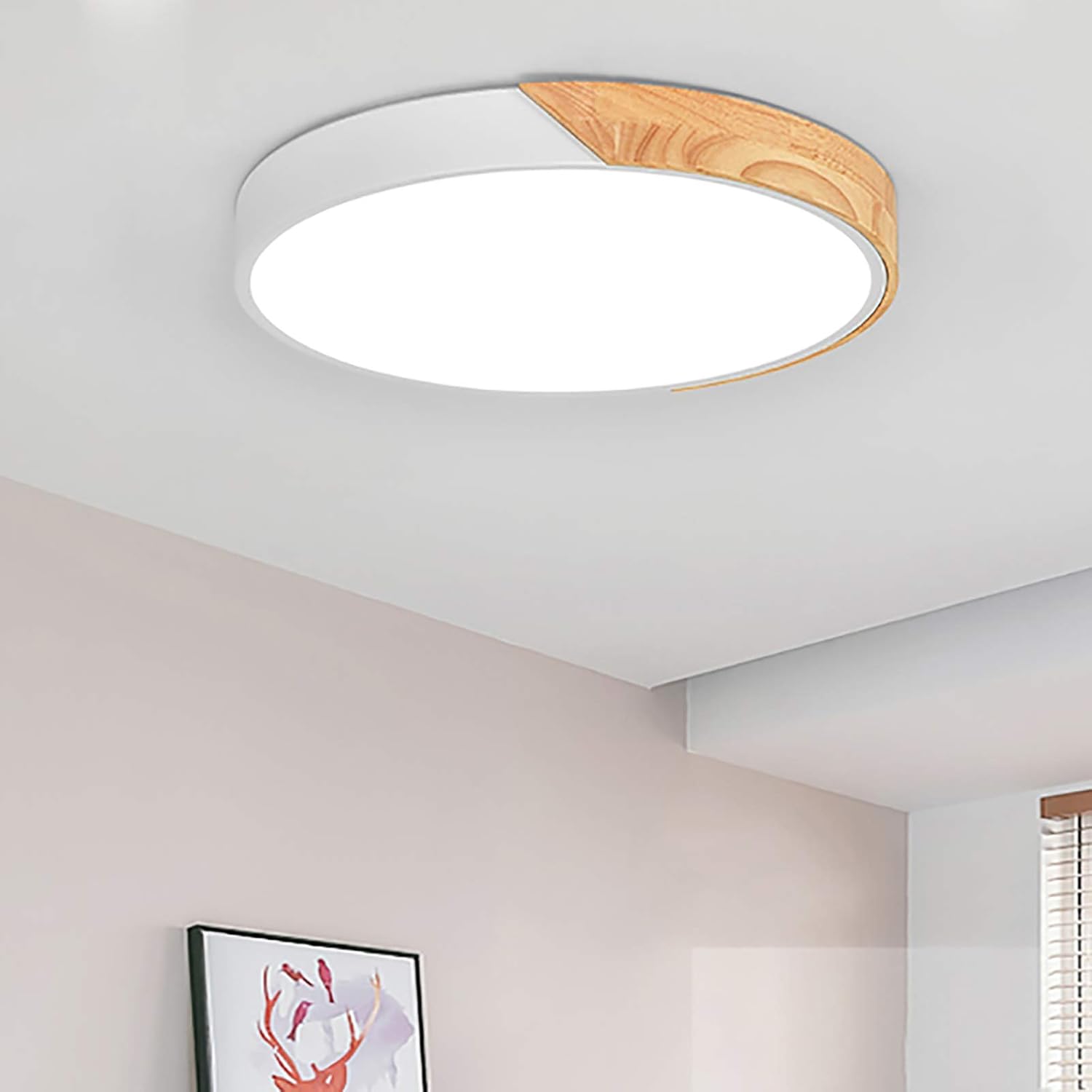
Figure 1: EDISLIVE LED Ceiling Light installed.
2. Maklumat Keselamatan Penting
Untuk mengurangkan risiko kematian, kecederaan diri atau kerosakan harta benda akibat kebakaran, renjatan elektrik, bahagian yang jatuh, luka/melecet dan bahaya lain, sila baca semua amaran dan arahan yang disertakan dengan dan pada kotak lekapan dan semua label lekapan.
- Always turn off the power supply at the main circuit breaker before beginning installation, maintenance, or cleaning.
- Rujuk juruelektrik yang berkelayakan jika anda tidak pasti tentang proses pemasangan atau mempunyai sebarang pertanyaan tentang elektrik.
- Jangan pasang lekapan ini di tempat basah atauamp lokasi. Ia direka bentuk untuk kegunaan dalaman sahaja.
- Pastikan semua sambungan elektrik selamat dan mematuhi kod dan peraturan tempatan.
- Jangan cuba mengubah suai lekapan. Sebarang pengubahsuaian boleh membatalkan jaminan dan menimbulkan bahaya keselamatan.
- Handle the fixture with care to prevent damage to the LED components or acrylic shade.
3. Kandungan Pakej
Carefully unpack your fixture and check that all parts are included. If any parts are missing or damaged, do not attempt to assemble or install the product. Contact customer service for assistance.
- LED Ceiling Light Fixture (1)
- Alat kawalan jauh (1)
- Pendakap Pemasangan (1)
- Perkakasan Pemasangan (Skru, Sauh Dinding)
- Manual Pengguna (Dokumen ini)

Figure 2: Main components of the light fixture.
4. Spesifikasi Produk
| Ciri | Spesifikasi |
|---|---|
| Jenama | EDISLIVE |
| Nombor Model | YLC002195-50 |
| Dimensi (L x W x H) | 19.66"P x 19.66"L x 2"T (50cm x 50cm x 5cm) |
| warna | putih |
| bahan | Wood, Metal, Acrylic |
| Jenis Sumber Cahaya | LED (Bersepadu) |
| Wattage | 36 Watt |
| Voltage | 120 Volt |
| Kecerahan | 3000 Lumen |
| Suhu Warna | 3000K (Putih Hangat), 4000K (Putih Semula Jadi), 6000K (Putih Sejuk) |
| Kaedah Kawalan | Alat Kawalan Jauh (Termasuk) |
| Jenis Pemasangan | Gunung siram |
| Jangka hayat | Lebih 45,000 jam |

Rajah 3: Dimensi dan spesifikasi produk.
5. Persediaan (Pemasangan)
Follow these steps to install your EDISLIVE LED Ceiling Light. It is recommended to have two people for installation for safety and ease.
- Sediakan untuk Pemasangan:
- Turn off the power to the light fixture at the circuit breaker. Verify the power is off before proceeding.
- If replacing an existing fixture, carefully remove it. Take note of the wiring connections (e.g., blue for neutral, brown for live, yellow/green for ground if present).
- Pasang Pendakap Pelekap:
- Position the mounting bracket over the junction box on your ceiling.
- Mark the drilling points for the mounting screws. Ensure the bracket is level.
- Gerudi lubang pandu di lokasi yang ditanda. Masukkan sauh dinding jika perlu.
- Kencangkan pendakap pelekap ke siling menggunakan skru yang disediakan.
- Sambungkan Pendawaian:
- Carefully pull the electrical wires from the junction box through the center hole of the mounting bracket.
- Connect the wires from the fixture to your household wires using the provided wire connectors:
- Connect the live (usually brown or black) wire from the fixture to the live wire from the ceiling.
- Connect the neutral (usually blue or white) wire from the fixture to the neutral wire from the ceiling.
- If present, connect the ground (usually yellow/green or bare copper) wire from the fixture to the ground wire from the ceiling.
- Pastikan semua sambungan adalah ketat dan selamat.
- Pasang Lekapan:
- Align the fixture with the mounting bracket. The fixture is designed to hook onto the bracket.
- Once hooked, secure the fixture to the bracket by tightening the screws on the sides of the fixture.
- Pulihkan Kuasa:
- Setelah lekapan dipasang dengan selamat, hidupkan semula kuasa pada pemutus litar.
- Test the light using the remote control.
Nota: The provided video "Installation & Honest Review!" by an Influencer demonstrates a similar installation process, including unboxing, removing an old fixture, wiring, and mounting the new light. While not an official seller video, it can offer visual guidance for general installation steps.
6. Arahan Operasi
Your EDISLIVE LED Ceiling Light is controlled by the included remote control. It offers dimming and color temperature adjustment features.

Figure 4: Using the remote control.
Fungsi Kawalan Jauh:
- Hidupkan/Mati Kuasa: Tekan ke HIDUP/MATI butang untuk menghidupkan atau mematikan lampu.
- Pelarasan Kecerahan: Gunakan Kecerahan Naik (+) dan Kecerahan Turun (-) buttons to adjust the light intensity. The light is fully dimmable.
- Pelarasan Suhu Warna: Gunakan Color Temperature Up (K+) dan Color Temperature Down (K-) buttons to cycle through different color temperatures:
- 3000K (Putih Hangat)
- 4000K (Putih Asli)
- 6000K (Putih Sejuk)
- Preset Color Temperatures: The remote may also have dedicated buttons for 3000K, 4000K, and 6000K for quick selection.

Figure 5: Adjustable color temperatures.
NOTA PENTING:
This light can only be fixed to a specific light color and brightness by using the remote control. If you use a standard wall switch to turn the light on and off, the color temperature will cycle randomly each time the light is turned on, and you will need to reset your desired color using the remote. This fixture is not compatible with home dimmers (SCR wall switches) as they will affect the normal function of the remote control.

Figure 6: Dimmable and color temperature options with remote control note.
7. Penyelenggaraan
Regular maintenance will help preserve the appearance and functionality of your EDISLIVE LED Ceiling Light.
- Pembersihan: Before cleaning, ensure the power supply is turned off at the circuit breaker. Use a soft, dry, or slightly damp cloth to wipe the surface of the fixture. Do not use abrasive cleaners, solvents, or polishes as they may damage the finish or acrylic shade.
- Jangka hayat LED: The integrated LED chips have a lifespan of over 45,000 hours, significantly reducing the need for bulb replacement. Do not attempt to replace the LED chips yourself.
- Kawalan Jauh: If the remote control stops working, check the battery. Replace with new batteries if necessary.
8. Penyelesaian masalah
If you encounter issues with your light fixture, please refer to the following common problems and solutions:
| Masalah | Kemungkinan Punca | Penyelesaian |
|---|---|---|
| Cahaya tidak menyala. | No power supply; loose wiring; faulty remote control. | Check circuit breaker. Ensure all wiring connections are secure. Check remote control battery. |
| Alat kawalan jauh tidak berfungsi. | Dead battery; remote not paired (unlikely for this model); interference. | Replace remote control battery. Ensure no obstructions between remote and light. |
| Light color changes randomly when using wall switch. | This is normal behavior for this fixture. | Use the remote control to set your desired color temperature after turning on with the wall switch. The memory function only works with the remote. |
| Light flickers or hums. | Incompatible dimmer switch; loose wiring; internal component issue. | Ensure no SCR wall dimmer switches are connected. Check wiring. If problem persists, contact customer service. |
9. Waranti dan Sokongan Pelanggan
EDISLIVE is committed to providing high-quality products. If you experience any issues with your light fixture or require further assistance, please do not hesitate to reach out to our customer service team.
Untuk sokongan, sila layari EDISLIVE Store on Amazon or contact us through the platform where you purchased the product.
Please have your model number (YLC002195-50) and purchase date ready when contacting support.