
Ashdown STUDIO15
Kombo Bes Ashdown Studio 15 1x15" 300-watt Amp Manual Pengguna
Model: STUDIO15 | Brand: Ashdown
1. Pengenalan
The Ashdown Studio 15 is a lightweight and portable 300-watt bass combo amplifier, designed to deliver the renowned Ashdown tone. Featuring a custom 15-inch NEO speaker, this amplifier is suitable for practice, rehearsals, and small to medium-sized gigs. This manual will guide you through the features, setup, operation, and maintenance of your Studio 15 amplebih hidup.
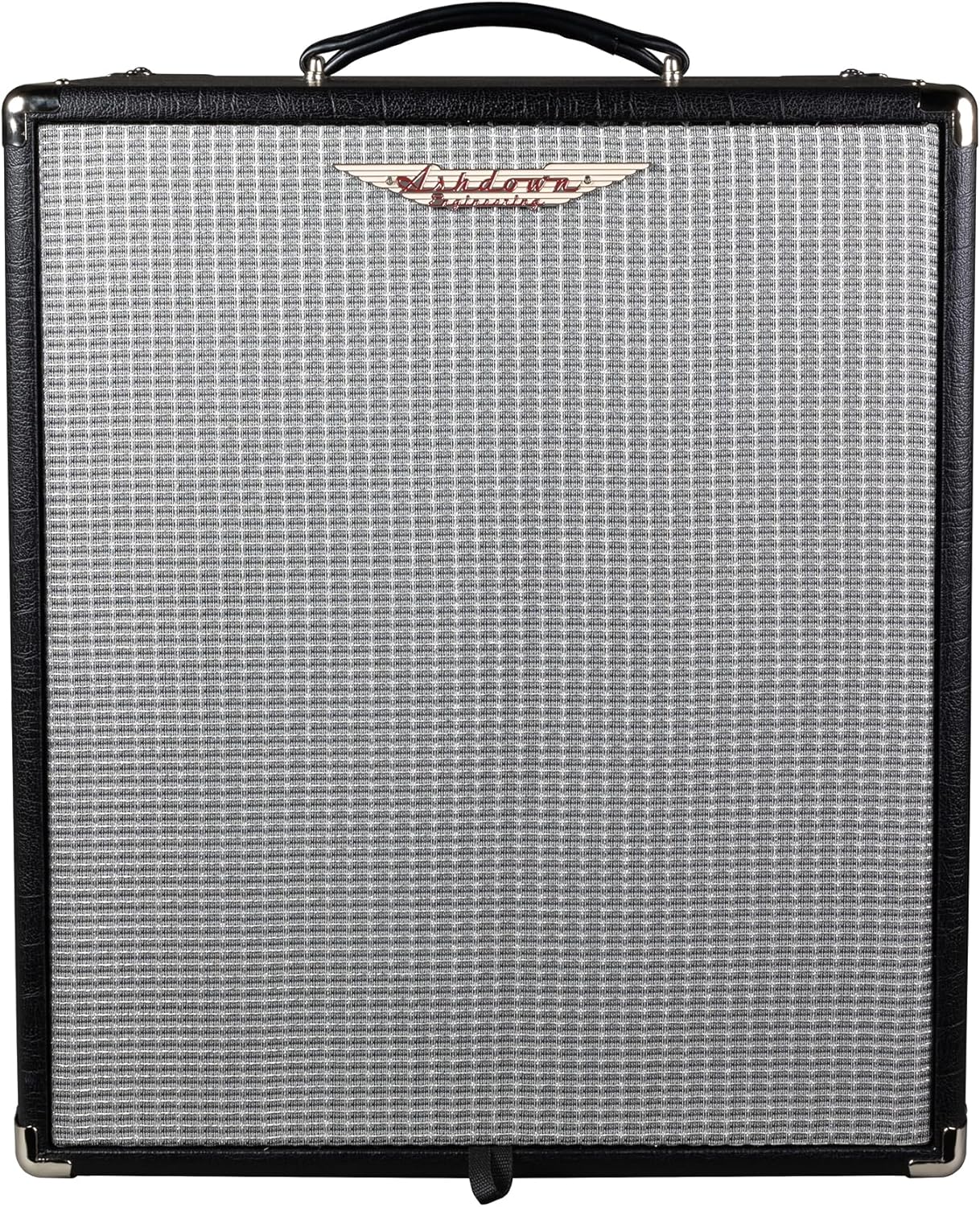
Rajah 1: Depan view of the Ashdown Studio 15 Bass Combo Amplebih hidup.
2. Ciri-ciri Utama
- Output Kuasa: 300 Watt RMS
- Penceramah: 1x15" Custom lightweight NEO speaker
- Input: Passive/Active switch for instrument input
- Pembentukan Nada: 5-band EQ (Bass, Lo-Mid, Middle, Hi-Mid, Treble)
- Overdrive: Footswitchable valve emulated overdrive
- Ketersambungan: XLR DI output, FX loop, Headphone output, Line In
- Reka bentuk: Solid-state, 1-channel, lightweight and portable
3. Panduan Persediaan
Follow these steps to set up your Ashdown Studio 15 amppenguat untuk kali pertama:
- Membongkar: Buang dengan berhati-hati amppemekat daripada pembungkusannya. Simpan semua bahan pembungkusan untuk pengangkutan atau penyimpanan pada masa hadapan.
- penempatan: Letakkan amppengalir udara di atas permukaan yang stabil dan rata. Pastikan pengudaraan yang mencukupi di sekeliling unit.
- Sambungan Kuasa: Connect the supplied power cord to the amplifier's AC input on the rear panel and then to a suitable grounded AC power outlet. Ensure the power switch is in the 'OFF' position before connecting.
- Sambungan Instrumen: Connect your bass guitar to the 'INPUT' jack on the front panel using a high-quality instrument cable. Use the 'PASSIVE/ACTIVE' switch to match your instrument's output level.
- Sambungan Luaran (Pilihan):
- Gelung FX: Connect external effects pedals to the 'FX SEND' and 'FX RETURN' jacks.
- Keluaran DI: Use the 'DI' XLR output to connect to a mixing console or recording interface.
- Fon kepala: Connect headphones to the 'HEADPHONES' jack for silent practice.
- Garis Masuk: Connect an external audio source (e.g., MP3 player) to the 'LINE IN' jack for practice with backing tracks.

Figure 2: Rear panel of the Ashdown Studio 15, showing power input and other connections.
4. Arahan Operasi
Familiarize yourself with the front panel controls to get the most out of your amplebih hidup.

Figure 3: Front panel controls of the Ashdown Studio 15.
4.1. Kawalan Panel Hadapan
- Suis kuasa: Berpusing ampLifier HIDUP/MATI.
- Jack Input: Sambungkan instrumen anda di sini.
- Passive/Active Switch: Select 'Passive' for standard passive pickups and 'Active' for instruments with active electronics to prevent signal clipping.
- Shape Button: Engages a pre-set EQ curve for instant tone shaping.
- Pre-Gain Control: Adjusts the input sensitivity and overall gain before the tone controls.
- Kawalan Pemanduan: Engages and adjusts the level of the valve emulated overdrive. This can also be activated via a footswitch (not included).
- EQ Controls (Bass, Lo-Mid, Middle, Hi-Mid, Treble): These five rotary controls allow precise shaping of your bass tone across different frequency ranges.
- Kawalan Kelantangan: Melaraskan volum keluaran keseluruhan amplebih hidup.
- Gelung FX (Hantar/Pulangan): Connect external effects processors.
- DI Output (XLR): Provides a balanced output for connecting to a PA system or recording device.
- Jack fon kepala: For private practice. Mutes the main speaker output when headphones are connected.
- Line In Jack: Connect external audio devices like an MP3 player or drum machine.
- F/S (Footswitch) Jack: Connect an optional footswitch to control the Drive function.
5. Penyelenggaraan
Proper care will ensure the longevity and optimal performance of your Ashdown Studio 15 amplebih hidup.
- Pembersihan: Gunakan kain lembut dan kering untuk membersihkan bahagian luar amppengikat. Jangan gunakan pembersih atau pelarut yang melelas.
- Pengudaraan: Ensure that the ventilation grilles are clear of obstructions to prevent overheating.
- Storan: Simpan amppenyangga di tempat yang sejuk dan kering jauh dari cahaya matahari langsung dan suhu yang melampau.
- Pengangkutan: Apabila mengangkut amppenghawa dingin, pastikan ia dibungkus dengan selamat untuk mengelakkan kerosakan fizikal.
- Kord Kuasa: Regularly inspect the power cord for any signs of damage. If damaged, replace it with an approved cord.
6. Penyelesaian masalah
If you encounter issues with your Ashdown Studio 15, refer to the following common troubleshooting steps:
- Tiada Kuasa:
- Check if the power cord is securely connected to both the amplampu dan soket dinding.
- Sahkan bahawa soket dinding berfungsi dengan memasang peranti lain.
- Check the fuse (if accessible and user-replaceable, refer to specifications for type).
- Tiada Bunyi:
- Ensure the instrument cable is properly connected to both the instrument and the ampinput penguat.
- Check the 'Volume' control and ensure it is turned up.
- If using headphones, disconnect them to check the main speaker output.
- Verify that the 'Passive/Active' switch is correctly set for your instrument.
- Test with a different instrument cable and instrument to rule out faulty equipment.
- Bunyi Herot:
- Reduce the 'Pre-Gain' control.
- If the 'Drive' control is engaged, reduce its level or disengage it.
- Ensure the 'Passive/Active' switch is correctly set for your instrument.
- Hum atau Bunyi:
- Pastikan semua kabel dilindungi dengan betul dan dalam keadaan baik.
- Cuba pasangkan amplifier into a different electrical outlet, preferably on a different circuit.
- Simpan ampjauhkan daripada peranti elektronik lain yang boleh menyebabkan gangguan.
If these steps do not resolve the issue, please contact Ashdown customer support or an authorized service center.
7. Spesifikasi
| Ciri | Spesifikasi |
|---|---|
| Model | STUDIO15 |
| Output Wattage | 300 Watt |
| Penceramah | 1x15" NEO Speaker |
| AmpJenis yang lebih hidup | Solid-state, 1-channel |
| EQ | 5-band (Bass, Lo-Mid, Middle, Hi-Mid, Treble) |
| Kawalan | Pre-Gain, Drive, EQ, Volume, Passive/Active Switch, Shape Button |
| Ketersambungan | Input, FX Send/Return, DI Output (XLR), Headphone Output, Line In, Footswitch Jack |
| Berat Barang | 20 paun (9.1 Kilogram) |
| Dimensi Produk | 20.47 x 14.57 x 16.54 inci |
| warna | Hitam |
| Sumber Kuasa | Elektrik Bertali |
8. Waranti dan Sokongan
Ashdown Engineering products are manufactured to the highest standards and are covered by a limited warranty against defects in materials and workmanship. For specific warranty terms and conditions, please refer to the warranty card included with your product or visit the official Ashdown Engineering webtapak.
For technical support, service, or spare parts, please contact your authorized Ashdown dealer or Ashdown Engineering customer service directly. Contact information can typically be found on the official Ashdown webtapak atau pada pembungkusan produk anda.
When contacting support, please have your product model number (STUDIO15) and serial number ready. The serial number is located on the rear panel of the amplebih hidup.