
1. Pengenalan
This manual provides essential information for the safe and efficient use of your TCL 32B400 32-inch HD LCD TV. Please read it thoroughly before operating the television and retain it for future reference.
The TCL 32B400 features a direct-lit LED backlight for uniform high brightness and image quality. Its VA panel technology delivers superior contrast, allowing for natural expression of subtle light and dark details. Equipped with a dual tuner, this TV supports terrestrial digital, BS digital, and 110-degree CS digital broadcasts, enabling simultaneous recording of one program while watching another. It supports various recording functions including instant, scheduled, daily/weekly repeat, and event recording. Connectivity options include two HDMI Ver1.4a input terminals (Port 1 supports ARC) and one USB2.0 input/output terminal, allowing connection to Blu-ray/DVD players/recorders and external speakers via ARC.

Rajah 1: Depan view of the TCL 32B400 TV.
2. Persediaan
2.1 Menyahkotak dan Semakan Komponen
Keluarkan semua komponen dari pembungkusan dengan berhati-hati. Pastikan semua item yang disenaraikan di bawah ada:
- Alat kawalan jauh x1
- Bateri AAA x2
- miniB-CAS card x1
- Kord kuasa x1
- Tip-over prevention parts set x1
- Berdiri x2
- Screws (ST4, 20mm) x4 (for 32-inch model)
- Manual arahan
- Panduan pantas
- Kad jaminan

Rajah 2: Aksesori yang disertakan.
2.2 Pemasangan Stand
- Letakkan skrin TV ke bawah pada permukaan yang lembut dan rata untuk mengelakkan kerosakan.
- Align the stands with the corresponding slots on the bottom of the TV.
- Secure each stand using the provided screws (ST4, 20mm).
2.3 Menyambung Kabel
Connect the necessary cables to the appropriate ports on the TV. Refer to the connection diagram below.
- Kord Kuasa: Sambungkan kord kuasa ke input kuasa TV dan kemudian ke saluran keluar dinding.
- Antena: Connect your terrestrial digital antenna cable to the 'Antenna Input' port. For BS/CS broadcasts, connect the satellite antenna cable to the 'BS/CS 110°' port.
- Peranti HDMI: Connect external devices like Blu-ray players or game consoles to the HDMI input ports. HDMI Port 1 supports Audio Return Channel (ARC).
- Peranti USB: Connect external USB storage devices for recording to the USB port.
- miniB-CAS Card: Insert the miniB-CAS card into its dedicated slot.

Figure 3: Connection terminals overview.
2.4 Persediaan Awal
After connecting all cables and powering on the TV, follow the on-screen instructions to complete the initial setup, including channel tuning and network configuration (if applicable).
3. Arahan Operasi
3.1 Operasi Asas
- Hidupkan/Mati Kuasa: Tekan butang kuasa pada alat kawalan jauh atau TV.
- Pemilihan Saluran: Use the 'CH +/-' buttons or number buttons on the remote control.
- Pelarasan Kelantangan: Use the 'VOL +/-' buttons on the remote control.
- Sumber Input: Press the 'Input' button on the remote to select between HDMI, TV, and other connected sources.
3.2 Recording Programs
Your TCL 32B400 TV supports recording to an external USB Hard Disk Drive (HDD) thanks to its dual tuner. This allows you to record one program while watching another.
- Connect a compatible external USB HDD to the TV's USB port.
- Format the HDD if prompted by the TV.
- To record, select the desired program and use the recording options in the TV menu (e.g., instant recording, scheduled recording via EPG).

Figure 4: Dual tuner allows watching one program while recording another.
3.3 Tetapan Gambar dan Bunyi
Akses menu TV untuk melaraskan tetapan gambar (kecerahan, kontras, warna, ketajaman) dan bunyi (bes, treble, imbangan, mod bunyi) mengikut pilihan anda.
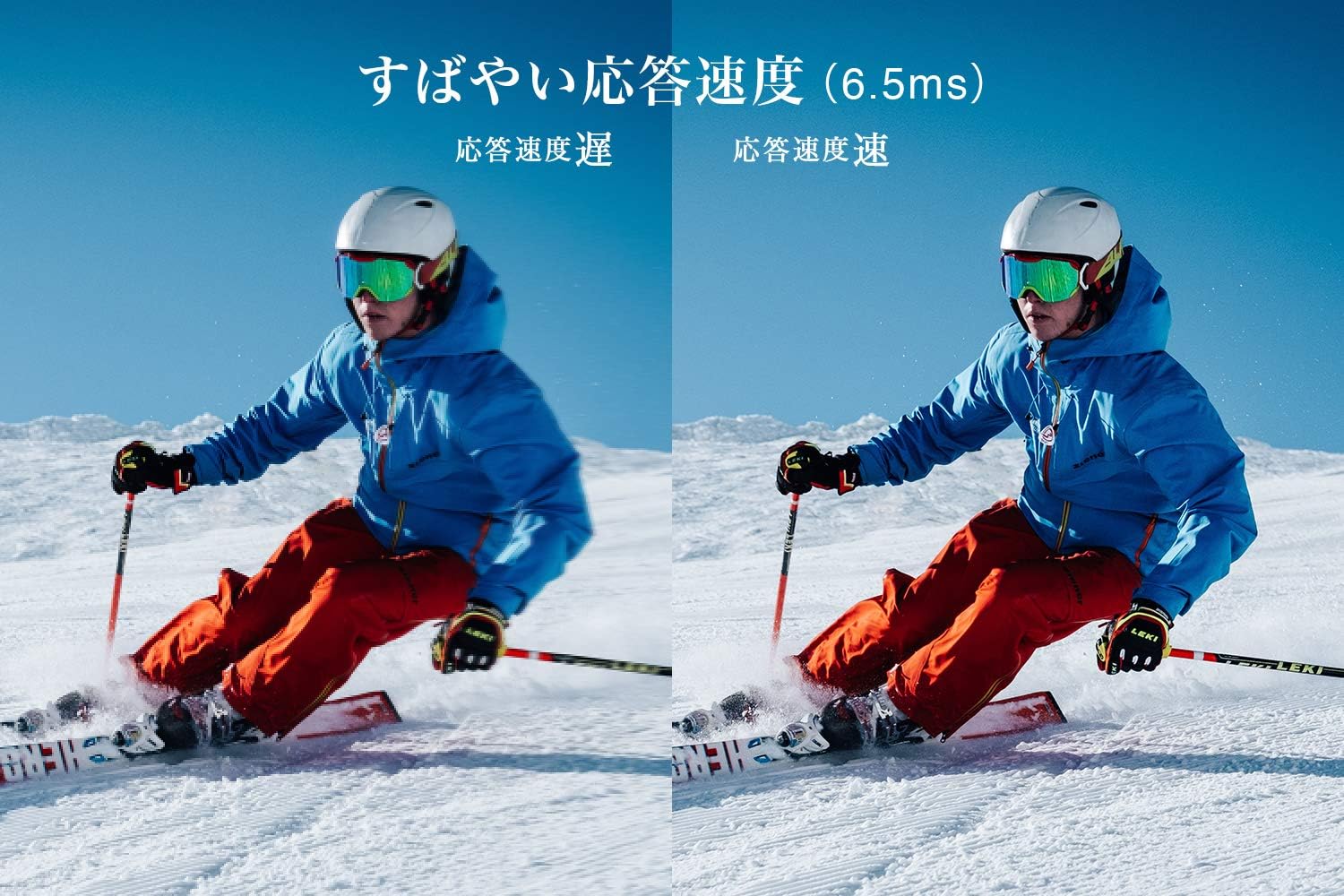
Figure 5: The TV features a fast response speed of 6.5ms for clear motion.
4. Penyelenggaraan
4.1 Membersihkan Skrin
Lap skrin perlahan-lahan dengan kain yang lembut, kering dan tidak berbulu. Untuk tanda degil, ringankan dampen the cloth with water or a specialized screen cleaner (ensure it's suitable for LCD screens) and wipe carefully. Avoid applying excessive pressure.
4.2 Membersihkan Badan TV
Wipe the TV body with a soft, dry cloth. Do not use abrasive cleaners, waxes, or solvents as they can damage the finish.
4.3 Penjagaan Am
- Elakkan daripada mendedahkan TV kepada cahaya matahari langsung atau suhu yang melampau.
- Pastikan pengudaraan yang mencukupi di sekeliling TV untuk mengelakkan terlalu panas.
- Cabut palam TV daripada soket kuasa semasa ribut petir atau apabila ia tidak akan digunakan untuk tempoh yang lama.
5. Penyelesaian masalah
If you encounter issues with your TV, refer to the following common troubleshooting steps. If the problem persists, contact customer support.
5.1 Tiada Kuasa
- Periksa sama ada kord kuasa disambungkan dengan selamat ke kedua-dua TV dan alur keluar dinding.
- Sahkan bahawa alur keluar dinding berfungsi dengan memasang peranti lain.
- Tekan butang kuasa pada TV itu sendiri, bukan hanya alat kawalan jauh.
5.2 No Picture/No Signal
- Pastikan sumber input yang betul dipilih (cth, HDMI 1, TV).
- Periksa semua sambungan kabel (HDMI, antena) untuk kelonggaran atau kerosakan.
- Jika menggunakan peranti luaran, pastikan ia dihidupkan dan berfungsi dengan betul.
- Perform a channel scan if you are watching broadcast TV.
5.3 Tiada Bunyi
- Periksa tahap kelantangan dan pastikan TV tidak diredamkan.
- Jika menggunakan pembesar suara luaran, pastikan ia disambungkan dengan betul dan dihidupkan.
- Semak tetapan audio dalam menu TV.
5.4 Alat Kawalan Jauh Tidak Berfungsi
- Gantikan bateri dengan yang baru.
- Pastikan tiada halangan antara alat kawalan jauh dan penderia IR TV.
6. Spesifikasi
| Ciri | Spesifikasi |
|---|---|
| Saiz Paparan | 32 inci |
| Teknologi Paparan | LCD |
| Resolusi | HD (1366 x 768) |
| Kadar Segar Semula | 60 Hz |
| Nisbah Aspek | 16:9 |
| Nisbah Kontras | 3000:1 |
| Viewsudut | 178/178 degrees (JEITA standard, CR>=10) |
| Jenis Lampu Latar | LED menyala langsung |
| Kelajuan Respons | 6.5ms |
| Dimensi (dengan pendirian) | W731 x H491 x D186 mm |
| Dimensi (tanpa pendirian) | W731 x H436 x D76 mm |
| Berat (dengan pendirian) | 4.4 Kg |
| Berat (tanpa penyangga) | 4.3 Kg |
| Pelekap Dinding (VESA) | 100x100mm |
| Penggunaan Kuasa Tahunan | 45 kWj/tahun |
| Port HDMI | 2 (HDMI Ver1.4a, Port 1 supports ARC) |
| Port USB | 1 (USB2.0) |
| Jenis Penala | Terrestrial Digital, BS Digital, 110-degree CS Digital (Dual Tuner) |
| Tahun Model | 2019 |

Figure 6: TV dimensions and recommended viewjarak.

Figure 7: VA panel technology provides superior contrast and depth.
7. Waranti dan Sokongan
7.1 Waranti Pengilang
This product comes with a 1-year manufacturer's warranty from the date of purchase. Please retain your proof of purchase for warranty claims.
7.2 Sokongan Pelanggan
For any inquiries, technical assistance, or repair requests, please contact TCL customer support. Our dedicated Japanese staff are available to assist you.
- telefon: 0120-955-517
- Waktu Operasi: 9:00 - 18:00 (Weekdays and Holidays, excluding year-end and New Year holidays)
- Webtapak: https://www.tcl.com/jp/ja/services.html
Nationwide repair service is available.
Figure 8: TCL Customer Support details.