
Ipega PG-9129
iPEGA PG-9129 Wireless Gamepad User Manual
Model: PG-9129
pengenalan
Terima kasih kerana membeliasing the iPEGA PG-9129 Wireless Gamepad. This manual provides detailed instructions on how to set up, operate, and maintain your device. Please read this manual carefully before use to ensure proper functionality and a long lifespan for your gamepad.

Figure 1: iPEGA PG-9129 Wireless Gamepad with a smartphone attached, displaying a game scene.
Persediaan dan Sambungan
Keserasian
- Keserasian Android: Compatible with Android 6.0 and above. This includes models like Samsung Galaxy S9/S9+, S10/S10+, Note 10, Galaxy S20, Galaxy Z, Huawei Mate 20/20plus/P30, OPPO R17, Find X, VIVO X23/X27/X30/X30 PRO, Xiaomi 10/10pro smartphones and tablets. Please ensure your system is Android 6.0 or higher before purchasing.
- Keserasian iOS: Suitable for iOS 11.0 / iOS 12 / iOS 13 systems. Note: Not compatible with iOS 13.4 / 13.5 systems due to recent Apple upgrades. Compatible with iPhone 6 / iPhone 7 / iPhone 8 / iPhone X / iPhone XR / XS / iPhone 11, and iOS tablets. The system must be above 11.0.
- Nota Penting: Phones that do NOT support MediaTek chips are not compatible.
Startup Methods and Pairing
Customers must choose the appropriate startup mode for pairing based on their device. There are three primary startup modes:
- iOS V3 Direct Mode: Tekan dan tahan butang Y + RUMAH buttons simultaneously for 2 seconds to enter iOS Direct Play Mode.
- Android V3 Direct Mode: Tekan dan tahan butang A + RUMAH buttons simultaneously for 2 seconds to enter Android Direct Play Mode.
- Android Standard Game Mode: Tekan dan tahan butang X + RUMAH buttons simultaneously for 2 seconds to enter Android Standard Game Mode.
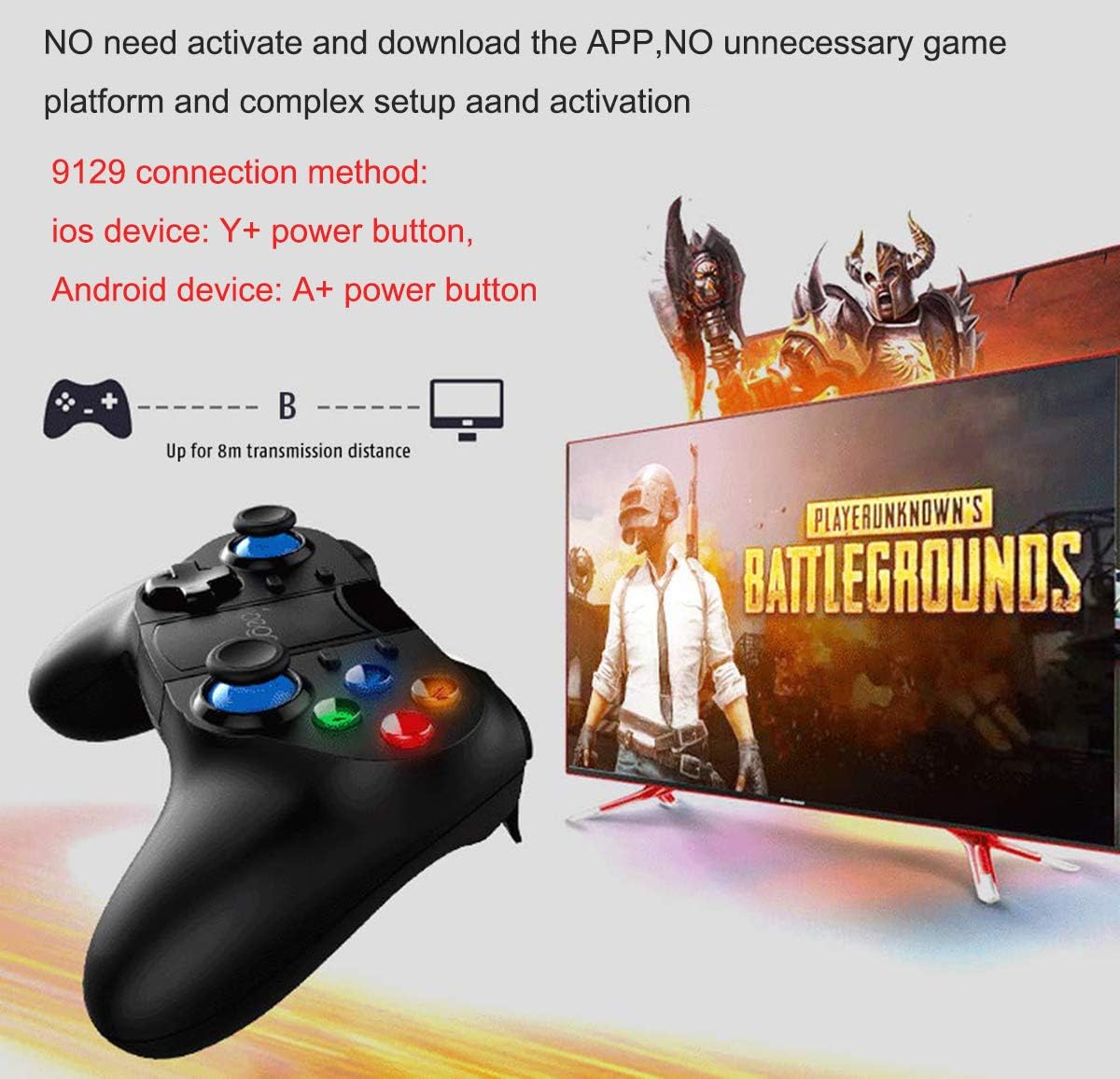
Figure 2: Visual guide for connecting the gamepad to iOS (Y+Power) and Android (A+Power) devices. The gamepad connects wirelessly up to 8 meters.
Sambungan Tanpa Wayar
The PG-9129 uses wireless 4.0 connection. Once paired using the appropriate startup method, no complicated settings or additional APP downloads are required for basic functionality. The device can be used immediately with compatible games.
ShootingPlus V3 APP
For advanced customization and button mapping, customers need to download the ShootingPlus V3 APP. This application allows you to customize settings according to your preferences and map keys for specific games. Ensure that custom settings do not conflict with game rules or other mapped skills.
For detailed video tutorials on using the ShootingPlus V3 APP and customizing settings, you can search for "PG 9129" on YouTube.

Figure 3: Screenshot prompting users to download the ShootingPlus V3 APP for customizing button settings.
Arahan Operasi
Ergonomics and Precision
The iPEGA PG-9129 gamepad features an ergonomic structure designed for comfortable operation during extended gaming sessions. It adopts high-precision and accurate rockers (joysticks) for precise positioning and control, enhancing your gaming experience.

Figure 4: The gamepad's flexible joysticks are highlighted, indicating high precision and accurate control.
Pemegang Telefon Teleskopik
The gamepad includes a one-piece telescopic mobile phone stand. This integrated holder can stretch up to 75mm (approximately 3 inches) or 86mm to securely accommodate various smartphone sizes, allowing you to play games directly on your mobile device.

Figure 5: The telescopic mobile phone stand is shown extended, ready to hold a smartphone.
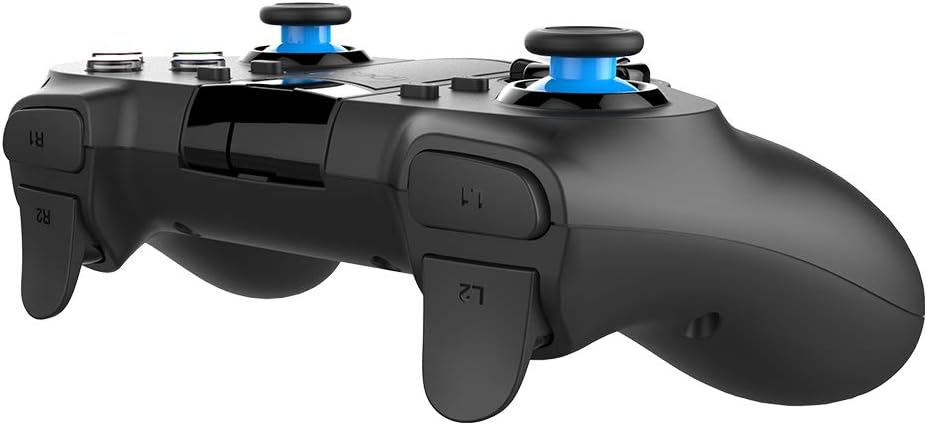
Figure 6: The phone holder mechanism, illustrating its stretchable capacity up to 86mm.
Hayat Bateri
The PG-9129 is equipped with a built-in 380mAH high-performance lithium battery. A full charge provides over 15 hours of continuous use and can maintain a charge for up to 30 days in standby mode.
Penyelenggaraan
To ensure the longevity and optimal performance of your iPEGA PG-9129 gamepad, please follow these maintenance guidelines:
- Pembersihan: Use a soft, dry cloth to wipe the surface of the gamepad. Avoid using abrasive cleaners or solvents, as they may damage the finish.
- Storan: Simpan gamepad di tempat yang sejuk dan kering, jauh daripada cahaya matahari langsung dan suhu yang melampau.
- Penjagaan Bateri: Untuk memelihara kesihatan bateri, elakkan daripada menyahcas sepenuhnya bateri dengan kerap. Jika menyimpan untuk tempoh yang lama, cas bateri kepada kira-kira 50% sebelum penyimpanan.
- Pengendalian: Avoid dropping the gamepad or subjecting it to strong impacts, which can damage internal components.
Menyelesaikan masalah
If you encounter issues with your iPEGA PG-9129 gamepad, please refer to the following common solutions:
- Gamepad not connecting/pairing:
- Pastikan gamepad dicas.
- Verify you are using the correct startup mode (Y+HOME for iOS, A+HOME for Android V3, X+HOME for Android Standard) for your device.
- Check your device's Bluetooth settings to ensure it's discoverable and try re-pairing.
- Restart both your mobile device and the gamepad.
- Incompatibility with MediaTek chips: The gamepad is explicitly stated to not support phones with MediaTek chips. If your phone has a MediaTek chip, the gamepad will not function.
- Issues with iOS 13.4 / 13.5: Due to recent Apple updates, the gamepad is not compatible with iOS versions 13.4 and 13.5. If your device runs these versions, the gamepad will not work. Consider upgrading your iOS version if a newer compatible version is available, or using a device with a compatible iOS version (11.0-13.3).
- Buttons not responding correctly in-game:
- Ensure you have downloaded and configured the ShootingPlus V3 APP for custom button settings.
- Check your in-game settings for controller support and button mapping.
- Verify that your custom button settings in ShootingPlus V3 do not conflict with each other or game rules.
- Hayat bateri pendek:
- Ensure the gamepad is fully charged before use.
- Battery performance can degrade over time with heavy use.
Spesifikasi
| Ciri | Perincian |
|---|---|
| Model | PG-9129 |
| Ketersambungan | Wayarles 4.0 |
| Kapasiti Bateri | Bateri Litium 380mAH |
| Masa Penggunaan Berterusan | > 15 jam |
| Masa Tunggu Sedia | Sehingga 30 hari (dicas penuh) |
| Phone Holder Stretch | Up to 75mm / 3 inches (or 86mm) |
| Keserasian Android | Android 6.0 and above (excluding MediaTek chip phones) |
| Keserasian iOS | iOS 11.0 / 12 / 13 (excluding iOS 13.4 / 13.5) |
| Dimensi Pakej | 17.6 x 16.31 x 6.81 cm |
| Berat badan | 281 g |
Waranti dan Sokongan
For warranty information and technical support, please refer to the product packaging or contact your retailer. Keep your purchase receipt as proof of purchase for any warranty claims.
For additional resources, including video tutorials for the ShootingPlus V3 APP, search for "PG 9129" on YouTube.
Ask a question about this manual
Ask about setup, troubleshooting, compatibility, parts, safety, or missing instructions. Manuals+ will review the question and use this page’s manual context to help answer it.