
pengenalan
The Rapoo 1680 Silent Wireless Mouse offers a comfortable and quiet computing experience. Featuring a reliable 2.4GHz wireless connection, 1000 DPI optical tracking, and a silent click design, it is suitable for various environments, including offices and libraries. Its ergonomic and ambidextrous design ensures comfortable use for extended periods, and a long battery life provides convenience.

Image: The Rapoo 1680 Silent Wireless Mouse, showcasing its sleek, ambidextrous design in white.
Apa yang ada dalam Kotak
Sila sahkan bahawa semua item terdapat dalam pakej:
- 1 x Wireless Mouse (Rapoo 1680)
- 1 x Penerima USB
- 1 x Bateri AA
- 1 x Manual Arahan

Image: The underside of the Rapoo 1680 mouse with the battery compartment open, showing the included AA battery and the USB nano receiver.
Arahan Persediaan
- Masukkan Bateri: Open the battery compartment located on the underside of the mouse. Insert the provided AA battery, ensuring correct polarity. Close the compartment securely.
- Masukkan Penerima USB: Locate the USB nano receiver, typically stored within the battery compartment or packaged separately. Plug the USB receiver into an available USB port on your computer (PC, laptop, or tablet).
- Hidupkan Tetikus: Slide the ON/OFF switch on the bottom of the mouse to the "ON" position. The mouse should now be powered on and ready for use.
- Sambungan Automatik: The mouse is designed for plug-and-play functionality. Your computer should automatically detect and connect to the mouse within a few seconds. No additional drivers are typically required.
The Rapoo 1680 mouse is compatible with various operating systems, including Windows, Mac OS, Linux, and Chrome OS.
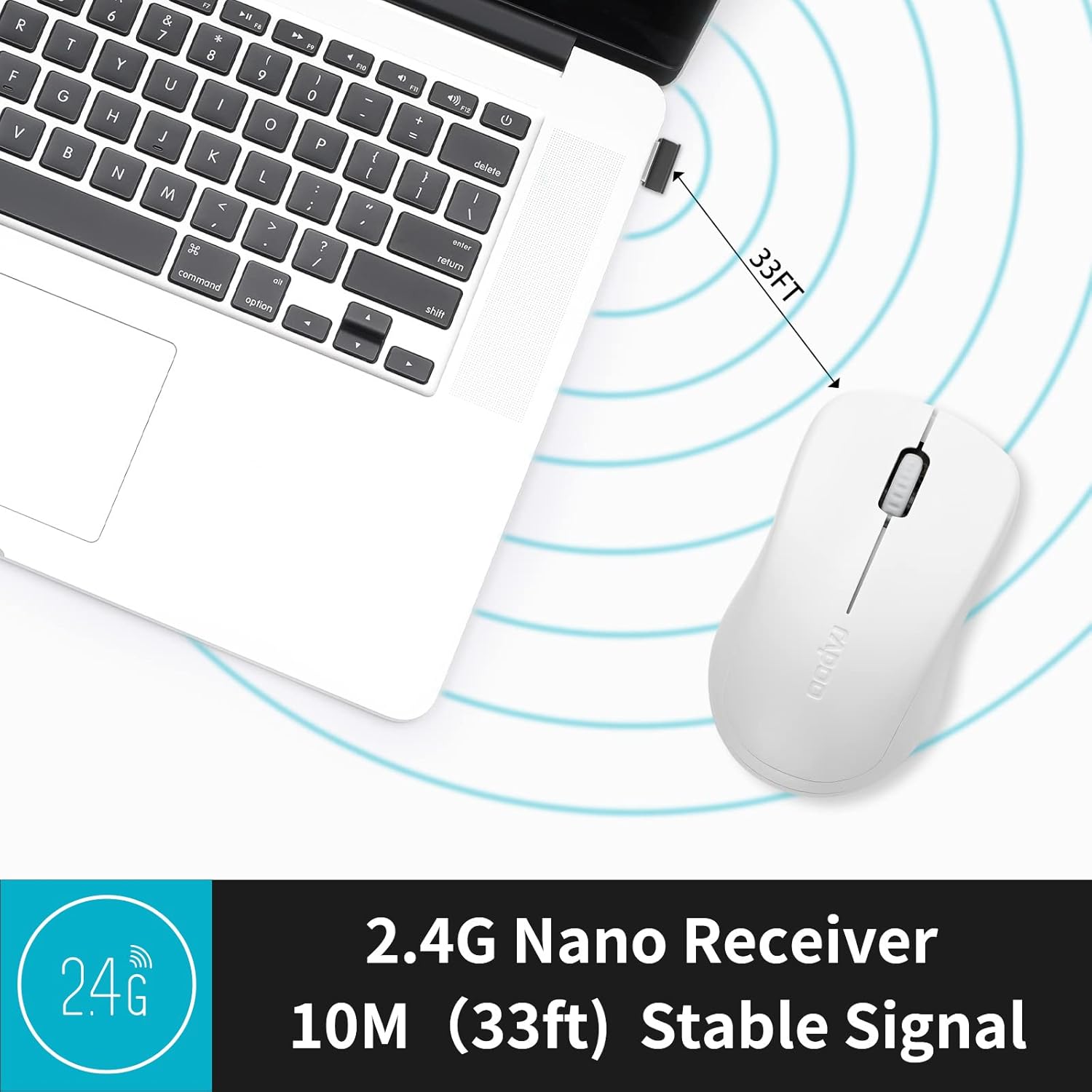
Image: A close-up of the 2.4G Nano Receiver plugged into a laptop, demonstrating the 10-meter (33ft) stable wireless signal range.

Image: The Rapoo 1680 mouse highlighting its wide compatibility with Windows, Mac OS, Linux, and Chrome operating systems.
Arahan Operasi
The Rapoo 1680 mouse features a standard 3-button layout for intuitive control.
- Klik Kiri: Butang utama untuk memilih item, membuka files, and interacting with software.
- Klik kanan: Butang sekunder untuk mengakses menu konteks dan pilihan tambahan.
- Roda Tatal: Digunakan untuk menatal dokumen dan web muka surat. Roda skrol juga berfungsi sebagai butang klik tengah.
Silent Click Design: This mouse is engineered to reduce click sounds by up to 90%, providing a quiet environment without compromising the tactile click feel. This feature is particularly beneficial in quiet settings such as libraries or shared workspaces.
1000 DPI Optical Tracking: The high-definition 1000 DPI optical tracking engine ensures responsive and smooth cursor control on most surfaces.

Image: The Rapoo 1680 mouse demonstrating its silent click feature, ideal for quiet environments.

Image: A user operating the Rapoo 1680 mouse in a library, emphasizing its quiet operation for undisturbed work.
Penyelenggaraan
- Penggantian Bateri: When the mouse performance degrades or stops responding, it may be time to replace the AA battery. Open the battery compartment, remove the old battery, and insert a new AA battery with the correct polarity.
- Pembersihan: Gunakan kain lembut dan kering untuk membersihkan bahagian luar tetikus. Untuk sensor optik, gunakan swab kapas dengan ringan dampened with rubbing alcohol, ensuring no liquid enters the mouse's internal components.
- Storan: When not in use for an extended period, slide the ON/OFF switch to the "OFF" position to conserve battery life. The USB receiver can be stored inside the mouse's battery compartment for safekeeping.
Menyelesaikan masalah
- Tetikus Tidak Menjawab:
- Ensure the mouse is switched "ON" using the ON/OFF switch on the bottom.
- Check if the AA battery is correctly inserted and has sufficient charge. Replace if necessary.
- Sahkan bahawa penerima USB dipasang dengan selamat ke port USB yang berfungsi pada komputer anda. Cuba port USB yang lain.
- Pergerakan Kursor Tidak Menentu:
- Bersihkan penderia optik di bahagian bawah tetikus.
- Pastikan anda menggunakan tetikus pada permukaan yang sesuai. Elakkan permukaan yang sangat reflektif atau lutsinar.
- Isu Sambungan:
- Tanggalkan dan masukkan semula penerima USB.
- Move the mouse closer to the USB receiver to rule out range issues (maximum 10 meters).
Spesifikasi
| Ciri | Perincian |
|---|---|
| Jenama | Rapoo |
| Nama Model | 1680 |
| Teknologi Ketersambungan | USB (Tanpa Wayar 2.4GHz) |
| Teknologi Pengesanan Pergerakan | Optik |
| Mouse Maximum Sensitivity | 1000 DPI |
| Kuantiti Butang | 3 |
| Orientasi Tangan | Ambidextrous |
| Sumber Kuasa | Dikuasakan oleh Bateri (1 x bateri AA disertakan) |
| Purata Hayat Bateri | Sehingga 12 bulan |
| Julat Tanpa Wayar | 10 Meter (33 kaki) |
| Berat Barang | 58 Gram |
| Dimensi Item (L x W) | 4.33" L x 2.56" W |
| Peranti Serasi | Komputer Peribadi |
| Sistem Operasi | Windows, Mac OS, Linux, Chrome OS |
| Bahan Kepungan | plastik |
| Selesai | Matte |

Image: Detailed dimensions of the Rapoo 1680 mouse, showing its length and width.
Video Produk Rasmi
Video: An official product video from RAPOO showcasing the features and benefits of the Rapoo 1680 Silent Wireless Mouse, including its silent clicks, ergonomic design, and ease of use.
Waranti dan Sokongan
The Rapoo 1680 Silent Wireless Mouse comes with a Waranti 1 tahun from the date of purchase. This warranty covers manufacturing defects and ensures reliable performance under normal use conditions.
For technical support, warranty claims, or any product-related inquiries, please contact Rapoo customer service. Refer to the Rapoo official website or the product packaging for the most up-to-date contact information.
RAPOO is committed to providing high-performance and high-quality peripheral products. If you have any questions or require assistance, please do not hesitate to reach out to their support team.