
pengenalan
This manual provides instructions for the safe and efficient operation of your Claymore Capon 65A Ultra-Lightweight Rechargeable LED Clip-On Light. Please read this manual thoroughly before using the product and retain it for future reference.
Maklumat Keselamatan
- Jangan melihat terus ke arah lampu LED semasa ia menyala, kerana ini boleh menyebabkan gangguan penglihatan sementara.
- Jauhkan peranti daripada air dan kelembapan berlebihan.
- Jangan cuba membuka atau mengubah suai peranti. Ini akan membatalkan jaminan dan boleh menyebabkan kerosakan atau kecederaan.
- Use only the specified charging method (USB) and ensure the charging cable is in good condition.
- Jauhkan daripada kanak-kanak.
- Elakkan daripada mendedahkan peranti kepada suhu yang melampau.
Kandungan Pakej
Sahkan bahawa semua item terdapat dalam pakej anda:
- Claymore Capon 65A LED Clip-On Light
- Kabel Pengecas USB
- Cincin Carabiner
- Manual Pengguna
Produk Selesaiview
Familiarize yourself with the components of your Claymore Capon 65A light.
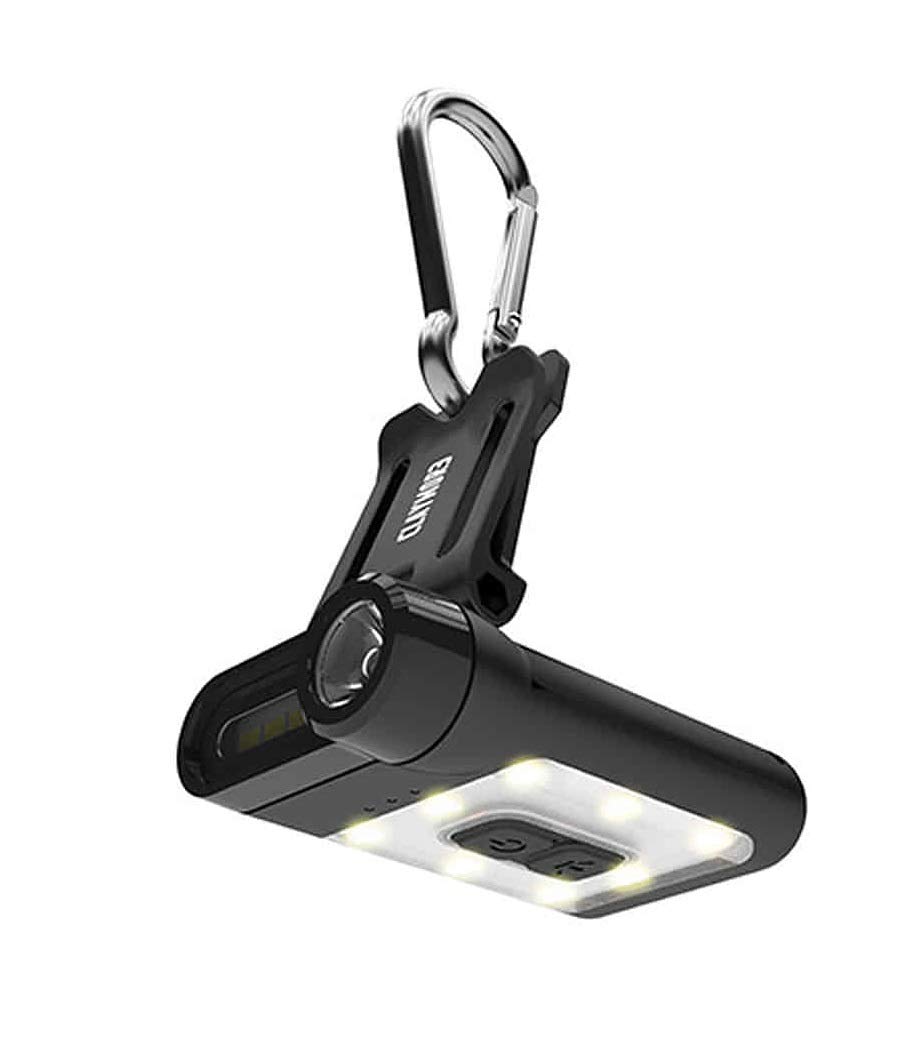
Figure 1: Claymore Capon 65A Clip-On Light, front view showing the main light and controls.

Rajah 2: Bersudut view of the Claymore Capon 65A, highlighting the clip mechanism and light housing.
Key components include the main LED light, control buttons, USB charging port, and the integrated clip for attachment.
Persediaan
Mengecas Peranti
- Cari port pengecasan USB pada peranti.
- Sambungkan kabel pengecas USB yang disediakan ke port pengecasan peranti.
- Connect the other end of the USB cable to a compatible USB power source (e.g., computer, wall adapter).
- The charging indicator light will illuminate during charging. A full charge takes approximately 1 hour and 40 minutes.
- Setelah dicas sepenuhnya, lampu penunjuk akan bertukar atau padam. Putuskan sambungan kabel pengecas.

Figure 3: The Claymore Capon 65A connected to a USB power source for charging.
Arahan Operasi
Melampirkan Cahaya
- The integrated clip allows attachment to caps, hats, helmets, backpack straps, or tent loops.
- For additional hanging options, use the included carabiner ring.
Kuasa Hidup/Mati dan Pemilihan Mod
The Capon 65A features three lighting modes: Spot Light (focus), Flood Light (front), and Flood Light (warm yellow, upward). There are 5 pre-set brightness levels within each mode.
- Hidupkan kuasa: Press and hold the power button for approximately 1 second. The light will turn on in the last used mode and brightness setting.
- Tukar Mod: Briefly press the power button to cycle through the three lighting modes.
- Laraskan Kecerahan: While a mode is active, press the brightness adjustment button to cycle through the 5 pre-set brightness levels.
- Mod SOS: To activate SOS mode for emergencies, press and hold the brightness adjustment button for approximately 2 seconds.
- Matikan: Tekan dan tahan butang kuasa selama lebih kurang 1 saat.
Melaraskan Sudut Cahaya
The clip mechanism allows the light to be adjusted up to 180 degrees, providing multiple viewing angles for optimal illumination.
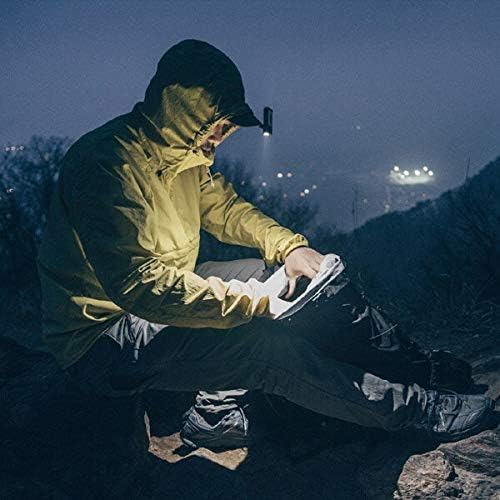
Figure 4: User demonstrating the hands-free operation of the Capon 65A, clipped to a hat.
Penyelenggaraan
Pembersihan
- Lap peranti dengan kain lembut dan kering.
- Jangan gunakan pembersih atau pelarut yang melelas.
Penyimpanan
- Simpan peranti di tempat yang sejuk dan kering jauh dari cahaya matahari langsung.
- For long-term storage, ensure the battery is partially charged (around 50%) to prolong battery life. Recharge every 3-6 months if not in use.
Menyelesaikan masalah
| Masalah | Kemungkinan Punca | Penyelesaian |
|---|---|---|
| Cahaya tidak menyala. | Bateri habis. | Cas peranti sepenuhnya. |
| Cahaya berkelip atau malap. | Bateri lemah. | Cas semula peranti. |
| Peranti tidak dicas. | Kabel atau punca kuasa rosak. | Cuba kabel USB atau penyesuai kuasa yang lain. Pastikan sambungannya selamat. |
| Butang tidak bertindak balas. | Gangguan perisian sementara. | Allow the battery to fully discharge, then recharge and try again. If issue persists, contact support. |
Spesifikasi
| Ciri | Perincian |
|---|---|
| Nombor Model | CLP-310BK |
| Jenis Sumber Cahaya | LED |
| Kecerahan | Sehingga Lumens 230 |
| Mod Pencahayaan | Spot Light, Flood Light (Front), Flood Light (Warm Yellow) |
| Tahap Kecerahan | 5 pre-set levels per mode |
| Jenis Bateri | Polimer Litium |
| Kapasiti Bateri | 650 mAh |
| Masa Larian Maks | Up to 19 hours (depending on mode/brightness) |
| Masa Mengecas | Lebih kurang 1 jam 40 minit |
| Berat badan | 36g (0.04 Kilograms) |
| bahan | ABS |
| Sudut Boleh Laras | Sehingga 180 darjah |
Waranti dan Sokongan
For warranty information or technical support, please refer to the official Claymore webtapak atau hubungi pengedar tempatan anda. Simpan bukti pembelian anda untuk tuntutan jaminan.