
RAGGIE RG-P320W
RAGGIE Solar Panel 320 Watts poly Crystalline User Manual
Model: RG-P320W
1. Produk Lebihview
This manual provides essential information for the safe and efficient operation of your RAGGIE 320 Watts Polycrystalline Solar Panel. This solar panel is designed to convert sunlight into electrical energy, suitable for various solar power applications.
Ciri-ciri utama termasuk:
- Model Number: RG-P320W
- Type: Solar Panels
- Sumber Kuasa: Suria
- Jenama: RAGGIE
- Material: Polycrystalline Silicon
- Kuasa Maksimum: 320 Watt
- Efficiency: High Efficiency
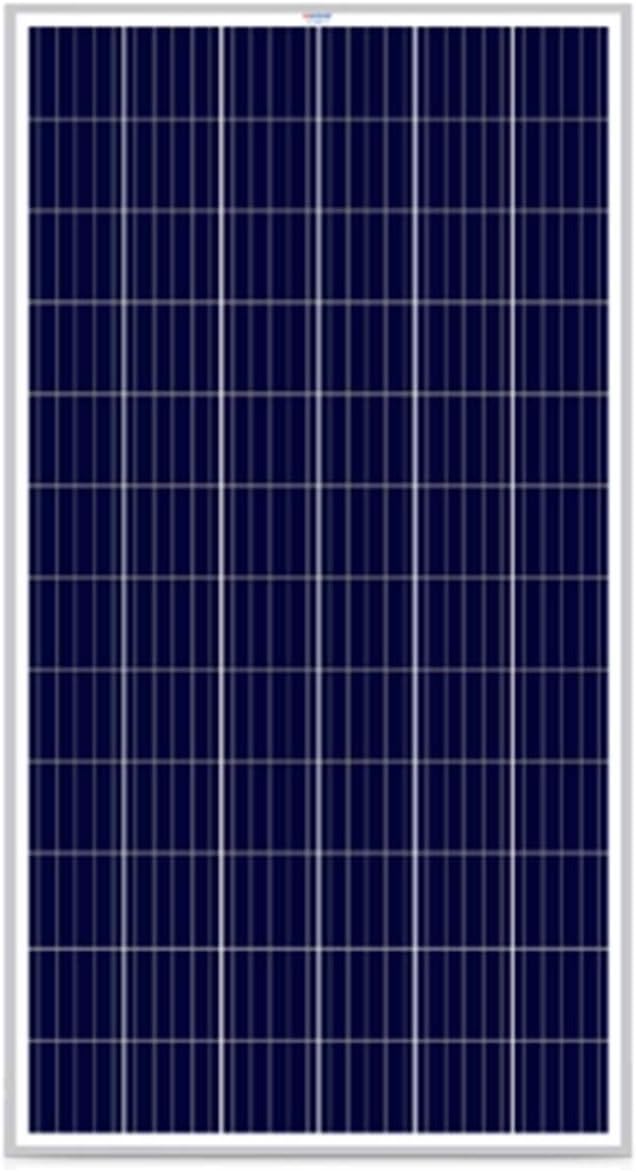
Rajah 1: Depan view of the RAGGIE 320W Polycrystalline Solar Panel, showing the blue-tinted photovoltaic cells arranged in a grid pattern within a silver frame.
2. Maklumat Keselamatan
Sila baca semua arahan keselamatan dengan teliti sebelum pemasangan dan operasi. Kegagalan mematuhi arahan ini boleh mengakibatkan renjatan elektrik, kebakaran atau kecederaan serius.
- Do not attempt to disassemble, repair, or modify the solar panel.
- Pastikan semua sambungan elektrik kukuh dan berpenebat dengan betul untuk mengelakkan litar pintas.
- Wear appropriate personal protective equipment (PPE), including insulated gloves and eye protection, during installation.
- Avoid touching the panel's surface when it is wet or during lightning storms.
- Jauhkan kanak-kanak dan kakitangan yang tidak dibenarkan dari kawasan pemasangan.
- Install the solar panel in a well-ventilated area, away from flammable materials.
- Consult with a qualified electrician for complex installations or if you have any doubts.
3. Persediaan dan Pemasangan
Pemasangan yang betul adalah penting untuk prestasi dan keselamatan yang optimum. Adalah disyorkan agar pemasangan dilakukan oleh profesional yang berkelayakan.
3.1 Pemilihan Tapak
Choose a location that receives maximum direct sunlight throughout the day, free from shading by trees, buildings, or other obstructions. Consider the panel's orientation (azimuth) and tilt angle for your specific geographical location to maximize energy harvest.
3.2 Pemasangan
The solar panel must be securely mounted using appropriate racking systems designed for solar installations. Ensure the mounting structure can withstand local wind and snow loads. The panel frame has pre-drilled holes for mounting.
3.3 Sambungan Elektrik
Connect the positive (+) and negative (-) terminals of the solar panel to your charge controller or inverter system. Ensure correct polarity. Use appropriate gauge wiring and connectors (e.g., MC4 connectors) that are rated for outdoor use and the expected current and voltage.

Rajah 2: Belakang view of the RAGGIE 320W Polycrystalline Solar Panel, highlighting the junction box with output cables for electrical connections.
Always disconnect power from the system before making or breaking any electrical connections.
4. Prinsip Operasi
The RAGGIE 320W Polycrystalline Solar Panel converts sunlight directly into direct current (DC) electricity. This DC power can then be used to charge batteries via a charge controller, or converted to alternating current (AC) by an inverter for household or grid-tied applications.
The panel's output varies with sunlight intensity, temperature, and shading. For optimal performance, ensure the panel is clean and free from obstructions.
5. Penyelenggaraan
Penyelenggaraan berkala memastikan ketahanan dan kecekapan panel solar anda.
- Pembersihan: Periodically clean the surface of the solar panel with a soft cloth and water to remove dust, dirt, bird droppings, or other debris that may reduce efficiency. Do not use abrasive materials or harsh chemicals. Clean during cooler parts of the day to avoid thermal shock.
- Pemeriksaan: Annually inspect the panel for any physical damage, such as cracks in the glass, delamination, or corrosion on the frame. Check all electrical connections for tightness and signs of wear or corrosion.
- teduhan: Regularly check for new sources of shading (e.g., growing trees, new constructions) and address them if possible.
6. Penyelesaian masalah
Jika sistem panel solar anda tidak berfungsi seperti yang dijangkakan, pertimbangkan isu-isu biasa berikut:
| Masalah | Kemungkinan Punca | Penyelesaian |
|---|---|---|
| Output Kuasa Rendah | Panel surface is dirty or shaded. Incorrect panel angle/orientation. Faulty wiring or connections. | Clean the panel surface. Adjust panel angle/orientation. Check and secure all electrical connections. |
| Tiada Output Kuasa | Disconnected wiring. Faulty charge controller or inverter. No sunlight. | Verify all connections. Test charge controller/inverter. Ensure panel is exposed to direct sunlight. |
| Kerosakan Fizikal | Impact from debris, severe weather. | Inspect the panel. If damaged, contact a qualified technician for assessment and potential replacement. Do not attempt to repair damaged panels yourself. |
For issues not listed here or if troubleshooting steps do not resolve the problem, please contact a qualified solar technician or the product support.
7. Spesifikasi
Detailed technical specifications for the RAGGIE RG-P320W Solar Panel:
| Atribut | Nilai |
|---|---|
| Nombor Model | RG-P320W |
| taip | Panel Suria |
| Jenama | RAGGIE |
| bahan | Silikon polihabluran |
| Kuasa Maksimum | 320 Watt |
| Kecekapan | Kecekapan Tinggi |
| Jenis Sumber Kuasa | suria |
| Gaya | moden |
| Pengeluar | RAGGIE |
| ASIN | B07PQH4NNC |
| Tarikh Mula-mula Tersedia | 13 Mac 2019 |
8. Maklumat Waranti
This product is manufactured by RAGGIE. For specific warranty terms and conditions, please refer to the warranty card included with your purchase or contact the seller directly. Extended warranty options may be available from third-party providers, as indicated during purchase.
9. Sokongan Pelanggan
For technical assistance, installation queries, or any other support needs, please contact your authorized RAGGIE dealer or the point of purchase. Ensure you have your product model number (RG-P320W) and purchase details ready when contacting support.
Ask a question about this manual
Ask about setup, troubleshooting, compatibility, parts, safety, or missing instructions. Manuals+ will review the question and use this page’s manual context to help answer it.