
1. Lebihview
The mooas Digital Mirror Alarm Clock (Square) is a versatile LED desk clock featuring time display, alarm with snooze function, and temperature display. Its mirror finish and clear LED digits make it a functional and aesthetic addition to any room. This manual provides detailed instructions for setup, operation, and maintenance.
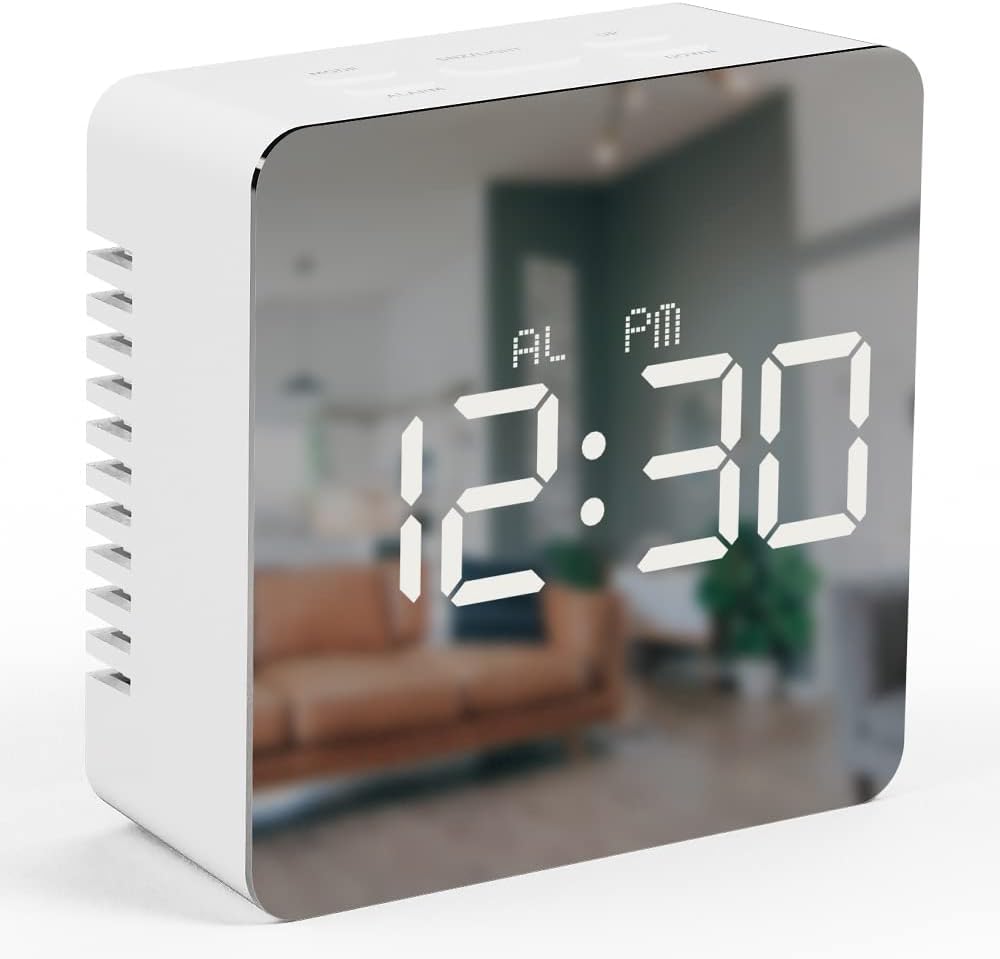
Image 1.1: The mooas Digital Mirror Alarm Clock (Square) displaying the current time.
2. Kandungan Pakej
Sila semak pakej untuk item berikut:
- 1 x mooas Digital Mirror Alarm Clock (Square)
- 1 x USB Power Cable
- 1 x Manual Pengajaran Bahasa Inggeris
Note: 3 x AAA batteries are required for battery-powered operation and are not included.
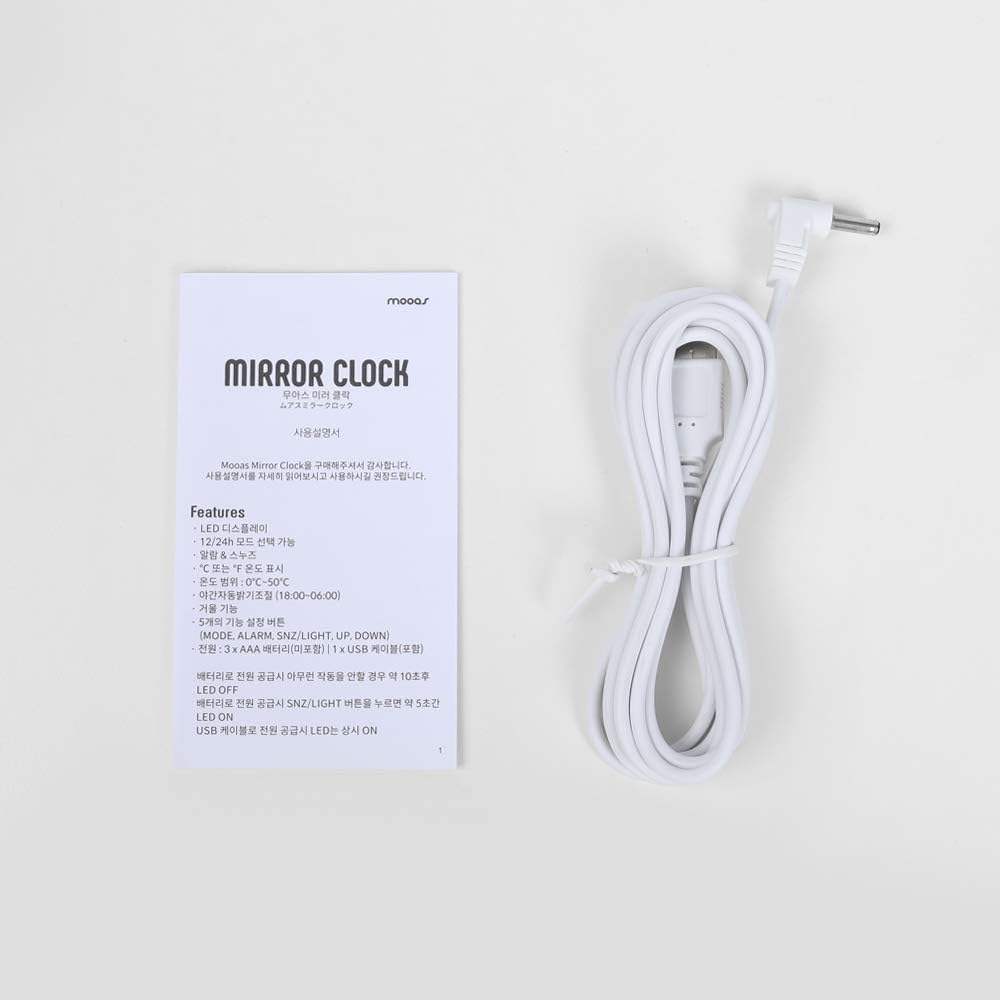
Image 2.1: Included USB cable and instruction manual.
3. Persediaan
3.1 Menghidupkan Jam
Jam boleh dikuasakan dalam dua cara:
- USB Power (Recommended for continuous display): Connect the included USB cable to the DC 5V port on the back of the clock and plug the other end into a USB power adapter (not included) or a powered USB port. The LED display will remain continuously on.
- Battery Power (For temporary display): Open the battery compartment on the back of the clock and insert 3 x AAA batteries (not included), ensuring correct polarity. When powered by batteries, the LED display will turn off automatically after 10 seconds of inactivity to conserve power. To reactivate the display, press any button.

Imej 3.1: Belakang view of the clock, indicating the battery compartment and USB power input.
3.2 Fungsi Butang
The clock features five functional buttons located on the top:
- ARAHAN: Used to switch between Time, Alarm, and Temperature display modes, and to enter setting modes.
- PENGGERA: Used to activate/deactivate the alarm and enter alarm setting mode.
- SNZ/LIGHT: Activates snooze during an alarm. Press and hold to adjust LED brightness.
- KE ATAS: Increases values during setting modes.
- TURUN: Decreases values during setting modes.
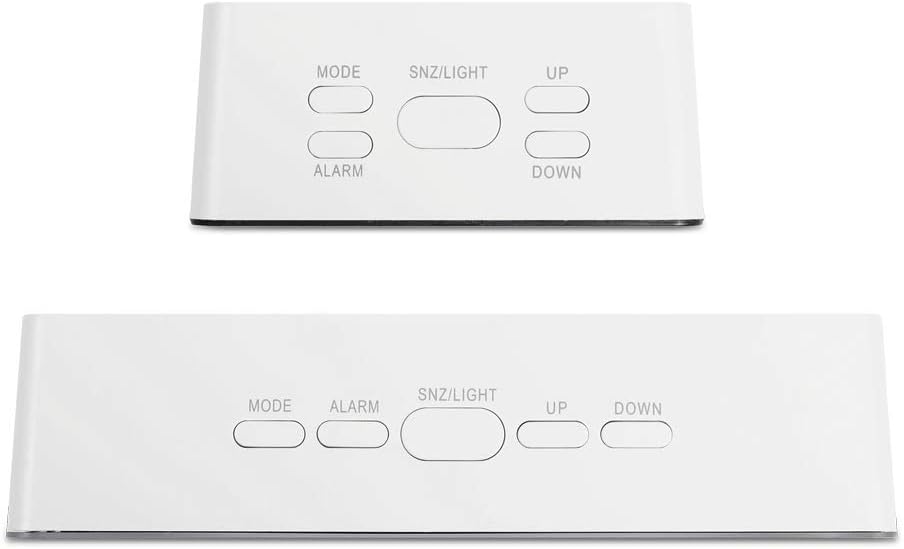
Image 3.2: Location and labels of the control buttons on top of the clock.
4. Arahan Operasi
4.1 Setting the Time (12/24H)
- In Time display mode, press and hold the MODE button for 3 seconds to enter time setting. The hour digits will flash.
- Tekan UP or TURUN untuk menyesuaikan jam.
- Tekan MODE sekali lagi untuk mengesahkan jam dan beralih ke tetapan minit. Digit minit akan berkelip.
- Tekan UP or TURUN untuk menyesuaikan minit.
- Tekan MODE again to confirm the minute and select 12-hour or 24-hour format. '12H' or '24H' will flash.
- Tekan UP or TURUN untuk memilih format masa pilihan anda.
- Tekan MODE to exit time setting.
4.2 Menetapkan Penggera
- In Time display mode, press the PENGGERA butang sekali untuk memaparkan masa penggera semasa.
- Tekan dan tahan butang PENGGERA button for 3 seconds to enter alarm setting. The alarm hour digits will flash.
- Tekan UP or TURUN untuk melaraskan jam penggera.
- Tekan PENGGERA again to confirm the hour and move to alarm minute setting. The alarm minute digits will flash.
- Tekan UP or TURUN untuk melaraskan minit penggera.
- Tekan PENGGERA untuk keluar dari tetapan penggera.
- Untuk mengaktifkan atau menyahaktifkan penggera, tekan PENGGERA button once in Time display mode. An alarm icon will appear on the display when activated.
4.3 Fungsi Tunda
Apabila penggera berbunyi, tekan SNZ / CAHAYA button to activate the snooze function. The alarm will temporarily stop and sound again after approximately 5 minutes. To turn off the alarm completely, press any other button.
4.4 Temperature Display (℃/℉)
The clock automatically displays the temperature. To switch between Celsius (℃) and Fahrenheit (℉):
- In Time display mode, press the MODE button repeatedly until the temperature is displayed.
- Tekan ke TURUN button to toggle between ℃ and ℉.

Image 4.1: The clock displaying temperature in Celsius.
4.5 Pelarasan Kecerahan
The clock offers two levels of LED brightness. To adjust:
- Tekan dan tahan butang SNZ / CAHAYA button. The display brightness will cycle between the two levels.
- Release the button when the desired brightness is achieved.
The LED display also features an automatic dimming function, reducing brightness between 18:00 (6 PM) and 06:00 (6 AM) by default.

Image 4.2: User interacting with the clock's buttons.
5. Penyelenggaraan
- Clean the clock with a soft, dry cloth. Avoid abrasive cleaners or solvents.
- Jauhkan jam daripada cahaya matahari langsung, suhu melampau dan kelembapan tinggi.
- If using batteries, remove them if the clock will not be used for an extended period to prevent leakage.
6. Penyelesaian masalah
| Masalah | Kemungkinan Punca | Penyelesaian |
|---|---|---|
| Display is off or dim (battery power) | LED display turns off after 10 seconds to save power. | Press any button to reactivate the display. For continuous display, use USB power. |
| Jam tidak dihidupkan | Tiada kuasa atau bateri lemah. | Ensure USB cable is securely connected to a power source, or replace AAA batteries. |
| Penggera tidak berbunyi | Alarm is not activated. | Tekan ke PENGGERA button once to ensure the alarm icon is displayed. |
| Incorrect time/temperature display | Tetapan perlu diselaraskan. | Refer to sections 4.1 and 4.4 to set the time and temperature unit. |
7. Spesifikasi
- Jenama: mooas
- model: Digital Mirror Alarm Clock (Square)
- Jenis Paparan: LED digital
- warna: putih
- Bahan: Akrilonitril Butadiena Stirena
- Dimensi (W x H x D): 3.2" x 3.2" x 1.4"
- Berat: Kira-kira 0.19 lb
- Sumber Kuasa: USB (DC 5V) atau 3 x Bateri AAA (tidak termasuk)
- Julat Suhu: 32℉ hingga 122℉ (0℃ hingga 50℃)
- ciri-ciri: Time (12/24H), Alarm, Snooze, Temperature (℃/℉), 2-level Brightness, Automatic Dimming
- Jenis Pemasangan: Atas meja

Image 7.1: Detailed dimensions of the square model clock.
8. Waranti dan Sokongan
For warranty information and customer support, please refer to the contact details provided on the product packaging or the official mooas webtapak. Simpan resit pembelian anda untuk tuntutan waranti.