
pengenalan
This manual provides essential information for the proper use and maintenance of your Easytry123 replacement remote control. This remote is designed to function with various Hitachi 3LCD projector models, offering a convenient way to control your projector's features. Please read these instructions carefully before use.
Keserasian
This replacement remote control is compatible with the following Hitachi 3LCD Projector models:
- CP-X275WA
- CP-X300
- CP-X301
- CP-X3010
- CP-X308
- CP-X320W
- CP-X325W
- CP-X3010EN
- CP-X3010Z
- CP-X3011N
Note: While designed for broad compatibility, some advanced or specific functions of your original projector remote may not be fully supported by this replacement unit.
Kandungan Pakej
Pakej anda harus mengandungi item berikut:
- 1 x Easytry123 Replacement Remote Control
Bateri tidak disertakan dan mesti dibeli secara berasingan.
Persediaan
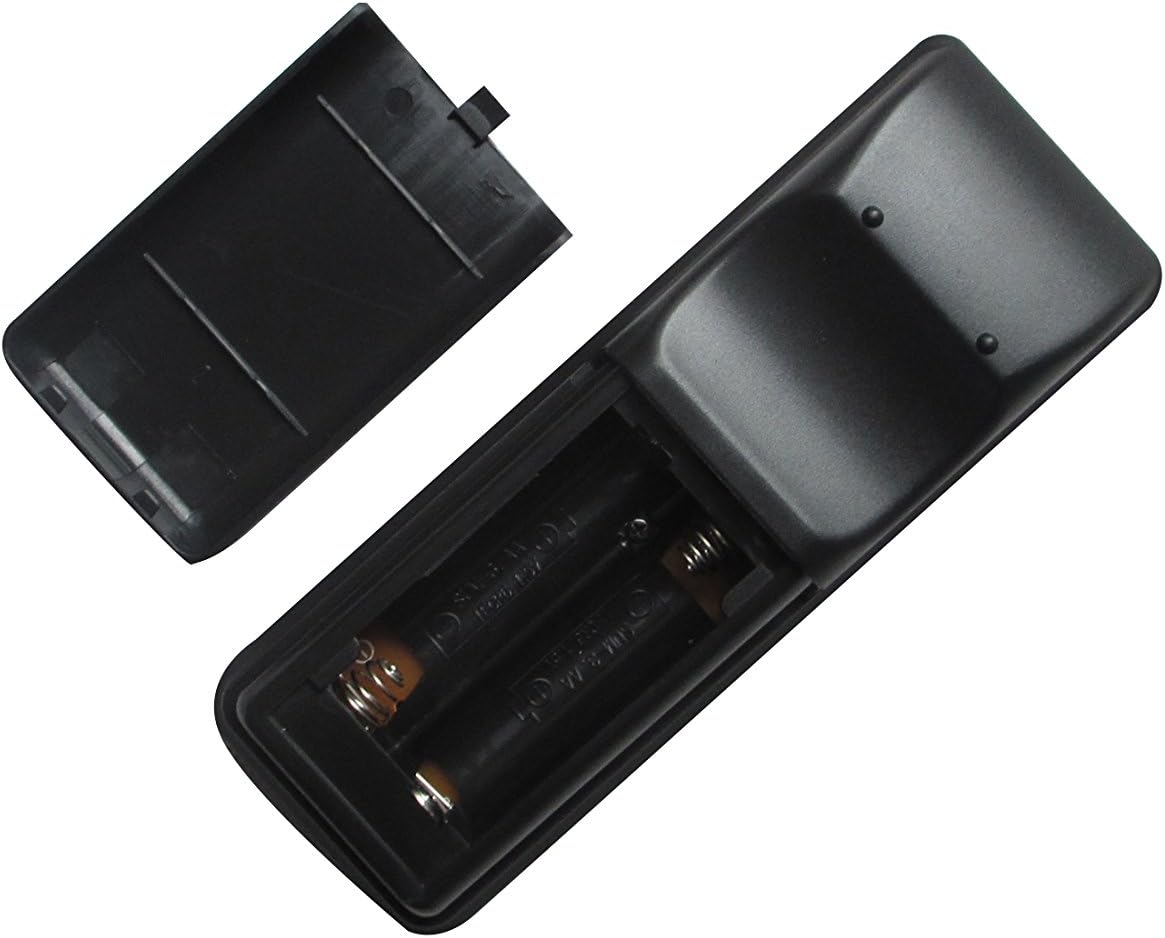
Memasang Bateri
- Cari petak bateri di belakang alat kawalan jauh.
- Slide the battery compartment cover downwards or press the latch and lift to open it.
- Masukkan dua (2) bateri AA, pastikan terminal positif (+) dan negatif (-) sejajar dengan tanda di dalam petak.
- Gantikan penutup petak bateri dengan menggelongsorkannya semula ke tempatnya sehingga ia berbunyi dengan selamat.

Image: The remote control with its battery cover removed, revealing the two AA battery slots. Observe the correct polarity markings (+/-) inside the compartment for proper battery insertion.
After installing the batteries, the remote control is ready for use. No additional pairing or programming is typically required for this replacement unit.
Arahan Operasi
Point the remote control directly at the infrared receiver on your Hitachi projector. Ensure there are no obstructions between the remote and the projector.
Imej: Depan view of the Easytry123 replacement remote control, displaying its array of function buttons for projector operation.
Fungsi Asas:
- Hidupkan/Mati Kuasa: Tekan ke KUASA butang untuk menghidupkan atau mematikan projektor.
- Pemilihan Input: Gunakan INPUT or dedicated input buttons (e.g., HDMI, VGA) to cycle through available input sources.
- Navigasi Menu: Gunakan MENU button to access the projector's on-screen display (OSD) menu. Use the arrow keys (ATAS BAWAH KIRI KANAN) untuk menavigasi dan MASUK/OK untuk mengesahkan pilihan.
- Kawalan Kelantangan: If your projector supports audio output, use the VOL+ dan vol- butang untuk melaraskan kelantangan.
- Nisbah Aspek: Some remotes include an ASPEK button to change the display aspect ratio.
Penyelenggaraan
Membersihkan Alat Jauh
Untuk membersihkan alat kawalan jauh, lap permukaannya dengan lembut dengan kain kering yang lembut. Untuk kotoran degil, sedikit dampen kain dengan air. Elakkan menggunakan bahan kimia yang keras, pembersih yang melelas, atau kelembapan berlebihan, kerana ini boleh merosakkan alat kawalan jauh.
Penggantian Bateri
Replace the batteries when the remote control's responsiveness decreases or it stops functioning. Always replace both batteries at the same time with new AA batteries. Do not mix old and new batteries, or different types of batteries.
Penyimpanan
When not in use for extended periods, remove the batteries from the remote control to prevent leakage and potential damage. Store the remote in a cool, dry place away from direct sunlight and extreme temperatures.
Menyelesaikan masalah
- Jauh tidak bertindak balas:
- Periksa sama ada bateri dimasukkan dengan betul dengan polariti yang betul.
- Gantikan bateri dengan yang baru.
- Pastikan tiada halangan antara alat kawalan jauh dan penerima IR projektor.
- Confirm the remote is pointed directly at the projector.
- Some functions do not work:
- This replacement remote may not support all advanced or specific functions of your original projector remote. Refer to your projector's original manual for specific function requirements.
- Projector turns on/off unexpectedly:
- Ensure no other infrared devices are interfering with the projector's receiver.
Spesifikasi
- Jenama: Easytry123
- Peranti Serasi: Hitachi 3LCD Projectors (listed models)
- Teknologi Ketersambungan: Inframerah (IR)
- Jenis Pengawal: Kawalan Butang
- Sumber Kuasa: 2 x Bateri AA (tidak termasuk)
- Ciri Khas: Reka bentuk ergonomik

Imej: Belakang view of the Easytry123 replacement remote control, showing its ergonomic shape and battery compartment.