
1. Pengenalan dan Lebihview
This manual provides essential information for the safe and efficient operation of your Sharp Microwave Oven with Grill, Model R-77AT. Please read these instructions thoroughly before using the appliance and retain them for future reference. This microwave oven is designed for reheating, cooking quick meals, defrosting frozen items, and grilling food.
Your Sharp R-77AT microwave oven features:
- 34 Liters Capacity
- 1000 Watts Microwave Output Power
- 1100 Watts Grill Power
- 5 Tahap Kuasa
- 9 Program Memasak Automatik
- Fungsi Pemasa
- Bahagian Luaran Keluli Tahan Karat
- Ciri Kunci Keselamatan
2. Arahan Keselamatan Penting
Apabila menggunakan peralatan elektrik, langkah berjaga-jaga keselamatan asas harus dipatuhi, termasuk yang berikut:
- Baca semua arahan sebelum menggunakan perkakas.
- Do not operate the oven if the door or door seals are damaged. Contact qualified service personnel.
- Jangan panaskan cecair atau makanan lain dalam bekas bertutup kerana ia boleh meletup.
- Hanya gunakan peralatan yang sesuai untuk ketuhar gelombang mikro.
- Jangan gunakan bahan kimia atau wap yang menghakis dalam perkakas ini.
- Perkakas ini bertujuan untuk kegunaan isi rumah sahaja.
- Sentiasa awasi kanak-kanak apabila mereka berada berdekatan dengan perkakas.
- Pastikan perkakas dibumikan dengan betul.
- Do not immerse the cord, plug, or oven in water or other liquid.
- Jangan kendalikan sebarang perkakas dengan kord atau palam yang rosak, atau selepas perkakas tidak berfungsi atau rosak dalam apa jua cara.
3. Komponen Produk
Familiarize yourself with the main parts of your microwave oven.
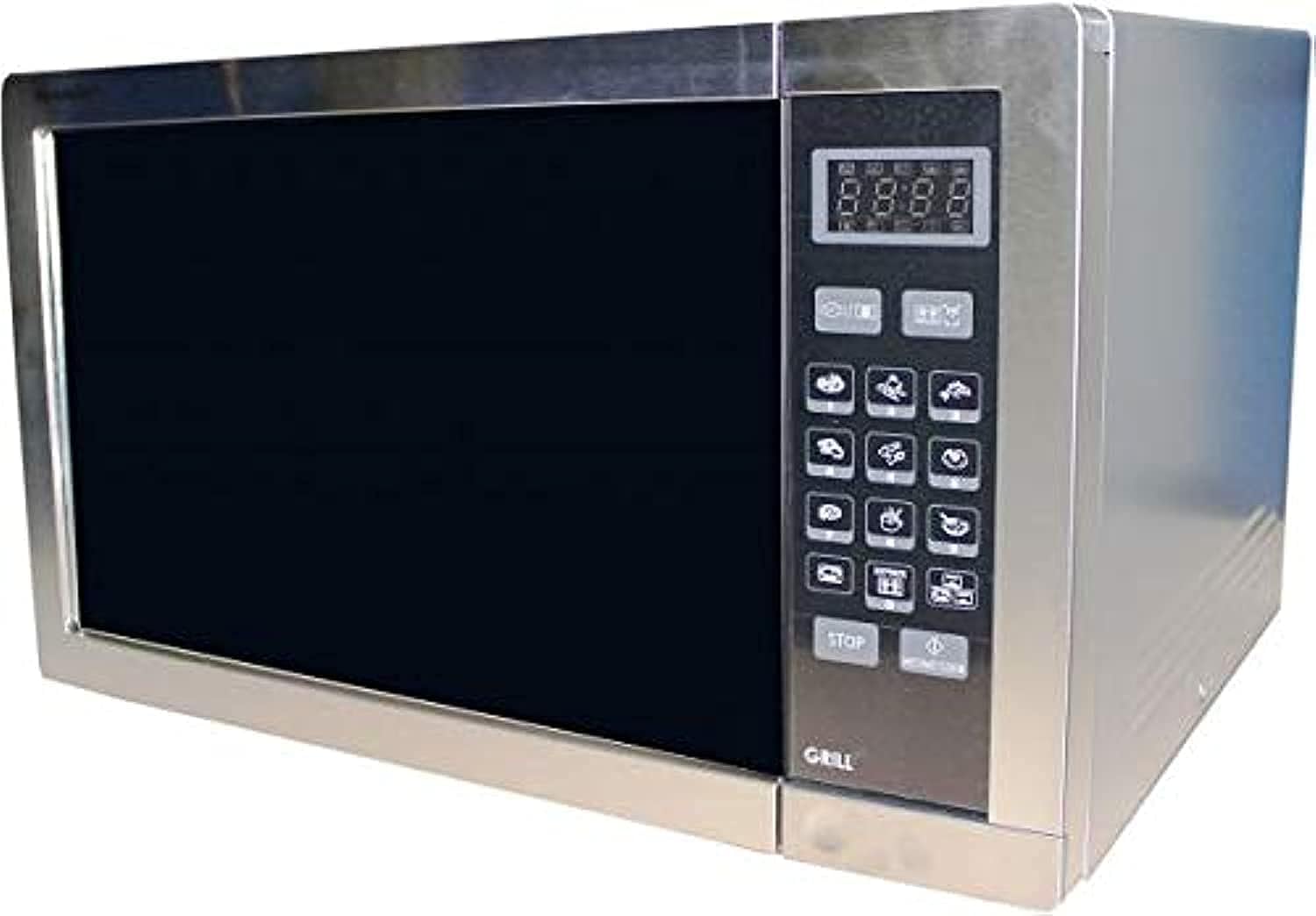
- Rongga Ketuhar: Ruang dalaman tempat makanan diletakkan.
- Meja Putar: Dulang kaca berputar yang memastikan masakan sekata.
- Sokongan Meja Putar: Menyokong meja putar.
- Panel Kawalan: Features a digital display, touch buttons for settings, and a timer.
- Door with Safety Lock: Prevents microwave operation when open.
- Rak Grill: Included for use with the grill function.
4. Persediaan
Ikuti langkah ini untuk menyediakan ketuhar gelombang mikro anda:
- Membongkar: Remove all packaging materials and accessories. Check the oven for any damage, such as dents or a broken door. Do not install if damaged.
- penempatan: Place the oven on a flat, stable surface that can support its weight and the heaviest food likely to be cooked in it. Ensure there is adequate ventilation space: at least 20 cm (8 inches) above the oven, 10 cm (4 inches) at the rear, and 5 cm (2 inches) on each side.
- Sambungan Kuasa: Pasangkan kord kuasa ke soket elektrik standard yang dibumikan. Pastikan volumtage dan frekuensi sepadan dengan spesifikasi pada label penarafan ketuhar.
- Pemasangan Meja Putar: Place the turntable support ring in the center of the oven cavity. Position the glass turntable plate securely on top of the support.
5. Arahan Operasi
Your Sharp R-77AT microwave oven offers various cooking functions.
5.1. Basic Microwave Cooking
- Letakkan makanan dalam bekas selamat gelombang mikro di atas meja putar.
- Tutup pintu ketuhar dengan selamat.
- Press the 'Microwave' button to select the desired power level (1-5).
- Use the number buttons or dial to set the cooking time.
- Tekan 'Mula' untuk mula memasak.
5.2. Grill Function
Fungsi pemanggang sesuai untuk memerang dan menggoreng makanan.
- Letakkan makanan di atas rak gril (jika disediakan) atau hidangan tahan panas.
- Tekan butang 'Panggang'.
- Set the desired grilling time using the number buttons or dial.
- Tekan 'Mula' untuk mula memanggang.
- Nota: The grill element will heat up and cool down periodically to maintain the set temperature.
5.3. Program Auto
The oven has 9 pre-set auto programs for common foods.
- Press the 'Auto Menu' button repeatedly or use the dial to select the desired program (e.g., Popcorn, Potato, Pizza).
- Confirm the weight or quantity if prompted.
- Tekan 'Mula' untuk memulakan program automatik.
5.4. Fungsi Penyahbekuan
The automatic defrost function allows for quick and even thawing.
- Letakkan makanan sejuk beku dalam hidangan yang selamat dari gelombang mikro.
- Tekan butang 'Nyahbeku'.
- Enter the weight of the food using the number buttons or dial.
- Press 'Start'. The oven will automatically calculate the defrosting time and may prompt you to turn the food over during the cycle.
5.5. Fungsi Pemasa
Use the timer for general kitchen timing, independent of cooking functions.
- Press the 'Timer' button.
- Set the desired time using the number buttons or dial.
- Press 'Start'. The timer will count down without activating the microwave or grill.
6. Penyelenggaraan dan Pembersihan
Regular cleaning and maintenance ensure optimal performance and longevity of your microwave oven.
- Luaran: Lap bahagian luar dengan iklanamp kain dan detergen lembut. Elakkan pembersih yang kasar.
- Dalaman: Clean the oven cavity after each use. Wipe with a damp cloth. For stubborn food splatters, place a bowl of water with lemon slices inside and microwave for 2-3 minutes to loosen residue, then wipe clean. The interior material is enamel.
- Meja Putar dan Sokongan: The glass turntable and its support can be washed in warm soapy water or in a dishwasher.
- Pengedap Pintu: Keep the door seals clean to ensure proper closure and safe operation.
- Rak Grill: Wash the grill rack with warm soapy water after use.
- Kord Kuasa: Periksa kord kuasa secara kerap untuk sebarang kerosakan.
Sentiasa cabut plag ketuhar gelombang mikro sebelum membersihkan.
7. Penyelesaian masalah
Jika anda menghadapi masalah dengan ketuhar gelombang mikro anda, rujuk kepada masalah dan penyelesaian biasa berikut:
| Masalah | Kemungkinan Punca | Penyelesaian |
|---|---|---|
| Oven tidak bermula | Kord kuasa tidak dipasang; Pintu tidak ditutup dengan betul; Fius terputus atau pemutus litar tersandung. | Pastikan palam berada dalam alur keluar dengan selamat; Tutup pintu dengan kuat; Periksa fius rumah/pemutus litar. |
| Makanan tidak boleh dimasak/dipanaskan | Door not closed properly; Cooking time/power level not set correctly; Utensil not microwave-safe. | Close door firmly; Adjust time/power; Use microwave-safe cookware. |
| Percikan api di dalam ketuhar | Logam atau kerajang di dalam ketuhar; Sisa makanan pada dinding rongga. | Keluarkan sebarang objek logam; Bersihkan bahagian dalam ketuhar dengan teliti. |
| Meja putar tidak berpusing | Turntable not positioned correctly; Obstruction under turntable. | Reposition turntable and support; Remove any obstructions. |
Jika masalah berterusan selepas mencuba penyelesaian ini, sila hubungi kakitangan servis yang berkelayakan.
8. Spesifikasi
| Ciri | Spesifikasi |
|---|---|
| Jenama | tajam |
| Nombor Model | R-77AT |
| Kapasiti | 34 Liter |
| Output Kuasa Gelombang Mikro | 1000 Watt |
| Kuasa Grill | 1100 Watt |
| Bilangan Tahap Kuasa | 5 |
| Bilangan Program | 9 (Auto Programs) |
| Jenis Kawalan | Sentuh Butang |
| Ciri Khas | Timer Function, Safety Lock |
| Sistem Pencairan | Nyahbeku automatik |
| Kaedah Pemanasan | Elektrik |
| Bahan (Luar) | Keluli Tahan Karat |
| Bahan (Dalaman) | Enamel |
| warna | Perak |
| Kekerapan | 50 Hz |
| Jenis Pemasangan | Freestanding |
| Komponen yang Disertakan | Rak Bakar |
9. Waranti dan Sokongan
Untuk maklumat jaminan dan sokongan pelanggan, sila rujuk kad jaminan yang disertakan dengan produk anda atau lawati cawangan rasmi Sharp. webtapak. Simpan resit pembelian anda sebagai bukti pembelian untuk sebarang tuntutan waranti.
For technical assistance or service inquiries, please contact Sharp customer service through their official channels.