
1. Pengenalan
The SENSSUN Nourish Digital Kitchen Food Scale (Model EK-IN7201B) is designed to assist you in precise food measurement and nutritional tracking. This smart scale connects via Bluetooth to a dedicated app, allowing you to monitor calorie intake and nutritional data for various foods. It features a capacity of 5kg (11lb) with a division of 0.1oz (1g), making it suitable for a wide range of kitchen tasks.

Image 1.1: The SENSSUN Nourish Digital Kitchen Food Scale, Model EK-IN7201B. This image shows the scale's sleek design and stainless steel platform.
2. Maklumat Keselamatan
- Jangan rendam penimbang dalam air atau cecair lain.
- Bersihkan skala dengan iklanamp kain; elakkan pembersih yang kasar.
- Letakkan penimbang di atas permukaan yang rata dan stabil untuk pengukuran yang tepat.
- Do not overload the scale beyond its maximum capacity of 5kg (11lb).
- Jauhkan bateri daripada kanak-kanak. Buang bateri terpakai dengan cara yang bertanggungjawab.
- Avoid exposing the scale to extreme temperatures or direct sunlight.
- Peranti ini adalah untuk kegunaan rumah sahaja.
3. Kandungan Pakej
Sila semak pakej untuk item berikut:
- SENSSUN Nourish Digital Kitchen Food Scale
- Vegetable Peeler (accessory)
- Manual Pengguna
- AAA Batteries (may be included or required separately)
4. Persediaan
4.1 Pemasangan Bateri
- Cari petak bateri di bahagian bawah penimbang.
- Buka penutup petak bateri.
- Masukkan dua (2) bateri AAA, pastikan kekutuban (+/-) betul.
- Tutup penutup petak bateri dengan selamat.
4.2 Pemasangan Aplikasi
The SENSSUN Nourish scale operates with the "Senssun Healthfood" application. Download the app from your device's app store (Apple App Store for iOS or Google Play Store for Android).
- Cari untuk "Senssun Healthfood".
- Pasang aplikasi pada telefon pintar atau tablet anda.
4.3 Berpasangan Bluetooth
- Pastikan Bluetooth didayakan pada telefon pintar atau tablet anda.
- Open the "Senssun Healthfood" app.
- Turn on the SENSSUN Nourish scale by pressing the power button.
- The app should automatically detect and connect to the scale. Follow any on-screen prompts within the app to complete the pairing process.
5. Arahan Operasi
5.1 Penimbangan Asas
- Letakkan penimbang pada permukaan yang keras dan rata.
- Press the power button to turn on the scale. The display will show "0".
- Place the item to be weighed directly onto the center of the scale platform.
- Berat akan dipaparkan pada skrin LCD.

Image 5.1: The scale displaying a weight measurement with food on its platform. The display is designed for clear visibility.
5.2 Penukaran Unit
Press the "UNIT" button on the scale to cycle through available measurement units: grams (g), ounces (oz), pounds (lb), and milliliters (ml). The scale can also measure water and milk volume.
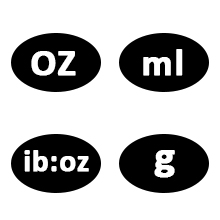
Image 5.2: Diagram illustrating the unit conversion options on the scale, including grams, ounces, pounds, and milliliters for water and milk.
5.3 Fungsi Tara
Fungsi Tare membolehkan anda menimbang barang dalam bekas dengan menolak berat bekas.
- Letakkan bekas kosong pada skala.
- Press the "ZERO" or "TARE" button. The display will reset to "0".
- Add the food item into the container. The display will show only the weight of the food.
5.4 Using the Senssun Healthfood App
The app enhances the scale's functionality by providing nutritional analysis and tracking.
- Food Search and Nutrition Facts:
Place food on the scale. In the app, search for the food item. The app will display nutritional data such as fats, cholesterol, fiber, protein, vitamins, carbohydrates, and sugar for up to 1999 foods.

Image 5.3: The Senssun Healthfood app interface displaying food search results and nutritional information for a weighed item.

Image 5.4: The Senssun Healthfood app displaying a detailed breakdown of nutritional facts for various food components.
- Customize Diary Recipes:
Use the app to customize and analyze your breakfast, lunch, dinner, and snack recipes. This helps in calculating your daily nutritional intake to achieve health goals.

Image 5.5: The app's interface for customizing and tracking daily meal entries and nutritional goals.
- Jejaki Kemajuan Anda:
The app records your intake data on a daily, weekly, monthly, and yearly basis. You can review historical data to monitor your progress towards your dietary and health objectives.
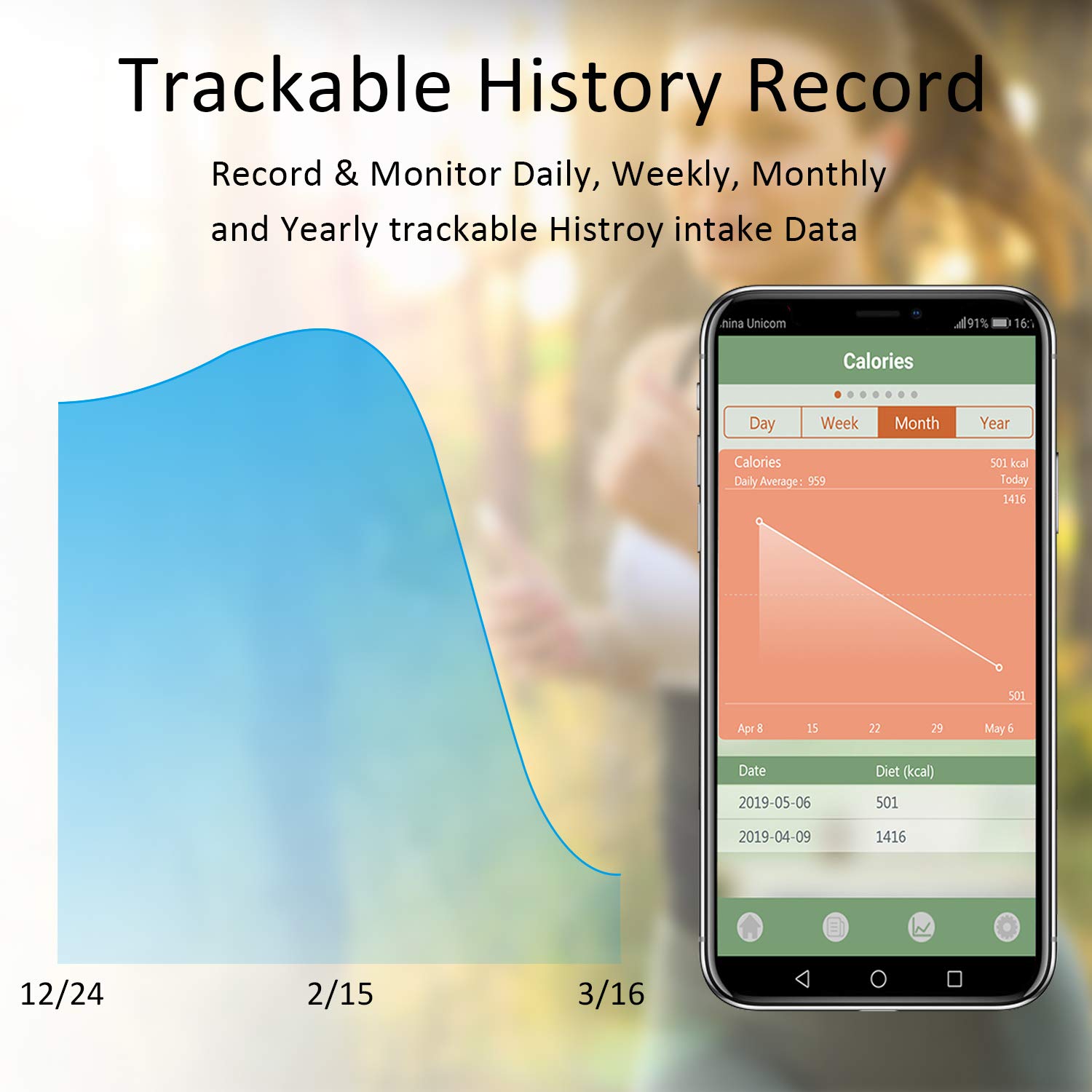
Image 5.6: The Senssun Healthfood app displaying a graph and data table of historical calorie intake, allowing users to track progress over time.
6. Penyelenggaraan
6.1 Pembersihan
The scale features a durable stainless steel platform with an anti-fingerprint coating for easy cleaning. Wipe the surface with a soft, damp kain. Jangan gunakan pembersih yang kasar atau rendam kerak di dalam air.
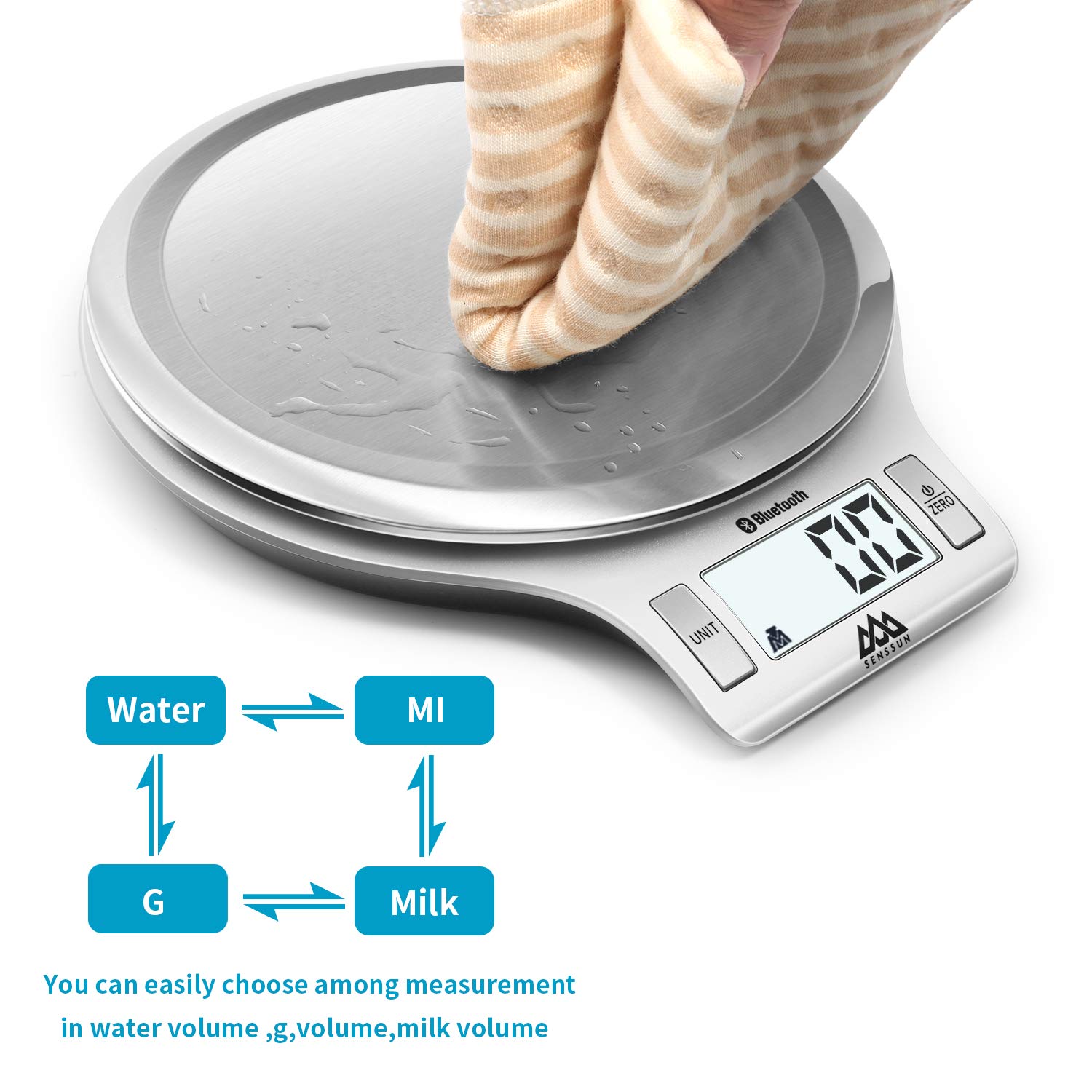
Image 6.1: A hand wiping the stainless steel surface of the scale, demonstrating its easy-to-clean design.
6.2 Penyimpanan
The scale's mini slim and sleek design allows for convenient storage. It can be stored flat in a drawer or hung on a wall hook to save kitchen space.
7. Penyelesaian masalah
| Masalah | Kemungkinan Punca | Penyelesaian |
|---|---|---|
| Skala tidak dihidupkan. | Bateri rendah atau mati; pemasangan bateri yang salah. | Replace batteries with new AAA batteries. Ensure batteries are inserted with correct polarity. |
| Bacaan yang tidak tepat. | Scale not on a flat, stable surface; overloaded; dirty sensors. | Place scale on a firm, level surface. Do not exceed 5kg/11lb. Clean the scale surface. Recalibrate if possible (refer to app for calibration options). |
| Sambungan Bluetooth gagal. | Bluetooth off on device; app not open; scale too far from device; interference. | Ensure Bluetooth is enabled on your phone/tablet. Open the "Senssun Healthfood" app. Bring the scale closer to your device. Restart both the scale and your device. |
| App not displaying nutrition data. | Food item not found in database; app error; no internet connection. | Ensure the food item is correctly searched. Check your internet connection. Update the app to the latest version. Restart the app. |
8. Spesifikasi
- Jenama: SENSSUN
- model: EK-IN7201B
- kapasiti: 5 kg / 11 lb
- Bahagian: 1 g / 0.1 oz
- Unit: g, oz, lb, ml (water/milk)
- Bahan: Keluli Tahan Karat
- Dimensi: 8 x 7 x 1 inci (20.3 x 17.8 x 2.5 cm)
- Berat Barang: 12 auns (0.34 kg)
- Kuasa: 2 x AAA Batteries (not always included)
- Ketersambungan: Bluetooth
- Keserasian Apl: "Senssun Healthfood" (iOS & Android)
- Ciri Khas: Auto Shut Off, Tare Function, Nutrition Tracking, Recipe Customization, Progress Monitoring
- UPC: 753936140288
9. Waranti & Sokongan
For warranty information, please refer to the product packaging or the official SENSSUN website. For technical support or customer service inquiries, please contact SENSSUN customer support directly through their website or the contact information provided in the product documentation.