
Vivanco 25175
Vivanco MOOOVE AIR 25175 Bluetooth HiFi On-Ear Foldable Headphones User Manual
1. Pengenalan
Thank you for choosing the Vivanco MOOOVE AIR 25175 Bluetooth HiFi On-Ear Foldable Headphones. This manual provides essential information for the proper setup, operation, and maintenance of your new headphones. Please read it carefully before use and retain it for future reference.
2. Kandungan Pakej
Pastikan semua item ada dalam pakej:
- Vivanco MOOOVE AIR 25175 Bluetooth Headphones (1 piece)
- Kabel Pengecasan (USB)
- Audio Cable (3.5mm Jack) (Assumed based on connectivity specifications)
- Manual Pengguna (Dokumen ini)
3. Produk Lebihview
Familiarize yourself with the components of your Vivanco MOOOVE AIR 25175 headphones.
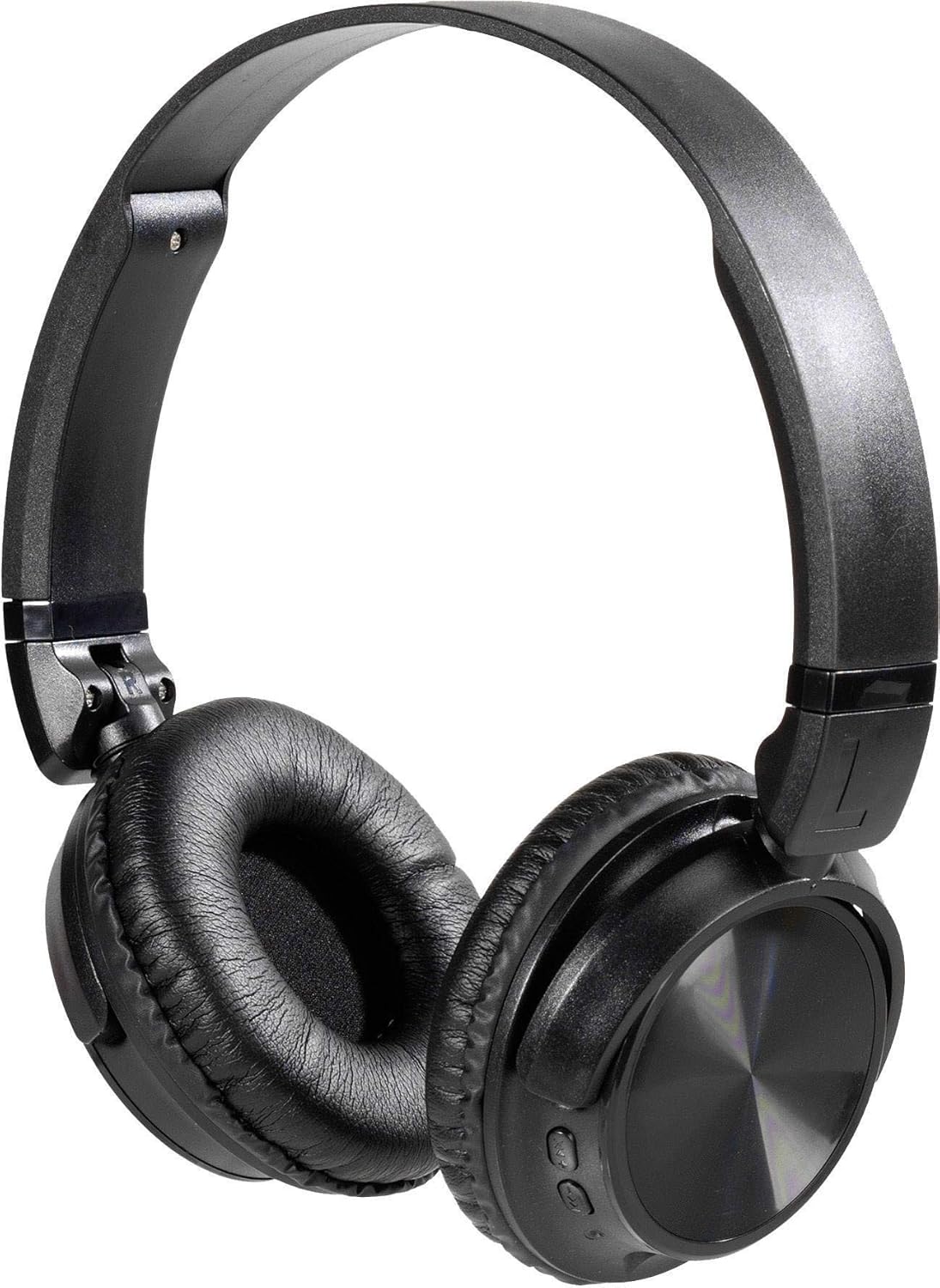
Penerangan Imej: A pair of black Vivanco MOOOVE AIR 25175 headphones, featuring an adjustable headband, soft cushioned earcups, and control buttons visible on the right earcup. The headphones are shown in an unfolded, ready-to-use position.
Komponen Utama:
- Destar boleh laras: Untuk keselesaan yang sesuai.
- Cushioned Earcups: Memberi keselesaan untuk mendengar berpanjangan.
- Butang Kawalan: Typically located on one earcup for power, volume, playback, and call management.
- mikrofon: Untuk panggilan bebas tangan.
- Charging Port (USB): Untuk mengecas semula bateri dalaman.
- Audio Input Port (3.5mm/2.5mm Jack): Untuk sambungan berwayar.
4. Persediaan
4.1. Mengecas Fon Kepala
- Sambungkan hujung kecil kabel pengecas USB ke port pengecasan pada fon kepala.
- Sambungkan hujung kabel pengecas USB yang lebih besar ke penyesuai kuasa USB (tidak disertakan) atau port USB komputer.
- The LED indicator on the headphones will illuminate, typically red, to show that charging is in progress.
- Once fully charged, the LED indicator will change color (e.g., turn blue or off). A full charge usually takes approximately 2-3 hours.
Nota: Untuk hayat bateri yang optimum, cas sepenuhnya fon kepala sebelum penggunaan pertama.
4.2. Menghidupkan/Mematikan
- Untuk Menghidupkan: Press and hold the Power button (usually marked with a power symbol) for approximately 3-5 seconds until the LED indicator flashes and you hear an audible prompt.
- Untuk Mematikan: Press and hold the Power button for approximately 3-5 seconds until the LED indicator turns off and you hear an audible prompt.
5. Ketersambungan
5.1. Berpasangan Bluetooth
- Pastikan fon kepala dicas sepenuhnya dan dimatikan.
- Tekan dan tahan butang Kuasa selama lebih kurang 5-7 saat sehingga penunjuk LED berkelip merah dan biru secara berselang-seli, menunjukkan mod berpasangan.
- Pada peranti berdaya Bluetooth anda (telefon pintar, tablet, komputer), pergi ke tetapan Bluetooth.
- Cari untuk available devices. The headphones should appear as "Vivanco MOOOVE AIR" or a similar name.
- Select the headphones from the list to connect. Once connected, the LED indicator will typically flash blue slowly or remain solid blue, and you may hear a confirmation tone.
- Jika diminta kata laluan, masukkan "0000" (empat sifar).
Nota: Fon kepala akan cuba menyambung semula secara automatik ke peranti terakhir yang dipasangkan apabila dihidupkan, jika Bluetooth peranti tersebut aktif dan dalam julat.
5.2. Sambungan Berwayar (Pilihan)
The Vivanco MOOOVE AIR 25175 headphones can also be used with a wired connection, even if the battery is depleted.
- Connect one end of the 3.5mm audio cable (or 2.5mm if applicable) to the audio input jack on the headphones.
- Connect the other end of the audio cable to the audio output jack of your device (e.g., smartphone, MP3 player, computer).
- The headphones will operate in passive mode, meaning Bluetooth functions and built-in controls may be disabled, and audio will be controlled directly from your connected device.
6. Mengendalikan Fon Kepala
6.1. Main balik Muzik
- Main/Jeda: Tekan butang Pelbagai fungsi (selalunya butang Kuasa atau butang Main/Jeda khusus) sekali.
- Lagu Seterusnya: Press and hold the Volume Up button or a dedicated "Next" button. (Specific button functions may vary; refer to device markings).
- Trek Sebelumnya: Press and hold the Volume Down button or a dedicated "Previous" button. (Specific button functions may vary; refer to device markings).
6.2. Kawalan Kelantangan
- Tingkatkan Kelantangan: Tekan butang Kelantangan Naik (+).
- Kurangkan Kelantangan: Tekan butang Turun Kelantangan (-).
6.3. Pengurusan Panggilan
- Jawab/Tamatkan Panggilan: Tekan butang Berbilang fungsi sekali semasa panggilan masuk atau panggilan aktif.
- Tolak Panggilan: Tekan dan tahan butang Berbilang fungsi selama lebih kurang 2 saat semasa panggilan masuk.
- Dail Semula Nombor Terakhir: Tekan dua kali butang Berbilang fungsi apabila tiada panggilan aktif.
7. Penyelenggaraan
- Pembersihan: Lap fon kepala dengan kain lembut, kering dan tidak berbulu. Jangan gunakan pembersih yang melelas, alkohol atau pelarut kimia.
- Storan: Apabila tidak digunakan, simpan fon kepala di tempat yang sejuk dan kering, jauh dari cahaya matahari langsung dan suhu yang melampau. Reka bentuk boleh lipat membolehkan storan padat.
- Tahan Air: The headphones are rated as waterproof. However, avoid prolonged submersion or exposure to high-pressure water jets. Ensure charging ports are dry before connecting cables.
8. Penyelesaian masalah
| Masalah | Kemungkinan Punca | Penyelesaian |
|---|---|---|
| Fon kepala tidak dihidupkan. | Bateri lemah. | Cas fon kepala sepenuhnya. |
| Tidak boleh berpasangan melalui Bluetooth. | Headphones not in pairing mode; device Bluetooth off; too far apart. | Ensure headphones are in pairing mode (flashing red/blue). Turn on Bluetooth on your device. Keep devices within 1 meter during pairing. Forget previous pairings on your device and try again. |
| Tiada bunyi. | Kelantangan terlalu rendah; fon kepala tidak disambungkan; sumber audio yang salah. | Increase volume on both headphones and connected device. Verify Bluetooth connection or wired connection. Check audio output settings on your device. |
| Kualiti bunyi yang buruk. | Weak Bluetooth signal; interference; low-quality audio source. | Move closer to the connected device. Avoid obstacles. Try a different audio source. |
9. Spesifikasi
| Jenama | Vivanco |
| Nama Model | 25175 |
| Teknologi Ketersambungan | Wireless (Bluetooth), Wired |
| Faktor Bentuk | Supra-aural (On-Ear) |
| Penempatan Telinga | Extra-aural |
| Impedans | 32 ohm |
| Ciri Khas | Ringan, Boleh Dilipat |
| bahan | plastik |
| Jenis Kawalan | Pelarasan volum |
| Fungsi Kabel | Boleh ditarik balik (Refers to included audio cable) |
| Tahap Ketahanan Air | Kalis air |
| Bicu Fon Kepala | USB, 3.5mm Jack, 2.5mm Jack (USB primarily for charging, 3.5mm/2.5mm for audio input) |
| Komponen yang Disertakan | 1 piece (headphones) |
10. Waranti dan Sokongan
Information regarding specific warranty terms and customer support for the Vivanco MOOOVE AIR 25175 headphones is not available in this document. Please refer to the product packaging or the Vivanco official website for detailed warranty information and support contacts.
Ask a question about this manual
Ask about setup, troubleshooting, compatibility, parts, safety, or missing instructions. Manuals+ will review the question and use this page’s manual context to help answer it.