
1. Pengenalan
This manual provides comprehensive instructions for the Huawei P Smart Plus 2019 smartphone. It covers essential information regarding product features, setup, operation, maintenance, and troubleshooting to ensure optimal use of your device. Please read this manual thoroughly before using your smartphone.
2. Produk Lebihview
Familiarize yourself with the physical components of your Huawei P Smart Plus 2019 smartphone.
Rajah 2.1: belakang view of the Huawei P Smart Plus 2019 smartphone, showing the triple camera module, fingerprint sensor, and HUAWEI branding.
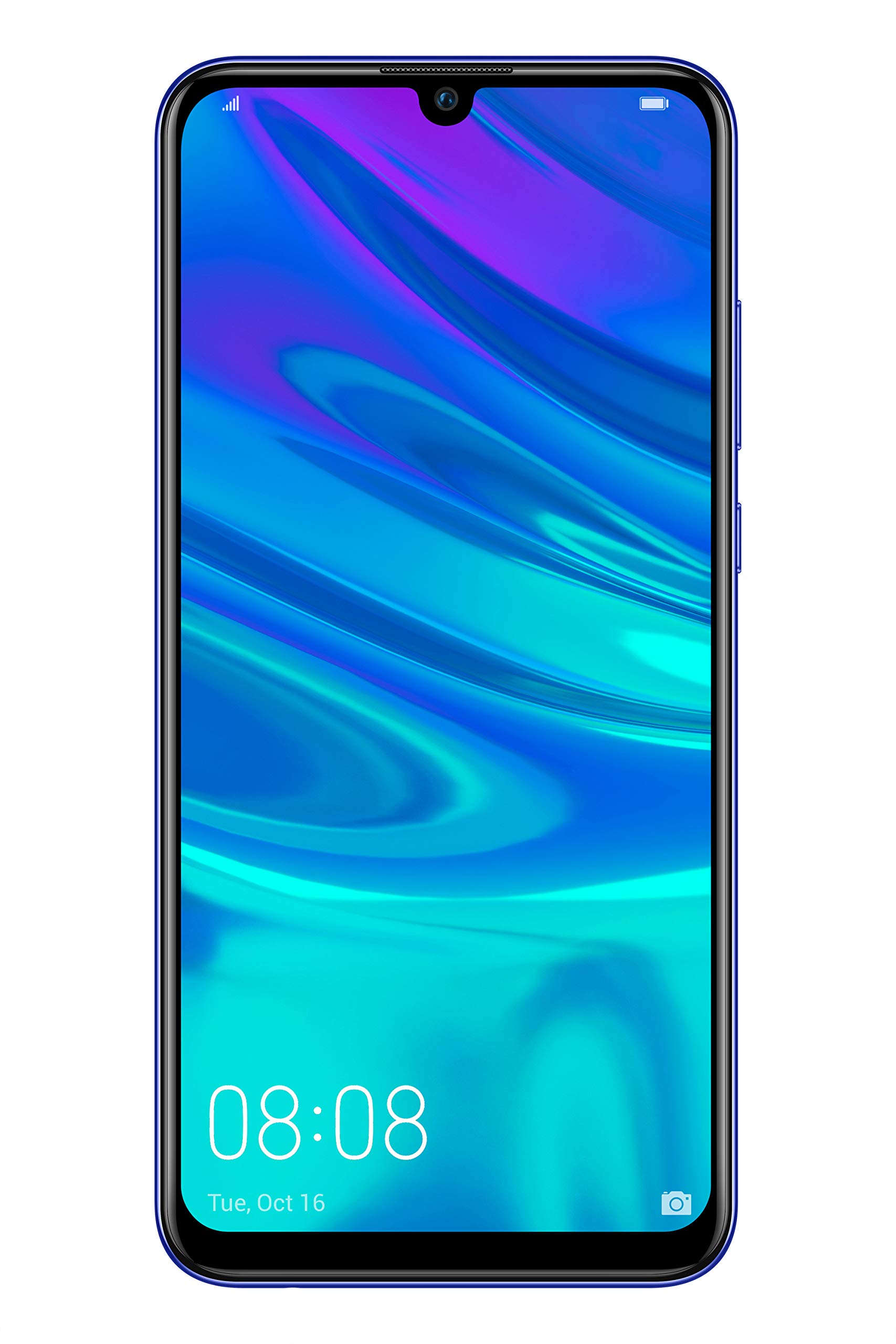
Rajah 2.2: Depan view of the Huawei P Smart Plus 2019 smartphone, displaying the 6.21-inch screen with a small notch for the front camera.

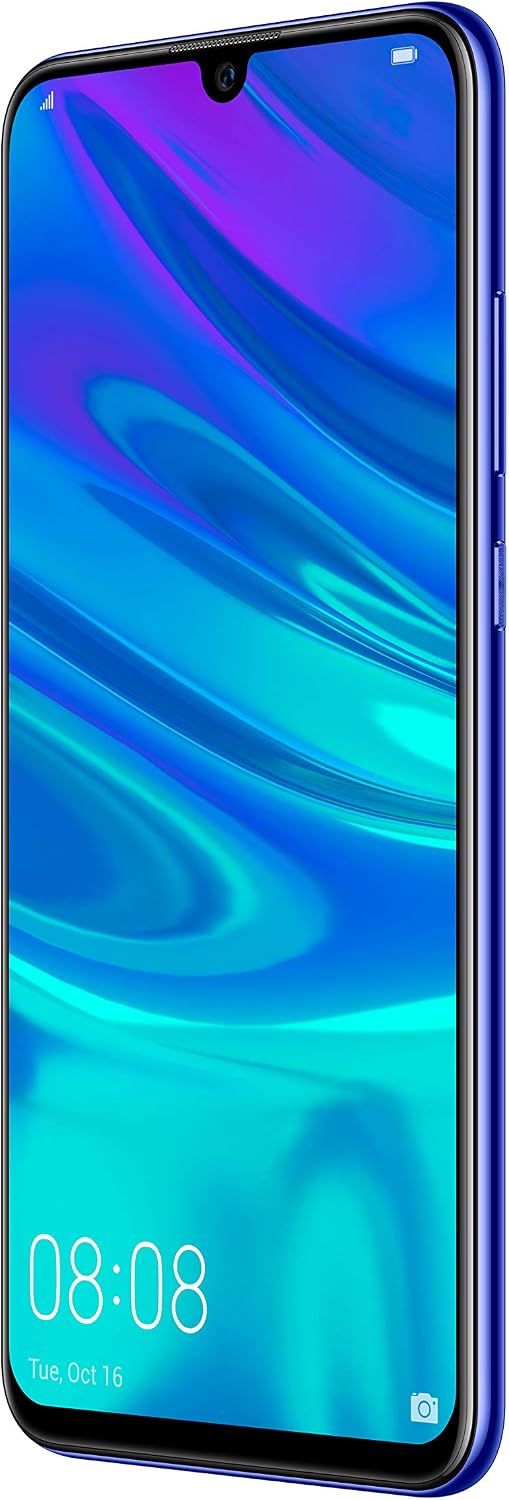
Rajah 2.3: sebelah view of the Huawei P Smart Plus 2019 smartphone, highlighting the power and volume buttons.
Komponen Utama:
- paparan: 6.21-inch FHD+ LCD screen.
- Kamera Depan: Located in the display notch.
- Kamera Belakang: Triple camera module on the back.
- Sensor cap jari: Circular sensor on the rear panel.
- Butang Kuasa: Di sebelah kanan peranti.
- Butang Kelantangan: Above the power button on the right side.
- Slot Kad SIM/MikroSD: Typically on the left side or top edge.
- Port Pengecasan: USB Type-C, usually at the bottom.
- Pembesar Suara/Mikrofon: Terletak di bahagian bawah.
3. Persediaan
3.1 Memasukkan Kad SIM dan MicroSD
- Cari dulang kad SIM di sisi peranti anda.
- Masukkan alat ejektor SIM ke dalam lubang kecil di sebelah dulang untuk membukanya.
- Place your Nano-SIM card(s) and/or microSD card into the tray, ensuring correct orientation as indicated on the tray. This device supports Dual SIM functionality and expandable storage up to 512GB.
- Tolak dulang kembali ke dalam slot dengan berhati-hati sehingga siram dengan peranti.
3.2 Penghidupan dan Pengecasan Awal
- To power on, press and hold the Power button until the HUAWEI logo appears.
- Ikut gesaan pada skrin untuk melengkapkan persediaan awal, termasuk pemilihan bahasa, sambungan Wi-Fi dan persediaan akaun Google.
- Before first use, it is recommended to fully charge the device. Connect the provided USB Type-C cable to the phone's charging port and the other end to a power adapter.
4. Arahan Operasi
4.1 Fungsi Asas
- Power On/Off/Restart: Press and hold the Power button. Select the desired option from the menu.
- Kunci/Buka Kunci Skrin: Press the Power button to lock/unlock the screen. Use Face Recognition or the Fingerprint Sensor for secure unlocking.
- Panggilan dan Mesej: Use the Phone and Messaging applications for communication.
- Kesambungan Rangkaian: Access Wi-Fi settings from the Quick Settings panel or Settings app. Enable mobile data for internet access via your SIM card.
4.2 Penggunaan Kamera
The Huawei P Smart Plus 2019 features a versatile camera system.
- Kamera Belakang: The triple camera setup includes a 24MP main sensor, a 16MP ultra-wide sensor, and a 2MP bokeh sensor. Open the Camera app and select modes like Automatic, Portrait, or Sport.
- Kamera Depan: An 8MP front camera is available for selfies and video calls. Switch to the front camera within the Camera app.
- Ciri AI: The camera utilizes AI to optimize scene recognition and enhance photo quality.
4.3 Penyimpanan dan Memori
Your device comes with 64GB of internal storage, which can be expanded up to 512GB using a microSD card. It has 3GB of RAM for smooth multitasking.
4.4 Pengurusan Bateri
The device is equipped with a 3400 mAh Lithium-Polymer battery. To optimize battery life, manage background apps, adjust screen brightness, and utilize power-saving modes available in the Settings app.
4.5 Sistem Operasi
The smartphone runs on Android 9 (Pie) with Huawei's EMUI 9 interface, offering a range of features and customization options.
5. Penyelenggaraan
5.1 Membersihkan Peranti Anda
Use a soft, lint-free cloth to gently wipe the screen and body of your phone. Avoid using harsh chemicals or abrasive materials, which can damage the device's finish or screen coating.
5.2 Kemas Kini Perisian
Regularly check for and install software updates to ensure your device has the latest features, security patches, and performance improvements. You can usually find this option in Settings > System > Software update.
5.3 Penjagaan Bateri
To prolong battery lifespan, avoid extreme temperatures. Do not leave the phone fully charged or fully discharged for extended periods. Use only approved chargers and cables.
5.4 Sandaran Data
Sandarkan data penting anda secara kerap (foto, kenalan, dokumen) ke perkhidmatan awan atau komputer untuk mengelakkan kehilangan data.
6. Penyelesaian masalah
This section addresses common issues you might encounter with your Huawei P Smart Plus 2019.
6.1 Peranti Tidak Dihidupkan
- Pastikan bateri dicas. Sambungkan pengecas dan tunggu beberapa minit sebelum cuba menghidupkan.
- Tekan dan tahan butang Kuasa selama sekurang-kurangnya 10-15 saat untuk memaksa mulakan semula.
6.2 Hayat Bateri Lemah
- Tutup aplikasi yang tidak digunakan yang berjalan di latar belakang.
- Kurangkan kecerahan skrin dan tetapkan tamat masa skrin yang lebih pendek.
- Lumpuhkan Wi-Fi, Bluetooth dan GPS apabila tidak digunakan.
- Semak penggunaan bateri dalam Tetapan untuk mengenal pasti apl yang haus kuasa.
6.3 Network Issues (No Signal/Wi-Fi Disconnection)
- Mulakan semula peranti anda.
- Ensure your SIM card is correctly inserted and your mobile data plan is active.
- For Wi-Fi, try restarting your router. Forget the network on your phone and reconnect.
6.4 Aplikasi Ranap atau Terhenti
- Tutup paksa apl dan buka semula.
- Kosongkan cache dan data apl dalam Tetapan > Apl.
- Pastikan apl dikemas kini kepada versi terkininya.
- Jika masalah berterusan, pertimbangkan untuk menyahpasang dan memasang semula aplikasi tersebut.
6.5 Tetapan Semula Kilang (Pilihan Terakhir)
If other troubleshooting steps fail, a factory reset may resolve persistent issues. Amaran: This will erase all data on your device. Back up your data before proceeding. Go to Settings > System > Reset > Factory data reset.
7. Spesifikasi
| Ciri | Perincian |
|---|---|
| Nombor Model | POT-LX1T, 51093RVX |
| Paparan | 6.21 inches, LCD, FHD+ (2340 x 1080 pixels), 415 PPI |
| Pemproses | Kirin 710 Octa-core (4 x 2.2 GHz, 4 x 1.7 GHz) |
| RAM | 3 GB |
| Storan Dalaman | 64 GB |
| Storan Boleh Dikembangkan | MicroSD sehingga 512 GB |
| Kamera Belakang | Triple: 24 MP (main) + 16 MP (ultra-wide) + 2 MP (bokeh) |
| Kamera Depan | 8 MP |
| Bateri | 3400 mAh Litium-Polymer |
| Sistem Operasi | Android 9 (Pie) with EMUI 9 |
| Jenis Kad SIM | Nano-SIM (sokongan Dwi SIM) |
| Ketersambungan | LTE, GSM, Wi-Fi, Bluetooth, USB Type-C |
| Keselamatan Biometrik | Fingerprint Sensor, Face Recognition |
| Dimensi | 8 x 155 x 73 mm |
| Berat badan | 160 gram |
| Purata Hayat Bateri | 25 jam |
8. Maklumat Keselamatan
Please observe the following safety guidelines to prevent injury or damage to your device:
- Jangan dedahkan peranti kepada suhu yang melampau, cahaya matahari langsung atau lembapan.
- Gunakan hanya pengecas dan aksesori yang diluluskan.
- Elakkan daripada menjatuhkan atau menyebabkan peranti ini mengalami hentaman yang teruk.
- Jangan cuba membuka atau membaiki peranti sendiri. Rujuk kepada kakitangan perkhidmatan yang diberi kuasa.
- Jauhkan peranti daripada peranti perubatan untuk mengelakkan gangguan.
- Buang peranti dan baterinya secara bertanggungjawab mengikut peraturan tempatan.
9. Waranti dan Sokongan
Your Huawei P Smart Plus 2019 smartphone is covered by a limited warranty. For detailed warranty terms and conditions, please refer to the warranty card included in the product packaging or visit the official HUAWEI webtapak.
For technical support, service, or further assistance, please contact HUAWEI customer service or visit an authorized service center. Contact information can typically be found on the official HUAWEI support webtapak.