
1. Pengenalan
Terima kasih kerana membeliasing the ELEPHAS Mini Projector GC333. This manual provides essential information for the safe and efficient operation of your projector. Please read it thoroughly before use and retain it for future reference.
The ELEPHAS GC333 is a portable home theater projector designed to deliver a vivid image and an immersive viewing experience. It features advanced LCD display technology and a high-efficient LED lamp, offering full HD 1080P resolution support and a large display capability up to 180 inches.
2. Apa yang Termasuk
Buka kotak dengan berhati-hati dan pastikan semua item ada dan dalam keadaan baik. Jika ada item yang hilang atau rosak, sila hubungi sokongan pelanggan.
- ELEPHAS Mini Projector (GC333)
- Manual Pengguna
- Kord Kuasa
- AV kabel
- Alat Kawalan Jauh
3. Produk Lebihview
Familiarize yourself with the components of your ELEPHAS Mini Projector.

Image: The ELEPHAS Mini Projector GC333, a compact black device with a prominent lens, shown alongside an HDMI cable.
3.1 Panel Depan dan Belakang
- Kanta: Menayangkan imej ke skrin.
- Cincin Fokus: Melaraskan kejelasan imej.
- Pembetulan Keystone: Melaraskan herotan imej.
- Panel Kawalan: Butang untuk navigasi dan tetapan asas.
- Pelabuhan Input: HDMI, USB, AV, VGA, SD card slot.
- Pelabuhan Kuasa: Menyambung ke kord kuasa.
- Penceramah: Built-in audio output.

Image: A diagram illustrating the various input interfaces available on the ELEPHAS Mini Projector, including Audio, AV, USB, HD (HDMI), and VGA ports, along with compatible devices like U disk, PS3/PS4/PS5, mobile phone, iPad, Fire TV, Roku Streaming Stick, and Laptop.
4. Persediaan
4.1 Penempatan
Letakkan projektor pada permukaan yang stabil dan rata. Untuk optimum viewing, position the projector directly in front of the projection screen or wall. The recommended projection distance for a 180-inch display is approximately 18.7 feet (5.7 meters).
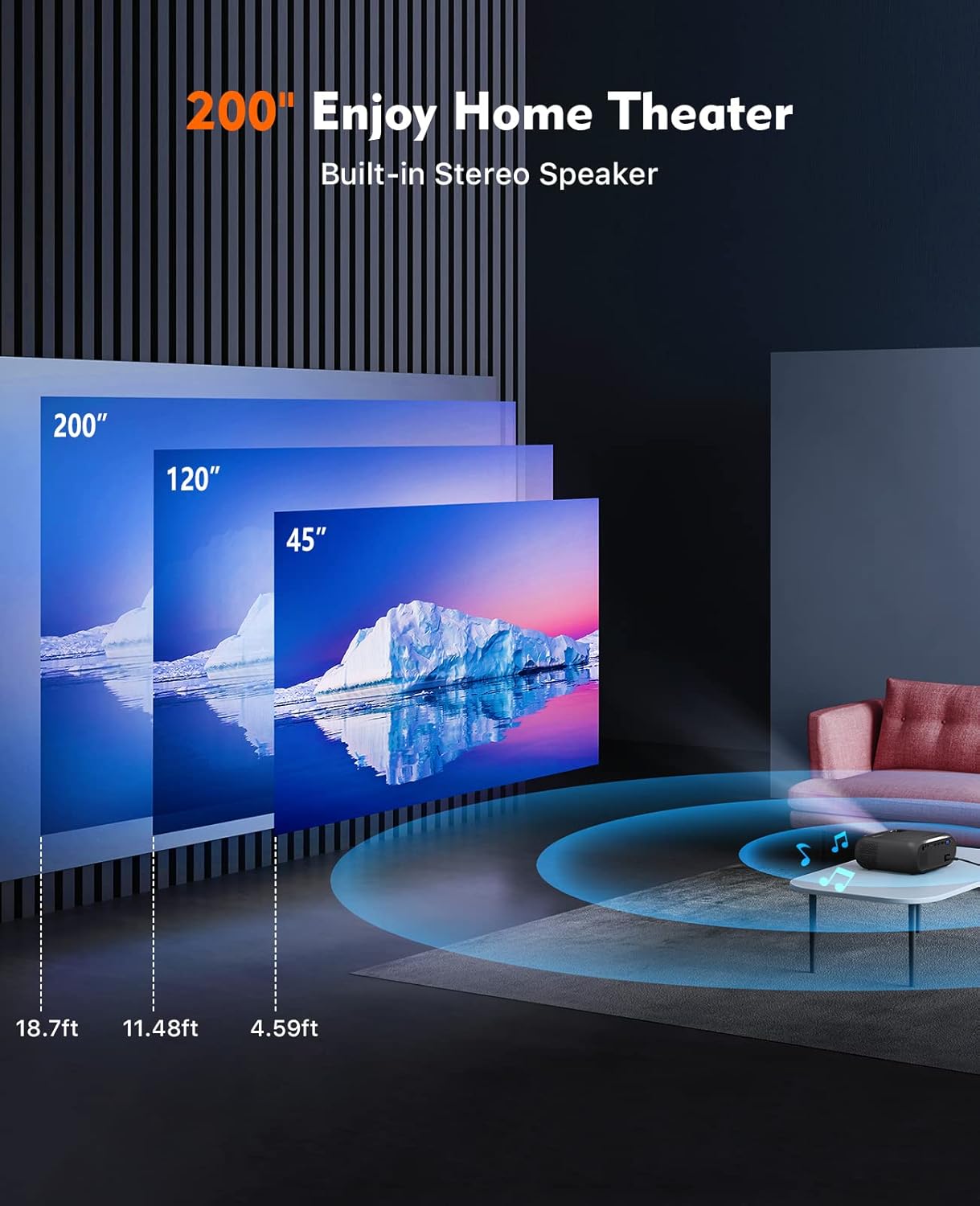
Image: An illustration showing recommended projection distances for different screen sizes: 45 inches at 4.59 ft, 120 inches at 11.48 ft, and 200 inches at 18.7 ft, demonstrating the projector's versatility for home theater setups.
4.2 Sambungan Kuasa
- Sambungkan kord kuasa ke port input kuasa projektor.
- Palamkan hujung kord kuasa yang lain ke dalam salur keluar kuasa.
- Lampu penunjuk kuasa pada projektor akan menyala.
4.3 Kuasa Awal Hidup
- Tekan butang kuasa pada projektor atau alat kawalan jauh untuk menghidupkannya.
- The ELEPHAS logo will appear on the screen.
5. Arahan Operasi
5.1 Melaraskan Kualiti Imej
- Fokus: Rotate the focus ring near the lens until the image appears sharp and clear.
- Batu Kunci: Use the keystone correction dial (if available) to adjust the image if it appears trapezoidal.
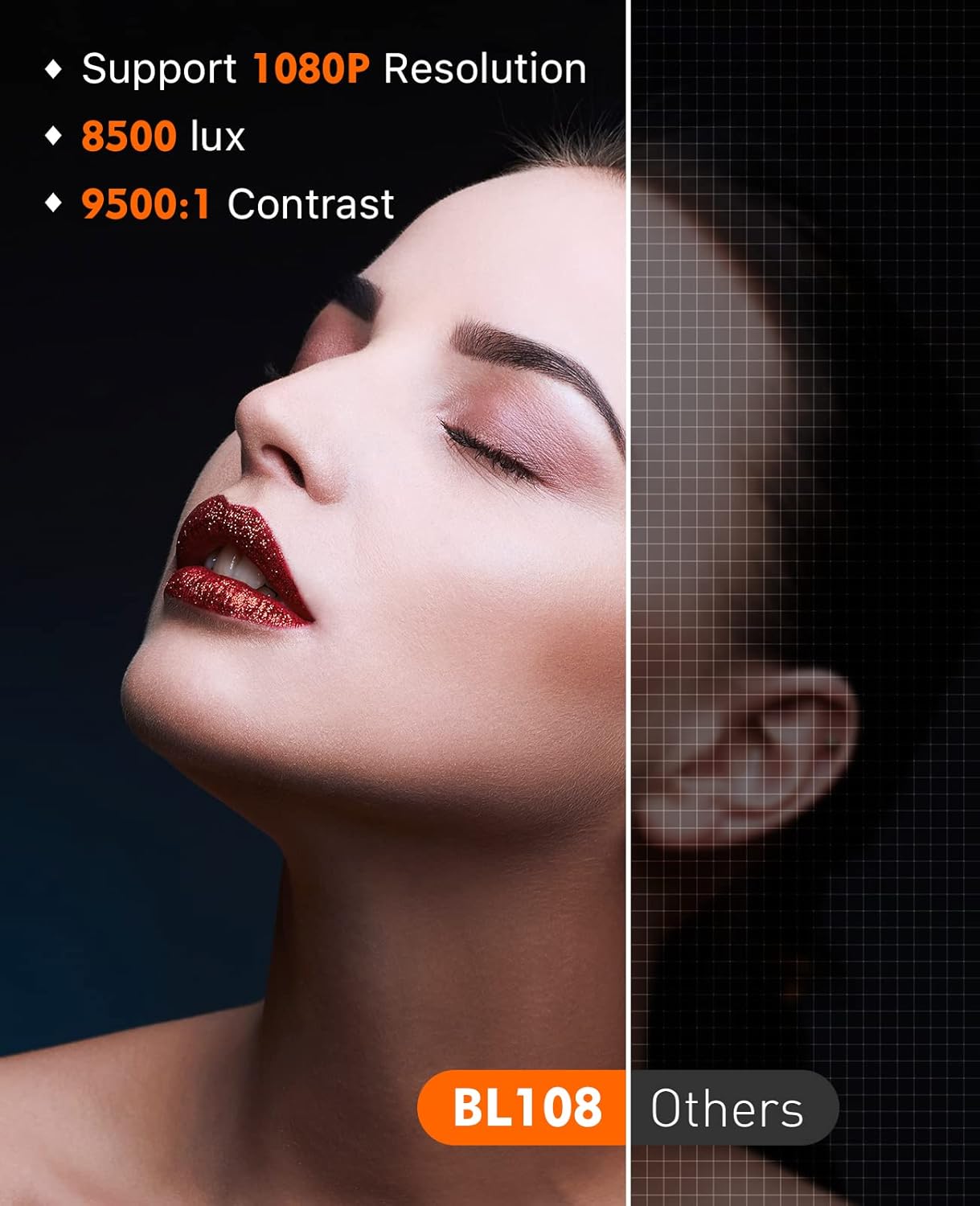
Image: A visual comparison demonstrating the superior image quality of the ELEPHAS projector (BL108) with 1080P resolution, 8500 lux brightness, and 9500:1 contrast, compared to other projectors, highlighting enhanced detail and clarity.
5.2 Menyambung Peranti
The GC333 offers multiple connectivity options:
- HDMI: Connect TV Box, Roku Stick, Chromecast, Laptop, DVD player, PS3, Xbox, or other HDMI-enabled devices.
- USB: Masukkan pemacu USB untuk memainkan media files secara langsung.
- Kad SD: Insert an SD card to play media files.
- DARI: Sambungkan peranti lama menggunakan kabel AV yang disediakan.
- VGA: Connect a PC via the VGA slot.
- Sambungan Telefon Pintar: To connect a smartphone, a separate Lightning to HDMI adapter (for iOS) or USB-C to HDMI adapter (for Android) is required (not included).
5.3 Keluaran Audio
The projector features built-in dual Hi-Fi stereo speakers for clear audio. For enhanced sound, you can connect external speakers via the 3.5mm audio input jack. Please note that Dolby sound is not supported.
5.4 Senario Penggunaan
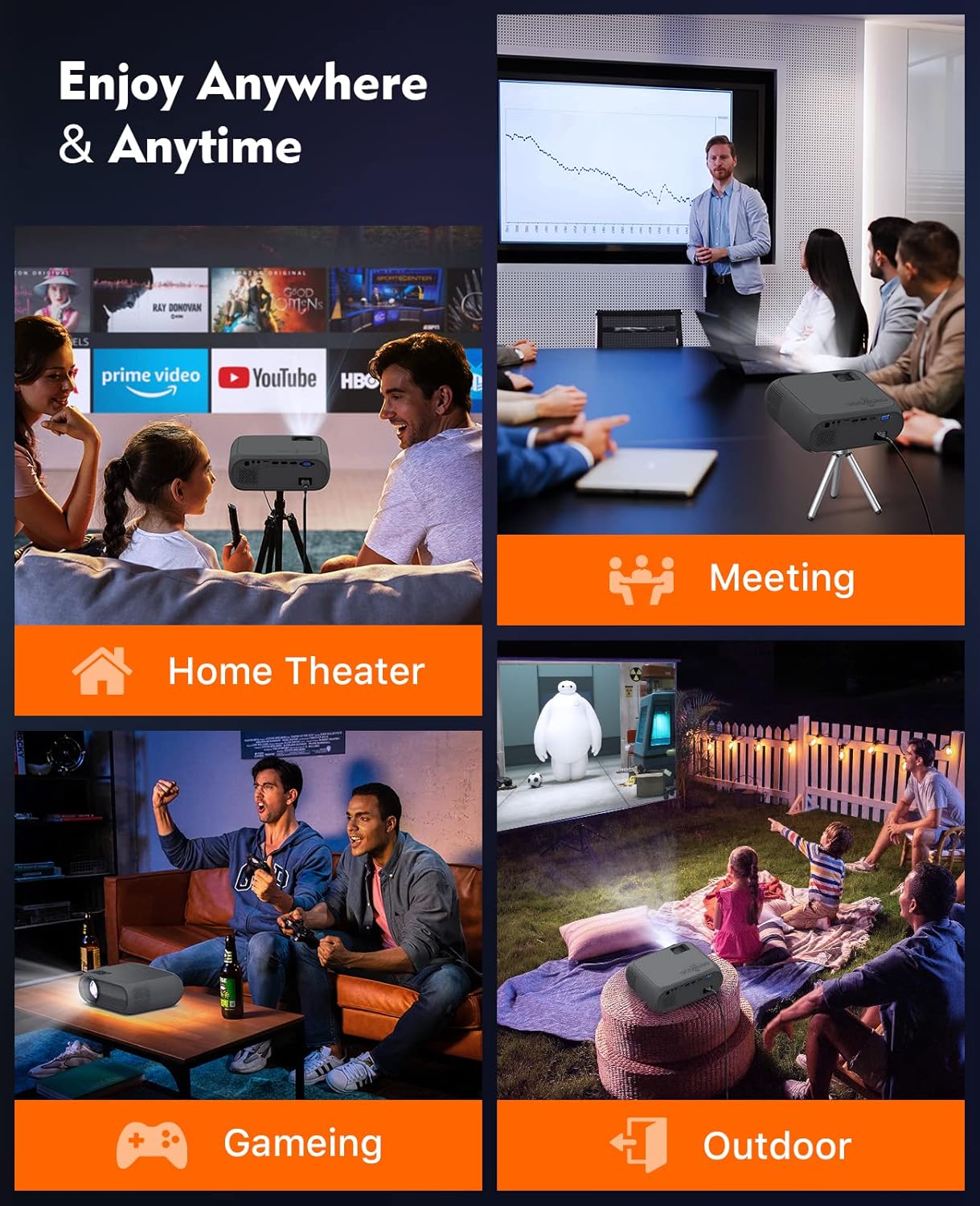
Image: A collage depicting the ELEPHAS Mini Projector being used in various settings: Home Theater, Meetings, Gaming, and Outdoor entertainment, highlighting its versatility for different environments.
The ELEPHAS Mini Projector is suitable for a variety of applications:
- Teater Rumah: Nikmati filem dan rancangan TV pada skrin besar.
- Permainan: Connect your gaming console for an immersive experience.
- Persembahan: Sesuai untuk mesyuarat kecil atau tujuan pendidikan.
- Hiburan Luar: Perfect for backyard movie nights (ensure proper power supply and protection from elements).
6. Penyelenggaraan
6.1 Membersihkan Lensa
Gunakan kain lembut dan tidak berbulu yang direka khas untuk kanta optik untuk mengelap kanta projektor dengan lembut. Elakkan menggunakan pembersih atau kain yang kasar yang boleh menggaru permukaan kanta.
6.2 Membersihkan Badan Projektor
Wipe the exterior of the projector with a soft, dry cloth. Do not use liquid cleaners or solvents.
6.3 Pengudaraan
Ensure the projector's ventilation openings are clear and unobstructed to prevent overheating. The projector is equipped with an advanced cooling system and noise suppression technology to maintain optimal performance.
7. Penyelesaian masalah
| Masalah | Kemungkinan Punca | Penyelesaian |
|---|---|---|
| Tiada gambar di skrin | Kuasa tidak disambungkan; Sumber input tidak dipilih; Kabel longgar | Check power connection; Select correct input source (HDMI, USB, etc.); Ensure cables are securely connected. |
| Imej kabur | Fokus tidak dilaraskan; Projektor terlalu dekat/jauh | Laraskan gelang fokus; Laraskan jarak unjuran. |
| Imej adalah trapezoid | Keystone not adjusted; Projector not perpendicular to screen | Adjust keystone correction; Reposition the projector. |
| Tiada bunyi | Volume too low; Audio cable not connected; Dolby sound content | Increase volume; Check audio cable connection; Note: Dolby sound is not supported. |
| Alat kawalan jauh tidak berfungsi | Batteries dead; Obstruction between remote and projector | Gantikan bateri; Keluarkan sebarang halangan. |
8. Spesifikasi
- model: GC333
- Teknologi Paparan: LCD
- Sumber Cahaya: LED
- Resolusi Asli: 1920 x 1080 (Full HD 1080P supported)
- Nisbah Kontras: Sehingga 2000:1
- Kecerahan: +80% compared to older models
- Saiz Unjuran: Up to 180 inches (458 cm visible screen diagonal)
- Lamp kehidupan: 50,000 Jam
- Ketersambungan: USB, HDMI, SD, AV, VGA
- Audio: Built-in Dual Hi-Fi Stereo Speakers (Dolby sound not supported)
- Tahap Bunyi: Reduced via advanced cooling system
- Dimensi Produk: 8.66 x 6.69 x 3.54 inci
- Berat Barang: 2.3 paun
- Penggunaan yang Disyorkan: Home theater, gaming, presentations
- Ciri Khas: Mudah alih
9. Waranti dan Sokongan
ELEPHAS provides a Waranti 3 tahun for the GC333 Mini Projector. We are committed to offering timely and professional technical support to ensure your satisfaction.
The projector has received approval certificates including CE, FCC, and RoHS, ensuring its quality and safety standards.
For any questions, technical assistance, or warranty claims, please contact ELEPHAS customer support. You can often find contact information on the official ELEPHAS webtapak atau melalui platform pembelian anda.
Lawati ELEPHAS Store untuk maklumat lanjut dan produk.