1. Produk Lebihview
The 1Mii B03Pro is a multi-functional Bluetooth audio adapter designed to enhance your audio experience. It can operate in three distinct modes: Transmitter (TX), Receiver (RX), and Bypass. This device allows you to wirelessly stream audio from non-Bluetooth devices to Bluetooth headphones/speakers, or receive Bluetooth audio on your traditional wired audio systems. It also features a bypass mode for simultaneous wired and wireless audio output.


2. Ciri-ciri Utama
- Fungsi Tiga-dalam-Satu: Operates as a Bluetooth transmitter, receiver, and bypass device, offering versatile audio solutions.
- Audio yang berkualiti tinggi: Equipped with a 9018K2M DAC chip, supporting up to 384kHz/32bit sampling rate and a Signal-to-Noise Ratio (SNR) of 121dB for exceptional sound quality.
- Teknologi Bluetooth 5.3 Lanjutan: Ensures faster and more stable connections. Supports a wide range of codecs including Qualcomm aptX HD, aptX Low Latency, aptX Adaptive, aptX, SBC, and AAC.
- Keserasian Luas: Compatible with various devices such as old speakers, TVs, wired headphones, home audio systems, mobile phones, MP3/MP4 players, laptops, power amplifiers (PA), computers, and car speakers. Supports AUX, RCA, and Optical Digital inputs/outputs.
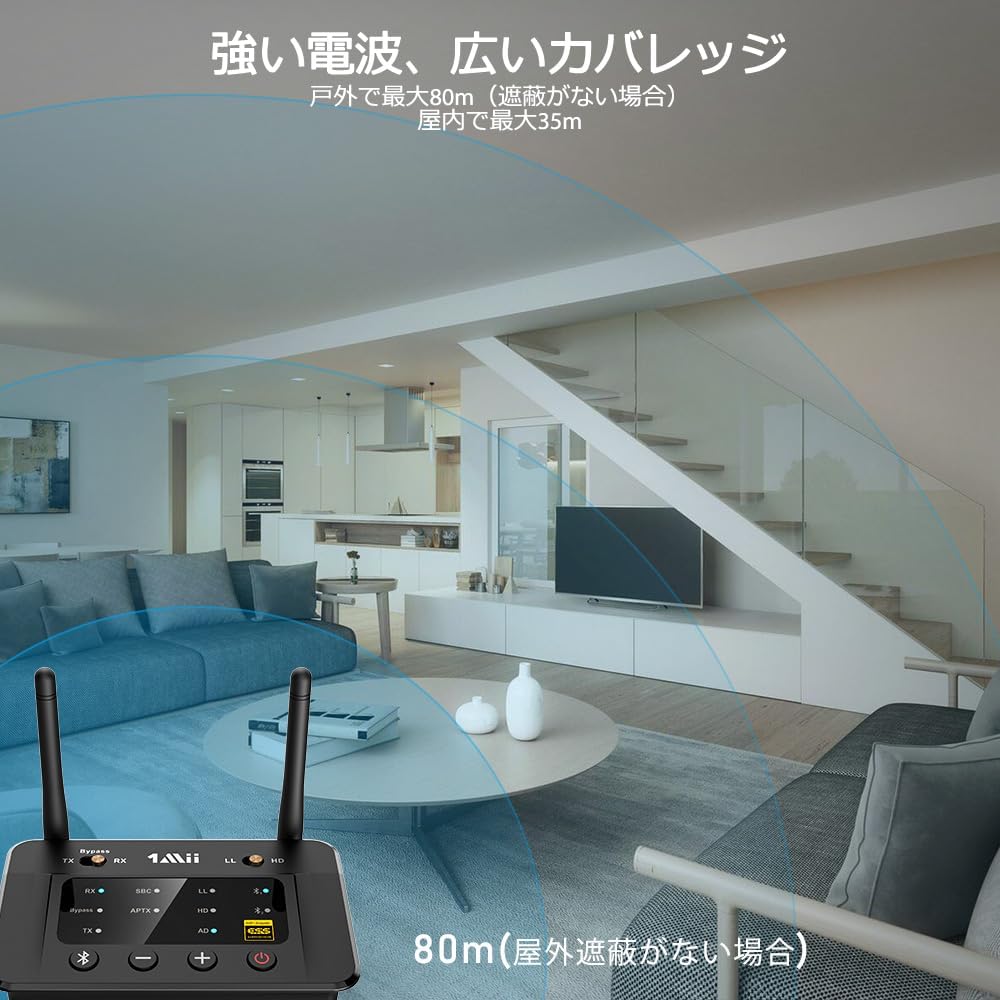
- Julat Tanpa Wayar Ultra Panjang: Achieves an impressive outdoor range of up to 80m (without obstructions) and an indoor range of up to 35m, allowing freedom of movement without losing audio quality.
- Wired and Wireless Splitter: In TX mode, it can simultaneously stream audio to wireless headphones and a wired soundbar, allowing different volume levels for various listening needs. Note: This function works only when input/output types are the same (e.g., AUX in to AUX out, Optical in to Optical out).


3. Persediaan
3.1 Menyambung ke Kuasa
Connect the 1Mii B03Pro to a power source using the provided USB cable and a 5V DC power adapter (not included). The device will power on automatically.
3.2 Pemilihan Mod
The B03Pro has a switch on the top to select between TX (Transmitter), RX (Receiver), and Bypass modes. Ensure the switch is set to the desired mode before connecting your audio devices.

3.3 Transmitter (TX) Mode Setup
In TX mode, the B03Pro transmits audio from a non-Bluetooth source (e.g., TV, PC) to Bluetooth headphones or speakers.
- Set the mode switch to 'TX'.
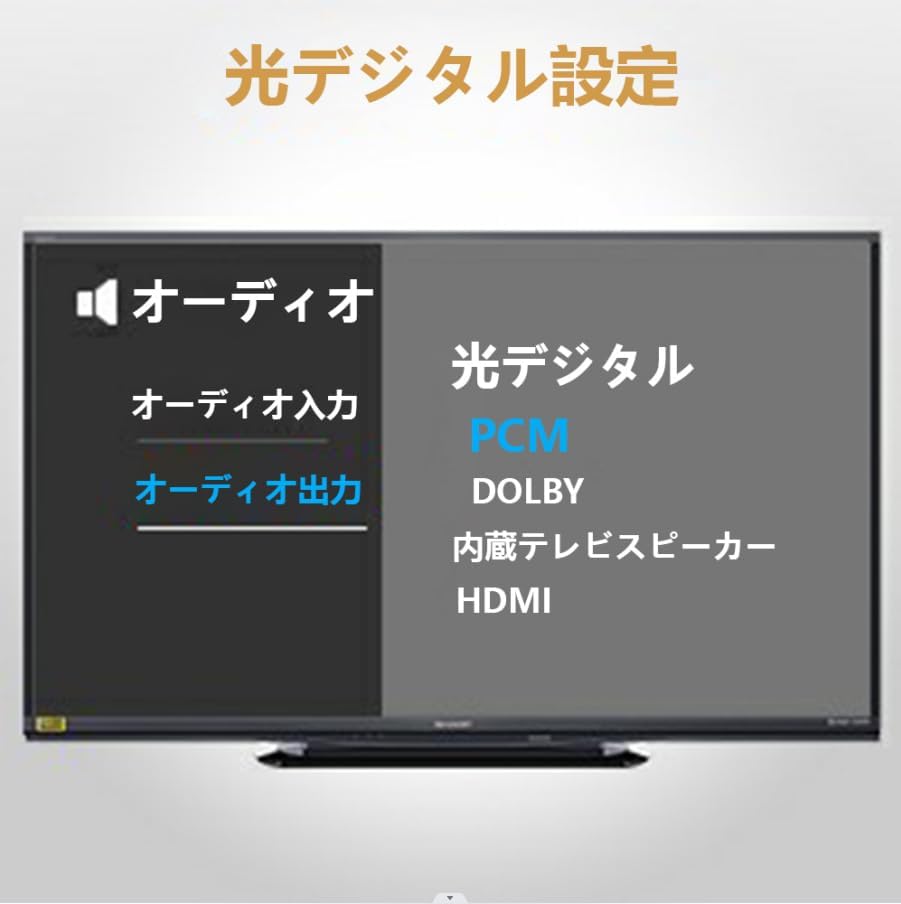
- Connect your audio source (e.g., TV, PC) to the B03Pro's input port (Optical, AUX, or RCA) using the appropriate cable.
- Letakkan fon kepala/pembesar suara Bluetooth anda ke dalam mod berpasangan.
- Press the pairing button on the B03Pro. The indicator light will flash, indicating it's searching for devices.
- Sebaik sahaja disambungkan, lampu penunjuk akan menjadi pekat.

3.4 Receiver (RX) Mode Setup
In RX mode, the B03Pro receives Bluetooth audio from your phone/tablet and outputs it to a wired audio system (e.g., home stereo, wired speakers).
- Set the mode switch to 'RX'.
- Connect the B03Pro's output port (AUX or RCA) to your wired audio system's input using the appropriate cable.
- Enable Bluetooth on your phone/tablet and search for '1Mii B03Pro'.
- Select '1Mii B03Pro' to pair. Once connected, the indicator light will become solid.

3.5 Bypass Mode Setup
Bypass mode allows you to pass audio directly through the B03Pro to a wired system while simultaneously transmitting it wirelessly to Bluetooth devices. This is useful for sharing TV audio with both wired speakers and wireless headphones.
- Set the mode switch to 'Bypass'.
- Connect your audio source (e.g., TV) to the B03Pro's input port (Optical, AUX, or RCA).
- Connect the B03Pro's output port (Optical, AUX, or RCA) to your wired audio system (e.g., soundbar).
- Pair your Bluetooth headphones/speakers as described in TX mode setup.
- Ensure the input and output cable types are the same (e.g., Optical In to Optical Out).

4. Arahan Operasi
4.1 Hidupkan/Mati Kuasa
Tekan dan tahan butang kuasa (⏻) for 3 seconds to turn the device on or off.
4.2 Berpasangan
In TX or RX mode, press the Bluetooth button (Ⓑ) to enter pairing mode. The indicator light will flash rapidly. Once connected, it will become solid.
4.3 Kawalan Kelantangan
Use the '+' and '-' buttons on the device to adjust the volume. These controls affect the output volume of the B03Pro.
4.4 Codec Indicator
The B03Pro features indicator lamps to show the active audio codec:
- LL: aptX Kependaman Rendah
- HD: aptX HD
- aptX: aptX
- IKLAN: aptX Adaptif
- SBC: SBC/AAC
5. Penyelenggaraan
- Jauhkan peranti daripada air dan kelembapan berlebihan.
- Elakkan daripada mendedahkan peranti kepada suhu yang melampau.
- Bersihkan peranti dengan kain lembut dan kering. Jangan gunakan bahan kimia yang keras atau pembersih yang kasar.
- Simpan peranti di tempat yang sejuk dan kering apabila tidak digunakan untuk tempoh yang lama.
6. Penyelesaian masalah
| Masalah | Kemungkinan Punca | Penyelesaian |
|---|---|---|
| Tiada output audio. | Incorrect mode selected; cables not properly connected; source device volume too low; paired device not connected. | Verify mode switch (TX/RX/Bypass); check all cable connections; increase volume on source and receiving devices; ensure Bluetooth device is paired and connected. |
| High latency (audio delay). | Receiving device does not support aptX Low Latency/Adaptive; in RX mode (low latency not supported); two devices connected simultaneously in TX mode. | Ensure both B03Pro (in TX mode) and receiving device support aptX LL/Adaptive; use only one receiving device for aptX LL; switch to TX mode for low latency. |
| Cannot connect to AirPods Pro 2nd Gen or AirPods Max. | Had keserasian. | The B03Pro is compatible with original AirPods but not with AirPods Pro 2nd generation or AirPods Max. |
| Noise/interference when powered by PC USB. | Ground loop noise from shared PC ground. | Use a separate wall adapter for power instead of PC USB. |
| Codec indicator shows SBC/AAC despite supporting aptX. | Receiving device does not support the desired aptX codec. | Both the B03Pro and the connected Bluetooth device must support the same advanced codec (aptX, aptX HD, aptX LL, aptX Adaptive) for it to be active. |
7. Spesifikasi
| Ciri | Spesifikasi |
|---|---|
| Nombor Model Produk | B03Pro |
| warna | Hitam |
| Item Serasi | TV, PC, Speaker, Mobile Phone |
| Antara muka | 3.5mm Audio, Bluetooth 5 |
| bahan | plastik |
| Output Wattage | 750 miliwatt |
| Saiz | B03Pro |
| Sumber Kuasa | DC |
| Voltage | 5 Volt (DC) |
| Teknologi Ketersambungan | APTX ADAPTIVE/APTX HD/APTX-LL/APTX/AAC/SBC/Bluetooth 5.3 |
| Ciri Khas | Optical Digital Analog Conversion/3.5mm, Low Latency, ESS DAC Chip, Long Range |
8. Waranti dan Sokongan
1Mii products come with a standard manufacturer's warranty. For detailed warranty information, product support, or technical assistance, please visit the official 1Mii webtapak atau hubungi perkhidmatan pelanggan mereka secara langsung. Simpan resit pembelian anda untuk tuntutan waranti.
Maklumat Hubungan: Please refer to the 1Mii official website or your product packaging for the most up-to-date support contact details.