
1. Pengenalan
The Montarbo MC-R8FX is a compact unpowered mixer designed for various audio applications. It features a comprehensive set of signal sends and returns, along with intuitive controls for immediate utilization. The mixer incorporates a dual Montarbo stereo effects processor, powered by a 56-bit DSP, offering 205 high-quality programs with 24-bit conversion for excellent sound quality. Its switch-mode power supply contributes to minimal weight and high efficiency, reducing heat emission and enhancing system reliability and longevity.
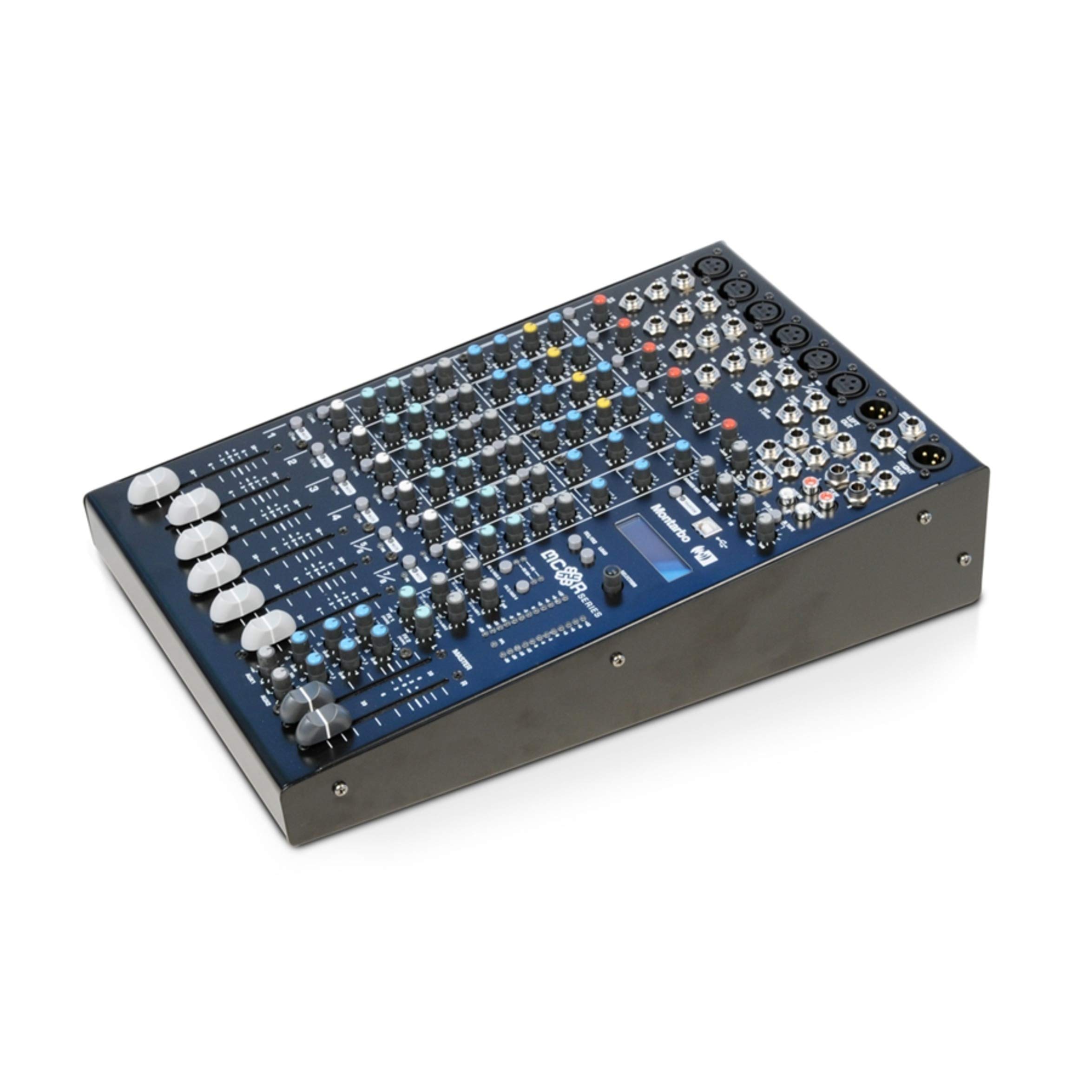
Figure 1: Montarbo MC-R8FX Unpowered Mixer
2. Persediaan
This section outlines the basic steps for setting up your MC-R8FX mixer.
2.1 Sambungan Kuasa
- Pastikan suis kuasa pengadun berada dalam kedudukan OFF.
- Connect the provided power cable to the AC inlet on the rear panel of the mixer.
- Palamkan hujung kabel kuasa yang satu lagi ke salur keluar elektrik yang sesuai.
- Turn the power switch to the ON position. The power indicator will illuminate.
2.2 Sambungan Input dan Output
The MC-R8FX features 8 inputs across 6 channels (4 mono, 2 stereo).
- Saluran Mono: Connect microphones via balanced XLR inputs or line-level instruments/devices via 1/4-inch jack inputs. Phantom power is available for condenser microphones.
- Saluran Stereo: Connect microphones via balanced XLR inputs or stereo line-level devices via two 1/4-inch jack inputs.
- Hasil Utama: Connect the L/R master outputs to your amplifier or powered speakers using appropriate cables.
- Penghantaran Aux: Connect external effects processors or monitor systems to the aux send outputs.
- Sisipan: Use the insert points on mono channels for connecting external signal processors like compressors or gates.
2.3 Pemasangan Rak (Pilihan)
The compact size of the MC-R8FX allows for mounting in a standard rack using optional adapters (sold separately). Refer to the adapter's instructions for proper installation.
3. Arahan Operasi
This section details the functions of the various controls on your MC-R8FX mixer.

Rajah 2: Atas view of the MC-R8FX controls
3.1 Mono Channel Controls (Channels 1-4)
- Kawalan Keuntungan: Adjusts the input sensitivity for the microphone (XLR) or line (jack) input.
- Sisipkan: A send/return point for connecting external signal processors.
- Channel Direct Out: Provides a direct output of the channel's signal.
- Penapis Laluan Tinggi (HPF): Engages a filter to remove low-frequency rumble.
- 3-Band Equalizer with Semi-Parametric MF: Adjusts high, mid, and low frequencies. The mid-frequency control allows sweeping for precise tonal shaping.
- Aux Sends (1-4): Controls the level of the channel's signal sent to the four auxiliary outputs. Aux 1 and 2 can be switched between pre-fader (for monitors) and post-fader (for effects).
- Kawalan Kuali: Letakkan isyarat saluran dalam medan stereo (kiri ke kanan).
- Suis Bisu: Silences the channel's output.
- PFL (Pre-Fader Listen) Switch: Routes the channel's signal to the headphone output for monitoring before the fader.
- Peak Level Indicator: Bercahaya apabila isyarat input terlalu tinggi, menunjukkan kemungkinan pemotongan.
- 60mm Volume Fader: Melaraskan tahap output keseluruhan saluran.
3.2 Kawalan Saluran Stereo (Saluran 5/6)
- Kawalan Keuntungan: Adjusts the input sensitivity for the microphone (XLR) or line (jack) inputs.
- Penyama 3 Band: Adjusts high, mid, and low frequencies for the stereo input.
- Aux Sends (1-4): Controls the level of the channel's signal sent to the four auxiliary outputs. Aux 1 and 2 can be switched between pre-fader and post-fader.
- Kawalan Baki: Adjusts the relative level between the left and right signals of the stereo channel.
- Suis Bisu: Silences the channel's output.
- PFL (Pre-Fader Listen) Switch: Routes the channel's signal to the headphone output for monitoring before the fader.
- Peak Level Indicator: Illuminates when the input signal is too high.
- 60mm Volume Fader: Adjusts the overall output level of the stereo channel.
3.3 Dual Stereo Multi-Effects Processor
The MC-R8FX features two independent stereo multi-effects processors, each offering 205 high-quality programs. These processors are based on a 56-bit internal DSP with 24-bit conversion, providing versatile and clear effects for your audio.
- Pemilihan Program: Use the dedicated controls to select from the 205 available effects programs for each processor.
- Pelarasan Parameter: Adjust specific parameters for each effect to fine-tune the sound.
- Effect Send/Return: Route signals from channels to the effects processors via aux sends and return the processed signal to the main mix.
3.4 Master Outputs
- L/R Master Outputs: These are the main stereo outputs of the mixer.
- Petunjuk Tahap: Provide visual feedback on the output level of the L/R master mix. Adjust the master fader to control the overall volume.
4. Penyelenggaraan
Proper maintenance ensures the longevity and optimal performance of your Montarbo MC-R8FX mixer.
- Pembersihan: Lap permukaan pengadun dengan kerap menggunakan kain lembut dan kering. Untuk kotoran degil, gunakan sedikit kain lapamp kain dan detergen lembut, kemudian keringkan dengan teliti. Elakkan pembersih atau pelarut yang melelas.
- Perlindungan Debu: Pastikan pengadun ditutup apabila tidak digunakan untuk mengelakkan pengumpulan habuk, terutamanya pada fader dan tombol.
- Storan: Simpan pengadun di tempat yang sejuk dan kering jauh dari cahaya matahari langsung, suhu yang melampau dan kelembapan yang tinggi.
- Pengudaraan: Ensure adequate ventilation around the mixer to prevent overheating. Do not block ventilation openings.
- Pengurusan Kabel: Use proper cable management to prevent strain on connectors and accidental disconnections.
5. Penyelesaian masalah
This section provides solutions to common issues you might encounter with your MC-R8FX mixer.
5.1 Tiada Keluaran Bunyi
- Semak Kuasa: Ensure the mixer is powered on and the power indicator is lit.
- Master Fader: Verify the L/R master fader is raised.
- Channel Fader/Gain: Ensure the individual channel fader is raised and the gain control is set appropriately.
- Butang Redam: Check that no channel or master mute buttons are engaged.
- Sambungan: Confirm all input and output cables are securely connected to the correct ports.
- External Equipment: Pastikan anda ampPembesar suara atau pembesar suara berkuasa dihidupkan dan berfungsi dengan betul.
5.2 Bunyi Herot
- Keuntungan Staging: Reduce the input gain on the channel if the peak indicator is frequently lighting up. Also, check the gain on any connected microphones or instruments.
- Output Induk: Lower the master fader if the L/R master level indicators are consistently in the red.
- Integriti Kabel: Periksa semua kabel audio untuk kerosakan atau sambungan yang longgar.
- External Equipment: Check for distortion originating from connected amppenghidup atau pembesar suara.
5.3 Effects Not Working
- Effect Send Levels: Ensure the aux send controls on the individual channels are turned up to send signal to the effects processor.
- Effect Return Levels: Verify that the effect return levels are raised to bring the processed signal back into the main mix.
- Pemilihan Program: Confirm that an effect program is selected on the multi-effects processor.
6. Spesifikasi
| Ciri | Penerangan |
|---|---|
| Model | MC-R8FX |
| Jenama | Montarbo |
| Bilangan Saluran | 6 (4 Mono, 2 Stereo) |
| Input | 8 (XLR, 1/4-inch Jack) |
| Teknologi Ketersambungan | Bantu |
| Sumber Kuasa | Corded Electric (Switch-mode power supply) |
| Jenis Input Audio | Physical Audio Inputs (XLR, Jack) |
| Mono Channel Features | Balanced Mic (XLR with Phantom Power) & Line (Jack) inputs, Adjustable Gain, Insert, Channel Direct Out, High-Pass Filter, 3-Band EQ with Semi-Parametric MF, 4 Aux Sends (2 switchable Pre-post Fade), Pan, Mute, PFL, Peak Indicator, 60mm Fader |
| Stereo Channel Features | Balanced Mic (XLR) & Line (Jack) inputs, Adjustable Gain, 3-Band EQ, 4 Aux Sends (2 switchable Pre-post Fade), Balance, Mute, PFL, Peak Indicator, 60mm Fader |
| Pemproses Kesan | Dual Stereo Multi-Effects Processor (56-bit DSP, 24-bit conversion), 2 x 205 high-quality programs |
| Output Induk | L/R Master Outputs with Level Indicators |
7. Waranti dan Sokongan
For warranty information, technical support, or service inquiries, please refer to the documentation provided with your purchase or contact your authorized Montarbo dealer or distributor. You may also visit the official Montarbo webtapak untuk bantuan lanjut.