
1. Produk Lebihview
The EcoSavers Countdown Timer is an energy-saving device designed to automatically control the power supply to connected appliances. It features four pre-set switching times, allowing you to set a duration after which the connected device will automatically turn off (or on, depending on the application). This helps reduce energy consumption and provides convenience for various household or office electronics.
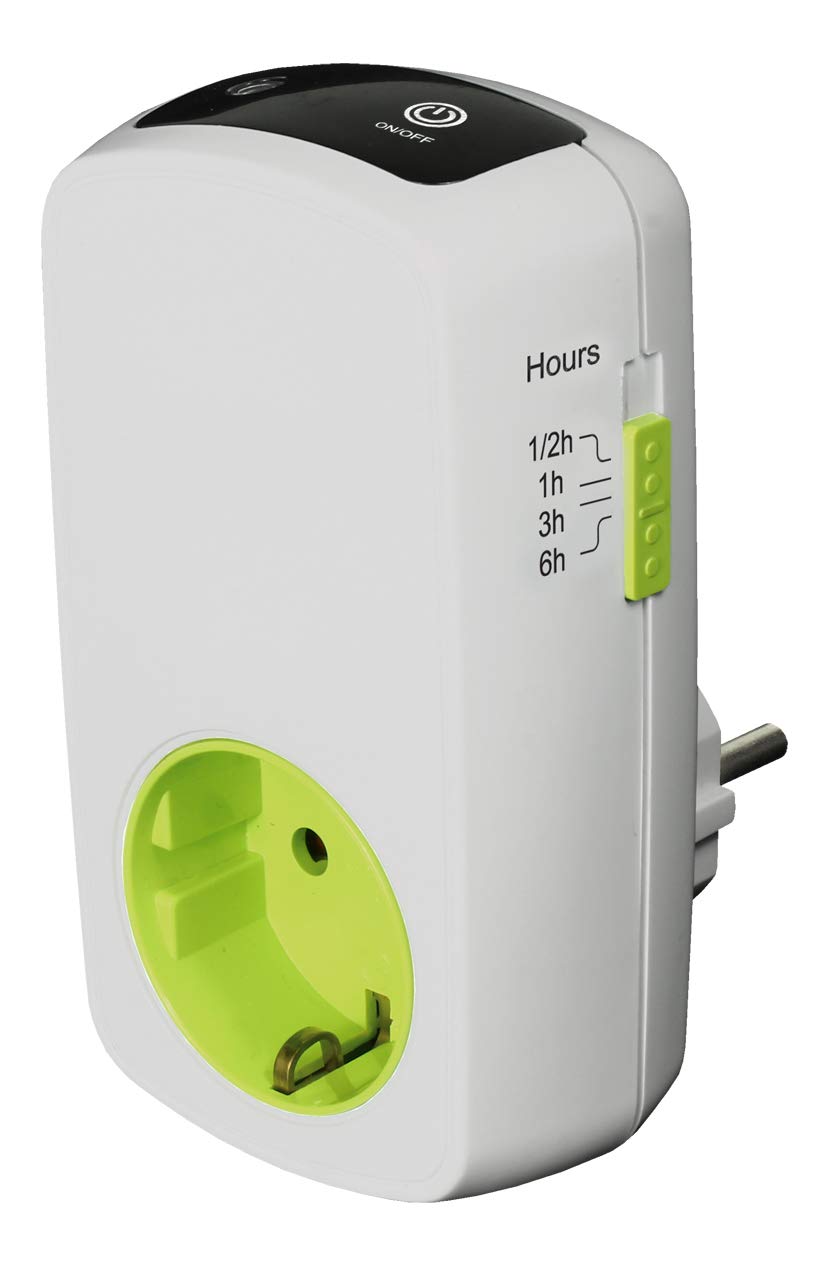
Rajah 1: EcoSavers Countdown Timer. The image displays the EcoSavers Countdown Timer, a white device with a green-colored socket, packaged in a green and white box. The box highlights 'Countdown Timer' and 'Save Energy' features. The device itself shows indicators for different time settings.
2. Arahan Keselamatan
- Baca semua arahan dengan teliti sebelum digunakan.
- This device is for indoor use only. Do not expose to moisture or extreme temperatures.
- Do not exceed the maximum load capacity of 16A / 3680W. Overloading can cause damage to the timer and connected appliances, and may pose a fire hazard.
- Ensure the timer is securely plugged into a grounded wall socket.
- Jangan buka atau cuba membaiki pemasa. Rujuk semua servis kepada kakitangan yang berkelayakan.
- Keep out of reach of children. This product includes child protection features, but supervision is always recommended.
- Unplug the timer from the wall socket before cleaning.
3. Ciri-ciri Produk
- Penjimatan Tenaga: Automatically switches off connected devices after a set time.
- Pre-set Times: Offers 4 fixed countdown durations (1/2 hour, 1 hour, 3 hours, 6 hours).
- Perlindungan Kanak-kanak: Integrated safety features to prevent accidental tampering.
- Bahan Tahan Lama: Constructed from flame-retardant PC material for enhanced safety.
- Diperakui: GS certified for quality and safety standards.
4. Persediaan
- Bongkar: Carefully remove the EcoSavers Countdown Timer from its packaging.
- Periksa: Periksa peranti untuk sebarang kerosakan yang boleh dilihat. Jangan gunakan jika rosak.
- Pasangkan: Insert the timer into a standard 230V / 50Hz wall socket.
- Sambung Perkakas: Plug the appliance you wish to control into the socket on the front of the EcoSavers Countdown Timer. Ensure the appliance is switched on if it has its own power switch.
5. Arahan Operasi
The EcoSavers Countdown Timer features a simple push-button operation to select the desired countdown duration.
- Hidupkan kuasa: Once the timer is plugged into the wall and an appliance is connected, the timer is ready for use.
- Pilih Masa: Press the button on the timer repeatedly to cycle through the available countdown settings: 1/2 hour, 1 hour, 3 hours, and 6 hours.
- Penunjuk: An LED indicator next to each time setting will illuminate to show the currently selected duration.
- Mula Undur: Once a time setting is selected, the countdown begins automatically. The connected appliance will remain powered during this period.
- Matikan automatik: When the selected countdown duration expires, the timer will automatically cut power to the connected appliance.
- Reset/Turn Off: To stop the countdown prematurely or to turn off the timer function, press the button until no LED indicator is lit. This will cut power to the connected appliance.
6. Penyelenggaraan
- Pembersihan: Disconnect the timer from the power outlet before cleaning. Wipe the exterior with a soft, dry cloth. Do not use liquid cleaners or abrasive materials.
- Storan: Simpan pemasa di tempat yang sejuk dan kering apabila tidak digunakan.
- Pemeriksaan: Periodically inspect the timer and its plug for any signs of wear or damage.
7. Penyelesaian masalah
- Timer not turning on/off:
- Ensure the timer is securely plugged into a live wall socket.
- Verify that the connected appliance is functioning correctly when plugged directly into a wall socket.
- Check if a countdown duration has been selected and its LED indicator is lit.
- Appliance not receiving power:
- Confirm the appliance's own power switch is in the 'ON' position.
- Ensure the timer has not completed its countdown cycle.
- Check if the timer is overloaded. Reduce the total wattage peranti yang disambungkan.
If problems persist, contact customer support or a qualified electrician.
8. Spesifikasi
| Nombor Model | AT328 |
| Jenama | EcoSavers |
| Voltage | 230V / 50Hz |
| semasa | Maks 16 A |
| Kuasa Maks | 3680 W |
| Julat Tetapan | 1/2 hour, 1 hour, 3 hours, 6 hours |
| bahan | Flame-retardant Polycarbonate (PC) |
| Perlindungan Kanak-kanak | ya |
| Pensijilan | Diperakui GS |
| warna | Hitam |
9. Waranti dan Sokongan
For warranty information, please refer to the terms and conditions provided by your retailer at the time of purchase. If you encounter any issues or require technical assistance, please contact the retailer where you purchased the EcoSavers Countdown Timer or visit the official EcoSavers webtapak untuk sumber sokongan.