
pengenalan
This manual provides instructions for the setup, operation, maintenance, and troubleshooting of your new replacement remote control for Optoma projectors. This remote is designed to be compatible with a wide range of Optoma projector models, offering a convenient and reliable control solution.
Compatible Optoma Projector Models:
- HD26, X412, HD26B, HD26BR, UHD300X
- GT1080, GT1080E, GT1080DARBEE, GT1070X, VDGTGZBZ, GT1070Xe
- HD141X, HD143X, H181X, DH1008, DH1009
- HD37, UHD60, HDF536, HDF537ST, HD200D
- HD39DARBEE, VDHDNBDSE, UHD65, HD27, HD27E, HD27HDR, HD29DARBEE
- EH200ST, EH412ST, GT5600, VDHDNL, HD142X, HD144X, HD152X
- UHD550X, HD28HDR, HD28DSE, UHD40, UHD50, UHZ65, VDUHDLZ, ZH403, HD39HDR, UHD35
Please verify that your original remote control is identical to this replacement model for full functionality. If your original remote differs, some functions may not be fully compatible.
Persediaan
Pemasangan Bateri
The remote control requires two (2) AA batteries for operation. Batteries are not included with the remote control.
- Cari petak bateri di belakang alat kawalan jauh.
- Luncurkan penutup petak bateri ke bawah atau tekan selak dan angkat untuk membuka.
- Masukkan dua bateri AA, pastikan terminal positif (+) dan negatif (-) sejajar dengan betul dengan tanda di dalam petak.
- Gantikan penutup petak bateri dengan menggelongsorkannya semula ke tempatnya sehingga ia berbunyi dengan selamat.

The remote control's rear panel, with the battery cover removed, revealing the battery compartment and regulatory markings.

The remote control's front, highlighting the requirement for two AA batteries for operation.
Operasi
Fungsi Asas
Point the remote control directly at the infrared receiver on your Optoma projector. The maximum effective range is approximately 10 meters (33 feet).
A jelas view of the remote control's front face, displaying all functional buttons including power, menu, volume, and source selection.
- HIDUP/MATI: Press the 'ON' button to power on the projector. Press the 'OFF' button to power off the projector.
- Menu: Access the projector's on-screen display (OSD) menu.
- Butang Navigasi (Atas, Bawah, Kiri, Kanan, Enter): Use these buttons to navigate through menu options and confirm selections.
- Jilid +/-: Laraskan tahap output audio.
- Sumber: Cycle through available input sources (e.g., HDMI1, HDMI2, VGA1, VGA2, Video, YPbPr).
- Redam: Redamkan atau nyahredamkan audio.
- Kecerahan: Adjust the projector's brightness setting.
- Kontras: Adjust the projector's contrast setting.
- Batu Kunci: Access keystone correction settings to adjust image geometry.
- Nisbah Aspek: Change the image aspect ratio.
- Mod: Select different display modes.
- 3D: Activate or deactivate 3D mode (if supported by projector).
- Pemasa Tidur: Set a timer for the projector to automatically power off.
- Segerakkan semula: Re-synchronize the input signal.
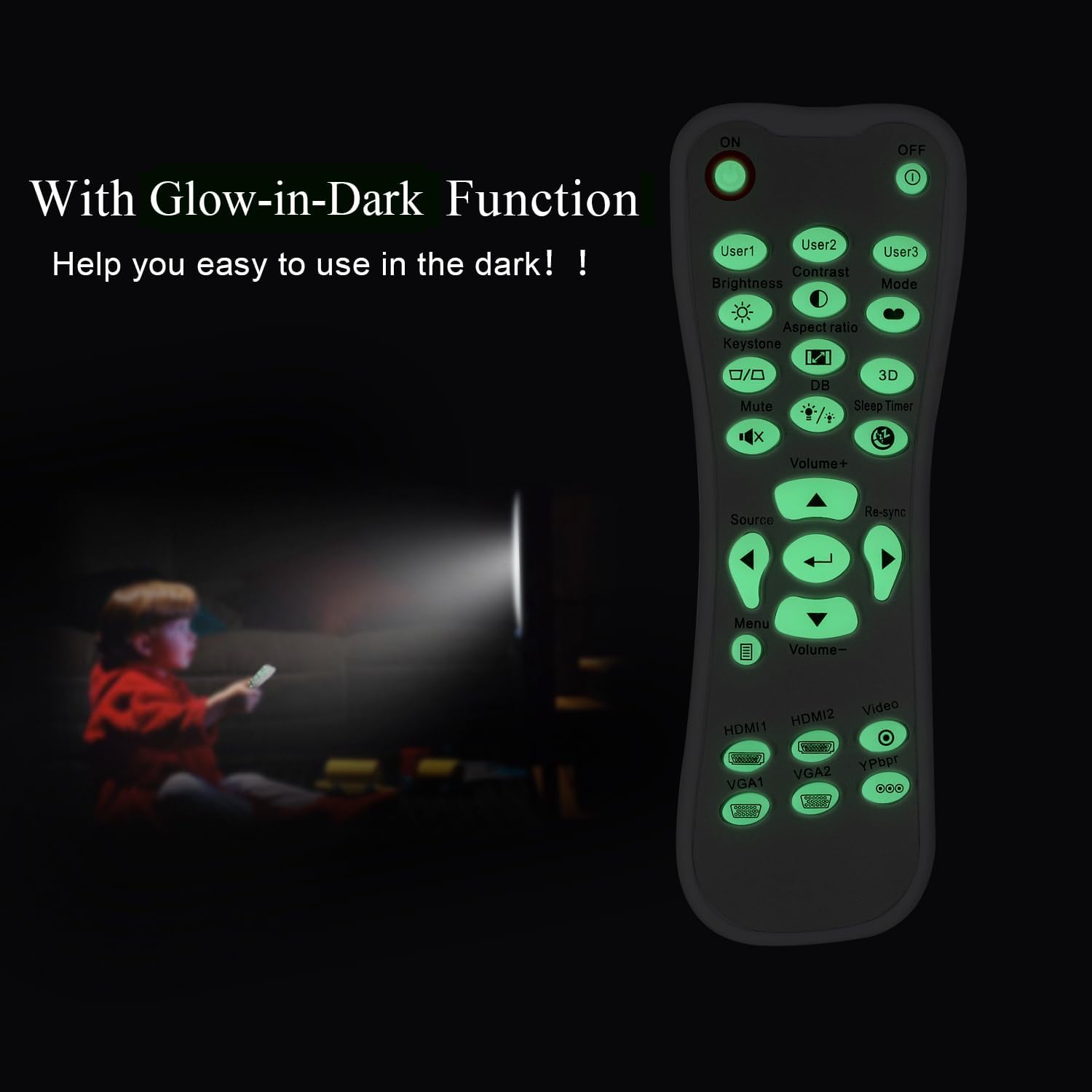
Glow-in-Dark Function
Certain buttons on this remote control are designed to glow in the dark, enhancing visibility and ease of use in low-light conditions. For optimal luminous effect, expose the remote control to bright light for a period before use in the dark.

The remote control features glow-in-the-dark buttons, making it visible and easy to use in low-light environments, such as a darkened room during projector use.
Julat Operasi
The remote control operates using infrared (IR) technology. Ensure a clear line of sight between the remote control and the projector's IR receiver. The effective operating distance is up to 10 meters (approximately 33 feet).
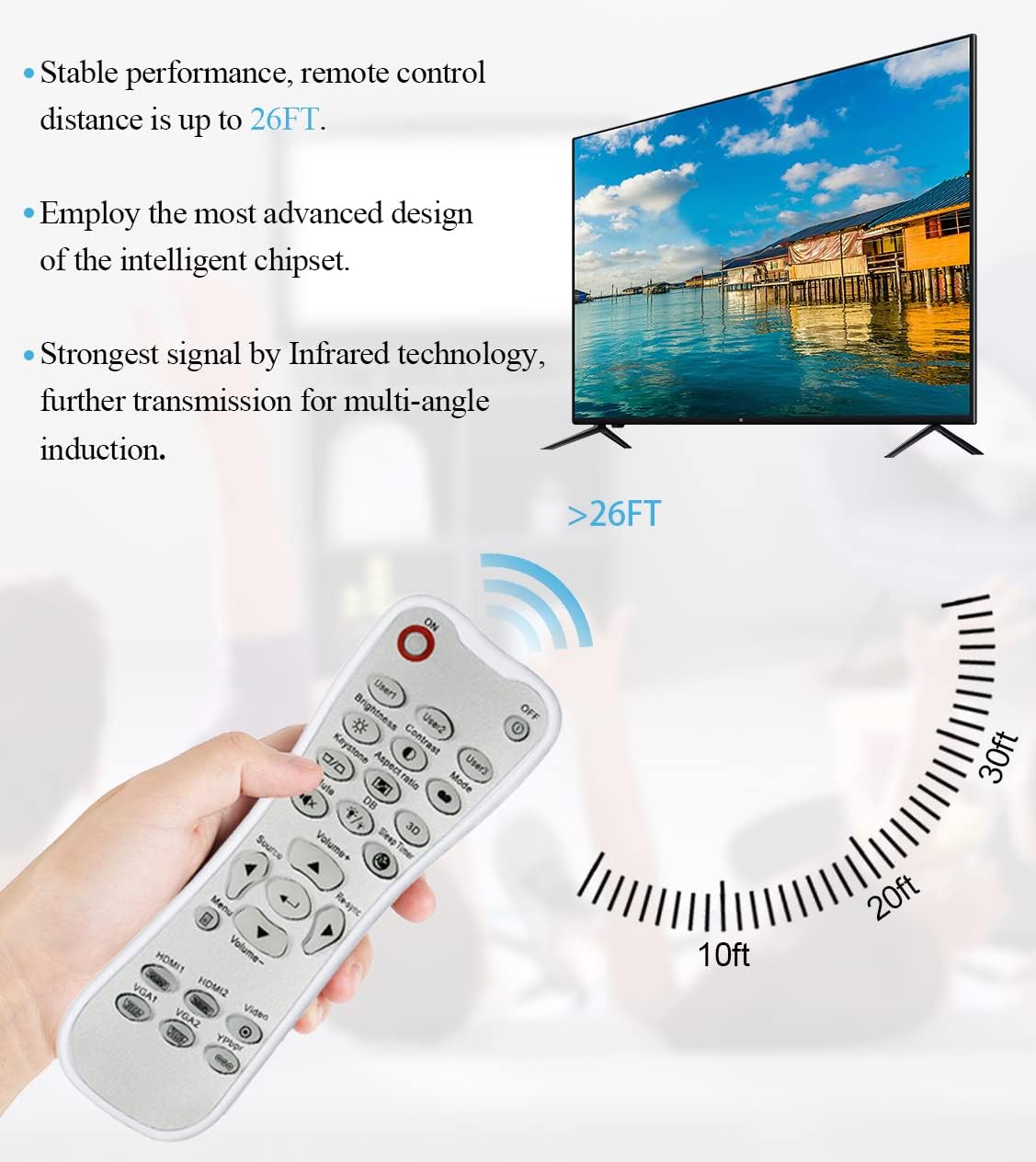
The remote control utilizes infrared technology for signal transmission, offering a reliable operating range of up to 26 feet (approximately 8 meters) for controlling your projector.
Penyelenggaraan
Pembersihan
To clean the remote control, use a soft, dry cloth. Do not use liquid cleaners, abrasive pads, or chemical solvents, as these may damage the surface or internal components.
Penggantian Bateri
Replace batteries when the remote control's response becomes sluggish or stops working. Always replace both batteries at the same time with new AA batteries. Do not mix old and new batteries, or different types of batteries.
Penyimpanan
Simpan alat kawalan jauh di tempat yang sejuk dan kering jauh dari cahaya matahari langsung dan suhu yang melampau. Jika alat kawalan jauh tidak akan digunakan untuk tempoh yang lama, adalah disyorkan untuk mengeluarkan bateri untuk mengelakkan kebocoran.
Menyelesaikan masalah
- Jauh tidak bertindak balas:
- Pastikan bateri dipasang dengan betul dengan kekutuban yang betul.
- Gantikan bateri lama dengan yang baru.
- Check for any obstructions between the remote control and the projector's IR receiver.
- Pastikan anda berada dalam julat operasi berkesan (sehingga 10 meter).
- Butang kaku atau tidak bertindak balas:
- Ensure the remote control is clean and free from debris that might impede button movement.
- If buttons are consistently stiff, this may indicate a manufacturing issue.
- Glow-in-dark function is weak:
- Expose the remote control to bright light for a longer duration to charge the luminous material.
Spesifikasi
| Ciri | Spesifikasi |
|---|---|
| Nama Model | L-27-5KEY |
| Keserasian Jenama | Projektor Optoma |
| Ciri Khas | Universal Replacement, Glow-in-Dark Buttons |
| warna | putih |
| Teknologi Ketersambungan | Inframerah (IR) |
| Kuantiti Butang | 5 (referring to the main function keys, though more buttons are present) |
| Jenis Pengawal | Kawalan Butang |
| Julat Maksimum | 10 Meter (kira-kira 33 kaki) |
| Jenis Bateri | 2 x Bateri AA (tidak termasuk) |
| bahan | plastik |
| Dimensi Item (L x W x H) | 14.9 sm (5.9 inci) x 5.3 sm (2.1 inci) x 2.5 sm (1 inci) |

A dimensional diagram illustrating the compact size of the remote control, measuring approximately 14.9 cm (5.9 inches) in length, 5.3 cm (2.1 inches) in width, and 2.5 cm (1 inch) in thickness.
Waranti dan Sokongan
For any issues not covered in this manual, or for warranty inquiries, please contact the seller or manufacturer directly through your purchase platform. Keep your purchase receipt as proof of purchase.