
1. Pengenalan
This manual provides detailed instructions for the Redragon K503 Gaming Keyboard. Please read this guide thoroughly to ensure proper setup, operation, and maintenance of your device. The Redragon K503 is a multimedia gaming keyboard featuring RGB LED backlighting and a comfortable wrist rest, designed for use with Windows and MacOS PC systems.
2. Persediaan
2.1 Kandungan Pakej
- Redragon K503 Gaming Keyboard
- Kabel USB (bersepadu)
2.2 Menyambung Papan Kekunci
- Cari port USB yang tersedia pada komputer anda.
- Plug the USB connector of the Redragon K503 keyboard into the USB port.
- Your operating system (Windows or MacOS) should automatically detect and install the necessary drivers. No additional software installation is typically required for basic functionality.
- The keyboard's RGB backlighting will illuminate upon successful connection.
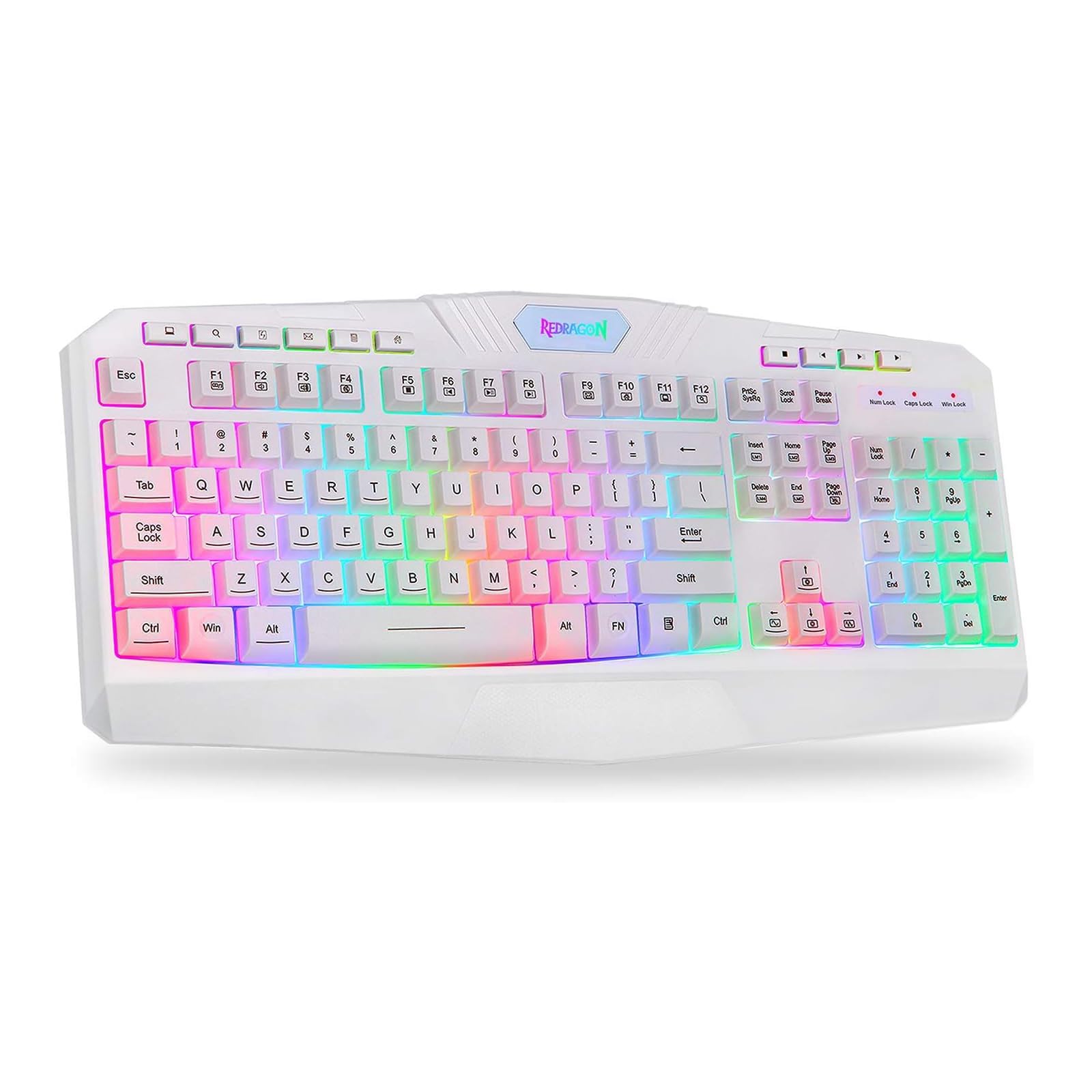
This image shows the Redragon K503 Gaming Keyboard, highlighting its full layout and white finish. The keys feature RGB backlighting, visible around the keycaps.
3. Arahan Operasi
3.1 Fungsi Asas
The Redragon K503 functions as a standard QWERTY keyboard for typing and input. All standard keys operate as labeled.
3.2 Kekunci Multimedia
The keyboard includes dedicated multimedia keys for convenient control of media playback and system functions. These keys are typically located above the function keys (F1-F12) or integrated with them via the 'Fn' key. Common functions include:
- Kawalan Kelantangan: Increase, decrease, or mute audio.
- Main balik Media: Play/pause, stop, previous track, next track.
- Web pelayar: Lancarkan lalai web pelayar.
- e-mel: Launch default email client.
3.3 RGB LED Backlighting
The K503 features customizable RGB LED backlighting. The lighting modes and brightness can be adjusted directly on the keyboard using specific key combinations. Refer to the keycap legends for specific lighting control keys, often involving the 'Fn' key combined with other function keys (e.g., Fn + Scroll Lock, Fn + Home/End, or dedicated lighting keys).
- Menukar Mod Pencahayaan: Press the designated key combination to cycle through various lighting effects (e.g., static, breathing, wave).
- Melaraskan Kecerahan: Use the specified key combination to increase or decrease the backlight intensity.
- Menukar Warna: Some modes allow for color customization using specific key presses.
4. Penyelenggaraan
4.1 Membersihkan Papan Kekunci
To maintain optimal performance and appearance, clean your keyboard regularly:
- Putuskan sambungan papan kekunci daripada komputer anda sebelum membersihkan.
- Gunakan kain lembut dan tidak berbulu sedikit dampdisapu dengan air atau larutan pembersih lembut untuk mengelap penutup kekunci dan permukaan.
- Untuk habuk dan serpihan di antara kunci, gunakan udara termampat.
- Jangan gunakan bahan kimia yang keras, pembersih yang kasar atau rendam papan kekunci dalam cecair.
5. Penyelesaian masalah
5.1 Papan Kekunci Tidak Bertindak Balas
- Pastikan kabel USB dipasang dengan kukuh pada papan kekunci dan komputer.
- Cuba palamkan papan kekunci ke port USB lain pada komputer anda.
- Uji papan kekunci pada komputer lain untuk menentukan sama ada masalahnya adalah pada papan kekunci atau port/pemacu USB komputer.
- Mulakan semula komputer anda.
5.2 Backlighting Not Working or Incorrect
- Check if the backlighting has been turned off or set to the lowest brightness level using the keyboard's lighting control keys.
- Ensure the keyboard is properly connected to the computer.
- If a specific key's backlight is not working, it may indicate a hardware issue.
5.3 Specific Keys Not Functioning
- Clean around and under the affected keycap to remove any debris that might be obstructing its movement.
- If the issue persists, it may indicate a hardware malfunction.
6. Spesifikasi
| Jenama | Redragon |
| Nombor Model | K503W-RGB |
| Teknologi Ketersambungan | USB |
| Peranti Serasi | PC (Windows, MacOS) |
| Penerangan Papan Kekunci | Multimedia |
| Ciri Khas | Lighting (RGB LED Backlit) |
| warna | putih |
| Dimensi Produk | 17.6"L x 7.9"W x 1.2"H |
| bahan | Akrilonitril Butadiena Stirena |
| Komponen yang Disertakan | Kabel USB |
7. Maklumat Waranti
Redragon products are typically covered by a limited manufacturer's warranty. The specific terms and duration of the warranty may vary by region and retailer. Please retain your proof of purchase for warranty claims. For detailed warranty information, refer to the warranty card included with your product or visit the official Redragon webtapak.
8. Sokongan Pelanggan
If you encounter any issues not covered in this manual or require further assistance, please contact Redragon customer support. Contact information can usually be found on the official Redragon website or on the product packaging. When contacting support, please have your product model number (K503) and proof of purchase ready.