
1. Pengenalan
Terima kasih kerana membeliasing the DACOM GF7 TWS V4.2 Bluetooth Earbuds. This manual provides detailed instructions on how to set up, operate, and maintain your earbuds to ensure optimal performance and longevity. Please read this manual thoroughly before using the product and retain it for future reference.
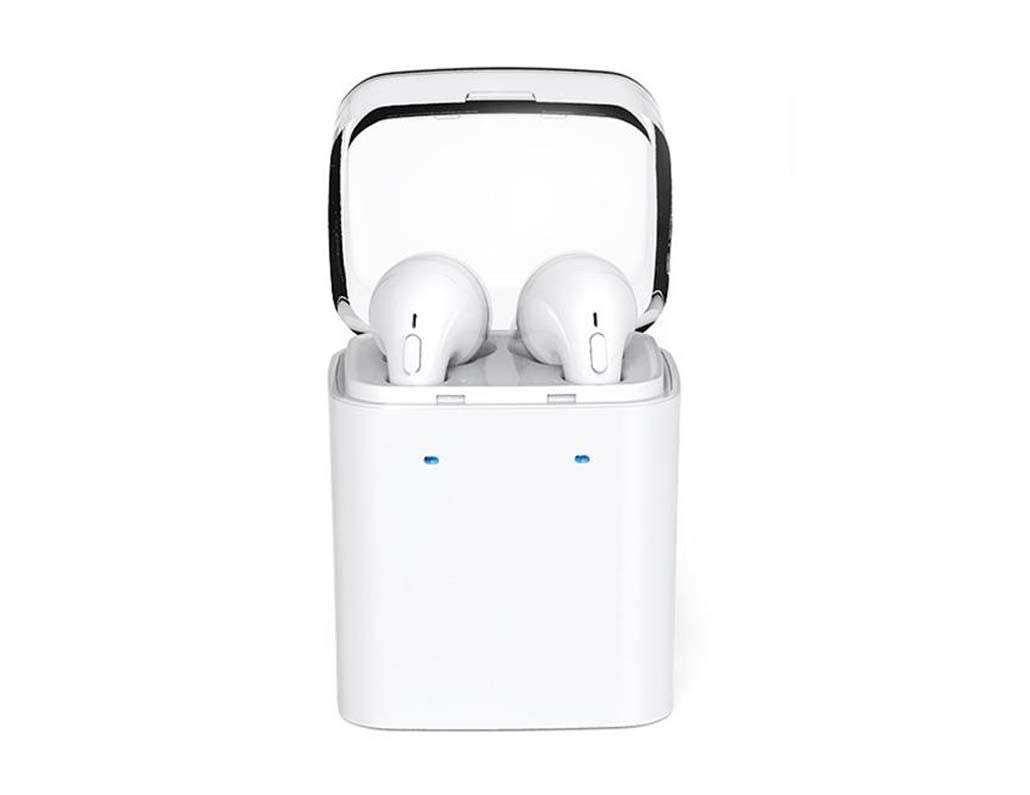
Image 1.1: DACOM GF7 TWS V4.2 Bluetooth Earbuds in their charging case.
2. Kandungan Pakej
Sila semak kandungan pakej semasa membuka kotak. Jika ada barang yang hilang atau rosak, hubungi peruncit anda.
- DACOM GF7 TWS V4.2 Bluetooth Earbuds (Left and Right)
- Sarung Pengecas Mudah Alih
- Kabel Pengecas USB
- Kusyen Telinga (pelbagai saiz)
- Manual Pengguna (dokumen ini)
3. Produk Lebihview
Familiarize yourself with the components of your DACOM GF7 TWS V4.2 Earbuds and charging case.

Image 3.1: Detailed diagram showing the Multifunction Button (MFB), Indicator Light, Microphone (Mic), Air Gate, DC5V Charge Jack Cover, Headphone Charging Indicator Light, USB Charging Input Port, and the Charging Indicator Light of the bottom on the DACOM GF7 TWS V4.2 Earbuds and Charging Case.
- Butang Pelbagai fungsi (MFB): Used for power, playback, call management, and voice assistant activation.
- Lampu Penunjuk: Displays pairing status, charging status, and power status.
- Mic: Built-in microphone for calls and voice commands.
- Pintu Udara: Acoustic vent for sound performance.
- DC5V Charge Jack Cover: Protects the charging port on the earbuds.
- Headphone Charging Indicator Light: Shows charging status of individual earbuds within the case.
- USB Charging Input Port: For charging the portable charging case.
- Charging Indicator Light of the bottom: Menunjukkan status pengecasan bekas.
4. Persediaan
4.1. Mengecas Fon Telinga dan Sarung Pengecasan
- Mengecas Kes: Connect the USB charging cable to the USB Charging Input Port on the charging case and the other end to a 5V USB power adapter (not included). The Charging Indicator Light at the bottom of the case will illuminate to indicate charging. Once fully charged, the indicator light may change color or turn off.
- Mengecas fon telinga: Place the earbuds into their respective slots in the charging case. Ensure the earbuds are properly seated. The Headphone Charging Indicator Light on the case will show the charging status of the earbuds. The earbuds' indicator lights will also show charging status (e.g., red while charging, off when fully charged).
- For first-time use, fully charge both the earbuds and the charging case.
4.2. Berpasangan Bluetooth
- Hidupkan kuasa: Take both earbuds out of the charging case. They will automatically power on and attempt to pair with each other. You will hear an audible prompt indicating they are connected to each other.
- Mod Berpasangan: Once the earbuds are paired with each other, one earbud's indicator light will flash red and blue alternately, indicating it is in pairing mode and ready to connect to your device.
- Sambung ke Peranti: On your smartphone or Bluetooth-enabled device, go to the Bluetooth settings and search for available devices. Select "DACOM GF7 TWS" (or similar name) from the list.
- Sambungan Berjaya: Once connected, the earbud's indicator light will stop flashing, and you will hear a confirmation sound.
- Penyambungan Semula Automatik: After initial pairing, the earbuds will automatically connect to the last paired device when taken out of the charging case, provided Bluetooth is enabled on your device.
5. Arahan Operasi
The DACOM GF7 TWS V4.2 Earbuds feature a Multifunction Button (MFB) for various controls.
5.1. Hidupkan/Mati Kuasa
- Hidupkan kuasa: Take the earbuds out of the charging case. They will power on automatically. Alternatively, press and hold the MFB on both earbuds for approximately 3 seconds until you hear a power-on prompt.
- Matikan: Place the earbuds back into the charging case. They will power off automatically. Alternatively, press and hold the MFB on both earbuds for approximately 5 seconds until you hear a power-off prompt.
5.2. Main balik Muzik
- Main/Jeda: Single press the MFB on either earbud.
- Lagu Seterusnya: Double press the MFB on the right earbud.
- Trek Sebelumnya: Double press the MFB on the left earbud.
5.3. Pengurusan Panggilan
- Jawab/Tamatkan Panggilan: Single press the MFB on either earbud.
- Tolak Panggilan: Press and hold the MFB on either earbud for approximately 2 seconds.
5.4. Pembantu Suara
- Aktifkan Pembantu Suara: Triple press the MFB on either earbud to activate your device's voice assistant (e.g., Siri, Google Assistant).
5.5. Pembatalan Bunyi
- The DACOM GF7 TWS V4.2 features active noise cancellation. Specific activation methods may vary. Refer to the product's quick start guide or manufacturer's website for precise instructions if not detailed here. Typically, a long press or specific tap sequence on an MFB or dedicated button activates/deactivates ANC.
6. Penyelenggaraan
Penyelenggaraan yang betul memastikan jangka hayat dan prestasi fon telinga anda.
- Pembersihan: Bersihkan fon telinga dan bekas pengecas dengan kerap menggunakan kain yang lembut, kering dan tidak berbulu. Jangan gunakan bahan kimia yang keras atau bahan yang melelas.
- Petua Telinga: Remove and clean the ear tips periodically with a damp kain dan sabun lembut, kemudian bilas dan keringkan dengan teliti sebelum dipasang semula.
- Storan: Apabila tidak digunakan, simpan fon telinga dalam bekas pengecasnya untuk melindunginya daripada habuk dan kerosakan.
- Elakkan Kelembapan: Jauhkan fon telinga dan bekas pengecas daripada air, kelembapan berlebihan dan suhu yang melampau.
7. Penyelesaian masalah
If you encounter issues with your earbuds, refer to the following common problems and solutions.
| Masalah | Penyelesaian |
|---|---|
| Fon telinga tidak berpasangan antara satu sama lain. |
|
| Fon telinga tidak bersambung ke peranti. |
|
| Tiada bunyi dari fon telinga. |
|
| Charging case or earbuds not charging. |
|
8. Spesifikasi
| Nama Jenama | DACOM |
| Nama Model | GF7 TWS |
| Nombor Model | 7TWS |
| warna | putih |
| Faktor Bentuk Fon Kepala | Dalam Telinga |
| Kawalan Bunyi | Pembatalan Bunyi Aktif |
| Teknologi Ketersambungan | Wayarles (Bluetooth) |
| Teknologi Komunikasi Tanpa Wayar | Bluetooth V4.2 (inferred from title) |
| Komponen yang Disertakan | Kusyen Telinga |
| Ciri Khas | Pembatalan Bunyi, Termasuk Mikrofon |
| Kaedah Kawalan | Sentuh |
| Peranti Serasi | Semua peranti |
| bahan | PU Metal Eraser (likely referring to ear tip material or casing finish) |
9. Maklumat Keselamatan
Please read and follow these safety guidelines to prevent injury or damage to your device.
- Jangan buka, baiki atau ubah suai produk. Ini boleh menyebabkan kebakaran, renjatan elektrik atau kerosakan sepenuhnya pada produk.
- Keep the product away from extreme temperatures (hot or cold), direct sunlight, and sources of heat.
- Elakkan daripada mendedahkan produk kepada air atau cecair lain.
- Jangan gunakan produk pada volum yang tinggi untuk tempoh yang lama untuk mengelakkan kerosakan pendengaran.
- Gunakan hanya kabel dan penyesuai pengecasan yang disediakan atau disyorkan.
- Jauhkan daripada kanak-kanak dan haiwan peliharaan. Bahagian kecil mungkin menimbulkan bahaya tercekik.
- Be aware of your surroundings when using the earbuds, especially in traffic or other potentially dangerous situations.
10. Waranti dan Sokongan
DACOM products are designed and manufactured to the highest quality standards. For detailed warranty information, please refer to the warranty card included with your purchase or visit the official DACOM webtapak.
For technical support, troubleshooting assistance, or to inquire about replacement parts, please contact DACOM customer service through their official webtapak atau maklumat hubungan yang diberikan dalam pembungkusan produk anda.
- Sokongan dalam talian: Visit the official DACOM webtapak untuk Soalan Lazim, artikel sokongan dan borang hubungan.
- Sokongan E-mel: Refer to your product packaging for customer service email addresses.