
1. Pengenalan
Welcome to the user manual for your RugGear RG910 Rugged 8-inch Tablet. This document provides essential information for setting up, operating, maintaining, and troubleshooting your device. The RG910 is engineered for demanding environments, offering superior durability and connectivity for outdoor work and extreme conditions.
Please read this manual carefully to ensure proper use and to maximize the lifespan of your tablet.
2. Produk Lebihview
The RugGear RG910 is a robust tablet featuring an 8-inch WUXGA touchscreen, designed to withstand harsh conditions. It incorporates advanced sealing technology for high water and dust resistance, and is built to endure drops and impacts.

Rajah 2.1: Depan view of the RugGear RG910 rugged tablet, showcasing its durable design and display.
Key features include Push-to-Talk (PTT) functionality, a long-lasting 6000 mAh battery, and an Android 8 (Oreo) operating system optimized for performance and power efficiency. The device is IP68 certified, allowing submersion in water up to 1.2 meters for 60 minutes, and is drop-resistant up to 1.5 meters.

Figure 2.2: Infographic highlighting the RG910's reliable performance, PTT capability, long battery life, Android 8 optimization, IP68 rating, and dual stereo speakers.
Connectivity options include 4G LTE, Wi-Fi 802.11b/g/n, and Bluetooth 4.0. It also features 8MP and 2MP cameras, GPS, A-GPS, GLONASS, and Beidou for navigation. The display is protected by Corning Gorilla Glass for enhanced durability and readability in sunlight.
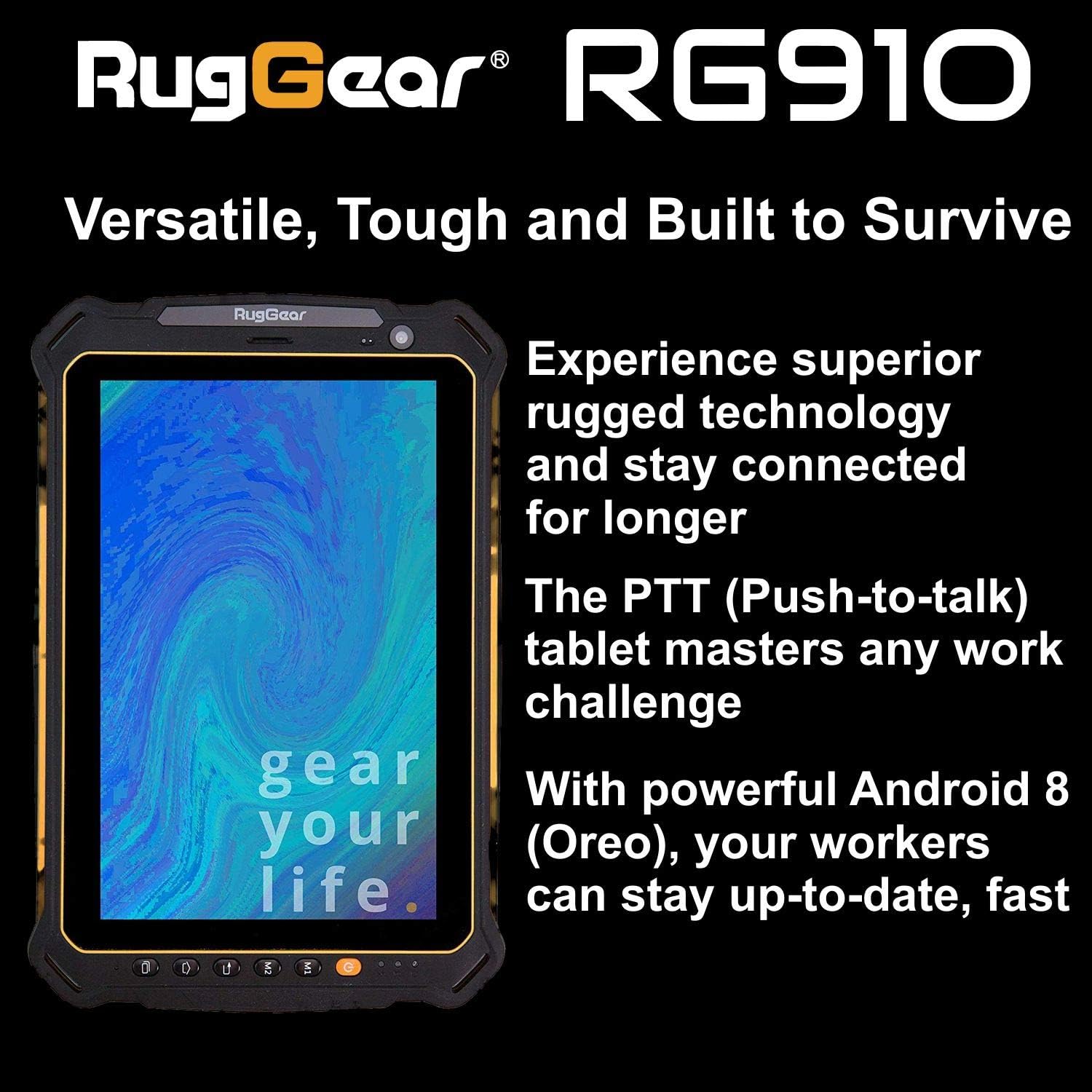
Figure 2.3: The RugGear RG910 tablet being used, illustrating its robust construction and suitability for various tasks.
3. Persediaan
3.1 Mengecas Peranti
Before initial use, fully charge the tablet using the provided charger and USB cable. Connect the charger to a power outlet and the USB cable to the tablet's charging port. The charging indicator will show the charging status.
3.2 Inserting SIM and Micro-SD Cards
- Locate the SIM/Micro-SD card slot cover on the side of the tablet.
- Buka penutup dengan berhati-hati.
- Insert the Nano-SIM card into the designated slot with the gold contacts facing down, ensuring it is correctly oriented.
- If using, insert a Micro-SD card (up to 64GB) into its dedicated slot.
- Close the cover securely to maintain the device's water and dust resistance.
3.3 Hidupkan dan Persediaan Awal
Press and hold the Power button until the RugGear logo appears. Follow the on-screen instructions to complete the initial setup, which includes selecting your language, connecting to a Wi-Fi network, and setting up your Google account.
4. Arahan Operasi
4.1 Hidupkan/Mati Kuasa
- Untuk Menghidupkan: Tekan dan tahan butang Kuasa sehingga skrin menyala.
- Untuk Mematikan: Press and hold the Power button until the power options appear, then select 'Power off'.
- Untuk Mulakan Semula: Press and hold the Power button until the power options appear, then select 'Restart'.
4.2 Navigasi Asas
The RG910 uses a capacitive touchscreen. Use standard Android gestures:
- Ketik: Pilih item atau buka aplikasi.
- Leret: Tatal senarai atau tukar antara skrin utama.
- Cubit: Zum masuk atau keluar pada imej dan web muka surat.
- Tekan lama: Akses menu kontekstual atau alihkan ikon.
4.3 Push-to-Talk (PTT) Functionality
The RG910 supports Push-to-Talk (PTT) communication. A dedicated PTT button may be present on the device. Consult your service provider or PTT application instructions for specific setup and usage details.
4.4 Operasi Kamera
To use the cameras:
- Buka aplikasi Kamera daripada skrin utama atau laci aplikasi.
- Ketik skrin untuk fokus.
- Tap the Shutter button to take a photo or start/stop video recording.
- Bertukar antara kamera hadapan dan belakang menggunakan ikon togol kamera.
4.5 Ketersambungan
- Wi-Fi: Pergi ke Tetapan > Rangkaian & Internet > Wi-Fi untuk menyambung ke rangkaian yang tersedia.
- 4G LTE: Ensure your SIM card is inserted and mobile data is enabled in Tetapan > Rangkaian & internet > Rangkaian mudah alih.
- Bluetooth: Enable Bluetooth in Tetapan > Peranti yang disambungkan > Bluetooth untuk dipasangkan dengan peranti lain.
5. Penyelenggaraan
5.1 Membersihkan Peranti
To clean your tablet, use a soft, damp cloth. Avoid using harsh chemicals, abrasive cleaners, or solvents, as these can damage the device's ruggedized coating and seals. Ensure all port covers are securely closed before cleaning with moisture.
5.2 Rintangan Air dan Habuk (IP68)
The RG910 is IP68 certified, meaning it is protected against dust ingress and can withstand submersion in fresh water up to 1.2 meters for 60 minutes. To maintain this rating:
- Ensure all port covers (USB, SIM/Micro-SD slot) are firmly closed before exposure to water or dust.
- Do not expose the device to salt water, chlorinated water, or other liquids.
- If the device gets wet, dry it thoroughly with a clean cloth before opening any covers or charging.
5.3 Penjagaan Bateri
- Elakkan suhu yang melampau, yang boleh menjejaskan prestasi bateri.
- Gunakan hanya pengecas dan kabel serasi yang asal atau yang diperakui.
- Jangan tebuk, buka atau ubah suai bateri.
5.4 Kemas Kini Perisian
Semak dan pasang kemas kini perisian secara kerap untuk memastikan prestasi optimum, keselamatan dan akses kepada ciri baharu. Pergi ke Tetapan > Sistem > Kemas kini sistem.
6. Penyelesaian masalah
This section addresses common issues you might encounter with your RugGear RG910 tablet.
| Isu | Penyelesaian yang Mungkin |
|---|---|
| Peranti tidak dihidupkan | Pastikan bateri telah dicas. Sambungkan pengecas dan tunggu beberapa minit sebelum cuba menghidupkannya semula. Jika tidak responsif, lakukan mula semula secara paksa dengan menekan butang Kuasa selama 10-15 saat. |
| Skrin tidak bertindak balas | Restart the device. If the issue persists, ensure the screen is clean and dry. |
| Tidak dapat bersambung ke Wi-Fi/4G | Check Wi-Fi settings and ensure the network password is correct. For 4G, verify SIM card insertion, mobile data is enabled, and you have network coverage. Restart the tablet. |
| Bateri cepat habis | Reduce screen brightness, close unused applications, disable unnecessary connectivity features (Bluetooth, GPS), and check for background app activity in settings. |
| Device is slow or freezes | Close background applications. Clear cache for problematic apps. Restart the device. Consider a factory reset if the issue is persistent (back up data first). |
7. Spesifikasi
Detailed technical specifications for the RugGear RG910 tablet:
| Ciri | Penerangan |
|---|---|
| Jenama | RugGear |
| Nombor Model | 98300000 |
| Sistem Operasi | Android 8 (Oreo) |
| Paparan | 8-inch WUXGA (1920 x 1200 pixels) with Corning Gorilla Glass |
| Pemproses | Qualcomm Snapdragon 625 |
| RAM | 3 GB |
| Storan Dalaman | 32 GB (expandable up to 64 GB via Micro-SD) |
| Bateri | 6000 mAh Litium-ion |
| Ketersambungan | 4G LTE, Wi-Fi 802.11b/g/n, Bluetooth 4.0, GPRS |
| Kamera | Rear: 8 MP, Front: 2 MP |
| Navigasi | GPS, A-GPS, GLONASS, Beidou |
| Ketahanan | IP68 certified (water/dust resistant), Drop-resistant up to 1.5 meters |
| Dimensi (L x W x H) | 21.3 x 14.1 x 2 cm |
| Berat badan | 906 Gram |
| Ciri Khas | Ruggedized Construction, Push-to-Talk (PTT) functionality, Adjustable back strap |
| Tahun Model | 2018 |
8. Waranti dan Sokongan
Your RugGear RG910 tablet is covered by a manufacturer's warranty. Please refer to the warranty card included with your product packaging for specific terms and conditions, including warranty duration and coverage details. For technical support, service, or further assistance, please contact RugGear customer service or your authorized dealer.