
1. Pengenalan
This manual provides comprehensive instructions for the proper use and maintenance of your Zerone Replacement TV Remote Control, model BN59-01199G. This remote is designed as a direct replacement for compatible Samsung Smart TVs, ensuring seamless operation without complex setup.

Image 1.1: The Zerone Replacement TV Remote Control, showcasing its button layout and ergonomic design.
2. Kandungan Pakej
- 1 x Zerone Replacement TV Remote Control (Model: BN59-01199G)
3. Spesifikasi
| Ciri | Perincian |
|---|---|
| Bahan Cangkang | ABS |
| Jarak Kawalan Jauh | Greater than 8 meters (actual distance may vary based on TV model and environment) |
| Model Bateri | 2 x bateri AA (tidak termasuk) |
| Dimensi Produk | lebih kurang 175 x 45 x 20 mm (6.9 x 1.8 x 0.8 inci) |
| Berat Barang | lebih kurang 67 g (2.46 auns) |
| Peranti Serasi | Samsung Smart TVs requiring BN59-01199G remote |

Image 3.1: Dimensions of the remote control: 175mm (6.9in) length, 45mm (1.8in) width, and 20mm (0.8in) thickness.
4. Persediaan
4.1 Pemasangan Bateri
- Cari petak bateri di belakang alat kawalan jauh.
- Luncurkan penutup bateri ke bawah untuk membukanya.
- Masukkan dua (2) bateri AA, pastikan terminal positif (+) dan negatif (-) sejajar dengan tanda di dalam petak.
- Luncurkan penutup bateri ke tempat semula sehingga ia berbunyi dengan selamat.
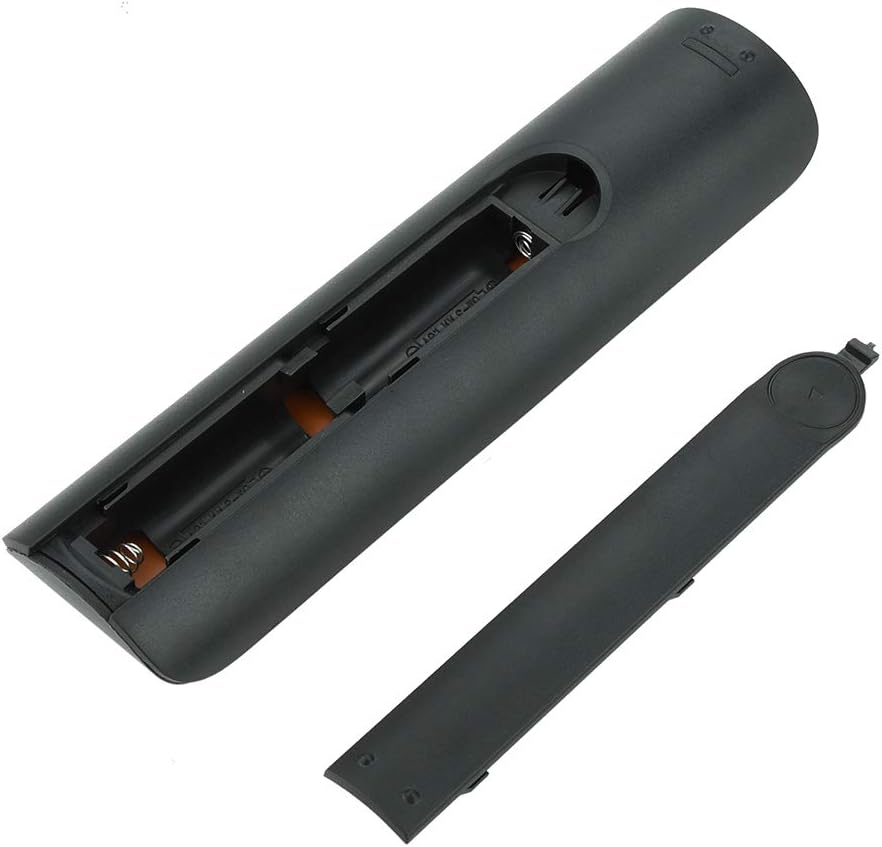
Imej 4.1: View of the remote control with the battery cover removed, showing the two AA battery slots.
4.2 Penggunaan Awal
This remote control is designed to work directly with compatible Samsung Smart TVs that originally used the BN59-01199G model. No programming or pairing is typically required. Simply install the batteries and point the remote towards your television.

Image 4.2: The remote control positioned near a television, illustrating its intended use with compatible Samsung models.
5. Arahan Operasi
The remote control features standard buttons for TV operation. Refer to the image below for a visual guide to the button layout.

Imej 5.1: Perincian view of the remote control's buttons, including power, number pad, volume, channel, and smart functions.
- Butang Kuasa (Merah): Menghidupkan atau mematikan TV.
- Pad Nombor (0-9): Untuk input saluran langsung.
- Kelantangan Naik/Turun (+/-): Melaraskan kelantangan TV.
- Saluran Atas/Bawah (CH +/-): Menukar saluran TV.
- Redam: Mendiamkan audio TV.
- Hab Pintar: Accesses the Smart Hub interface for apps and streaming services.
- Menu: Membuka menu utama TV.
- Alatan: Provides quick access to common TV functions.
- maklumat: Memaparkan maklumat tentang program atau input semasa.
- Pad Navigasi (Atas, Bawah, Kiri, Kanan, Enter): Digunakan untuk menavigasi menu dan memilih pilihan.
- kembali: Kembali ke skrin atau menu sebelumnya.
- Keluar: Closes the current menu or application.
- Butang Berwarna (A, B, C, D): Functionality varies by TV model and application.
- Kawalan Main Semula: Play, Pause, Stop, Fast Forward, Rewind for media playback.
6. Penyelenggaraan
6.1 Pembersihan
Untuk membersihkan alat kawalan jauh, lap perlahan-lahan menggunakan kain lembut dan kering. Untuk kotoran degil, lap sedikitampLap kain dengan air atau pencuci lembut yang tidak kasar. Elakkan menggunakan bahan kimia yang keras atau kelembapan berlebihan, kerana ini boleh merosakkan elektronik alat kawalan jauh.
6.2 Penggantian Bateri
Replace batteries when the remote control's response becomes sluggish or stops working. Always replace both AA batteries at the same time with new ones. Do not mix old and new batteries, or different types of batteries.
7. Penyelesaian masalah
- Jauh tidak bertindak balas:
- Periksa sama ada bateri dimasukkan dengan betul dengan polariti yang betul.
- Gantikan bateri dengan yang baru.
- Pastikan tiada halangan antara alat kawalan jauh dan penerima inframerah TV.
- Sahkan alat kawalan jauh dihalakan terus ke TV.
- Short remote control distance:
- This can indicate low battery power; replace the batteries.
- Environmental factors or strong light sources can interfere with the infrared signal. Try using the remote in different lighting conditions.
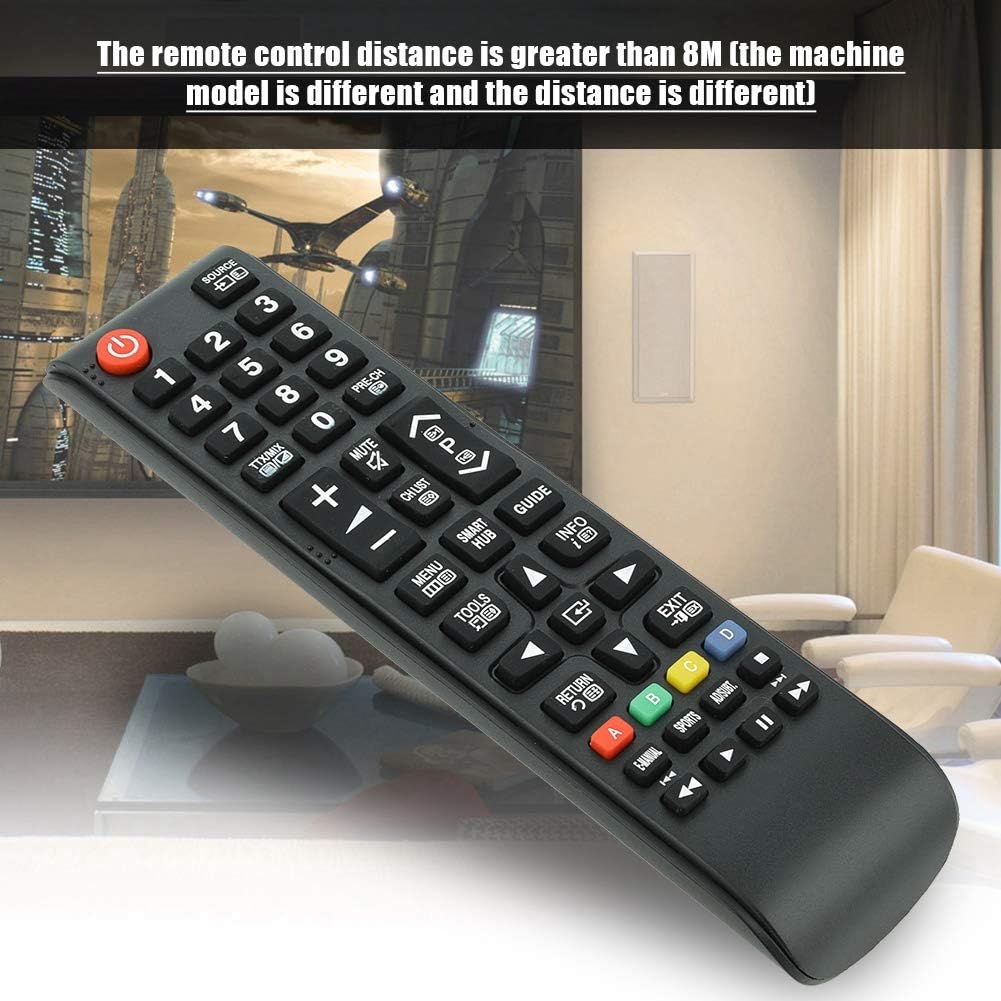
Image 7.1: The remote control in a typical home environment, demonstrating its effective range for TV operation.
8. Waranti dan Sokongan
Zerone products are manufactured with quality in mind. If you encounter any issues or are not satisfied with your product, please contact the seller or manufacturer for support. Refer to your purchase documentation for specific warranty terms and contact information.