
1. Pengenalan dan Lebihview
The Estink Power Meter Plug is designed to monitor the electricity consumption of your household appliances. It provides real-time data on various electrical parameters, helping you understand and manage your energy usage. This device features a digital LCD display with multiple modes, an overload warning function, and a user-friendly interface for easy operation.

Figure 1: Estink Power Meter Plug.
2. Persediaan
- Bongkar: Carefully remove the power meter plug from its packaging.
- Pasangkan: Insert the power meter plug into a standard wall outlet.
- Sambung Perkakas: Plug the appliance you wish to monitor into the socket on the front of the power meter plug.
- Paparan Awal: Upon connection, the device will power on and display default information, typically voltage dan kekerapan.
3. Arahan Operasi
3.1 Mod Paparan
The power meter features 7 distinct display modes. Press the FUNGSI button to cycle through these modes:
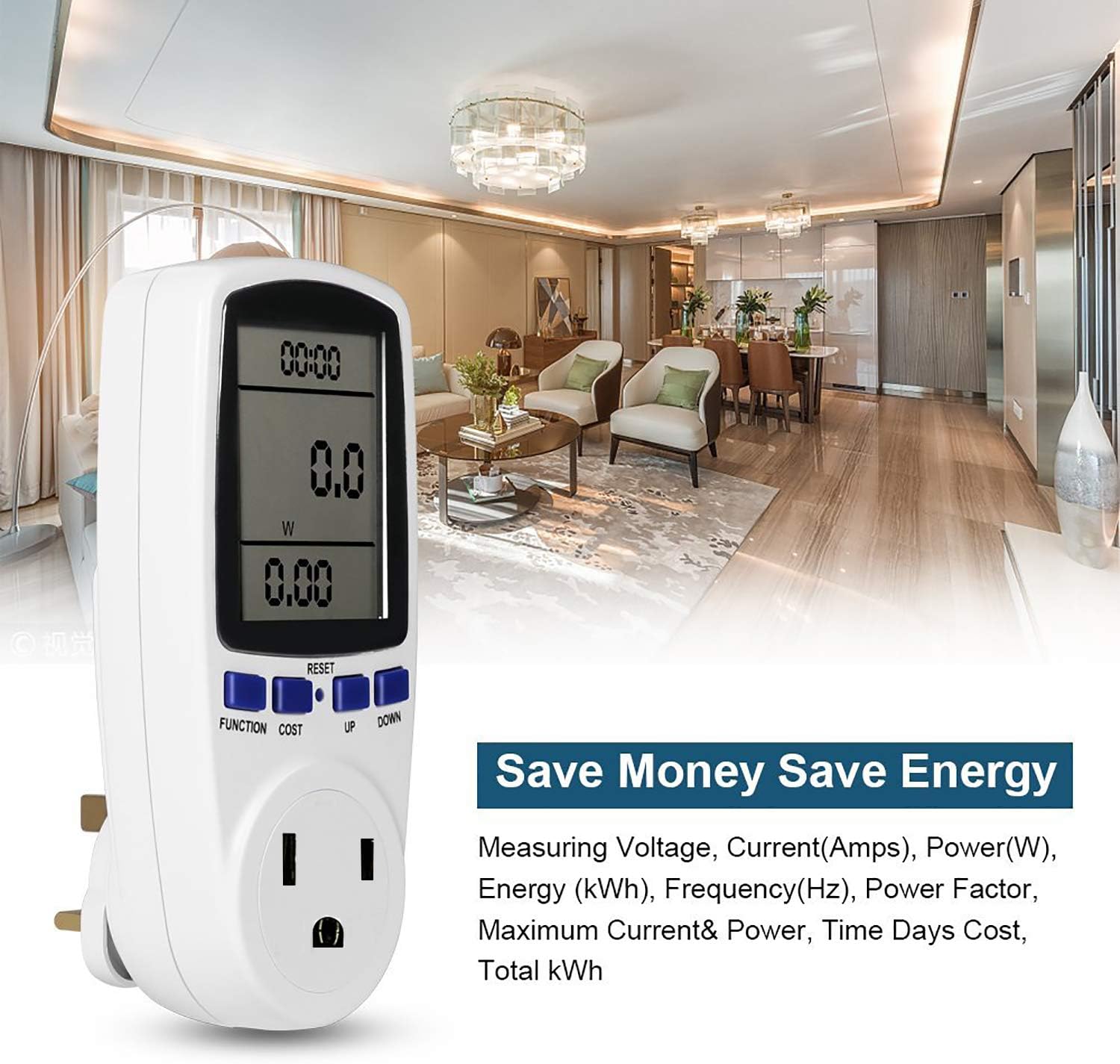
Figure 2: Cycling through display modes.
- Mod 1: Time, Wattage (W), and Cost.
- Mod 2: Time, Cumulative Electrical Quantity (kWh), and Days.
- Mod 3: Masa, Voltage (V), and Frequency (Hz).
- Mod 4: Time, Current (A), and Power Factor.
- Mod 5: Time, Minimum Power (Lo W).
- Mod 6: Time, Maximum Power (Hi W).
- Mod 7: Time, Cost per kWh.
3.2 Setting Cost per kWh
To set the electricity cost per kilowatt-hour (kWh):
- Tekan ke KOS button to enter cost setting mode.
- Gunakan UP dan TURUN buttons to adjust the cost value.
- Tekan FUNGSI untuk mengesahkan dan keluar dari mod tetapan.
3.3 Menetapkan Semula Data
To clear all accumulated data (time, kWh, cost), press and hold the TETAP SEMULA button for approximately 5 seconds until the display clears.
4. Ciri Paparan
The Estink Power Meter Plug features a clear digital LCD with an optional blue backlight for enhanced visibility in various lighting conditions. For accurate readings, always view the display directly from the front, as the visual angle is optimized for vertical viewing (120°).
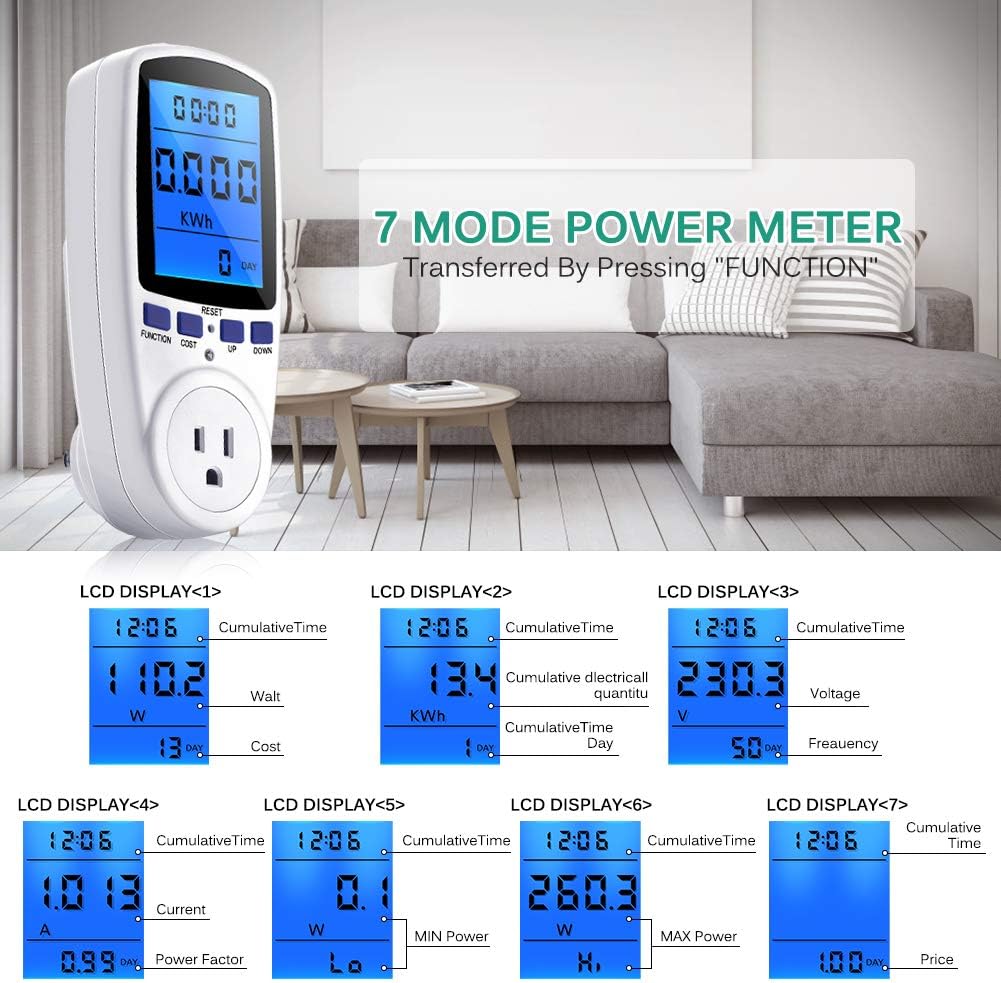
Figure 3: Blue backlight display for improved readability.
5. Perlindungan Lebihan
The device includes an overload protection feature to prevent damage to the meter and connected appliances. If the connected load exceeds 1650W, the LCD will display "OVERLOAD" and emit an audible warning sound. Immediately disconnect the appliance if this occurs to prevent potential hazards.
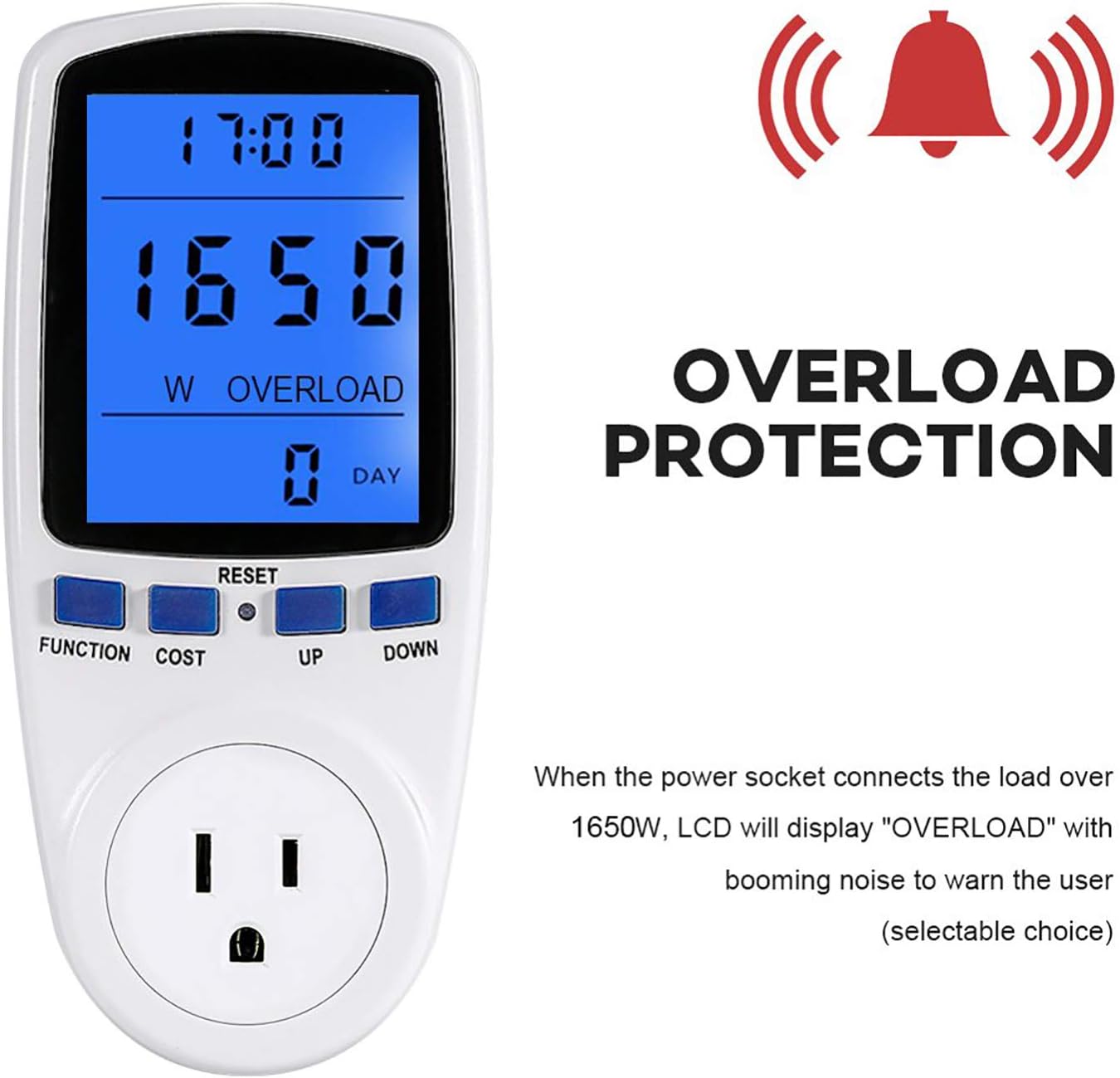
Figure 4: Overload warning display.
6. Spesifikasi
| Ciri | Nilai |
|---|---|
| Berat Barang | 7.2 auns |
| Dimensi Pakej | 6.8 x 3.5 x 3 inci |
| Kuantiti Pakej Item | 1 |
| Bateri Termasuk? | Tidak |
| Bateri Diperlukan? | Tidak |
| ASIN | B07M9KJRKP |
| Tarikh Mula-mula Tersedia | 24 Disember 2018 |
7. Penyelesaian masalah
- Paparan kosong: Ensure the power meter is securely plugged into a live outlet and an appliance is connected. If the issue persists, try a different outlet.
- Bacaan yang salah: Verify that the appliance is functioning correctly. If the readings seem unusually high or low, try resetting the device by holding the TETAP SEMULA butang.
- Amaran terlebih beban: If the "OVERLOAD" message appears, the connected appliance is drawing more than 1650W. Disconnect the appliance immediately. This device is not suitable for appliances exceeding its maximum wattagpenilaian e.
8. Penyelenggaraan dan Penjagaan
- Pembersihan: Lap peranti dengan kain lembut dan kering. Jangan gunakan pembersih yang kasar atau rendam dalam air.
- Storan: Store the power meter in a cool, dry place away from direct sunlight and extreme temperatures when not in use.
- Elakkan Kesan: Protect the device from drops or strong impacts, which can damage internal components.
9. Waranti dan Sokongan
For warranty information or technical support, please refer to the contact details provided with your purchase or visit the official Estink webtapak. Simpan resit pembelian anda sebagai bukti pembelian untuk sebarang tuntutan waranti.