
pengenalan
Thank you for choosing the Lamax X9.1 Action Camera. This manual provides essential information for setting up, operating, and maintaining your camera. Please read it thoroughly before use to ensure optimal performance and longevity of your device. The Lamax X9.1 is designed to capture your adventures in stunning 4K Ultra HD video and 12-megapixel photos, featuring Wi-Fi connectivity and a robust design.
Kandungan Pakej
Please check the package contents upon unboxing. Typical accessories include:
- Lamax X9.1 Action Camera
- Alat Kawalan Jauh
- Sarung Kalis Air
- Aksesori Pemasangan
- Kabel USB
- Manual Pengguna
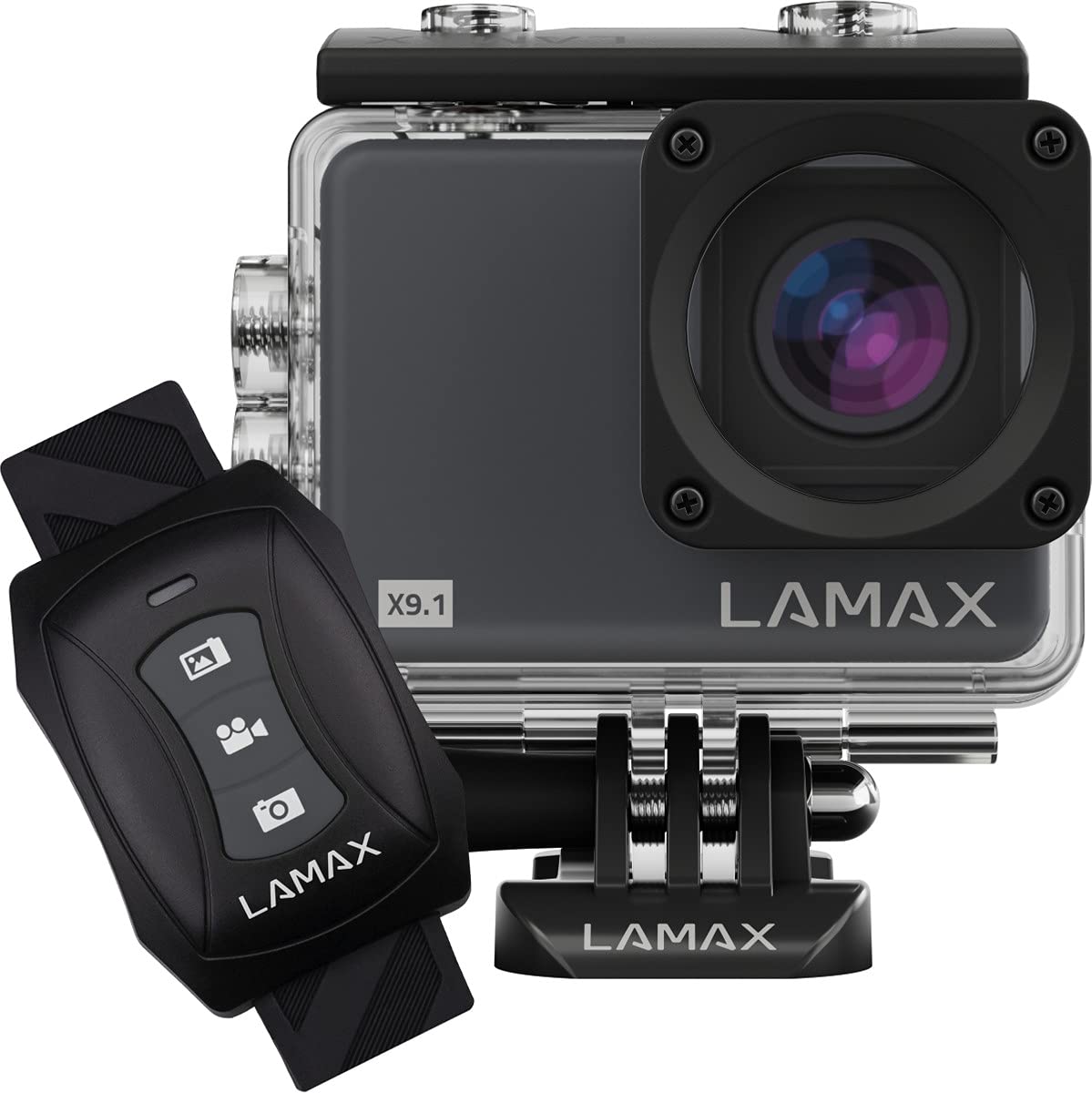
Image: The Lamax X9.1 Action Camera shown alongside its remote control, illustrating the main components.
Kamera Lebihview
Biasakan diri anda dengan komponen fizikal kamera:
- Kanta: Front-facing optical component for capturing images and videos.
- Skrin LCD: 2-inch display on the rear for live view, menu navigation, and playback.
- Butang Kuasa / Mod: Typically located on the front or top, used to power on/off and switch modes.
- Butang Rana / Rakam: Located on the top, used to start/stop recording or take photos.
- Butang Navigasi: Used for menu navigation (Up/Down).
- Port USB Mikro: Untuk pengecasan dan pemindahan data.
- Port HDMI: Untuk menyambung ke paparan luaran.
- Slot Kad MicroSD: Untuk sisipan kad memori.

Imej: Depan view of the Lamax X9.1 Action Camera, clearly showing the lens and model number.

Imej: Sisi view of the Lamax X9.1 Action Camera, highlighting the Micro-USB and HDMI ports.

Imej: Belakang view of the Lamax X9.1 Action Camera, displaying the LCD screen and control buttons.
Persediaan
1. Pemasangan dan Pengecasan Bateri
- Open the battery compartment cover, usually located on the bottom or side of the camera.
- Insert the Lithium-Ion (Li-Ion) battery (1050 mAh) with the contacts facing the correct direction.
- Tutup petak bateri dengan selamat.
- Connect the camera to a power source using the provided Micro-USB cable. The charging indicator will illuminate. A full charge takes approximately 1.84 hours.
2. Pemasangan Kad MicroSD
- Locate the MicroSD card slot, typically on the side of the camera.
- Insert a compatible MicroSDHC or MicroSDXC card (up to 64 GB, Class 10 or higher recommended) with the contacts facing down. Push until it clicks into place.
- Untuk mengalih keluar, tolak kad masuk sekali lagi sehingga ia keluar.
3. Menghidupkan/Mematikan
- Untuk Menghidupkan: Tekan dan tahan butang Kuasa/Mod selama beberapa saat sehingga skrin menyala.
- Untuk Mematikan: Press and hold the Power/Mode button again until the screen turns off.
4. Penggunaan Sarung Kalis Air
The Lamax X9.1 is waterproof up to 40 meters when enclosed in its waterproof case. Ensure the case is properly sealed before submerging the camera.
- Open the waterproof case latch.
- Carefully place the camera inside the case, ensuring it fits snugly.
- Close the latch firmly, making sure the rubber seal is clean and free of debris.
- Always test the waterproof case without the camera first to ensure no leaks.

Image: The Lamax X9.1 Action Camera securely placed inside its waterproof housing, shown with the remote control.
Mengendalikan Kamera
1. Kawalan Asas
- Butang Kuasa / Mod: Short press to cycle through video, photo, playback, and settings modes.
- Butang Rana / Rakam: Press to start/stop video recording or take a photo in the respective modes.
- Butang Naik / Turun: Used to navigate menu options or zoom (if applicable).
2. Rakaman Video
In video mode, press the Shutter/Record button to begin recording. Press again to stop.
- Resolusi: Supports 4K Ultra HD (3840 x 2160 pixels), 1080p, 720p.
- Kadar Bingkai: Up to 120 frames per second (fps) for smooth slow-motion capture.
- Format: H.264, H.265, MP4.
3. Tangkapan Foto
In photo mode, press the Shutter/Record button to take a picture.
- Resolusi: 12 Megapixels (3840 x 2160 pixels).
- Format: JPG.
4. Mod Khas
- Masa berlalu: Capture a series of photos at set intervals to create a time-lapse video.
- Pergerakan Super Perlahan: Record high frame rate video for dramatic slow-motion effects.
5. Kesambungan Wi-Fi
The Lamax X9.1 features Wi-Fi for remote control and file transfer via a smartphone application.
- Enable Wi-Fi on your camera through the settings menu.
- Download the official Lamax app (check your camera's packaging or the Lamax website for the correct app name) on your smartphone.
- Sambungkan telefon pintar anda ke rangkaian Wi-Fi kamera (SSID dan kata laluan akan dipaparkan pada skrin kamera).
- Gunakan aplikasi untuk mengawal kamera, view hidup footage, and download files.
6. Alat Kawalan Jauh
The included remote control allows for convenient operation without directly touching the camera.
- Ensure the remote is paired with the camera (refer to the camera's settings menu for pairing instructions).
- Use the dedicated buttons on the remote to start/stop recording or take photos.
Menu Tetapan
Access the settings menu by cycling through modes using the Power/Mode button until you reach the settings icon, or by pressing a dedicated menu button if available. Use the navigation buttons to scroll and the Shutter/Record button to select options.
Tetapan biasa termasuk:
- Video Resolution and Frame Rate
- Resolusi Foto
- Exposure Compensation (EV)
- Imbangan Putih (WB)
- Tarikh dan Masa
- Rakaman Gelung
- Screen Saver/Auto Power Off
- Tetapan Wi-Fi
- Format Kad SD
Penyelenggaraan
1. Pembersihan
- Kanta: Gunakan kain lembut dan tidak berbulu yang direka khas untuk kanta optik. Elakkan bahan kimia yang keras.
- Skrin: Lap perlahan-lahan dengan kain microfiber.
- Badan Kamera: Gunakan yang lembut, damp cloth to clean the exterior. Ensure all ports are closed before cleaning with moisture.
- Sarung kalis air: After use in saltwater, rinse the case with fresh water and let it air dry. Check the rubber seal for any debris or damage.
2. Penjagaan Bateri
- Elakkan menyahcas sepenuhnya bateri dengan kerap.
- Store the camera with the battery partially charged (around 50%) if not used for extended periods.
- Jangan dedahkan bateri kepada suhu yang melampau.
3. Penyimpanan
Store the camera in a cool, dry place away from direct sunlight and excessive humidity. Remove the battery if storing for a long time.
Menyelesaikan masalah
If you encounter issues with your Lamax X9.1, refer to the following common problems and solutions:
| Masalah | Kemungkinan Punca / Penyelesaian |
|---|---|
| Kamera tidak dihidupkan. | Battery is depleted. Charge the battery fully. Ensure the battery is inserted correctly. |
| SD card error message. | SD card is not inserted correctly, is full, or is corrupted. Reinsert the card, try a different card, or format the card (this will erase all data). Ensure the card is MicroSDHC/XC, up to 64GB, Class 10 or higher. |
| Hayat bateri yang lemah. | High-resolution video recording (4K) and Wi-Fi use consume more power. Ensure the battery is fully charged. Consider carrying spare batteries for extended use. |
| Water leakage into the case. | Waterproof case was not sealed properly, or the rubber seal is damaged/dirty. Always check the seal and latch before submerging. |
| Kamera tidak dikenali oleh komputer. | Ensure the USB cable is connected securely. Try a different USB port or cable. The camera might need to be in a specific mode (e.g., Mass Storage) to be recognized. |
| Isu sambungan Wi-Fi. | Ensure Wi-Fi is enabled on the camera and your smartphone. Check the Wi-Fi password. Move closer to the camera to improve signal strength. |
If the problem persists, perform a factory reset (if available in settings) or contact Lamax customer support.
Spesifikasi
| Ciri | Spesifikasi |
|---|---|
| Nombor Model | X9.1 |
| Resolusi Video | Up to 4K Ultra HD (3840 x 2160 pixels) |
| Kadar Bingkai Maks | 120 fps |
| Resolusi Foto | 12 Megapixels (3840 x 2160 pixels) |
| Paparan | 2-inch (5.08 cm) LCD |
| Media Storan | MicroSDHC, MicroSDXC (up to 64 GB) |
| Jenis Bateri | Lithium-Ion (Li-Ion), 1050 mAh |
| Masa Mengecas | lebih kurang 1.84 jam |
| Ketersambungan | Wi-Fi, Micro-USB, HDMI |
| Berat badan | 72 gram |
| Dimensi (L x W x H) | 60 x 44 x 33 mm |
| Penilaian Kalis Air | Sehingga 40 meter (dengan sarung kalis air) |
| Ciri Khas | Time-lapse, Super Slow Motion, Image Stabilization |
Waranti dan Sokongan
For warranty information and technical support, please refer to the documentation included with your product or visit the official Lamax webtapak. Simpan bukti pembelian anda untuk sebarang tuntutan waranti.


