
Ajazz AK50
Manual Pengguna Papan Kekunci Mekanikal Ajazz AK50
Model: AK50 with Blue Switches
1. Pengenalan
The Ajazz AK50 is a high-performance mechanical keyboard designed for both gaming and general use. It features durable Blue mechanical switches, a 104-key standard layout, and customizable yellow LED backlighting. This manual provides detailed instructions for setting up, operating, maintaining, and troubleshooting your keyboard to ensure optimal performance and longevity.
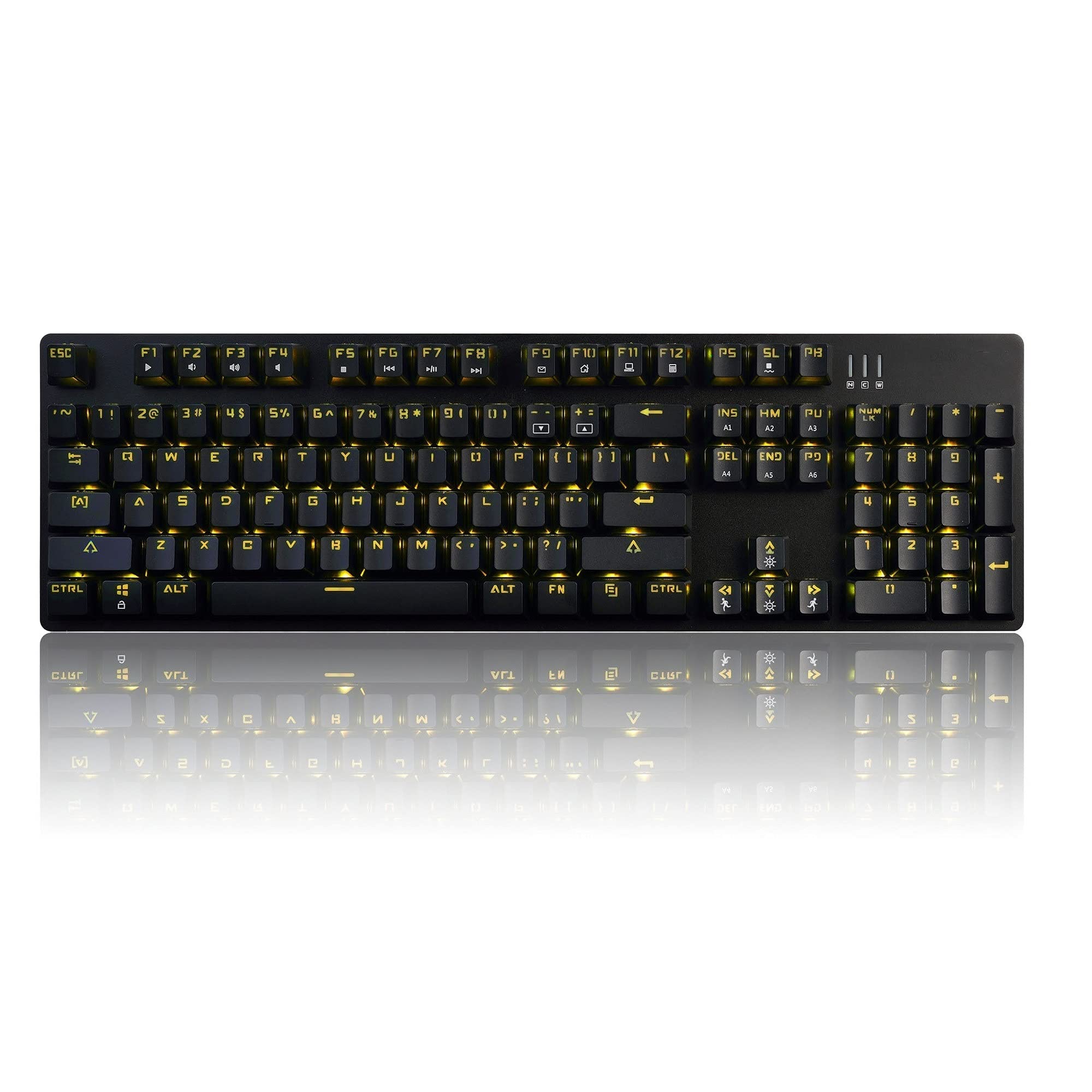
Image 1.1: The Ajazz AK50 Mechanical Keyboard, showcasing its full layout and yellow LED backlighting.
2. Kandungan Pakej
Sila sahkan bahawa semua item terdapat dalam pakej anda:
- Ajazz AK50 Mechanical Keyboard
- Kabel USB (dilampirkan)
- Manual Pengguna (dokumen ini)
3. Arahan Persediaan
- Sambungkan Papan Kekunci: Locate an available USB 2.0 port on your computer. Insert the USB connector of the keyboard cable into the USB port.

Image 3.1: The Ajazz AK50 keyboard ready for connection to a computer via its USB cable.
- Pemasangan Pemandu: The Ajazz AK50 is a plug-and-play device. Your operating system (Windows 10/8/7 XP Vista, Mac OS, Linux) will automatically detect and install the necessary drivers. No additional software installation is required for basic functionality.
- penempatan: Position the keyboard comfortably on your desk. The keyboard features adjustable feet on the underside to change the typing angle if desired.
4. Arahan Operasi
4.1 Key Features and Layout
The Ajazz AK50 features a 104-key standard layout with Blue mechanical switches, providing tactile feedback and an audible click. The ergonomic R5 key design aims to reduce fatigue during extended use.

Imej 4.1: Bersudut view papan kekunci, menonjolkan pro keycapfile dan susun atur.
The keyboard supports 100% anti-ghosting across all 104 keys, ensuring that every keystroke is registered accurately, even during rapid input.
4.2 Kawalan Pencahayaan Latar
The keyboard features yellow LED backlighting with multiple modes and customization options.
- Default Backlight Modes: The keyboard comes with 8 pre-set backlight modes. Use the FN + INS key combination to cycle through these modes.
- Custom Backlight Modes: 5 custom backlight modes are available for personalized lighting effects. Refer to the specific key combinations for programming these modes (usually involving FN + a specific key to enter programming mode, then selecting keys to light up, and FN + the same key to save).
- Pelarasan Kecerahan: Adjust the backlight brightness using dedicated function keys or combinations (e.g., FN + Anak Panah Atas/Bawah).
- Pelarasan Kelajuan: Adjust the speed of dynamic backlight effects using dedicated function keys or combinations (e.g., FN + Left/Right Arrow).

Imej 4.2: Gambar jarak dekat view of the keyboard's keys, illustrating the yellow LED backlighting and keycap design.
4.3 Kekunci Multimedia dan Fungsi
The F1-F12 keys, when combined with the FN key, provide access to various multimedia and system functions. Specific functions are typically indicated by icons on the keycaps.
| Gabungan Kunci | Fungsi |
|---|---|
| FN + F1 | Komputer Saya |
| FN + F2 | Cari |
| FN + F3 | Kalkulator |
| FN + F4 | Pemain Media |
| FN + F5 | Trek Sebelumnya |
| FN + F6 | Trek Seterusnya |
| FN + F7 | Main/Jeda |
| FN + F8 | Berhenti |
| FN + F9 | bisu |
| FN + F10 | Kelantangan Kurang |
| FN + F11 | Kelantangan Naik |
| FN + F12 | Kunci Papan Kekunci |
| FN + MENANG | Kunci/Buka Kunci Kekunci Windows |
5. Penyelenggaraan dan Penjagaan
Proper maintenance ensures the longevity and performance of your Ajazz AK50 keyboard.
- Membersihkan Papan Kekunci:
- Putuskan sambungan papan kekunci daripada komputer anda sebelum membersihkan.
- Gunakan kain lembut dan tidak berbulu sedikit dampened with water or a mild cleaning solution to wipe the keycaps and frame. Avoid excessive moisture.
- Untuk habuk dan serpihan di antara kunci, gunakan udara termampat.
- The keyboard features a removable bezel cover, which can be detached for easier cleaning of the keyboard base and keycaps. Gently pry it off from the edges.
- Elakkan Tumpahan: Keep liquids away from the keyboard to prevent damage to the internal components.
- Storan: Apabila tidak digunakan untuk tempoh yang lama, simpan papan kekunci di persekitaran yang bersih dan kering.
6. Penyelesaian masalah
If you encounter issues with your Ajazz AK50 keyboard, refer to the following common solutions:
| Masalah | Penyelesaian yang Mungkin |
|---|---|
| Papan kekunci tidak bertindak balas. |
|
| Lampu latar tidak berfungsi atau tersekat. |
|
| Kekunci tidak didaftarkan atau ditaip dua kali. |
|
7. Spesifikasi Teknikal
| Ciri | Perincian |
|---|---|
| Jenama | Ajazz (FIRSTBLOOD ONLY GAME.) |
| Model | AK50 Blue Switches |
| Jenis Papan Kekunci | Papan Kekunci Permainan Mekanikal |
| Jenis Suis | Blue Switches (50 million keystroke lifespan) |
| Reka Letak Kekunci | 104 Kekunci Standard |
| Anti-Ghosting | 100% Anti-Ghosting |
| Pencahayaan latar | Yellow LED Backlit (8 default modes, 5 custom modes) |
| Ketersambungan | USB 2.0 (Wired, 1.8m braided cable) |
| Keserasian Sistem Pengendalian | Windows 10/8/7 XP Vista, Mac OS, Linux |
| Dimensi (LxWxH) | 43.41 x 12.29 x 3.61 cm |
| Berat badan | 780 g |
| bahan | Aluminum and ABS Construction |
| Ciri Khas | Ergonomic R5 key design, Removable bezel |
8. Waranti dan Sokongan
The Ajazz AK50 Mechanical Keyboard comes with a Waranti pengilang selama 1 tahunSelain itu, seorang Jaminan wang dikembalikan 30 hari ditawarkan dari tarikh pembelian.
For technical support, warranty claims, or any product-related inquiries, please contact your retailer or the manufacturer directly through their official support channels. Please retain your proof of purchase for warranty validation.
Ask a question about this manual
Ask about setup, troubleshooting, compatibility, parts, safety, or missing instructions. Manuals+ will review the question and use this page’s manual context to help answer it.