
1. Pengenalan
This manual provides instructions for the Easytry123 replacement remote control, designed for use with various Prosonic DVD and LCD HDTV TV models. This remote offers a convenient way to control your compatible Prosonic devices. Please note that while this replacement remote is designed to function with the listed models, some advanced or specific functions of the original remote may not be fully supported.
Model yang Serasi: Prosonic DVD901, PS19-D101, PS22-CTD6, PS26-CTD6, PS26-D101, PS26CTD6, 10067932, 10061605.
2. Persediaan
2.1 Pemasangan Bateri
The remote control requires two (2) AAA batteries for operation. Batteries are not included with the remote control.
- Cari penutup petak bateri di belakang alat kawalan jauh.
- Tekan ke bawah pada tab dan luncurkan penutupnya.
- Masukkan dua bateri AAA, pastikan terminal positif (+) dan negatif (-) sejajar dengan tanda di dalam petak.
- Luncurkan penutup petak bateri kembali ke tempatnya sehingga ia berbunyi dengan selamat.
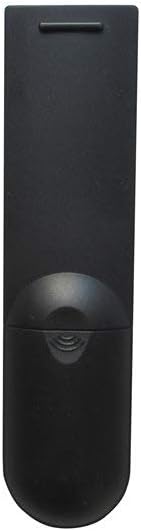
Rajah 1: Depan view of the Easytry123 replacement remote control, showing the button layout.
2.2 Penggunaan Awal
This is an infrared (IR) replacement remote control. No programming or pairing is typically required. Once batteries are installed, point the remote directly at your Prosonic device and begin operation.
3. Mengendalikan Alat Kawalan Jauh
The remote control features standard buttons for common television and DVD player functions. While the exact labeling may vary slightly from your original remote, the general functions are as follows:
- Butang Kuasa: Menghidupkan atau mematikan peranti.
- Kelantangan Naik/Turun: Melaraskan kelantangan audio.
- Saluran Atas/Bawah: Changes television channels.
- Butang Nombor (0-9): For direct channel input or menu selections.
- Butang Bisukan: Mendiamkan audio.
- Menu/Persediaan: Accesses the device's main menu or settings.
- Navigation Buttons (Up, Down, Left, Right, OK/Enter): Used to navigate through menus and confirm selections.
- Input/Sumber: Switches between different video input sources (e.g., HDMI, AV).
- Kawalan Main Semula (Main, Jeda, Henti, Undur, Maju Pantas): For controlling DVD or media playback.

Rajah 2: Bersudut view of the Easytry123 replacement remote control, highlighting its ergonomic design.
4. Penyelenggaraan
Proper care will extend the life of your remote control.
- Pembersihan: Gunakan kain lembut dan kering untuk membersihkan alat kawalan jauh. Jangan gunakan pembersih cecair atau bahan yang melelas.
- Penggantian Bateri: Replace batteries when the remote's performance diminishes. Always replace both batteries at the same time with new ones of the same type (AAA).
- Storan: If the remote will not be used for an extended period, remove the batteries to prevent leakage and potential damage. Store in a cool, dry place.
- Elakkan Kerosakan: Jangan lepaskan alat kawalan jauh, dedahkannya kepada suhu yang melampau, atau rendamkannya dalam air.
5. Penyelesaian masalah
If you experience issues with your remote control, try the following steps:
- Jauh Tidak Menjawab:
- Periksa sama ada bateri dimasukkan dengan betul dengan polariti yang betul (+/-).
- Gantikan bateri lama dengan bateri AAA baharu.
- Ensure there is a clear line of sight between the remote control and the device's IR receiver. Obstructions can block the signal.
- Make sure you are within the effective range of the remote control (typically up to 20 feet).
- Beberapa Fungsi Tidak Berfungsi:
- As a replacement remote, some specific or advanced functions of your original device's remote may not be supported. Refer to your device's original manual for specific functions.
- Ensure the device is powered on and not in a standby mode that restricts remote input.
- Gangguan:
- Bright sunlight or strong artificial light sources can sometimes interfere with infrared signals. Try operating the remote in different lighting conditions.
6. Spesifikasi
| Nombor Model | Easytry4924 |
| Jenama | Easytry123 |
| Teknologi Ketersambungan | Inframerah (IR) |
| Peranti Serasi | Television (Prosonic DVD901, PS19-D101, PS22-CTD6, PS26-CTD6, PS26-D101, PS26CTD6, 10067932, 10061605) |
| Jenis Pengawal | Kawalan Butang |
| Ciri Khas | Reka Bentuk Ergonomik |
| Bateri Diperlukan | 2 x AAA (tidak termasuk) |
7. Waranti dan Sokongan
This product is manufactured by Easytry123. For any questions, technical support, or warranty inquiries, please contact the seller directly through your purchase platform. Please retain your proof of purchase for warranty purposes.