
1. Produk Lebihview
The TSL LTCMIP7863W-SZ is a 6MP high-definition Platinum Varifocal Motorized Dome IP Camera designed for advanced surveillance applications. It features a 2.8-12mm varifocal motorized lens with smart focus, providing clear images up to 3072x2048 resolution at 20 frames per second. Equipped with Matrix IR 2.0 technology, it offers an infrared range of up to 100 feet for effective night vision. The camera supports H.265, H.265+, H.264, and H.264+ compression standards, True WDR 120dB, and is rated IP67 for weather resistance and IK10 for vandal resistance. It includes a MicroSD slot for local storage up to 128GB, audio I/O, alarm I/O, and can be powered by DC 12V or Power over Ethernet (PoE). A built-in junction box simplifies installation.
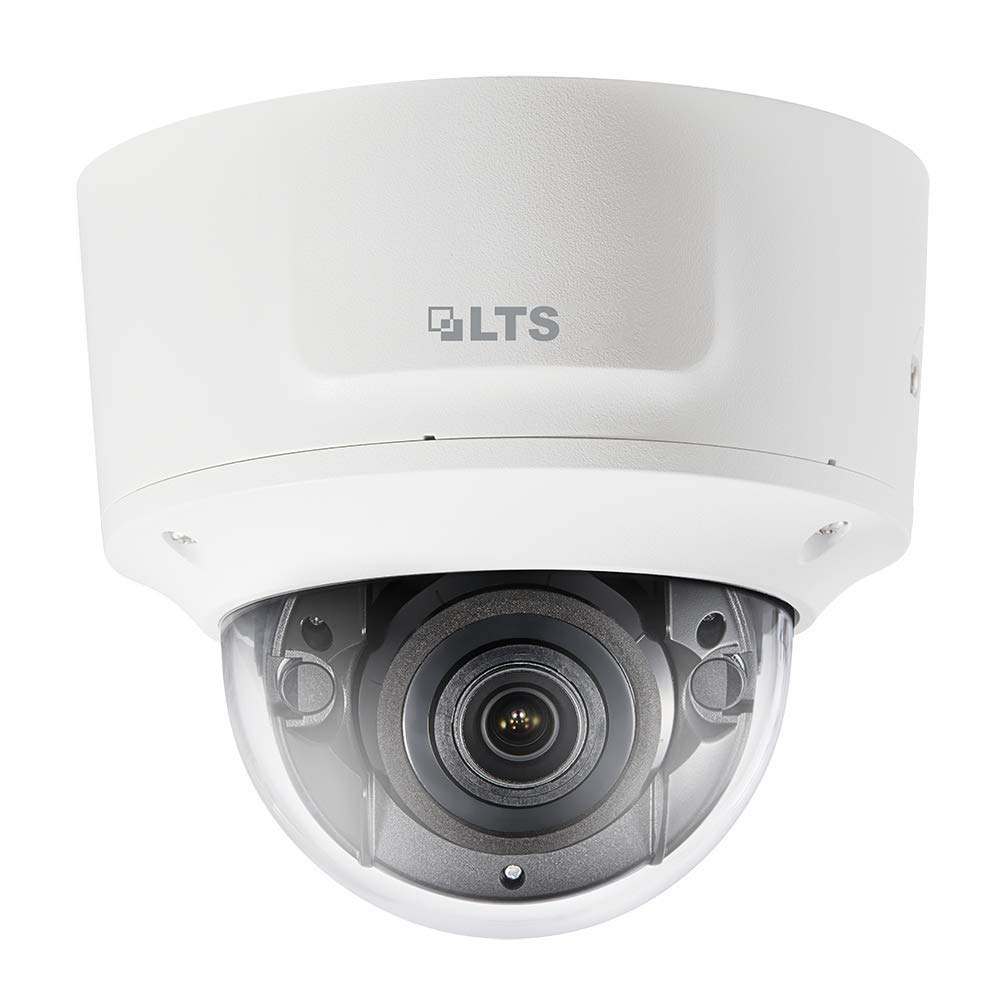
Rajah 1: Depan view of the TSL LTCMIP7863W-SZ Dome IP Camera. This image illustrates the compact dome design and the lens area.
2. Persediaan dan Pemasangan
2.1 Kandungan Pakej
Sebelum pemasangan, sahkan bahawa semua komponen ada:
- TSL LTCMIP7863W-SZ Dome IP Camera
- Templat Pemasangan
- Skru Pemasangan dan Palam Dinding
- Kit Penyambung Kalis Air
- Panduan Mula Pantas
2.2 Memasang Kamera
The camera is designed for wall or ceiling mount. Ensure the mounting surface can support the camera's weight.
- Sediakan Permukaan Pemasangan: Use the provided mounting template to mark the drill holes for the camera base.
- Lubang gerudi: Drill pilot holes according to the template. Insert wall plugs if mounting on drywall or masonry.
- Selamatkan Pangkalan: Attach the camera base to the mounting surface using the provided screws.
- Sambungan Kabel: Route the necessary cables (Ethernet, power if not using PoE, alarm I/O, audio I/O) through the cable entry point in the base. Utilize the built-in junction box for organized wiring.
- Pasangkan Badan Kamera: Secure the camera body to the mounted base. Ensure all connections are firm and waterproofed using the provided kit.
2.3 Kuasa dan Sambungan Rangkaian
The camera supports Power over Ethernet (PoE) or a 12V DC power supply.
- Sambungan PoE: Connect an Ethernet cable from a PoE-enabled switch or NVR to the camera's RJ45 port. This provides both power and data.
- DC 12V Connection: If PoE is not available, connect a 12V DC power adapter (sold separately) to the camera's power input port. Then, connect an Ethernet cable for data transmission.
- Konfigurasi Rangkaian: After physical connection, the camera will obtain an IP address via DHCP by default. Use the manufacturer's IP search tool to locate the camera on your network and configure its IP address if needed.
3. Arahan Operasi
3.1 Initial Access and Login
Akses kamera web antara muka menggunakan a web penyemak imbas (cth, Chrome, Firefox).
- Buka a web pelayar dan masukkan alamat IP kamera dalam bar alamat.
- Enter the default username (e.g., "admin") and password (refer to the Quick Start Guide or manufacturer's documentation for default credentials). It is highly recommended to change the default password immediately after the first login for security purposes.
3.2 Langsung View dan Main semula
Setelah log masuk, anda boleh view the live feed and access recorded footage.
- Langsung View: The main interface typically displays the live video stream.
- Main balik: Navigate to the "Playback" section to review recordings stored on the MicroSD card or connected NVR.
3.3 Varifocal Motorized Lens Adjustment
The camera features a motorized varifocal lens for remote adjustment of zoom and focus.
- Akses kamera web interface or client software.
- Locate the "Lens" or "Image Adjustment" settings.
- Use the zoom controls to adjust the focal length (2.8-12mm) and the focus controls to achieve a clear image. The "Smart Focus" feature assists in optimizing clarity.
3.4 Rakaman dan Penyimpanan
The camera supports local storage via a MicroSD card (up to 128GB) and network storage (NVR).
- Pemasangan Kad MicroSD: Power off the camera. Open the dome cover carefully. Insert a compatible MicroSD card into the slot. Close the cover securely.
- Jadual Rakaman: Configure recording schedules (continuous, motion-triggered, alarm-triggered) in the camera's settings.
- Pengurusan Storan: Format the MicroSD card through the web interface before first use. Configure overwrite settings for continuous recording.
3.5 Pengesanan Gerakan dan Makluman
Configure motion detection zones and sensitivity to trigger recordings or alarms.
- Navigate to "Event" or "Alarm" settings in the web antara muka.
- Define motion detection areas and adjust sensitivity levels.
- Configure alarm actions, such as sending email notifications, uploading images to an FTP server, or triggering external alarm devices via the alarm I/O.
4. Penyelenggaraan
4.1 Membersihkan Kamera
Regular cleaning ensures optimal image quality.
- Kanta: Gently wipe the lens with a soft, clean, lint-free cloth. For stubborn dirt, use a lens cleaning solution specifically designed for optical surfaces. Avoid abrasive materials.
- Penutup Kubah: Clean the transparent dome cover with a soft cloth and mild soap solution if necessary. Rinse with clean water and dry thoroughly. Do not use strong chemical cleaners.
- Badan Kamera: Wipe the exterior of the camera body with a damp kain.
4.2 Kemas Kini Perisian Tegar
Periksa pengeluar secara berkala website for firmware updates. Firmware updates can provide new features, improve performance, and enhance security.
- Muat turun perisian tegar terkini file from the official TSL support webtapak.
- Akses kamera web antara muka dan navigasi ke bahagian "Sistem" atau "Penyelenggaraan".
- Follow the on-screen instructions to upload and install the firmware. Do not power off the camera during the update process.
4.3 Pengurusan Storan
Ensure the MicroSD card has sufficient space and is functioning correctly.
- Regularly check the status of the MicroSD card through the camera's web antara muka.
- If configured for overwrite, older recordings will be automatically deleted. If not, manually delete old footage untuk mengosongkan ruang.
- Consider backing up important footage to an NVR or other storage device.
5. Penyelesaian masalah
| Masalah | Kemungkinan Punca | Penyelesaian |
|---|---|---|
| Tiada kuasa untuk kamera |
|
|
| Tiada suapan video |
|
|
| Kualiti imej yang lemah |
|
|
| Tidak boleh akses web antara muka |
|
|
6. Spesifikasi Teknikal
| Ciri | Perincian |
|---|---|
| Model | LTCMIP7863W-SZ |
| Resolusi Tangkapan Video | 6 MP (3072x2048) |
| Kadar Bingkai | 20 fps @ 3072x2048 |
| Lensa | 2.8-12mm Varifocal Motorized Lens with Smart Focus |
| Julat Penglihatan Malam | Up to 100 Feet (Matrix IR 2.0) |
| Teknologi Cahaya Rendah | 0.018 Lux @ F1.6 (Day/Night) |
| Julat Dinamik Lebar (WDR) | WDR 120dB yang benar |
| Pemampatan Video | H.265, H.265+, H.264, H.264+ |
| Penyimpanan | MicroSD Slot (up to 128GB) |
| Audio I/O | ya |
| Penggera I/O | ya |
| Bekalan Kuasa | DC 12V, PoE (802.3af) |
| Peringkat Perlindungan Ingress | IP67 |
| Vandal Resistance Rating | IK10 |
| Faktor Bentuk | Kubah |
| Protokol Ketersambungan | Wi-Fi |
| Pengeluar | LTS |
| UPC | 745558709424 |
7. Waranti dan Sokongan
7.1 Waranti Terhad
TSL products are covered by a limited warranty from the date of purchase. The specific terms and duration of the warranty may vary by region and product. Please refer to the official TSL website or your purchase documentation for detailed warranty information. This warranty typically covers defects in materials and workmanship under normal use.
Nota: The warranty does not cover damage caused by improper installation, misuse, unauthorized modification, natural disasters, or power surges.
7.2 Sokongan Teknikal
For technical assistance, product inquiries, or troubleshooting beyond the scope of this manual, please contact TSL customer support.
- Webtapak: Visit the official TSL support website for FAQs, downloads, and contact information.
- e-mel: Refer to the support section of the TSL website for email contact details.
- telefon: Contact numbers for technical support are usually available on the TSL webtapak.
When contacting support, please have your product model number (LTCMIP7863W-SZ) and purchase information readily available.