
pengenalan
This manual provides detailed instructions for the installation, operation, and maintenance of your NEC SL2100 IP7WW-12TXH-B1 12-Button Display Speaker Telephone. Please read this manual thoroughly before using the telephone to ensure proper functionality and to prevent damage.
Maklumat Keselamatan
Sentiasa ikuti langkah berjaga-jaga keselamatan asas apabila menggunakan produk ini untuk mengurangkan risiko kebakaran, kejutan elektrik dan kecederaan kepada orang.
- Jangan gunakan produk ini berhampiran air, contohnyaampiaitu, berhampiran tab mandi, mangkuk basuh, sinki dapur atau tab dobi, di ruang bawah tanah yang basah atau berhampiran kolam renang.
- Avoid using the telephone during an electrical storm. There may be a remote risk of electric shock from lightning.
- Jangan gunakan telefon untuk melaporkan kebocoran gas di sekitar kebocoran.
- Use only the power source specified in this manual or marked on the product. This telephone is powered by the phone system.
- Cabut plag produk ini dari salur keluar dinding sebelum membersihkan. Jangan gunakan pembersih cecair atau pembersih aerosol. Gunakan iklanamp kain untuk pembersihan.
Kandungan Pakej
Sahkan bahawa semua item terdapat dalam pakej:
- NEC SL2100 IP7WW-12TXH-B1 12-Button Display Speaker Telephone (Black)
- Telefon bimbit
- Kabel Telefon bimbit
- Base Stand (for desk or wall mounting)
- Ethernet Cable (if applicable for IP connection)
Produk Selesaiview
The NEC SL2100 IP7WW-12TXH-B1 is a corded 12-button display speaker telephone designed for use with NEC SL2100 systems. It features a clear display for call information and menu navigation, a built-in speakerphone for hands-free communication, and 12 programmable function keys.
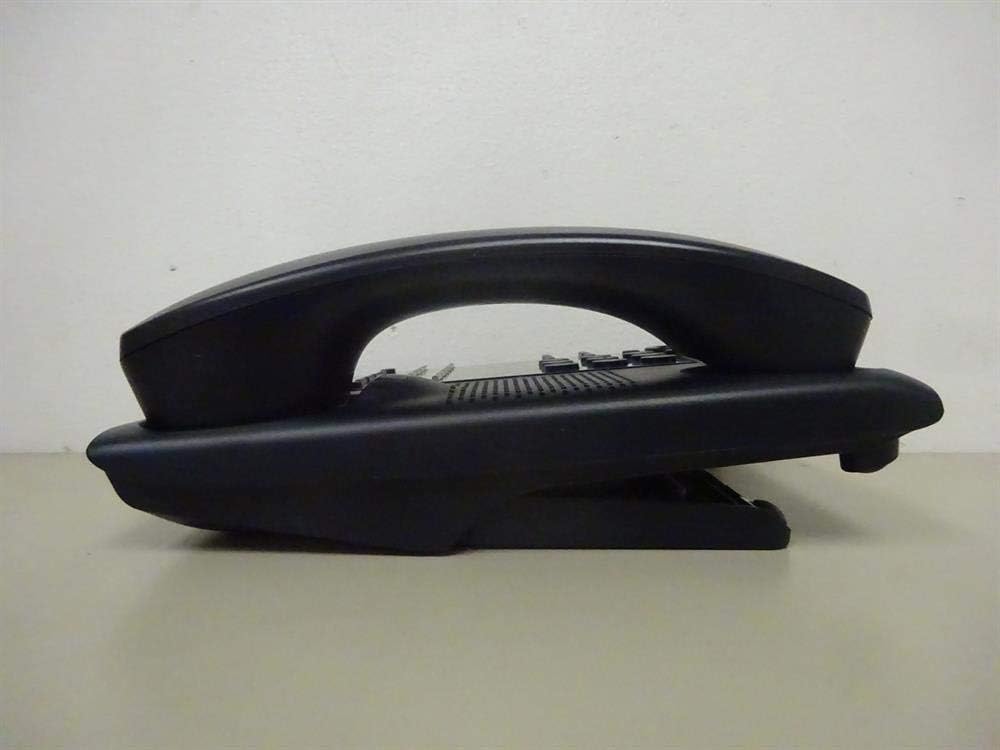
Rajah 1: sebelah view of the NEC SL2100 IP7WW-12TXH-B1 telephone, showing the ergonomic design of the handset and base unit.

Rajah 2: belakang view of the telephone, illustrating the various connection ports for the handset and network, as well as the integrated wall-mounting slots.
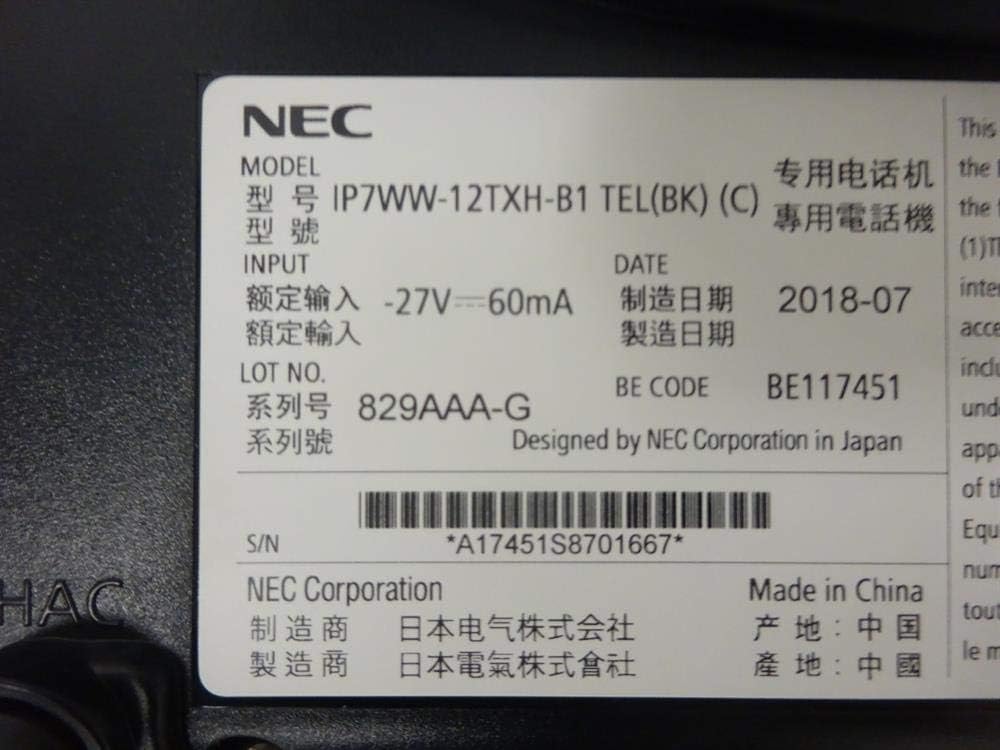
Rajah 3: Close-up of the product label, displaying model number IP7WW-12TXH-B1, input specifications, and manufacturer details.
Persediaan
1. Assembling the Telephone
- Pasang Pendirian Pangkalan: Align the base stand with the slots on the bottom of the telephone. Slide it into place until it clicks securely. The stand can be adjusted for different viewing angles or reversed for wall mounting.
- Sambungkan Handset: Pasangkan satu hujung kord telefon bimbit yang digelung ke dalam telefon bimbit dan hujung yang satu lagi ke dalam port yang ditetapkan di sisi tapak telefon.
2. Connecting to the System
This telephone is designed to connect to an NEC SL2100 system. Ensure your SL2100 system is properly installed and configured.
- Sambungkan Kabel Rangkaian: Plug one end of an Ethernet cable into the LAN port on the back of the telephone. Plug the other end into an available port on your NEC SL2100 system or a network switch connected to the system.
- Hidupkan kuasa: The telephone receives power directly from the NEC SL2100 system (Power over Ethernet - PoE) or via a separate power adapter (not included, if PoE is not available). Once connected, the telephone should power on automatically.
- Konfigurasi Awal: The telephone will typically register with the SL2100 system automatically. If prompted, follow the on-screen instructions or consult your system administrator for specific extension number assignment or network settings.
Arahan Operasi
Membuat Panggilan
- Angkat Telefon Bimbit: Angkat telefon bimbit dan dengar nada dail.
- Nombor Dail: Dail nombor telefon yang dikehendaki menggunakan papan kekunci.
- Telefon pembesar suara: Tekan ke PENCERAMAH button to activate the speakerphone, then dial the number.
Menerima Panggilan
- Angkat Telefon Bimbit: When the telephone rings, lift the handset to answer.
- Telefon pembesar suara: Tekan ke PENCERAMAH button to answer the call hands-free.
Menggunakan Paparan
The display shows call information, menu options, and system status. Use the navigation buttons (usually arrow keys) to scroll through menus and the MASUK or PILIH butang untuk mengesahkan pilihan.
Programmable Function Keys (12 Buttons)
The 12 buttons on the telephone can be programmed for various functions such as speed dial, line access, feature activation, or direct station selection. Consult your system administrator for the specific programming of these keys.
Panggilan Persidangan
The telephone supports 3-way conference calls. To initiate a conference call:
- Buat panggilan dengan pihak pertama.
- Tekan ke SULIT (Conference) button or the designated programmable key. The first party will be put on hold.
- Dail nombor pihak kedua.
- Once connected to the second party, press the SULIT button again to join all three parties.
ID pemanggil
When an incoming call is received, the caller's information (name and number, if available) will be displayed on the screen.
Operasi Berbilang Baris
This telephone supports multi-line operation, allowing you to manage multiple calls simultaneously. Use the designated line keys or programmable keys to switch between active lines or place calls on hold.
Penyelenggaraan
Pembersihan
To clean the telephone, unplug it from the network connection. Use a soft, slightly damp cloth. Do not use harsh chemicals, abrasive cleaners, or excessive moisture. Avoid spraying cleaners directly onto the telephone.
Penyimpanan
If storing the telephone for an extended period, ensure it is clean and dry. Store it in a cool, dry place away from direct sunlight and extreme temperatures.
Menyelesaikan masalah
- Tiada Nada Dail:
- Check all cable connections, especially the network cable to the SL2100 system.
- Ensure the SL2100 system is powered on and functioning correctly.
- If using a separate power adapter (not PoE), ensure it is properly connected and receiving power.
- Paparan Tidak Berfungsi:
- Verify the telephone is receiving power.
- Try disconnecting and reconnecting the network cable.
- Tidak Boleh Membuat/Terima Panggilan:
- Semak nada dail.
- Ensure the telephone is properly registered with the SL2100 system.
- Contact your system administrator to verify line assignments and system status.
- Kualiti Audio Lemah:
- Check handset and network cable connections.
- Pastikan tiada gangguan daripada peranti elektronik lain.
- Test with another telephone if possible to isolate the issue.
Spesifikasi
| Ciri | Spesifikasi |
|---|---|
| Jenama | NEC |
| Nombor Model | IP7WW-12TXH-B1 (Mfr Part Number: BE117451) |
| warna | Hitam |
| Jenis Telefon | Corded |
| bahan | plastik |
| Sumber Kuasa | Phone System (PoE compatible) |
| Jenis Pendail | Papan kekunci tunggal |
| Dimensi Item (L x W x H) | 15 x 12 x 6 inci |
| Jenis Sistem Menjawab | Digital (System Dependent) |
| Peranti Serasi | NEC SL2100 Systems, NEC SL2100 IP7WW-082U-B1 8 Port Digital Station Card |
| Keupayaan Panggilan Persidangan | 3 hala |
| Operasi Berbilang Baris | ya |
| ID pemanggil | ya |
Waranti dan Sokongan
For warranty information, please refer to the documentation provided with your NEC SL2100 system or contact your NEC authorized dealer. For technical support, please contact your system administrator or NEC customer service.
NEC Corporation
For further assistance, please visit the official NEC website or contact your local support representative.