pengenalan
This manual provides detailed instructions for the KUIYN T6 Gaming Keyboard and Mouse Set. This set includes a 104-key wired gaming keyboard with LED backlighting, a 6-button wired gaming mouse with adjustable DPI, and a mouse pad. Designed for durability and ergonomic comfort, this set is compatible with various operating systems and gaming platforms.
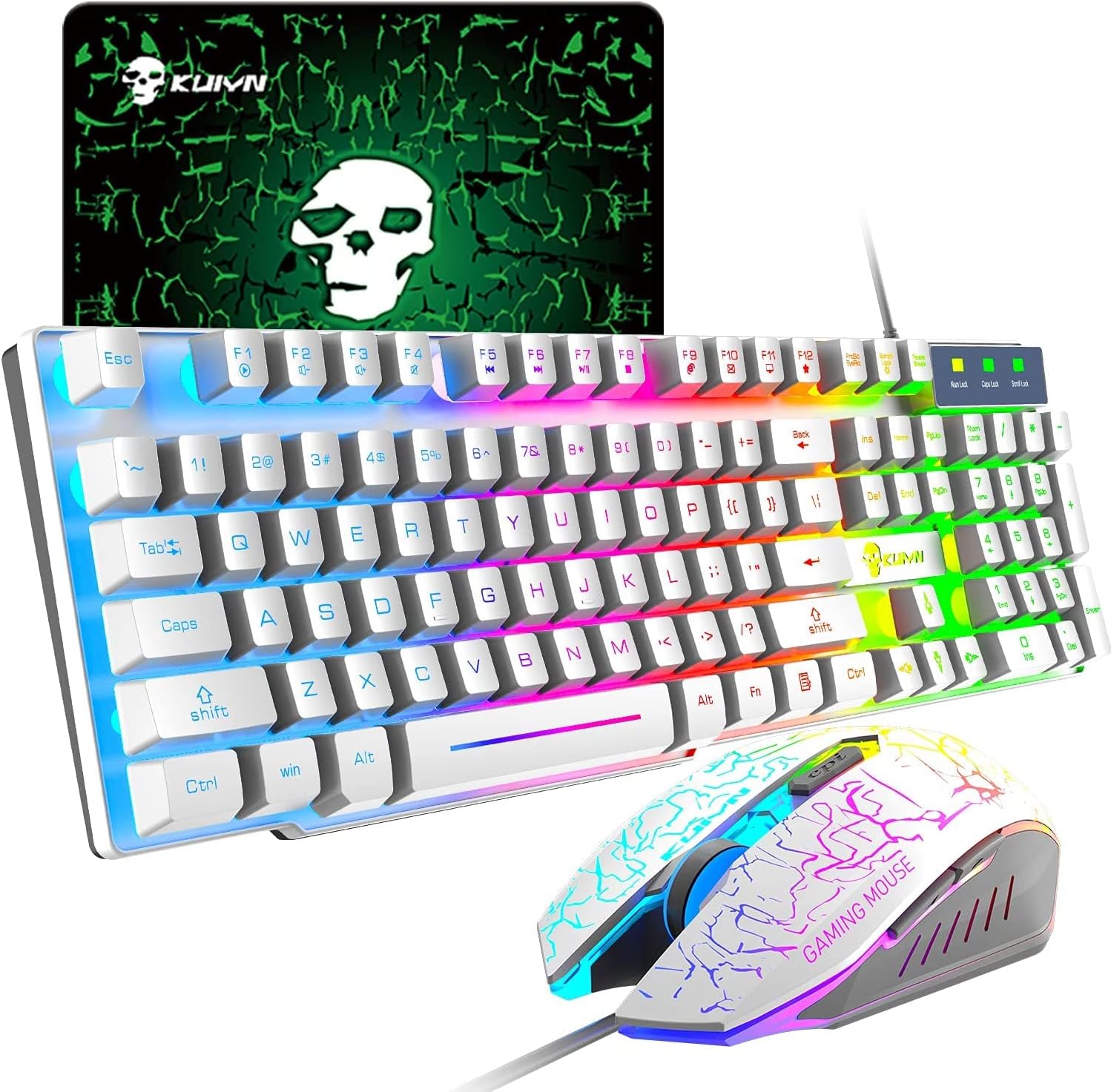
Image: The KUIYN T6 Gaming Keyboard and Mouse Set, featuring a white keyboard with rainbow LED backlighting, a matching gaming mouse, and a mouse pad.
Arahan Persediaan
- Buka bungkusan Komponen: Tanggalkan papan kekunci, tetikus dan pad tetikus dengan berhati-hati daripada pembungkusannya.
- Sambungkan Papan Kekunci: Plug the USB connector of the keyboard into an available USB port on your computer or gaming console.
- Sambungkan Tetikus: Plug the USB connector of the mouse into another available USB port on your computer or gaming console.
- Letakkan Pad Tetikus: Position the mouse pad on your desk for optimal mouse movement.
- Pengecaman Sistem: Sistem pengendalian anda sepatutnya mengesan dan memasang pemacu yang diperlukan secara automatik. Pemasangan perisian tambahan biasanya tidak diperlukan.
- Sambungan Konsol (Pilihan): For Switch, PS4, PS5, or Xbox, an additional converter (not included) may be required to ensure full compatibility and functionality.
Operating Instructions: Keyboard
Kawalan Lampu Latar LED
- The keyboard features a rainbow LED backlight.
- To turn the backlight on or off, locate the Kunci Tatal key. Pressing this key toggles the backlight.
- Nota: If the backlight does not activate, ensure the keyboard is properly connected.

Imej: Dari dekat view of the KUIYN T6 keyboard, highlighting the illuminated keys and US layout.
Multimedia and Function Keys
The keyboard includes function extension F-keys and a numeric keypad for enhanced productivity and gaming control. Specific multimedia functions can be accessed using the Fn key in combination with other keys (refer to the keycap legends for specific functions).
- Reka bentuk ergonomik: The keyboard is designed for comfortable typing and reduced strain during extended use.
- Pembinaan Tahan Lama: The exterior utilizes high-quality aluminum alloy for enhanced durability.
- Splash-Proof: The keyboard offers strong splash-proof performance, protecting against accidental spills.
Operating Instructions: Mouse
Pelarasan DPI
The gaming mouse features adjustable DPI settings to suit different tasks and preferences. You can cycle through three DPI levels:
- 800 DPI
- 1200 DPI
- 1600 DPI
To change the DPI, press the dedicated DPI switch button located below the scroll wheel.

Image: A diagram illustrating the KUIYN T6 gaming mouse's buttons, including left, right, scroll wheel, DPI switch, and two side buttons.
Butang Tetikus
The mouse is equipped with 6 buttons for versatile control:
- Butang Klik Kiri
- Butang Klik Kanan
- Scroll Wheel (with 3D anti-slip design)
- Butang Suis DPI
- Butang Sisi Hadapan
- Butang Sisi Belakang
Penyelenggaraan
- Pembersihan: Gunakan kain lembut dan kering untuk mengelap papan kekunci dan tetikus. Untuk kotoran degil, gunakan sedikit kainamp cloth can be used, ensuring no liquid enters the devices.
- Elakkan Cecair: Despite splash-proof features, avoid submerging the devices in liquid or exposing them to excessive moisture.
- Penjagaan Kabel: Do not bend or crimp the USB cables excessively to prevent damage.
- Storan: Store the keyboard and mouse in a cool, dry place away from direct sunlight and extreme temperatures when not in use.
Menyelesaikan masalah
| Masalah | Kemungkinan Punca | Penyelesaian |
|---|---|---|
| Papan kekunci/Tetikus tidak bertindak balas | Sambungan USB longgar; port USB rosak; masalah pemacu. | Pastikan kabel USB dipasang dengan kukuh. Cuba port USB yang lain. Mulakan semula komputer anda. |
| Keyboard LED backlight not turning on | Backlight is off; keyboard not powered. | Tekan ke Kunci Tatal key to toggle the backlight. Ensure the keyboard is properly connected to a powered USB port. |
| Mouse cursor movement is erratic or unresponsive | Dirty sensor; unsuitable surface; DPI setting too low. | Clean the mouse sensor. Use the provided mouse pad or a smooth, opaque surface. Adjust DPI using the DPI switch button. |
| Keyboard keys are sticky or unresponsive | Debris under keys; liquid damage. | Gently clean around and under the affected keys. If liquid damage is suspected, disconnect immediately and allow to dry completely before reconnecting. |
Spesifikasi
- model: T6 (Manufacturer Reference: KYT6)
- Jenama: KUIYN (Manufacturer: LexonTech)
- warna: putih
- Ketersambungan: USB berwayar
- Susun atur Papan Kekunci: 104-key (US layout)
- Ciri-ciri papan kekunci: Rainbow LED Backlight, Ergonomic Design, Splash-Proof, Aluminum Alloy Exterior
- Butang tetikus: 6 (Kiri, Kanan, Roda Tatal, Suis DPI, Ke Hadapan, Ke Belakang)
- DPI tetikus: 800 / 1200 / 1600 DPI (Boleh Laras)
- Mouse Lifespan: 10 juta klik
- OS yang serasi: Windows 98/2000/ME/XP 32bit, Vista/Win7/Win8 32/64bit, Mac, Switch*, PS4*, PS5*, Xbox* (*Converter may be required for consoles)
- Product Dimensions (Keyboard): 44.5 x 13.5 x 3 cm
- Product Weight (Set): 832 g
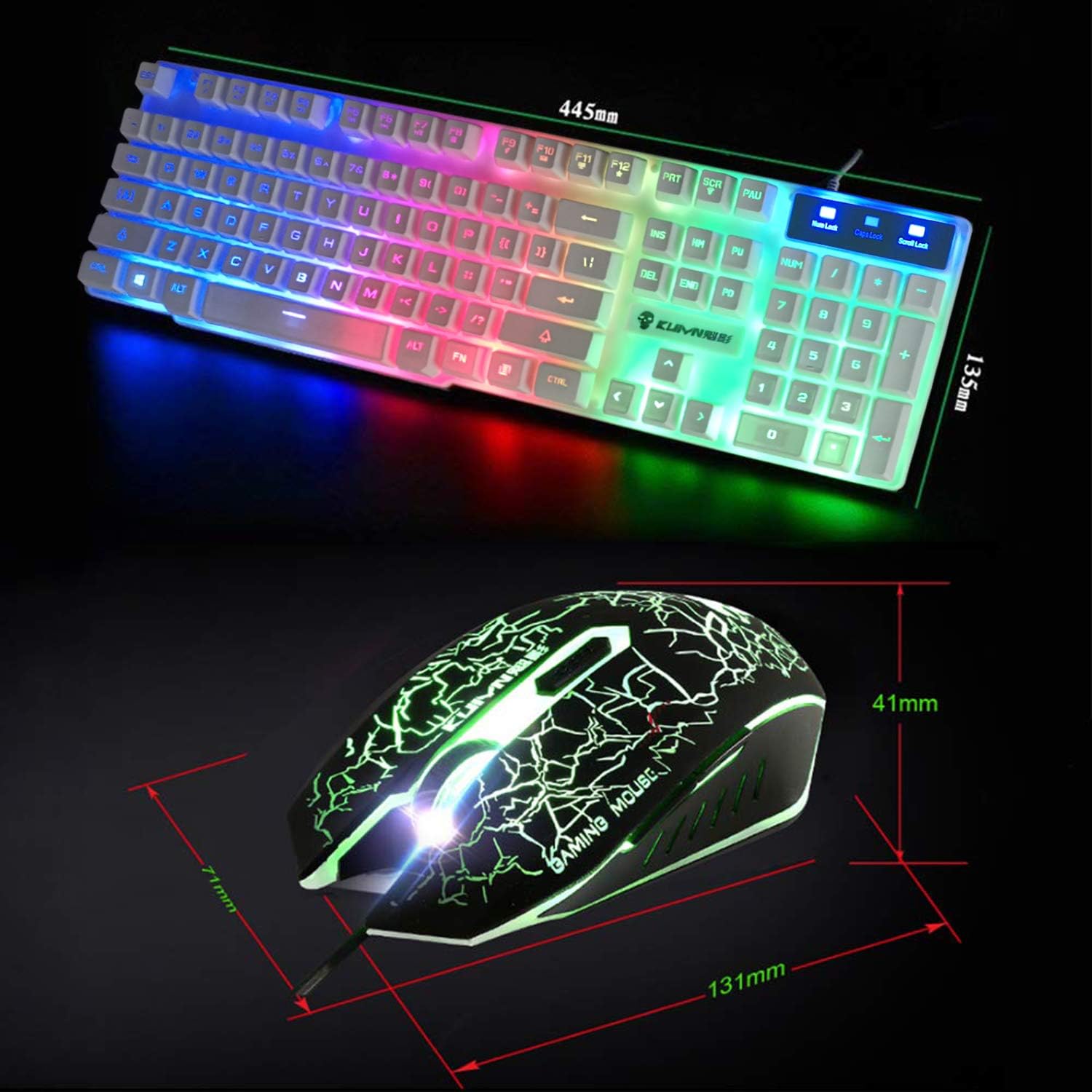
Image: Technical drawing showing the dimensions of the KUIYN T6 keyboard (445mm x 135mm) and mouse (131mm x 71mm x 41mm).
Waranti dan Sokongan
Waranti: In the event of a product defect, a product exchange for the same item is available within 30 days from the date of product arrival.
Sokongan Pelanggan: If you have any questions or encounter issues not covered in this manual, please do not hesitate to contact customer support. Refer to your purchase documentation for contact information.