
Produk Selesaiview
The Vitafit VT571 Digital Kitchen Food Scale is designed for precise measurement of food ingredients. It features a clear LED display, a durable tempered glass surface, and a slim, elegant design for easy storage.
- Kapasiti Tinggi: Measures up to 10 kg (22 lbs).
- Ketepatan: Minimum weighing of 2g, with 1g exact increments.
- Berbilang Unit: Displays measurements in grams (g), kilograms (kg), ounces (oz), and pounds:ounces (lb:oz).
- Paparan Jelas: Large and bright LED display (50x30mm) with white digits for easy readability.
- Fungsi Tare: Allows for measurement of multiple ingredients in the same bowl.
- Cekap Tenaga: Features an auto-off function, low battery, and overload indications.

Imej: Atas view of the Vitafit VT571 Digital Kitchen Food Scale, showcasinreka bentuk yang anggun dan paparan LEDnya.
Persediaan
- Pemasangan Bateri:
Locate the battery compartment on the underside of the scale. Open the compartment cover and insert 3 AAA batteries, ensuring correct polarity (+/-). Close the cover securely.

Image: The underside of the scale, highlighting the battery compartment and non-slip rubber feet.
- penempatan:
Place the scale on a hard, flat, and level surface. Uneven surfaces can affect measurement accuracy.
Arahan Operasi
- Hidupkan/Mati Kuasa:
Tekan ke HIDUP/MATI/TARE button (power symbol) to turn the scale on. The display will show '0' or '0.0' when ready. Press and hold the HIDUP/MATI/TARE button for a few seconds to turn the scale off.

Image: A close-up of the scale's surface, showing the ON/OFF/TARE button and the UNIT button, along with various unit displays.
- Penukaran Unit:
Tekan ke UNIT button to cycle through the available measurement units: g, kg, oz, and lb:oz.
- Bahan penimbang:
Place the item to be weighed directly onto the center of the scale platform. The weight will be displayed on the LED screen. Wait a few seconds for the reading to stabilize.
- Fungsi Tara (Tambah & Timbang):
To weigh multiple ingredients in the same container or to subtract the weight of a container:
- Letakkan bekas kosong pada skala.
- Tekan ke HIDUP/MATI/TARE butang. Paparan akan ditetapkan semula kepada '0'.
- Add the first ingredient to the container. The scale will display its weight.
- Untuk menambah bahan lain, tekan butang HIDUP/MATI/TARE button again to reset the display to '0', then add the next ingredient. Repeat as needed.

Image: The scale in use, demonstrating the tare function with a bowl containing ingredients, and a hand pressing the tare button.
- Fungsi Automatik:
The scale will automatically turn off after approximately 2 minutes of inactivity to conserve battery life.
Penyelenggaraan
- Pembersihan:
Permukaan kaca tempered mudah dibersihkan. Lap penimbang denganamp cloth. Do not immerse the scale in water or use abrasive cleaning agents. Ensure the bottom side of the unit does not get wet.
- Storan:
Due to its slim design (23x17x2.2cm), the scale can be easily stored in a kitchen drawer or cabinet when not in use.
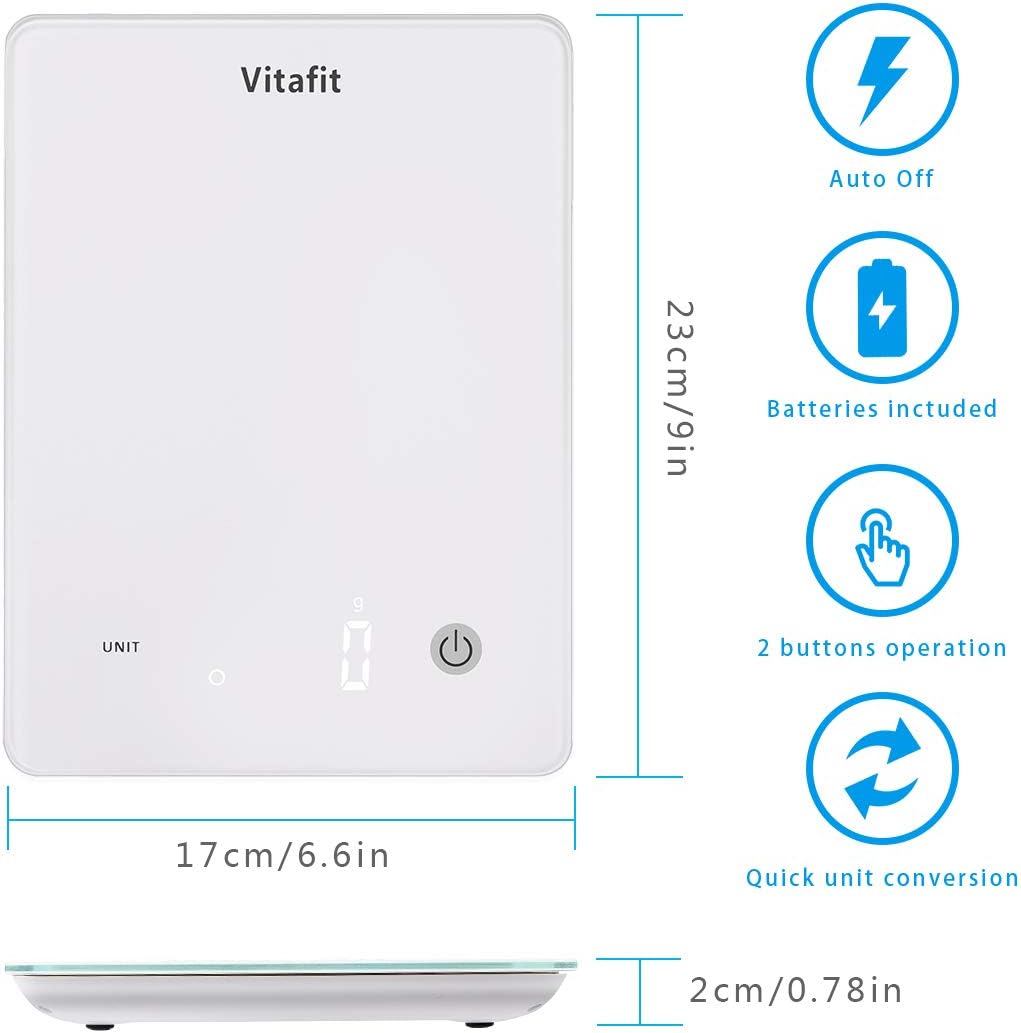
Image: Diagram showing the dimensions of the Vitafit VT571 scale (23cm x 17cm x 2cm) and icons for auto-off, batteries included, 2-button operation, and quick unit conversion.
- Penggantian Bateri:
When the 'Lo' indicator appears on the display, it is time to replace the batteries. Refer to the 'Battery Installation' section under Setup.
Menyelesaikan masalah
- Bacaan Tidak Tepat:
- Ensure the scale is placed on a hard, flat, and level surface.
- Avoid placing the scale near strong air currents or vibrations.
- Wait a few seconds for the reading to stabilize after placing an item.
- 'Lo' Display:
Indicates low battery. Replace the 3 AAA batteries.
- 'O-Ld' Display:
Indicates overload. The weight on the scale exceeds its maximum capacity (10 kg / 22 lbs). Remove the item immediately to prevent damage.
- Skala Tidak Dihidupkan:
Periksa sama ada bateri dipasang dengan betul dan tidak kehabisan kuasa. Gantikan jika perlu.
Spesifikasi
| Ciri | Spesifikasi |
|---|---|
| Jenama | Vitafit |
| Model | VT571 |
| warna | putih |
| Kapasiti Berat | 10 kg (22 lbs) |
| Minimum Weighing | 2 g |
| Ketepatan Bacaan | 1 g |
| Unit Pengukuran | g, kg, oz, lb:oz |
| Jenis Paparan | LED, Digital |
| bahan | Kaca Terbaja |
| Dimensi (L x W x H) | 23 cm x 17 cm x 2.2 cm (9 in x 6.6 in x 0.78 in) |
| Sumber Kuasa | 3 x Bateri AAA |
| Ciri Khas | Auto Shut Off, Backlit Display, Tare Function |
| UPC | 659103933120 |
Maklumat Waranti
This Vitafit Digital Kitchen Food Scale is covered by a Waranti 5 tahun from the date of purchase. This warranty covers manufacturing defects and material flaws under normal use. Please retain your proof of purchase for warranty claims.
Waranti ini tidak meliputi kerosakan yang disebabkan oleh salah guna, kemalangan, pengubahsuaian tanpa kebenaran atau kegagalan untuk mematuhi arahan dalam manual ini.
Sokongan Pelanggan
For any questions, technical assistance, or warranty claims, please contact Vitafit customer support through the retailer's platform or visit the official Vitafit weblaman web untuk maklumat hubungan.