
1. Produk Lebihview
The Dorcy Active Series 4AA LED Mini Lantern, Model 41-1010, is a portable lighting device designed for various uses. It provides 40 lumens of light output and can operate for over 70 hours on a single set of batteries. The lantern offers 360-degree illumination and includes a built-in hang hook within its handle for versatile placement. It is powered by 4 AA cell batteries and features a side-mounted dial switch for operation.
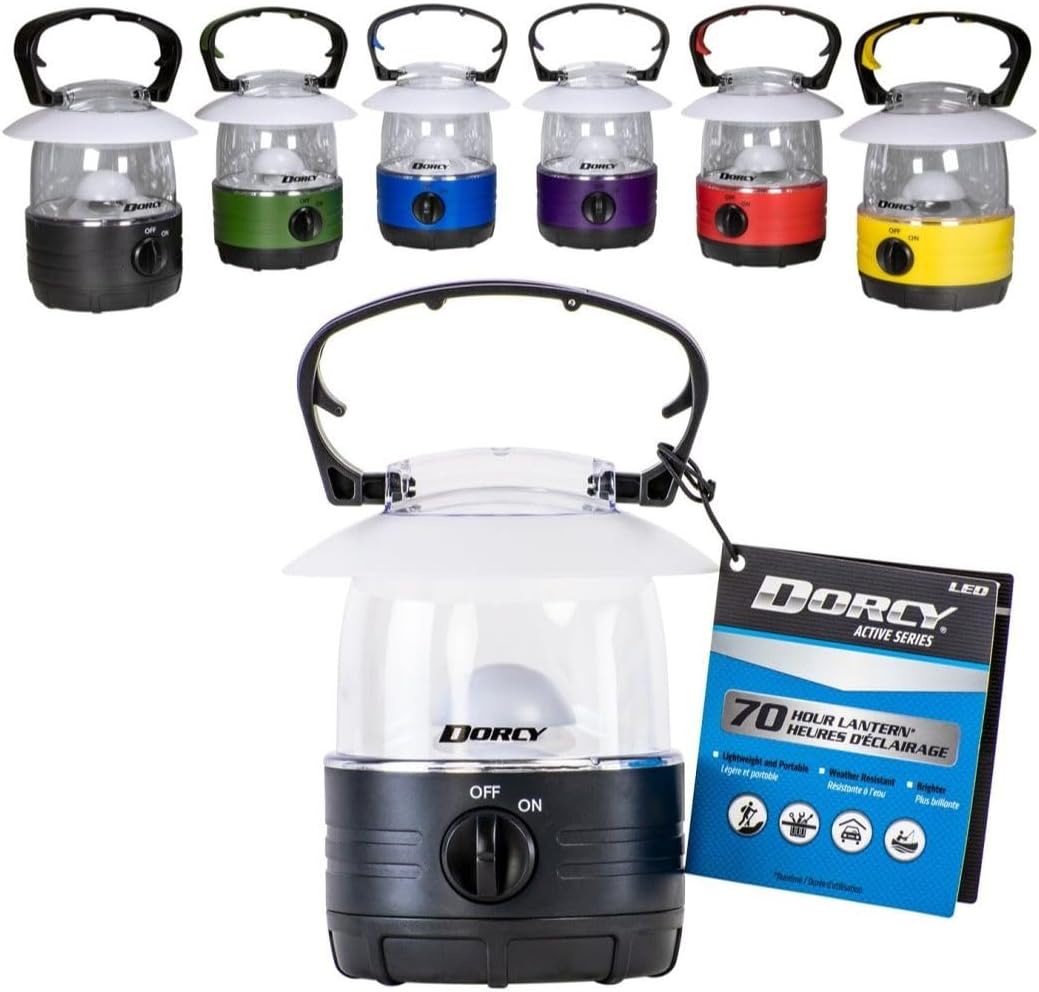
Image 1.1: Assorted Dorcy 40 Lumens LED Lanterns in various colors, including black, green, blue, purple, red, and yellow. One lantern is shown with its retail packaging, highlighting its 70-hour run time and LED technology.
2. Persediaan dan Pemasangan Bateri
The Dorcy LED Lantern requires 4 AA batteries for operation. Follow these steps to install or replace the batteries:
- Locate the battery compartment cover at the base of the lantern.
- Putar penutup lawan arah jam untuk membuka dan menanggalkannya.
- Masukkan empat (4) bateri AA ke dalam petak, pastikan kekutuban (+/-) betul seperti yang ditunjukkan di dalam petak.
- Replace the battery compartment cover and twist it clockwise until it is securely locked.
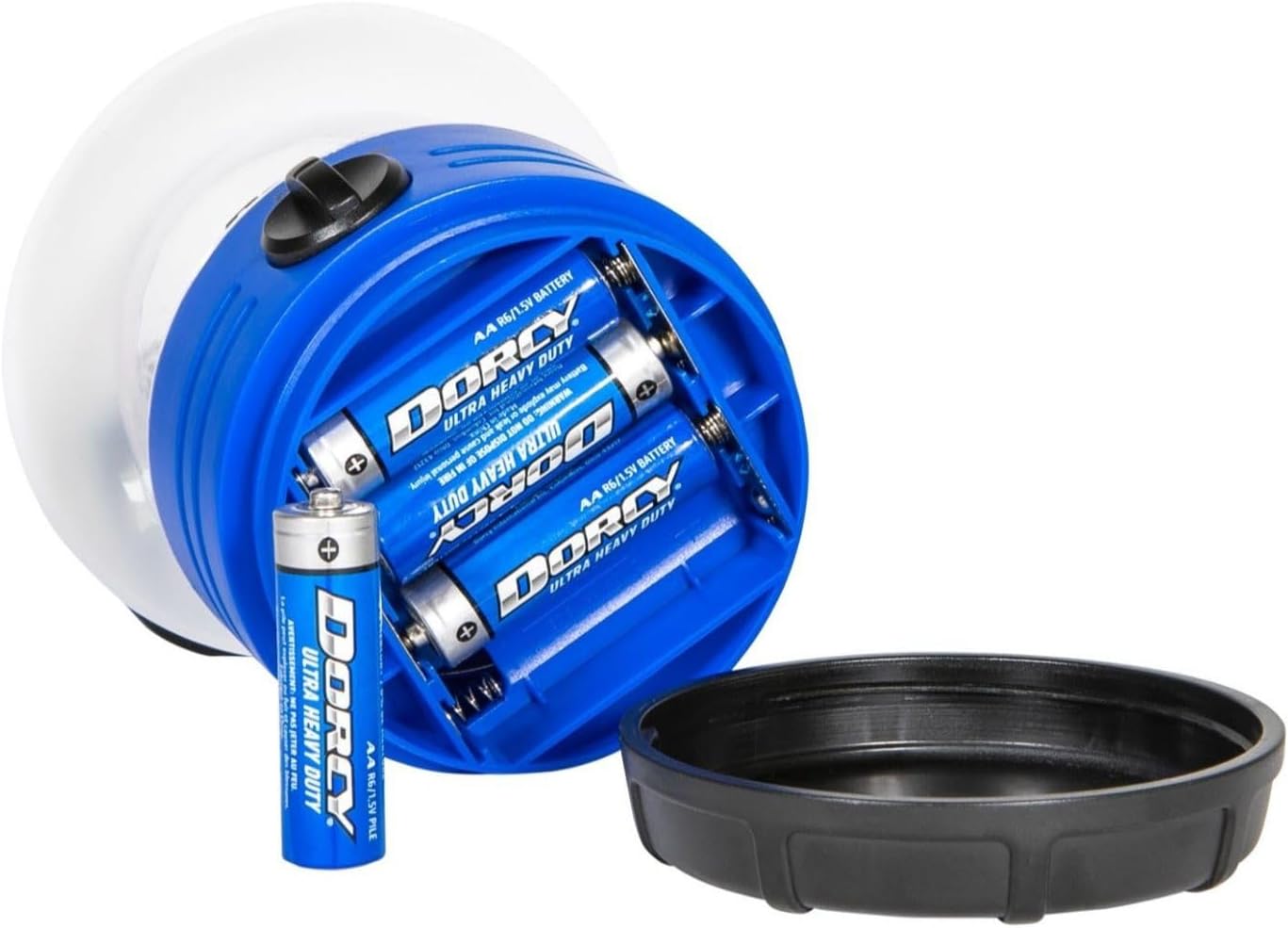
Image 2.1: The base of the Dorcy LED Lantern with the battery compartment cover removed. Four AA batteries are visible inside, along with one battery being inserted, demonstrating the battery installation process.
3. Arahan Operasi
The lantern is designed for straightforward operation:
- Menghidupkan/Mematikan: Use the side-mounted dial switch. Rotate the dial to the 'ON' position to activate the light and to the 'OFF' position to turn it off.
- Carrying and Hanging: The lantern features an integrated handle with a built-in hang hook. Use the handle to carry the lantern or to hang it from a suitable fixture for overhead illumination.

Imej 3.1: Gambar jarak dekat view of the yellow Dorcy LED Lantern, focusing on the black dial switch located on the front. The switch is clearly labeled 'OFF' and 'ON' for easy operation.

Image 3.2: The purple Dorcy LED Lantern is shown with its black and red integrated carry handle extended upwards. The handle allows for easy portability and hanging of the lantern.
4. Penyelenggaraan
To ensure the longevity and optimal performance of your Dorcy LED Lantern, observe the following maintenance guidelines:
- Pembersihan: Wipe the exterior of the lantern with a soft, dry cloth. Do not use abrasive cleaners or solvents.
- Penggantian Bateri: Replace all four AA batteries simultaneously when the light output begins to dim. Do not mix old and new batteries or different battery types.
- Storan: If storing the lantern for an extended period, remove the batteries to prevent leakage and potential damage to the device.
- Tahan Air: This lantern is tidak kalis air. Avoid exposing it to rain, splashes, or immersion in water to prevent damage to internal components.
5. Penyelesaian masalah
If your Dorcy LED Lantern is not functioning as expected, consider the following:
- Lampu Tidak Dihidupkan:
- Check if the dial switch is fully in the 'ON' position.
- Sahkan bahawa bateri dipasang dengan betul dengan kekutuban yang betul.
- Replace the batteries with a fresh set of 4 AA batteries.
- Output Cahaya Malap:
- This typically indicates low battery power. Replace all four AA batteries.
6. Spesifikasi
| Nombor Model | 41-1010 |
| Output Cahaya | 40 Lumen |
| Masa Larian | Lebih 70 jam |
| Sumber Kuasa | 4 Bateri AA (tidak termasuk) |
| Dimensi (L x W x H) | 4.19 x 4.19 x 5.08 inci |
| Berat Barang | 8 auns (0.5 paun) |
| bahan | plastik |
| Tahap Ketahanan Air | Bukan Tahan Air |
| Jenis Pemasangan | Pemasangan Atas Meja |
| Komponen yang Disertakan | Cahaya |
| Pengeluar | DORCY INTERNATIONAL INC |
| UPC | 035355410105 |
7. Waranti dan Sokongan
For information regarding warranty coverage, product support, or to inquire about replacement parts, please contact Dorcy International Inc. directly through their official customer service channels. Keep your purchase receipt as proof of purchase for any warranty claims.