
SUNITEC BC920
SUNITEC BC920 Bluetooth Car Speaker User Manual
Hands-Free Bluetooth Car Speaker for Cell Phone
1. Produk Lebihview
The SUNITEC BC920 is a versatile Bluetooth car speaker designed to provide clear, hands-free communication and audio streaming in your vehicle. It features advanced DSP noise-cancellation technology for crystal-clear calls and supports voice assistants like Siri and Google Assistant for safe driving.

Imej: Depan view of the SUNITEC BC920 Bluetooth Car Speaker, showing its compact design and control buttons.
2. Kandungan Pakej
Sila tandai kotak untuk item berikut:
- SUNITEC BC920SA Bluetooth Car Kit
- Pengecas kereta
- Kabel pengecas USB
- Quick user guide / User Manual

Image: Back of the SUNITEC BC920 product box, detailing key features and package contents.
3. Reka Letak Peranti
Familiarize yourself with the buttons and ports on your SUNITEC BC920 speakerphone.
- Butang panggilan: Answer/End calls, Redial.
- Kelantangan Naik (+): Tingkatkan kelantangan.
- Perlahankan suara (-): Kurangkan volum.
- Butang Bisukan: Bisukan/nyahbisu mikrofon.
- Suis kuasa: Hidup/Mati.
- Port USB Mikro: Untuk mengecas.
- Klip Pelawat: For attaching to car visor.

Imej: Jarak dekat view of the SUNITEC BC920, highlighting the call button, volume controls, and mute button.
4. Persediaan dan Pengecasan
4.1 Pengecasan Awal
Before first use, fully charge the SUNITEC BC920. Connect the provided USB charging cable to the Micro USB port on the device and the other end to the car charger or a standard USB power adapter (not included). The LED indicator will show charging status.
The device features a long-lasting battery, providing up to 22 hours of talk time and 1000 hours of standby time on a full charge.

Image: Illustration showing the SUNITEC BC920 and its impressive battery life, with icons for 22 hours talk time and 1000 hours standby time.
4.2 Menghidupkan/Mematikan
- Untuk Menghidupkan: Slide the power switch to the "ON" position. You will hear a voice prompt "Power On".
- Untuk Mematikan: Slide the power switch to the "OFF" position. You will hear a voice prompt "Power Off".
The device also features an auto power on/off function. A built-in vibration sensor automatically turns on the car kit when it detects car door opening, allowing it to reconnect with your phone. When the device is not in use for a period, it will turn off automatically to save battery.

Image: Visual representation of the SUNITEC BC920's auto power-on feature, showing the device activating when a car door is opened.
4.3 Berpasangan Bluetooth
To connect the SUNITEC BC920 to your mobile phone:
- Ensure the speakerphone is powered on.
- On your phone, go to Bluetooth settings and enable Bluetooth.
- Cari untuk available devices. The speakerphone will appear as "BC920".
- Select "BC920" to pair. You will hear a voice prompt "Pairing" and then "Connected" upon successful connection.
The SUNITEC BC920 supports connecting two Bluetooth cell phones simultaneously, allowing for easy switching between music and calls from different devices.

Image: Diagram illustrating the dual connection capability of the SUNITEC BC920, showing two smartphones connected simultaneously.
5. Arahan Operasi
5.1 Membuat dan Menerima Panggilan
- Menjawab Panggilan: Tekan ke Butang panggilan sekali.
- Menamatkan Panggilan: Tekan ke Butang panggilan sekali semasa panggilan.
- Menolak Panggilan: Tekan dan tahan butang Butang panggilan selama 2 saat.
- Mendail Semula Nombor Terakhir: Tekan dua kali pada Butang panggilan.
- Melaraskan Kelantangan: Gunakan Kelantangan Naik (+) dan Perlahankan suara (-) butang.
- Mikrofon Diredam: Tekan ke Butang Redam during a call. Press again to unmute.
The built-in 2W powerful speaker and DSP noise-cancellation technology ensure clear calls and high-quality audio even in noisy environments.

Image: Graphic highlighting the clear speech and high-quality audio features of the SUNITEC BC920, with sound waves emanating from the speaker.
5.2 Pembantu Suara (Pembantu Siri/Google)
The SUNITEC BC920 supports voice assistants, allowing you to make calls, send texts, or get driving directions hands-free, enhancing driving safety.
- Mengaktifkan Pembantu Suara: Tekan dan tahan butang Butang panggilan for 2 seconds to activate Siri (iOS) or Google Assistant (Android).
- Once activated, you can issue commands such as:
- "Hubungi [Nama Orang Hubungan]"
- "Text [Contact Name] [Message]"
- "Show me directions to [Destination]"
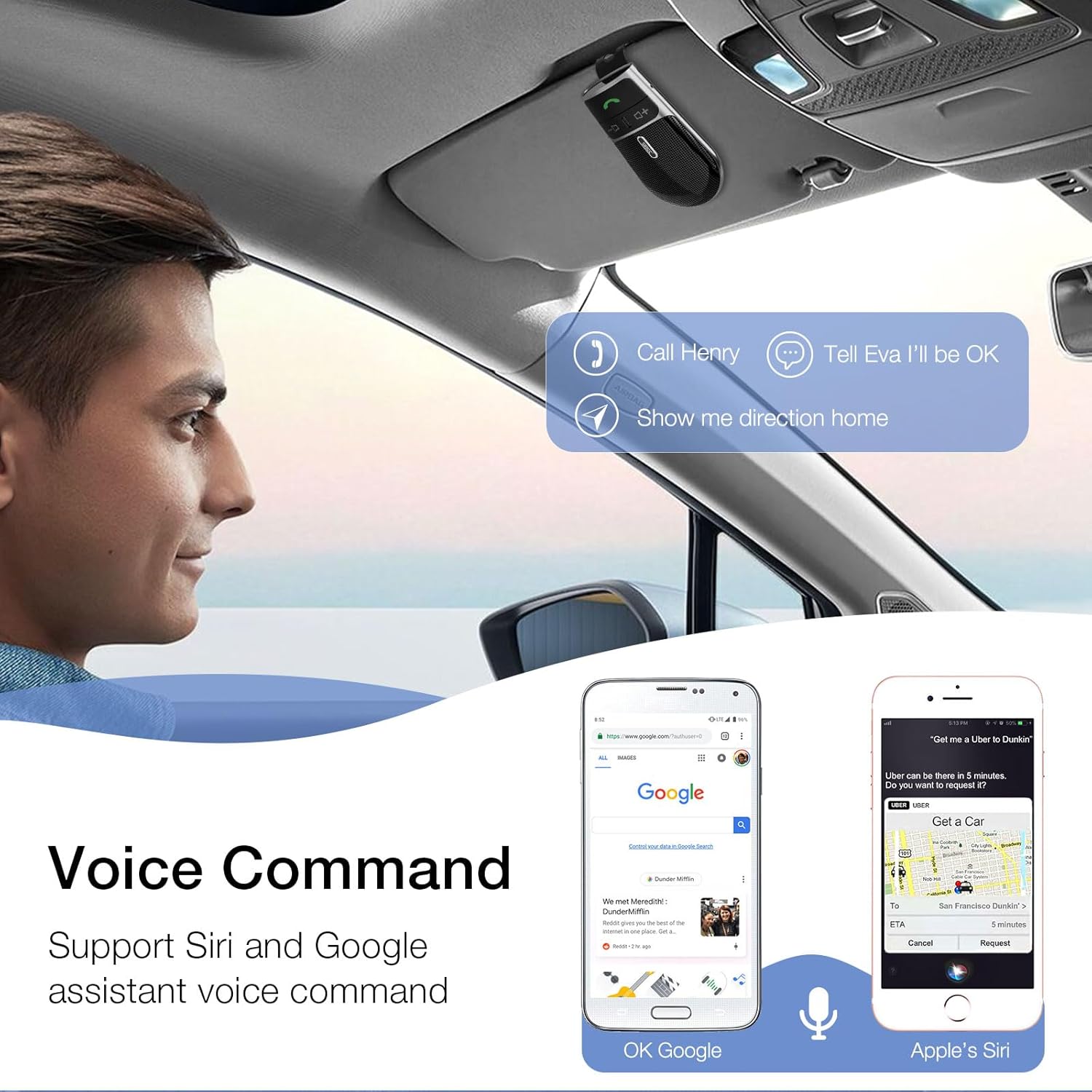
Image: A user in a car interacting with the SUNITEC BC920 to use voice commands for calling, texting, and navigation via Siri or Google Assistant.
5.3 Panduan Suara
The device provides clear voice prompts for various operational statuses, making it easy to use without visual confirmation.
- "Power On"
- "Power Off"
- "Pairing"
- "Connected"
- "Disconnected"
- "Battery Low"
Image: Depiction of the SUNITEC BC920 providing voice guidance, with a list of common voice prompts.
6. Penyelenggaraan
- Bersihkan peranti dengan kain lembut dan kering. Jangan gunakan pembersih atau pelarut yang melelas.
- Jauhkan peranti daripada suhu yang melampau, kelembapan dan cahaya matahari langsung.
- Do not disassemble the device. This will void the warranty and may cause damage.
- Simpan di tempat yang sejuk dan kering apabila tidak digunakan untuk tempoh yang lama.
7. Penyelesaian masalah
| Masalah | Kemungkinan Punca | Penyelesaian |
|---|---|---|
| Peranti tidak dihidupkan. | Bateri habis. | Cas peranti sepenuhnya. |
| Tidak boleh digandingkan dengan telefon. | Bluetooth is off on phone; device not in pairing mode; too many paired devices. | Ensure phone Bluetooth is on. Restart both devices. Clear previous Bluetooth connections on your phone. |
| Kualiti audio yang teruk semasa panggilan. | Low battery; interference; device too far from phone. | Charge the device. Move closer to your phone. Avoid sources of strong electromagnetic interference. |
| Pembantu suara tidak bertindak balas. | Not activated correctly; phone settings. | Ensure you press and hold the Call Button for 2 seconds. Check voice assistant settings on your phone. |
8. Spesifikasi
| Ciri | Perincian |
|---|---|
| Nombor Model | BC920 |
| Dimensi Produk | 4.5 x 2.6 x 1 inci |
| Berat Barang | 2.2 auns |
| Bateri | 1 bateri Polimer Litium (termasuk) |
| Teknologi Ketersambungan | Bluetooth |
| Sumber Kuasa | Dikuasakan Bateri |
| bahan | plastik |
| Ciri Khas | DSP Noise Cancellation, Microphone |
| Masa Berbual | Sehingga 22 Jam |
| Masa Tunggu Sedia | Sehingga 1000 Jam |
9. Maklumat Keselamatan
Proper usage while driving and battery handling precautions are essential. Always refer to the full user manual for comprehensive safety warnings.
- Jangan kendalikan peranti dengan cara yang mengalih perhatian anda daripada memandu. Sentiasa mengutamakan keselamatan jalan raya.
- Jangan dedahkan peranti kepada air atau kelembapan berlebihan.
- Elakkan suhu yang melampau.
- Lupuskan bateri mengikut peraturan tempatan. Jangan bakar.
10. Waranti dan Sokongan
SUNITEC offers a customer-friendly policy for its products:
- Waranti: 365 Days free return for any problems.
- Perkhidmatan Pelanggan: Expect a quick response within 24 hours for inquiries.
For further assistance, please contact SUNITEC support:
- telefon: 0755-36863386 / 26863387 / 36863389
- e-mel: support@sunitec.net
- Webtapak: www.sunitec.net/en/

Image: Information regarding SUNITEC's customer service, including contact details and warranty period.
Ask a question about this manual
Ask about setup, troubleshooting, compatibility, parts, safety, or missing instructions. Manuals+ will review the question and use this page’s manual context to help answer it.