
Zerone H980
Zerone Mini Portable LED Projector User Manual
Model: H980
pengenalan
Terima kasih kerana membeliasing the Zerone Mini Portable LED Projector. This compact and versatile projector is designed to provide an immersive home theater experience, allowing you to enjoy movies, videos, and games in a dark environment, whether at home or outdoors. With its multiple input interfaces and long-life LED light source, it offers a convenient and environmentally friendly solution for your entertainment needs.
This manual provides essential information on setting up, operating, and maintaining your projector to ensure optimal performance and longevity. Please read it thoroughly before use and keep it for future reference.
Kandungan Pakej
Selepas membuka pakej, sila sahkan bahawa semua item yang disenaraikan di bawah ada dan dalam keadaan baik:
- 1 x Zerone Mini Portable LED Projector
- 1 x Remote Control (bateri tidak disertakan)
- 1 x Penyesuai Kuasa (Palam AS)
- 1 x AV Cable
- 1 x Manual Pengguna (dokumen ini)

Figure 1: Zerone Mini Portable LED Projector and its accessories. The image shows the compact white and yellow projector, a black remote control, a black power adapter with a US plug, and a black AV cable with red, white, and yellow connectors.
Produk Selesaiview
The Zerone Mini Portable LED Projector is designed for ease of use and portability. It features a compact form factor, making it suitable for various environments. Below is an overview daripada komponen dan ciri-ciri utamanya.

Rajah 2: Atas-bawah view of the projector's input and control panel. Visible ports include MicroSD, AV, and a 3.5mm earphone port. Control buttons are also visible on the top surface.
Ciri-ciri Utama:
- 1500lm High Brightness: Delivers clear and vibrant images.
- Resolusi Asli: 320 x 240P, supporting up to 1080P HD input.
- Long-Life LED Light Source: 30,000 hours of operation, environmentally friendly.
- Multiple Input Interfaces: HDMI, USB, AV, VGA, Micro Secure Digital, 3.5mm Earphone Port.
- Reka Bentuk Mudah Alih: Small and lightweight for easy transport.

Figure 3: Connectivity options for the projector. This diagram illustrates how various devices such as laptops, desktop PCs, U disks/TF cards, DVD/VCD players, game consoles, TV boxes, and HDMI players can connect to the projector via its HDMI, AV, USB, VGA, and Micro SD inputs.
Persediaan
1. Sambungan Kuasa:
- Connect the provided power adapter to the "DC IN" port on the projector.
- Palamkan penyesuai kuasa ke soket elektrik standard.
- Lampu penunjuk kuasa pada projektor akan menyala.
2. Positioning the Projector:
Place the projector on a stable, flat surface. Ensure there is adequate ventilation around the unit to prevent overheating. The ideal projection distance ranges from 1.0 to 2.8 meters (approximately 3.3 to 9.2 feet) to achieve a screen size of 24 to 60 inches.
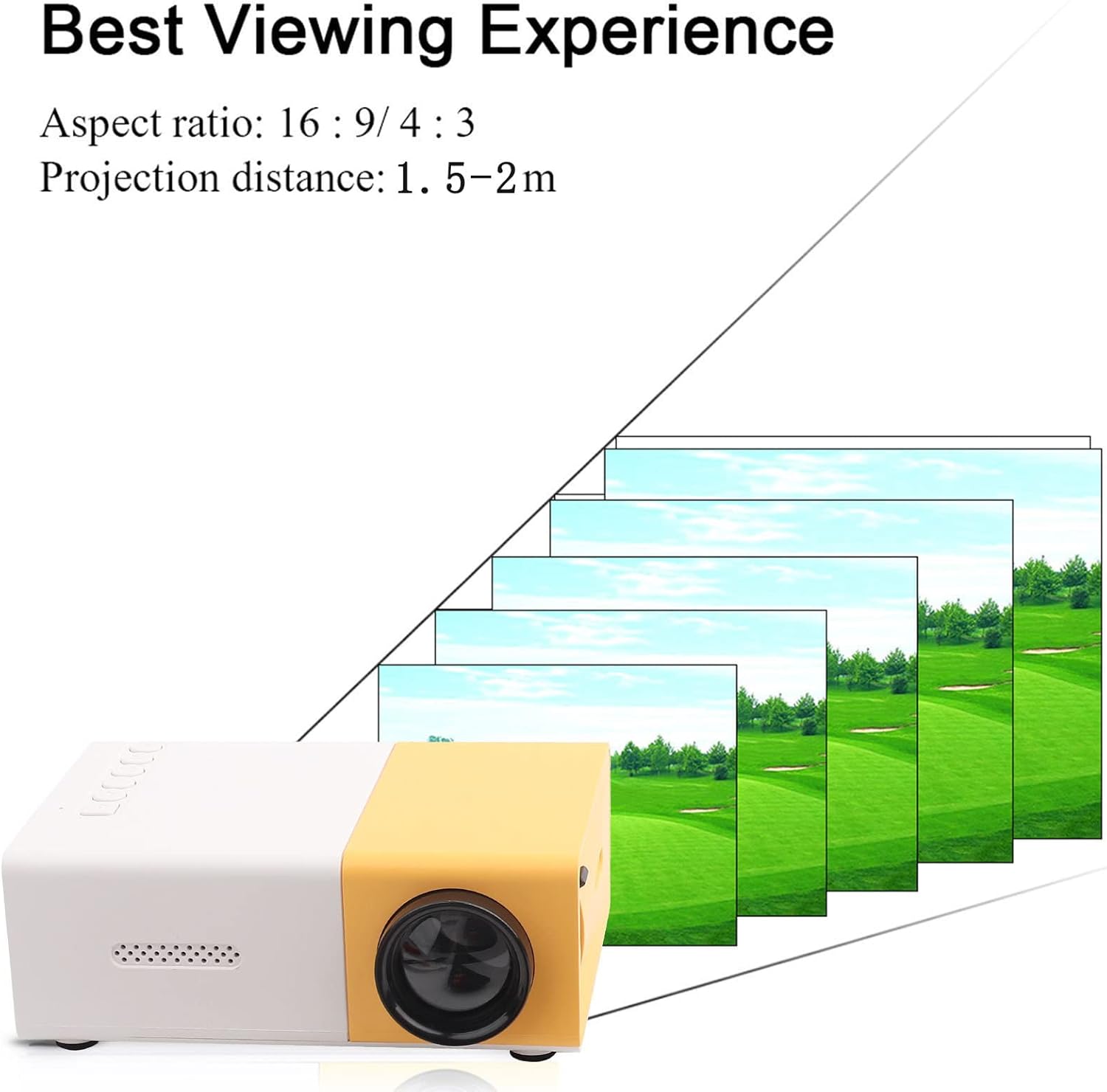
Rajah 4: Terbaik Viewing Experience. This image shows the projector projecting onto a screen, with text indicating an aspect ratio of 16:9/4:3 and a projection distance of 1.0-2.8m. It visually represents how the image size changes with distance.
3. Menyambung Peranti Input:
Connect your desired media device (e.g., laptop, TV box, game console, USB drive) to the appropriate port on the projector:
- HDMI: Untuk video dan audio definisi tinggi.
- USB: Untuk bermain media files terus daripada pemacu denyar USB.
- DARI: For connecting devices using the included AV cable (e.g., older DVD players).
- VGA: For connecting computers.
- Micro Secure Digital (MicroSD): Untuk bermain media files terus daripada kad MicroSD.
- 3.5mm Earphone Port: Untuk menyambungkan fon kepala atau pembesar suara luaran.
Arahan Operasi
1. Menghidupkan/Mematikan:
Tekan butang kuasa pada projektor atau alat kawalan jauh untuk menghidupkan atau mematikan unit.
2. Focusing the Image:
The projector features manual focusing. Rotate the focus ring on the lens until the projected image appears clear and sharp on the screen.
3. Memilih Sumber Input:
Use the "Source" button on the projector or remote control to cycle through the available input sources (HDMI, USB, AV, VGA, MicroSD) until your connected device's content is displayed.
4. Adjusting Aspect Ratio:
The projector supports aspect ratios of 16:9 and 4:3. You can adjust this setting via the projector's menu or remote control to best suit your content.
5. Main Balik Media:
When playing media from USB or MicroSD, navigate through files using the remote control's directional buttons and "OK" button. The projector supports a wide range of formats:
- Audio Files: MP3, WMA, OGG, AAG, FLAC, APE, WAV
- Imej Files: JPEG, BMP, PNG
- Video Files: Supports Full Format Files
- Teks Files: TXT
Penyelenggaraan
1. Membersihkan Lensa:
Gunakan kain lembut dan bebas bulu yang direka khas untuk kanta optik untuk mengelap kanta projektor dengan lembut. Elakkan menggunakan pembersih yang kasar atau daya yang berlebihan, kerana ini boleh menggaru kanta.
2. Membersihkan Badan Projektor:
Wipe the exterior of the projector with a soft, dry cloth. Do not use liquid cleaners or solvents.
3. Pengudaraan:
Ensure that the ventilation vents on the projector are not blocked. Proper airflow is crucial to prevent overheating and maintain the lifespan of the LED light source.
4. Storan:
When not in use for extended periods, store the projector in a cool, dry place, away from direct sunlight and excessive dust. It is recommended to use the original packaging or a protective case.
Menyelesaikan masalah
| Masalah | Kemungkinan Punca | Penyelesaian |
|---|---|---|
| Tiada imej yang diunjurkan. |
|
|
| Imej kabur. |
|
|
| Tiada bunyi. |
|
|
| Projektor terlalu panas atau mati. |
|
|
Spesifikasi
| Ciri | Perincian |
|---|---|
| Sumber Cahaya | LED, 30,000 hours lifespan |
| Resolusi Asli | 320 x 240P |
| Kecerahan | 1500lm |
| Nisbah Kontras | 800:1 |
| Mod Fokus | Pemfokusan Manual |
| Warna Boleh Dipamerkan | 1.67M |
| Nisbah Aspek | 16:9 / 4:3 |
| Jarak Unjuran | 1.0 - 2.8m |
| Saiz Skrin Tayangan | 24 - 60 inci |
| Kuasa Input | DC12V-2A |
| Dimensi | Approx. 127 x 81.5 x 48.5mm (5 x 3.2 x 1.9in) |
| Berat badan | Lebih kurang 500g (1.1 paun) |
| Antara muka | 1 x HDMI, 1 x USB, 1 x AV, 1 x VGA, 1 x Micro Secure Digital, 1 x 3.5mm Earphone Port |
Waranti dan Sokongan
For warranty information and technical support, please refer to the purchase documentation or contact your retailer. Keep your proof of purchase for any warranty claims.
For further assistance, you may also visit the official Zerone store on Amazon: Zerone Store.
Ask a question about this manual
Ask about setup, troubleshooting, compatibility, parts, safety, or missing instructions. Manuals+ will review the question and use this page’s manual context to help answer it.