
1. Pengenalan
This manual provides detailed instructions for the safe and efficient operation of your COSOOS MiBOXER C4-12 Universal 4-Bay Smart Battery Charger. This intelligent charger is designed to accommodate a wide range of rechargeable battery types and sizes, offering advanced features such as rapid charging, temperature control, and comprehensive display information. Please read this manual thoroughly before first use to ensure proper functionality and safety.

Image 1: The COSOOS MiBOXER C4-12 Smart Battery Charger and its included power adapter.
2. Maklumat Keselamatan
Sila baca semua amaran dan arahan keselamatan sebelum menggunakan produk ini. Kegagalan mematuhi arahan ini boleh mengakibatkan renjatan elektrik, kebakaran atau kecederaan serius.
- Keselamatan Umum: Always use the charger in a dry, well-ventilated area. Avoid exposure to water, high temperatures, or direct sunlight.
- Keserasian Bateri: Only charge compatible rechargeable batteries as specified in this manual. Attempting to charge non-rechargeable batteries or incompatible types may cause explosion or leakage.
- Kawalan Suhu: The charger features intelligent temperature control. If the battery temperature exceeds 60℃ (140℉), the charging speed will be reduced. If it exceeds 70℃ (158℉), charging will stop automatically.
- Perlindungan Lebihan: The charger automatically stops charging when batteries are fully charged to prevent overcharging.
- Reverse Polarity & Short Circuit Protection: The charger is equipped with protection against incorrect battery insertion and short circuits. An error symbol will be displayed if detected.
- Fungsi Pengaktifan: The smart charger can activate over-discharged batteries.
- Penyeliaan: Do not leave the charger unattended during operation, especially when charging for the first time.
- kerosakan: If the charger or power adapter is damaged, discontinue use immediately and contact customer support.

Image 2: The charger features multiple protection mechanisms including flame-retardant materials, reverse battery protection, and short circuit protection.
3. Kandungan Pakej
Sahkan bahawa semua item terdapat dalam pakej anda:
- 1 x COSOOS MiBOXER C4-12 Smart Battery Charger (Batteries not included)
- 1 x Penyesuai Kuasa (12V/5A)
- 1 x Manual Pengguna
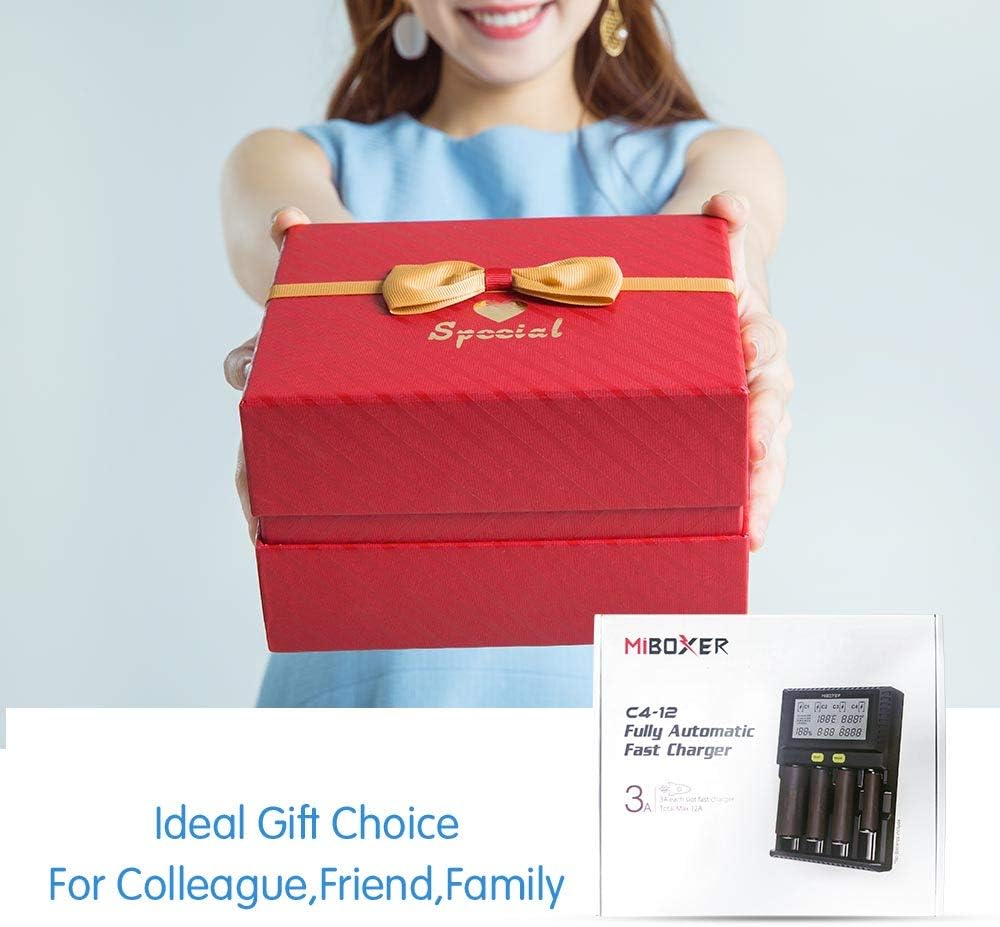
Image 3: The package includes the C4-12 charger, power adapter, and user manual.
4. Spesifikasi
| Parameter | Nilai |
|---|---|
| Model | C4-12 |
| Dimensi | 6.2in x 4.7in x 1.7in (15.7sm x 11.9sm x 4.3sm) |
| Berat badan | 485g (1.07 lbs) |
| bahan | Fireproofing PC+ABS |
| Input Voltage / Semasa | DC 12V 5A |
| Output Current (Li-ion) | Maximum 4*3A |
| Output Current (Ni-MH/Ni-Cd) | Maximum 4*1A |
| Compatible Li-ion Batteries | 10340, 10350, 10440, 10500, 12340, 12500, 12650, 13450, 13500, 13650, 14350, 14430, 14500, 14650, 16500, 16340 (RCR123), 16650, 17350, 17500, 17650, 17670, 18350, 18490, 18500, 18650, 18700, 20700, 21700, 22500, 22650, 25500, 26500, 26650 (4.2V, 4.35V, 3.6V LiFePO4) |
| Compatible Ni-MH/Ni-Cd Batteries | AA, AAA, AAAA, C, SC (1.48V) |
| Paparan | LCD pelbagai fungsi |
5. Persediaan
- Bongkar: Tanggalkan pengecas dan semua aksesori daripada pembungkusan dengan berhati-hati.
- Sambungkan Kuasa: Insert the DC plug of the power adapter into the input port on the back of the charger. Plug the AC end of the power adapter into a standard wall outlet (AC 90-260V). The LCD display will illuminate.
- Paparan Awal: Upon power-up, the LCD will show a brief self-test, then display 'NULL' for empty slots.
6. Arahan Operasi
The C4-12 charger features four independent charging bays, allowing simultaneous charging of different battery types.
6.1 Memasukkan Bateri
- Identify the correct polarity (+/-) on your battery and the charger slot.
- Gently slide the battery into an empty charging slot, ensuring proper contact with the positive and negative terminals. The spring-loaded negative pole slide track accommodates various battery lengths.
- The charger will automatically detect the battery type (Li-ion, Ni-MH/Ni-Cd) and begin charging. The LCD will display charging information for that slot.
6.2 Memahami Paparan LCD
The large LCD display provides real-time information for each charging slot:
- Jenis Bateri: Indicates detected battery chemistry (e.g., Li-ion 4.2V, Ni-MH/Ni-Cd).
- Voltage (V): Bateri semasa voltage.
- Semasa (A): Current charging amppemadam.
- Masa Pengecasan: Elapsed charging duration.
- Battery Capacity (mAh/mWh): Accumulated charge capacity.
- Internal Resistance (mΩ): Displays the battery's internal resistance.
- Suhu (℃/℉): Real-time battery temperature.
- Bateri Percentage: Anggaran tahap caj.
- Charge Symbol: Menunjukkan pengecasan aktif.

Image 4: The LCD provides rich information including battery type, temperature, internal resistance, current, voltage, and charge status.
6.3 Mode and Slot Buttons
Use the 'SLOT' and 'MODE' buttons to interact with the charger:
- SLOT Button: Press to cycle through the display information for each individual charging slot.
- Butang MOD: After selecting a slot with the 'SLOT' button, press 'MODE' to change charging parameters (e.g., voltage for Li-ion batteries like 4.2V, 4.35V, or 3.6V LiFePO4). A long press may be required to enter mode selection.
The charger automatically selects the optimum charge current. For Li-ion batteries, the maximum is 3A per bay. For Ni-MH/Ni-Cd batteries, the maximum is 1A per bay.
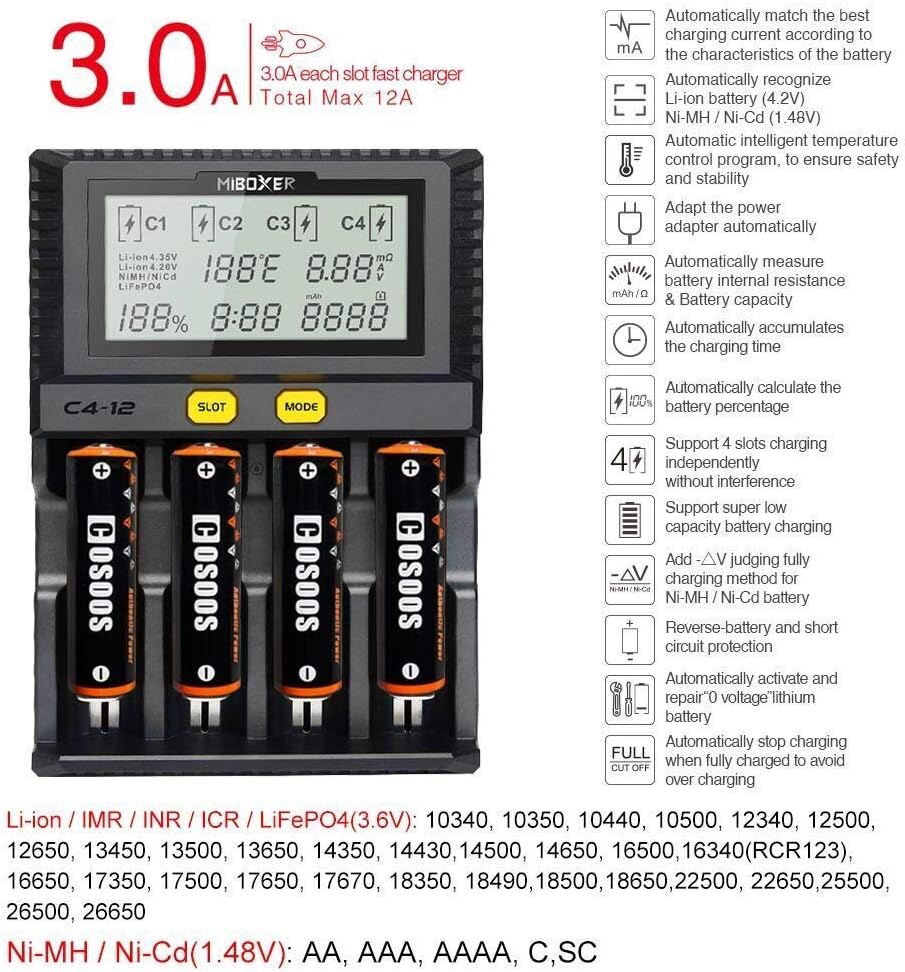
Image 5: Key features include 3A/bay charging for Li-ion, automatic battery recognition, intelligent temperature control, and support for various battery types.
7. Penyelenggaraan
To ensure the longevity and optimal performance of your COSOOS MiBOXER C4-12 charger:
- Pembersihan: Putuskan sambungan pengecas daripada kuasa sebelum membersihkan. Gunakan kain lembut dan kering untuk mengelap permukaan. Jangan gunakan pembersih atau pelarut yang kasar.
- Storan: Simpan pengecas di tempat yang sejuk dan kering jauh dari cahaya matahari langsung dan kelembapan apabila tidak digunakan.
- Pemeriksaan: Periodically inspect the power adapter and charging slots for any signs of damage or wear.
8. Penyelesaian masalah
Jika anda menghadapi masalah dengan pengecas anda, rujuk kepada masalah dan penyelesaian biasa berikut:
| Masalah | Kemungkinan Punca | Penyelesaian |
|---|---|---|
| Display shows 'Error' or 'NULL' | Incorrect battery insertion, short circuit, or incompatible battery. | Ensure battery is inserted with correct polarity. Check for any foreign objects in the slot. Verify battery type is compatible. |
| Bateri tidak dicas | Poor contact, battery too deeply discharged, or charger malfunction. | Re-insert battery, ensuring good contact. The charger may attempt to activate deeply discharged batteries automatically. If not, the battery may be beyond recovery. |
| Charger or battery becomes excessively hot | High ambient temperature, faulty battery, or internal issue. | Ensure adequate ventilation. The charger will reduce current or stop charging if temperature limits are exceeded. If overheating persists, remove battery and discontinue use. |
| LCD backlight dims after 1 minute | Operasi biasa. | This is a power-saving feature. Press any button to re-illuminate. |
9. Waranti dan Sokongan
COSOOS products are manufactured with quality and reliability in mind. For warranty information or technical support, please refer to the contact details provided on the product packaging or visit the official COSOOS webtapak. Simpan resit pembelian anda sebagai bukti pembelian untuk sebarang tuntutan waranti.