
1. Pengenalan
Thank you for choosing the Sygonix PYO-813 Wired Video Intercom System. This manual provides detailed instructions for the safe and efficient installation, operation, and maintenance of your new intercom system. Please read this manual thoroughly before use and retain it for future reference.
2. Arahan Keselamatan
- Ensure all electrical connections are made by a qualified electrician to prevent electric shock or fire hazards.
- Do not expose the outdoor unit to extreme temperatures, direct sunlight for prolonged periods, or heavy rain/snow beyond its water-resistant rating.
- Jangan buka peranti casings. Refer all servicing to qualified personnel.
- Keep the indoor monitor away from water and high humidity.
- Use only the power adapter supplied with the system.
- Before cleaning, disconnect the power supply. Use a soft, dry cloth for cleaning.
3. Kandungan Pakej
Sila semak kandungan pakej untuk memastikan semua item ada dan tidak rosak:
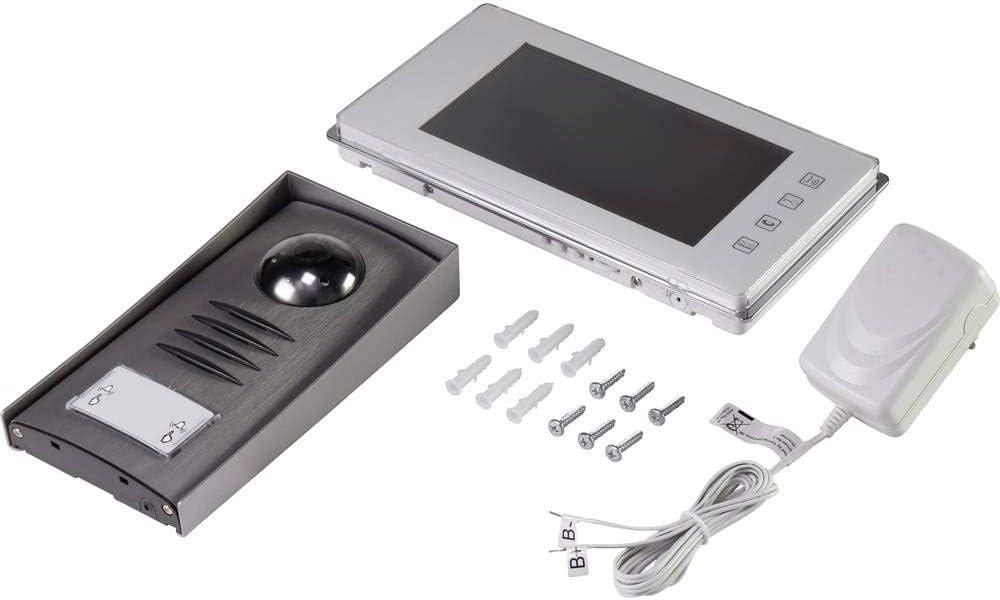
- 1x Outdoor Camera Unit
- 1x Indoor Monitor Unit (7" TFT LCD)
- 1x Penyesuai Kuasa
- Skru Pemasangan dan Palam Dinding
- Manual Pengguna (dokumen ini)
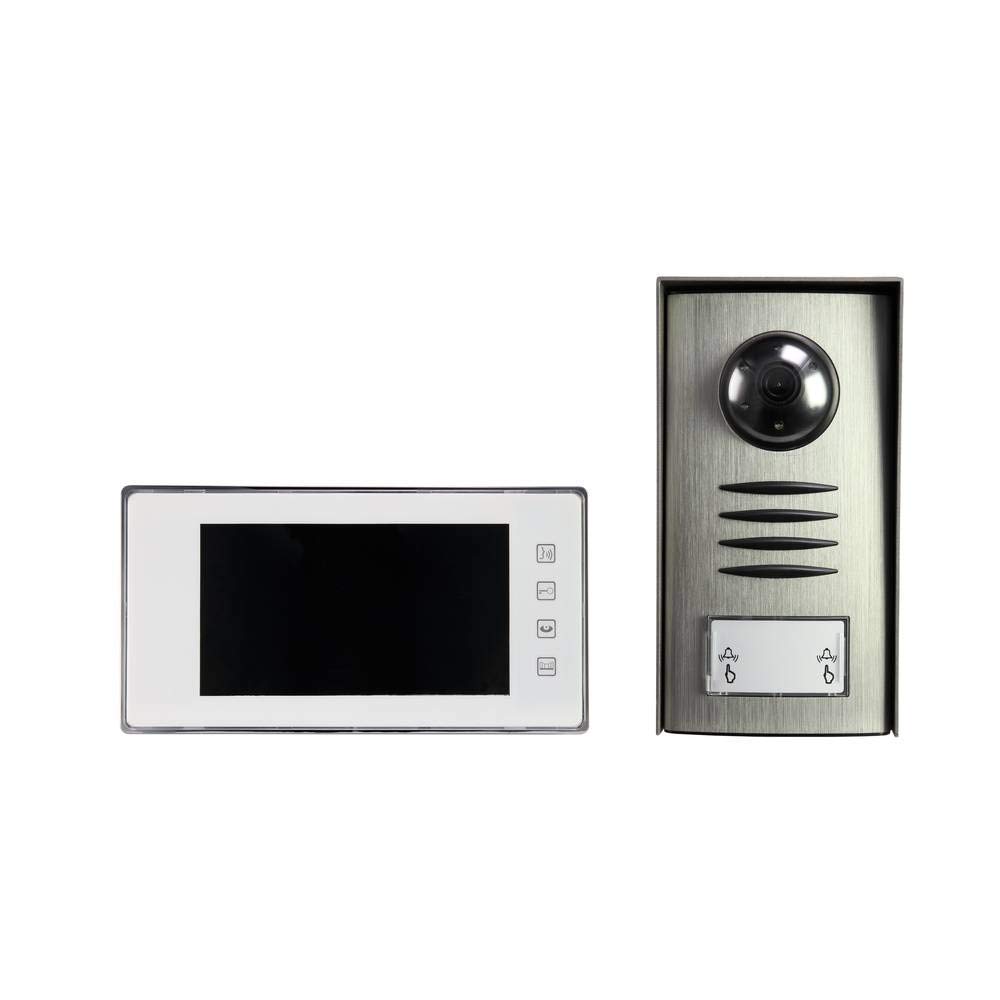
Image: Complete package contents of the Sygonix PYO-813 intercom system.
4. Produk Lebihview
The Sygonix PYO-813 is a wired video intercom system designed for secure and convenient communication with visitors at your door. It features a hands-free system for clear two-way communication.
4.1 Outdoor Camera Unit
- Adjustable Angle Camera: Membolehkan optimum viewkehadiran pelawat.
- Pembesar Suara dan Mikrofon Bersepadu: Mendayakan komunikasi audio dua hala.
- Water-Resistant Casing: Protects components from splashes.
- LED bersepadu: Automatically illuminate in low light conditions for night vision.
- Butang panggilan: For visitors to initiate a call to the indoor monitor.
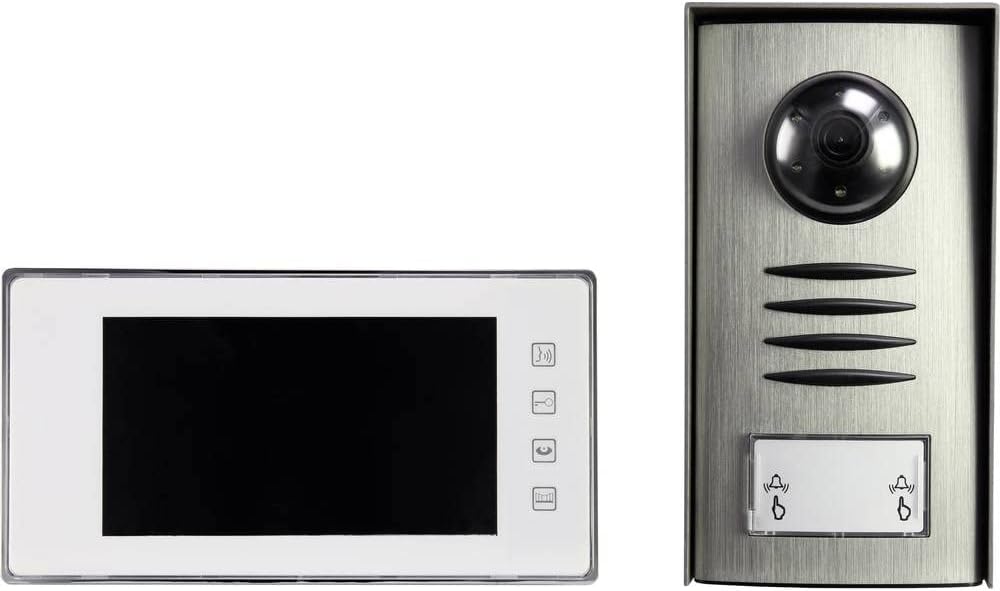
Image: The outdoor camera unit (right) and indoor monitor (left) of the Sygonix PYO-813.
4.2 Indoor Monitor Unit
- Skrin LCD TFT 7": Provides a clear display of the visitor.
- Butang Sentuh: For intuitive control of the system functions.
- Pembesar Suara dan Mikrofon Bersepadu: For hands-free two-way communication.
Imej: Jarak dekat view of the Sygonix PYO-813 indoor monitor and outdoor camera unit.
5. Persediaan dan Pemasangan
Pemasangan yang betul adalah penting untuk prestasi optimum. Adalah disyorkan agar pemasangan dilakukan oleh juruteknik yang berkelayakan.
5.1 Mounting the Outdoor Camera Unit
- Choose a suitable location near your entrance, ensuring it is protected from direct heavy weather and at an appropriate height for visitors.
- Mark the drilling points using the unit as a template.
- Tebuk lubang dan masukkan palam dinding.
- Secure the outdoor unit to the wall using the provided screws.
- Adjust the camera angle as needed for the best view of your entrance area.
5.2 Mounting the Indoor Monitor Unit
- Select a convenient indoor location, typically near the main entrance or in a central living area.
- Mark and drill holes, then insert wall plugs.
- Secure the mounting bracket (if separate) or the monitor directly to the wall.
5.3 Sambungan Pendawaian
Connect the outdoor camera unit to the indoor monitor unit using appropriate wiring (not explicitly listed as included, but implied by "wired intercom"). Ensure all connections are secure and correctly polarized according to the wiring diagram in the full product manual (if available, otherwise general advice).
Connect the power adapter to the indoor monitor unit and then plug it into a suitable power outlet.
Penting: Pastikan bekalan elektrik diputuskan semasa semua prosedur pendawaian.6. Arahan Operasi
6.1 Menerima Panggilan
- Apabila pelawat menekan butang panggil pada unit luaran, monitor dalaman akan berdering dan memaparkan imej pelawat.
- Tekan ke Jawab button (typically a phone icon) on the indoor monitor to establish two-way communication.
6.2 Komunikasi Dua Hala
Once the call is answered, you can speak with the visitor hands-free through the integrated speakers and microphones on both units.
- Untuk menamatkan perbualan, tekan butang Tamatkan Panggilan button (typically a hang-up icon) or wait for the call to automatically disconnect after a set period.
6.3 Monitoring the Entrance
Anda boleh secara manual view the outdoor camera feed at any time without a visitor pressing the call button.
- Tekan ke Pantau button (typically an eye or camera icon) on the indoor monitor to activate the outdoor camera view.
- The integrated LEDs on the outdoor unit will automatically activate in dark conditions to provide clear night vision.
6.4 Melaraskan Tetapan
The indoor monitor may have touch buttons for adjusting settings such as ringtone volume, display brightness, and contrast. Refer to the icons on your monitor for specific functions.
7. Penyelenggaraan
- Pembersihan: Use a soft, dry, lint-free cloth to clean the indoor monitor screen and the outdoor unit lens. Do not use abrasive cleaners or solvents.
- Pemeriksaan: Periodically check all wiring connections for wear or damage.
- Perlindungan Alam Sekitar: Ensure the outdoor unit's water-resistant seals are intact.
8. Penyelesaian masalah
| Masalah | Kemungkinan Punca | Penyelesaian |
|---|---|---|
| Tiada imej pada monitor dalaman. |
|
|
| No sound during communication. |
|
|
| Kualiti imej yang teruk pada waktu malam. |
|
|
9. Spesifikasi
| Jenama: | Sygonix |
| Nombor Model: | SY-3313340 (1656670) |
| Skrin Monitor Dalaman: | LCD TFT 7" |
| warna: | Perak |
| Bahan: | aluminium |
| Jenis Kuasa: | Mains Powered (via included adapter) |
| Dimensi Pakej: | 32.5 x 32.5 x 7 cm |
| Berat: | 9.07 gram |
10. Waranti dan Sokongan
For warranty information, please refer to the documentation provided with your purchase or contact your retailer. For technical support or service inquiries, please contact Sygonix customer service or your local distributor.
Pengeluar: Sygonix