
pengenalan
Thank you for choosing the AGPTEK M16SB 16GB Bluetooth MP3 Player. This manual provides detailed instructions for setting up, operating, and maintaining your device. Please read it carefully to ensure proper use and to maximize your listening experience.
Produk Selesaiview
Biasakan diri anda dengan komponen dan kawalan peranti.

Imej: Depan dan sisi view of the AGPTEK M16SB MP3 player with numbered labels indicating each button and port function.
Definisi Butang:
- kembali: Menavigasi kembali ke menu sebelumnya.
- Bluetooth/FM Radio: Short press for Bluetooth, long press for FM Radio.
- Submenu/Screen-lock: Accesses submenus or locks/unlocks the screen.
- Bergerak ke atas: Menavigasi ke atas dalam menu.
- Previous/Fast rewind: Skips to the previous track or fast rewinds during playback.
- Bergerak ke bawah: Menavigasi ke bawah dalam menu.
- Next/Fast forward: Skips to the next track or fast forwards during playback.
- Enter/Play/Pause: Confirms selection or plays/pauses media.
- Jilid +: Meningkatkan kelantangan.
- Jilid -: Mengurangkan kelantangan.
- Power on/off; Screen on/off: Powers the device on/off or turns the screen on/off.
Pelabuhan dan Ciri-ciri:
- Card slot (TF): For Micro SD card expansion up to 128GB.
- Soket fon telinga: 3.5mm audio output for wired headphones.
- Port USB mikro: Untuk pengecasan dan pemindahan data.
- Pembesar Suara Terbina dalam: Untuk main balik audio tanpa fon kepala.
- Mikrofon (MIC): Untuk rakaman suara.
Persediaan
1. Mengecas Peranti
Before first use, fully charge the MP3 player. A full charge takes approximately 2 hours using a 5V/500mA charger or a computer USB port.

Imej: A person relaxing while listening to the MP3 player, with text indicating "2 HOURS for full charge" and "28-30 hours playtime".
- Connect the Micro USB cable to the player's Micro USB port and the other end to a USB power source.
- Penunjuk bateri pada skrin akan menunjukkan status pengecasan.
- Once fully charged, the device offers up to 28 hours of music playback (screen off, medium volume) or 5 hours via Bluetooth headphones.
2. Hidupkan/Mati Kuasa
- Untuk menghidupkan, tekan dan tahan Butang kuasa (11) sehingga skrin menyala.
- Untuk mematikan, tekan dan tahan Butang kuasa (11) sehingga peranti dimatikan.
- Tekan singkat daripada Butang kuasa (11) will turn the screen on or off.
3. Memasukkan Kad SD Mikro
The device has 16GB of internal memory and supports external Micro SD cards up to 128GB (not included).

Imej: A terperinci view of the MP3 player's side, highlighting the TF card slot with a Micro SD card partially inserted, indicating 16GB internal memory and support for up to 128GB external storage.
- Cari Card slot (TF) (12) on the side of the player.
- Masukkan perlahan-lahan kad SD Mikro ke dalam slot sehingga ia berbunyi klik pada tempatnya.
- Untuk mengeluarkan, tolak kad masuk sedikit sehingga ia keluar.
Arahan Operasi
1. Navigasi Asas
- Gunakan Move up (4) dan Move down (6) buttons to navigate through menus.
- Tekan ke Enter/Play/Pause button (8) untuk memilih pilihan.
- Tekan ke Return button (1) untuk kembali ke skrin sebelumnya.
- Laraskan kelantangan menggunakan Volume + (9) dan Volume - (10) butang di sisi.
2. Main balik Muzik
The player supports MP3, WMA, OGG, APE, FLAC, WAV, AAC-LC, and ACELP audio formats.

Imej: A person holding the AGPTEK MP3 player, displaying the music playback interface with track information and a Bluetooth connection indicator.
- Dari menu utama, pilih "Muzik".
- Browse by Artist, Album, Songs, Playlists, or Folder.
- Tekan Enter/Play/Pause (8) untuk memulakan atau menjeda main semula.
- guna Previous/Fast rewind (5) dan Next/Fast forward (7) to change tracks or fast forward/rewind.
- Access submenus (e.g., Equalizer, Repeat Mode) by pressing the Submenu button (3) semasa main balik.
3. Berpasangan Bluetooth
Connect your MP3 player to Bluetooth headphones or speakers for wireless audio.

Imej: An illustration demonstrating three audio output options for the MP3 player: wired headphones for private listening, the built-in speaker for sharing, and a Bluetooth speaker for party settings.
- Dari menu utama, pilih "Bluetooth".
- Sebagai alternatif, tekan pendek Bluetooth/FM Radio button (2) to quickly enable Bluetooth.
- Ensure your Bluetooth device (headphones/speaker) is in pairing mode.
- Pemain akan mengimbas peranti yang tersedia. Pilih peranti anda daripada senarai untuk dipasangkan.
- The player supports automatic reconnection to previously paired devices.
4. Radio FM
Listen to FM radio stations. Wired headphones must be connected as they act as the antenna.
- Connect wired headphones to the Earphone jack (13).
- Dari menu utama, pilih "Radio FM".
- Alternatively, long press the Bluetooth/FM Radio button (2) to quickly enter FM Radio mode.
- Use the navigation buttons to scan for stations or select from presets.
- The radio function allows saving up to 30 preset stations and supports FM recording.
5. Fungsi Lain
- Perakam Suara: Select "Record" from the main menu to use the built-in microphone for voice recording.
- E-buku: Read TXT format e-books by selecting "E-book".
- Video: Play AMV format videos by selecting "Video".
- Imej Viewer: Browse JPG, GIF, and BMP images by selecting "Pictures".
- tetapan: Access various device settings, including equalizer, volume limit, display brightness, and timed shutdown.
Penyelenggaraan
1. Kemas Kini Perisian Tegar
Free firmware updates are available to improve device performance and add new features.
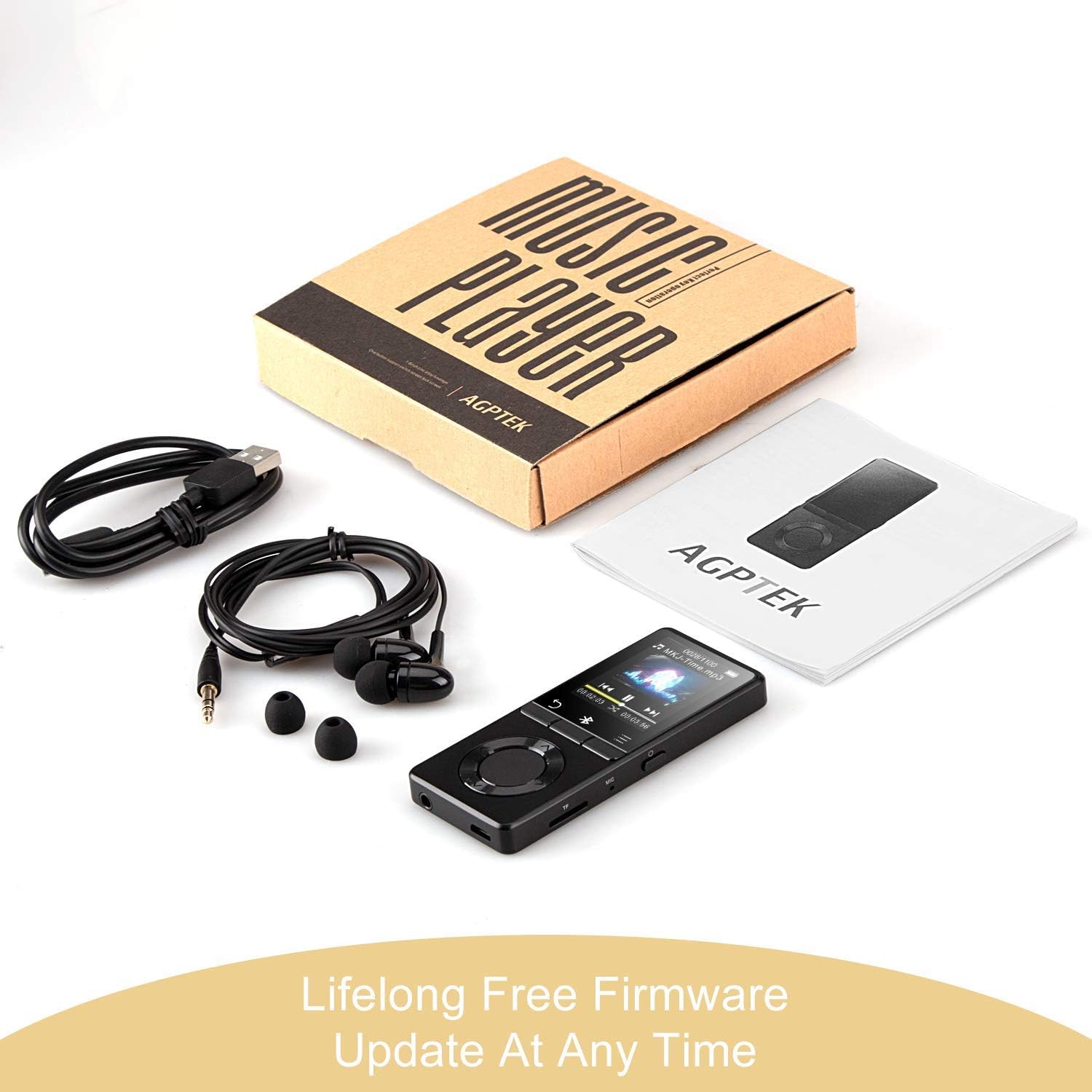
Imej: The AGPTEK MP3 player, its packaging, and included accessories (earphones, USB cable), emphasizing the availability of lifelong free firmware updates.
- Visit the official AGPTEK weblaman web untuk perisian tegar dan arahan terkini.
- Follow the provided instructions carefully to update your device.
2. Pembersihan
- Gunakan kain lembut dan kering untuk membersihkan bahagian luar peranti.
- Elakkan menggunakan pembersih cecair atau bahan yang melelas.
Menyelesaikan masalah
- Peranti tidak dihidupkan: Pastikan bateri dicas. Sambungkan ke pengecas dan cuba lagi.
- Tiada bunyi: Check volume levels. Ensure headphones are properly connected or Bluetooth device is paired and connected. If using the built-in speaker, ensure it is enabled in settings.
- Isu sambungan Bluetooth: Ensure the Bluetooth device is in pairing mode and within range. Disconnect the MP3 player from other Bluetooth devices if it was previously paired elsewhere.
- Filetidak bermain: Verify that the audio/video file format is supported (MP3, WMA, OGG, APE, FLAC, WAV, AAC-LC, ACELP for audio; AMV for video).
- Peranti tidak bertindak balas: Press and hold the Power button for 10-15 seconds to force a reset.
- Micro SD card not detected: Ensure the card is inserted correctly. Try reinserting or using a different card to rule out card issues.
- Issues during PC sync: Avoid altering files directly in the player's window while synced. Make changes on the PC, then re-upload. If the player crashes, perform a long press on the power button to reset.
Spesifikasi
| Jenama | AGPTEK |
| Nama Model | AGPTEK 16GB Bluetooth 4.0 MP3 Player with Touch Buttons |
| Nombor Model | M16SB-EU |
| Teknologi Ketersambungan | Bluetooth |
| Kapasiti Penyimpanan Memori | 16 GB (expandable up to 128 GB with Micro SD card) |
| warna | Hitam |
| Saiz Skrin | 1.8 Inci |
| Peranti Serasi | Headphones, Personal Computer |
| Jenis Media | MP3 |
| Piawaian Audio yang Disokong | AAC, ACELP, APE, FLAC, MP3, OGG, WAV, WMA |
| Standard Video yang Disokong | AMV |
| Supported Image Standards | JPG, GIF, BMP |
| Hayat Bateri (Main Semula Muzik) | Up to 28 hours (screen off, medium volume) |
| Battery Life (Bluetooth Playback) | Sehingga 5 jam |
| Masa Mengecas | lebih kurang 2 jam |
Waranti dan Sokongan
AGPTEK is committed to providing reliable and high-quality products. While specific warranty details are not provided in this manual, AGPTEK offers free firmware updates and customer support.
- For any product issues or inquiries, please contact AGPTEK customer service.
- Refer to the official AGPTEK website for support contact information and the latest firmware updates.