
pengenalan
The Promate Divemate is a versatile wireless in-ear headset designed for active lifestyles. Featuring an IPX8 waterproof rating, it is suitable for various activities including swimming. With 8GB of internal storage, you can enjoy music directly from the headset without needing a connected smartphone. It also includes Bluetooth 4.2 connectivity and a built-in microphone for hands-free calls.
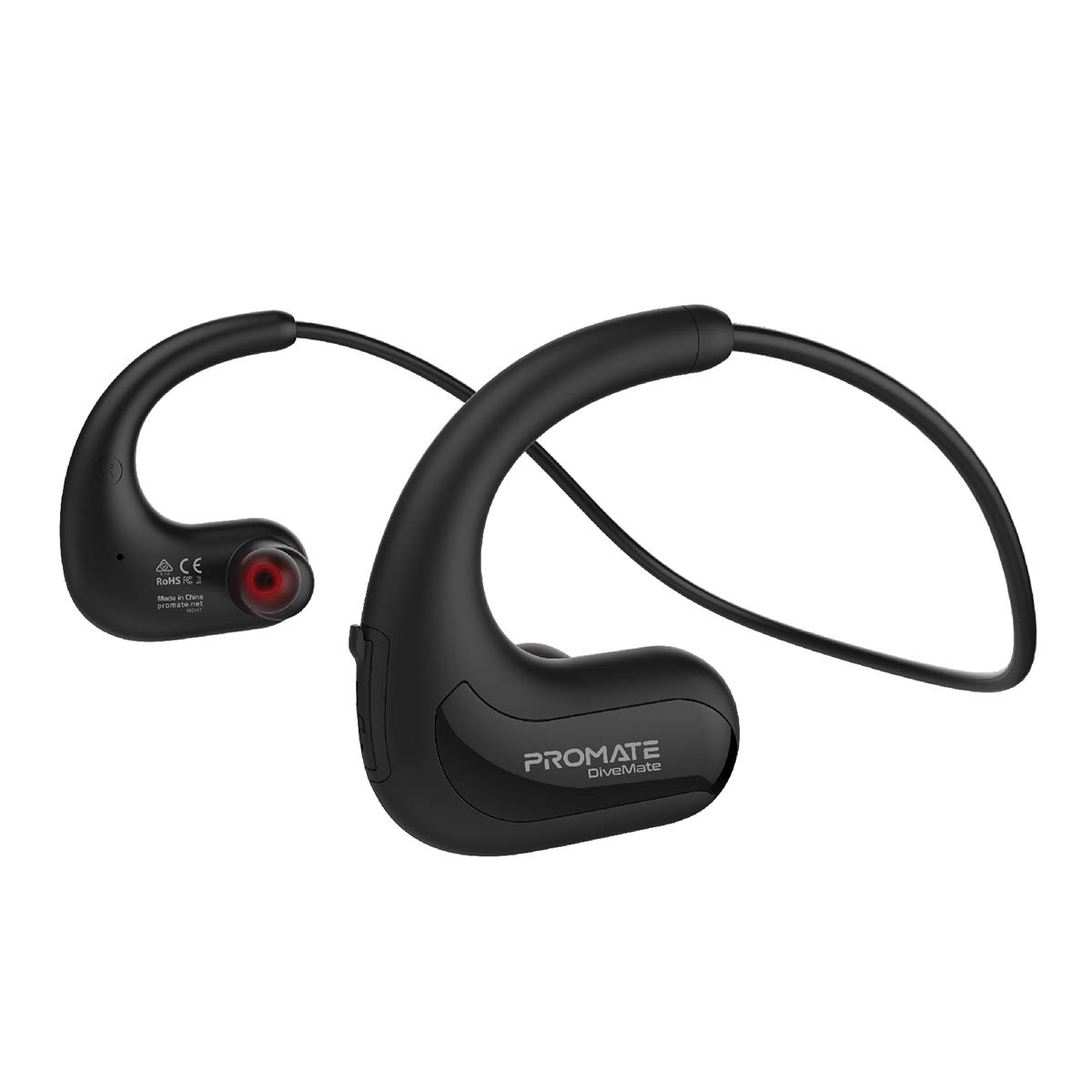
Image: Promate Divemate Wireless In-Ear MP3 Headphones, showcasinreka bentuk tali leher dan fon telinga.
Ciri-ciri Utama:
- MP3 Bluetooth Play Mode: Built-in 8GB memory for music storage, allowing playback without a connected device.
- Kalis Air IPX8: Designed to withstand immersion in water, ideal for swimming and water sports.
- Easy 'Drag & Drop' Audio File Pengurusan: Simple transfer of music files to the internal 8GB storage.
- Bunyi Premium: Echo-elimination technology and noise isolation for clear audio.
- Mikrofon terbina dalam: For hands-free calls, even in wet environments.
- Intuitive Playback Controls: Easy access to power, volume, and music playback functions.
- Gelang Leher Fleksibel: Lightweight and comfortable design for extended wear.
- Masa Main Lama: Up to 8 hours of usage on a single charge.
- Keserasian Universal: Connects with most Bluetooth-enabled devices.
Persediaan
1. Mengecas Peranti
Before first use, fully charge your Divemate headphones. Connect the charging cable to the charging port on the device and to a standard USB power source. A full charge takes approximately 1.5 hours. The LED indicator will show charging status (e.g., red for charging, blue for fully charged).
- Masa Pengecasan: Lebih kurang 1.5 jam
- Masa Penggunaan: Sehingga 8 jam
- Masa Siap sedia: Sehingga 120 jam
2. Memindahkan Muzik Files (MP3 Mode)
The Divemate features 8GB of internal storage for MP3 playback. To transfer music:
- Connect the Divemate to your computer using the provided USB cable.
- The device will appear as a removable storage drive on your computer.
- Seret dan lepaskan audio yang anda inginkan files (MP3 and other supported formats) into the Divemate's storage folder.
- Safely eject the device from your computer once the transfer is complete.
This allows you to listen to music without needing a Bluetooth connection, which is ideal for activities like swimming.
3. Berpasangan Bluetooth
To connect your Divemate to a Bluetooth-enabled device (e.g., smartphone, tablet):
- Ensure the Divemate is charged and powered off.
- Tekan dan tahan butang kuasa sehingga penunjuk LED berkelip biru dan merah, menunjukkan mod berpasangan.
- Pada peranti anda, pergi ke tetapan Bluetooth dan cari peranti yang tersedia.
- Select "Divemate" from the list.
- Setelah dipasangkan, penunjuk LED akan berkelip biru secara berkala.
The operating distance for Bluetooth is approximately 10 meters (33 feet).
Arahan Operasi
Hidupkan/Mati Kuasa
- Untuk Menghidupkan: Tekan dan tahan butang kuasa sehingga penunjuk LED menyala.
- Untuk Mematikan: Tekan dan tahan butang kuasa sehingga penunjuk LED dimatikan.
Main balik Muzik
- Main/Jeda: Tekan butang pelbagai fungsi sekali.
- Lagu Seterusnya: Tekan dan tahan butang Naik Kelantangan.
- Trek Sebelumnya: Tekan dan tahan butang Kurangkan Kelantangan.
- Kelantangan: Tekan butang Kelantangan Naik sebentar.
- Perlahankan suara: Tekan butang Kelantangan Turun sebentar.
To switch between MP3 mode (internal storage) and Bluetooth mode, refer to the device's specific button combination, usually a long press on a dedicated mode button or the multi-function button.
Membuat dan Menerima Panggilan
Apabila disambungkan melalui Bluetooth ke telefon pintar:
- Jawab Panggilan: Tekan butang pelbagai fungsi sekali.
- Tamatkan Panggilan: Tekan butang berbilang fungsi sekali semasa panggilan.
- Tolak Panggilan: Tekan dan tahan butang pelbagai fungsi selama 2 saat.
- Dail Semula Nombor Terakhir: Tekan dua kali butang berbilang fungsi.
The waterproof microphone ensures clear communication even in wet conditions.
Penyelenggaraan
Proper maintenance ensures the longevity and performance of your Promate Divemate headphones.
- Pembersihan: After use, especially in chlorinated or saltwater, rinse the headphones with fresh water. Wipe them dry with a soft, clean cloth. Do not use abrasive cleaners or solvents.
- Storan: Simpan fon kepala di tempat yang sejuk dan kering jauh dari cahaya matahari langsung dan suhu yang melampau.
- Tahan Air: While IPX8 rated, avoid intentionally submerging the device for extended periods beyond its intended use. Ensure the charging port cover is securely closed before exposing to water.
- mengecas: Only use the provided charging cable and a compatible USB power adapter.
Menyelesaikan masalah
If you encounter issues with your Divemate headphones, refer to the following common solutions:
| Masalah | Penyelesaian yang Mungkin |
|---|---|
| Peranti tidak dihidupkan. | Ensure the battery is charged. Connect to a power source and charge for at least 1.5 hours. |
| Tidak boleh berpasangan melalui Bluetooth. |
|
| Tiada bunyi atau kelantangan rendah. |
|
| Mikrofon tidak berfungsi. |
|
| Water damage despite IPX8 rating. | Ensure all port covers were securely closed before water exposure. IPX8 rating specifies conditions (depth and duration); exceeding these limits or improper sealing can lead to damage. |
Spesifikasi
| Ciri | Perincian |
|---|---|
| Nama Model | Divemate |
| Jenama | Berjanji |
| Versi Bluetooth | v4.2 |
| Chipset Bluetooth | Tindakan ATS2825 |
| Bluetooth Profile | HSP, HFP, A2DP |
| Kekerapan Bluetooth | 2.4-2.48GHz |
| Jarak Operasi | 10m |
| Penilaian Kalis Air | IPX8 |
| Storan Dalaman | 8GB |
| Impedans | 32Ω |
| Input Voltage | 5.1V |
| Kapasiti Bateri | 160mAh |
| Jenis Bateri | Li-Polymer |
| Masa Mengecas | ~1.5 jam |
| Masa Penggunaan | 8 jam |
| Masa Tunggu Sedia | 120 jam |
| Dimensi Produk | 3.5 x 13 x 23 cm |
| Berat Produk | 200 gram |
Waranti dan Sokongan
Maklumat mengenai jaminan produk dan sokongan pelanggan tidak terdapat dalam data produk yang disediakan. Sila rujuk pembungkusan produk atau maklumat rasmi pengeluar. weblaman web untuk butiran lanjut tentang perlindungan jaminan dan cara menghubungi khidmat pelanggan.