
1. Pengenalan
Thank you for choosing the SportPlus SP-TM-1006 Compact Treadmill. This manual provides essential information for the safe assembly, operation, and maintenance of your new fitness equipment. Please read all instructions carefully before use and retain this manual for future reference.
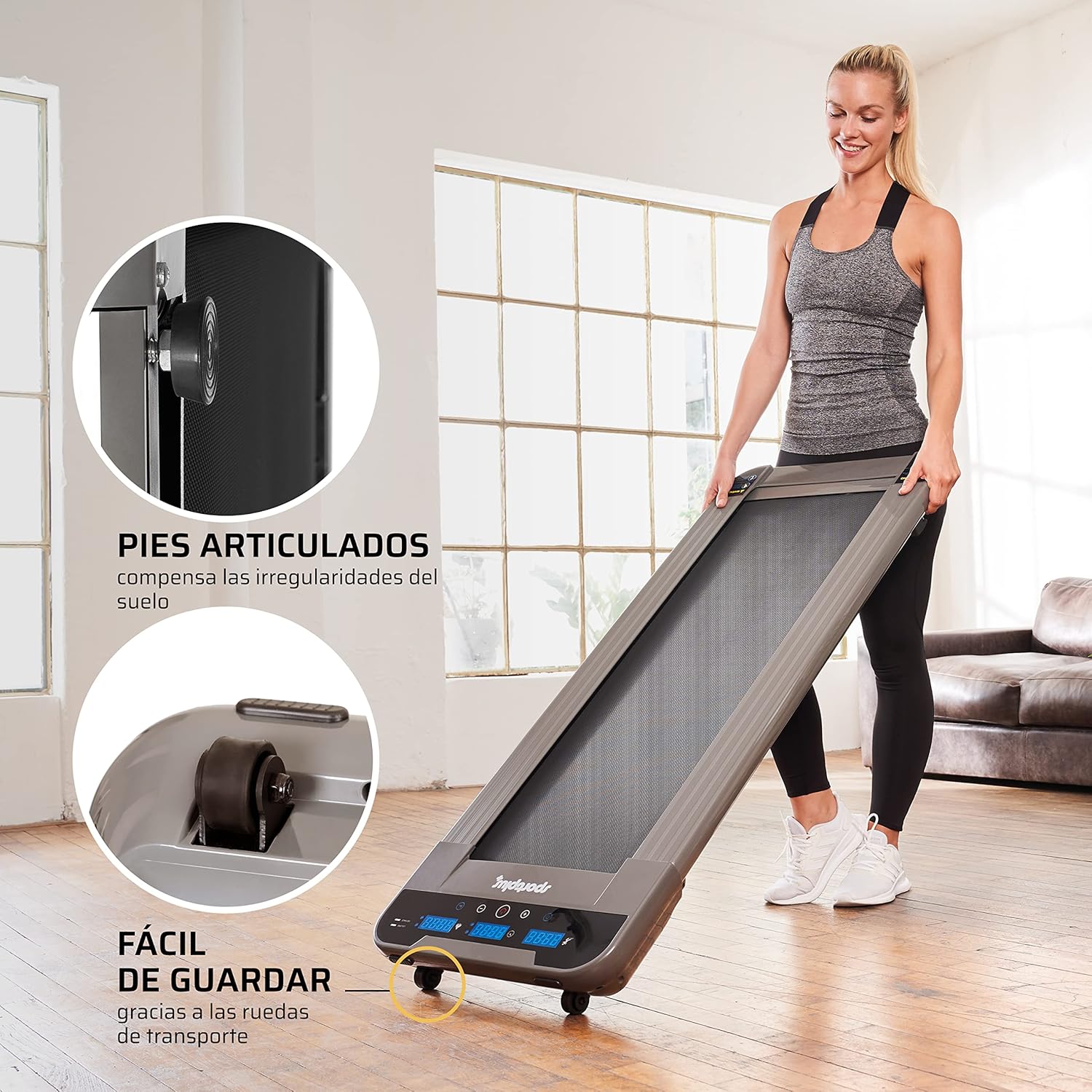
The SportPlus SP-TM-1006 is designed for home use, offering a compact solution for walking and light jogging, suitable for various environments including home offices and under standing desks.
2. Arahan Keselamatan
To reduce the risk of serious injury, read the following important safety instructions before using the treadmill:
- Sentiasa letakkan treadmill di atas permukaan yang rata dan stabil.
- Pastikan ruang kosong yang mencukupi di sekeliling treadmill (sekurang-kurangnya 2 meter di belakang dan 0.6 meter di setiap sisi).
- Jauhkan kanak-kanak dan haiwan peliharaan dari treadmill semasa operasi.
- Jangan gunakan treadmill jika berat badan anda lebih daripada 120 kg (264 lbs).
- Pakai kasut dan pakaian sukan yang sesuai.
- Jika anda mengalami kesakitan, pening, atau sesak nafas, berhenti bersenam serta-merta.
- Cabut palam treadmill dari salur keluar kuasa apabila tidak digunakan atau sebelum pembersihan/penyelenggaraan.
- Jangan kendalikan treadmill jika kord kuasa atau palam rosak.
- This treadmill is not compatible with external applications.
3. Kandungan Pakej
Sahkan bahawa semua komponen terdapat dalam pakej:
- SportPlus SP-TM-1006 Walking Pad
- Alat Kawalan Jauh
- Power Supply Cable (European and UK plugs may be included)
- Silicone Oil for Lubrication
- Manual Arahan
4. Persediaan
The SportPlus SP-TM-1006 treadmill requires minimal setup. It arrives largely pre-assembled.
- Membongkar: Keluarkan treadmill dari bungkusannya dengan berhati-hati.
- penempatan: Letakkan treadmill di atas permukaan yang kukuh dan rata. Pastikan terdapat ruang yang mencukupi di sekeliling unit untuk operasi yang selamat.
- Sambungan Kuasa: Connect the power cable to the treadmill and then to a suitable electrical outlet.
- Kawalan Jauh: Masukkan bateri yang disediakan ke dalam alat kawalan jauh.

5. Arahan Operasi
5.1 Operasi Asas
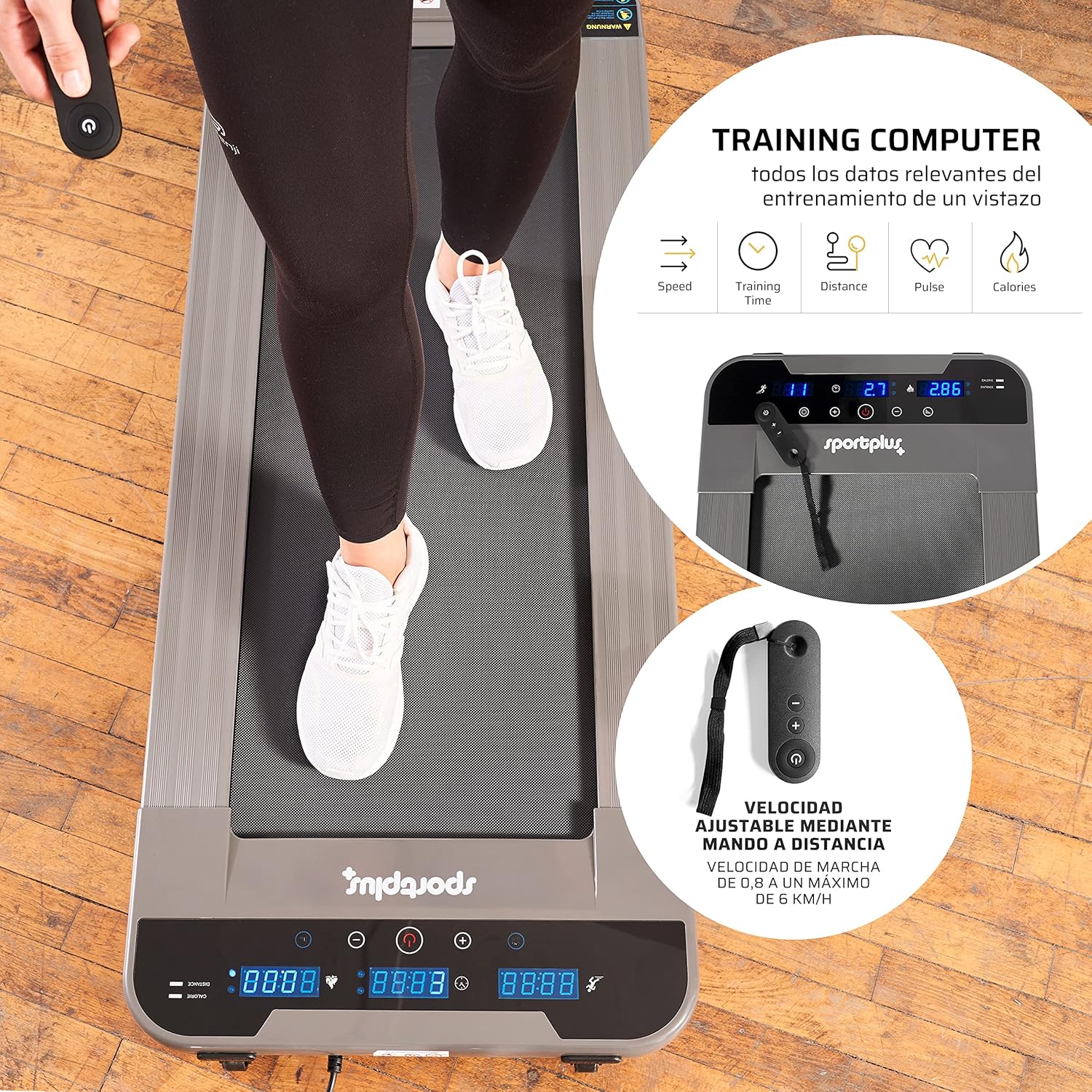
The treadmill is operated using the included remote control.
- Hidupkan kuasa: Press the power button on the remote control to turn on the treadmill. The LED display will illuminate.
- Mula/Berhenti: Press the 'Start' button on the remote to begin the walking belt movement. Press 'Stop' to halt the belt.
- Pelarasan Kelajuan: Use the '+' and '-' buttons on the remote control to adjust the speed. The speed can be adjusted in increments of 0.1 km/h, ranging from 0.8 km/h to a maximum of 6 km/h.
- Matikan: Press and hold the power button on the remote control to turn off the treadmill.
5.2 Fungsi Paparan
The illuminated LED display provides real-time workout data:
- Masa: Tempoh senaman anda.
- Kelajuan: Current walking speed in km/h.
- Jarak: Jumlah jarak yang dilalui semasa senaman.
- Kalori: Anggaran kalori yang dibakar.
- Langkah-langkah: Bilangan langkah yang diambil.
5.3 Mod Penggunaan
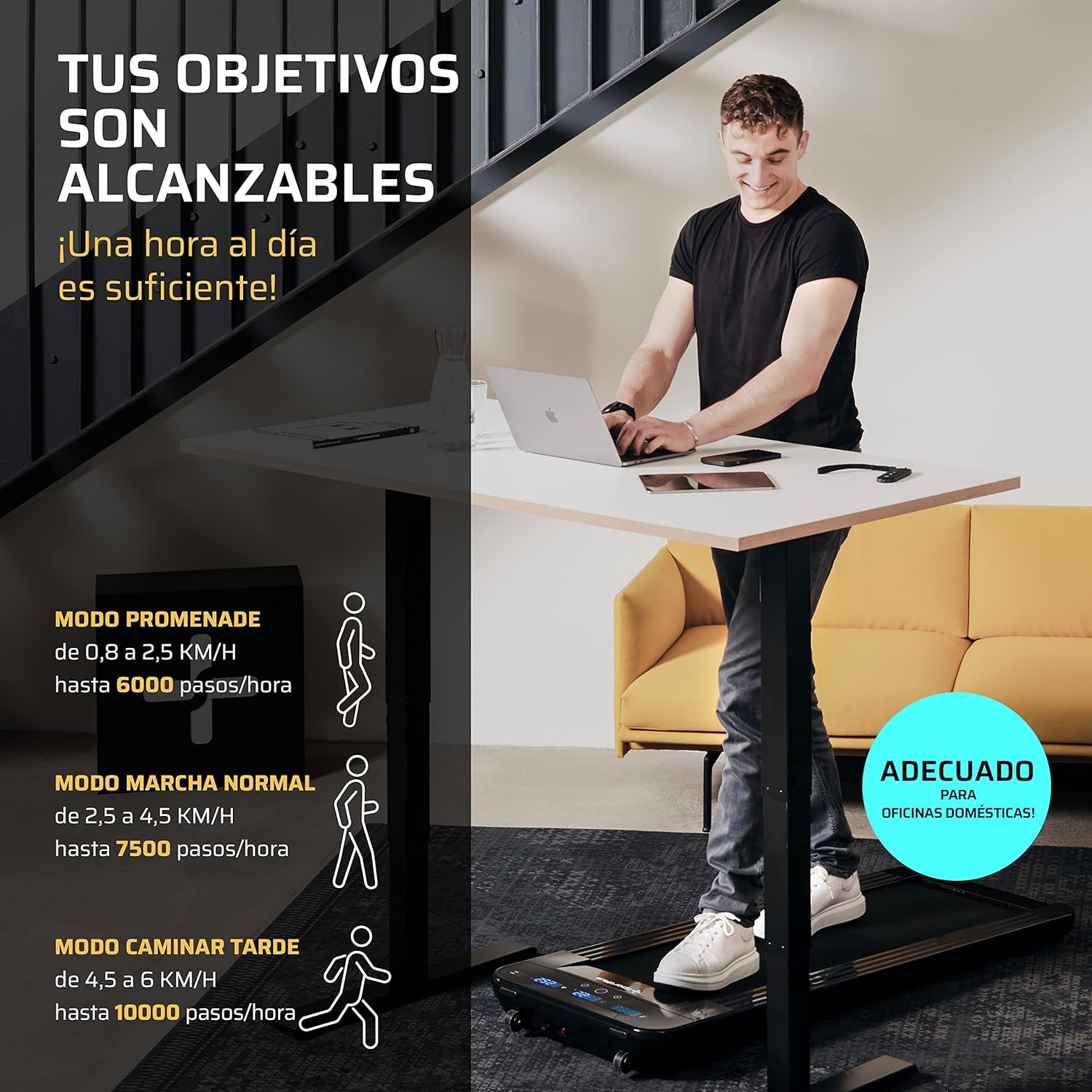
The treadmill supports various walking modes to suit your activity level:
- Promenade Mode: 0.8 to 2.5 km/h (up to 6000 steps/hour) - Ideal for light activity.
- Normal Walk Mode: 2.5 to 4.5 km/h (up to 7500 steps/hour) - Suitable for a brisk walk.
- Late Walk Mode: 4.5 to 6 km/h (up to 10000 steps/hour) - For faster walking or light jogging.
6. Penyelenggaraan
Penyelenggaraan tetap memastikan umur panjang dan prestasi optimum treadmill anda.
6.1 Pelinciran
The walking belt requires periodic lubrication with the provided silicone oil to reduce friction and wear.
- Matikan dan cabut palam treadmill.
- Lift the edge of the walking belt and apply a small amount of silicone oil directly onto the running deck, underneath the belt.
- Repeat on both sides of the belt.
- Plug in the treadmill and run it at a low speed (e.g., 1 km/h) for a few minutes to distribute the lubricant evenly.
- Frequency of lubrication depends on usage; generally, every 30-50 hours of use.
6.2 Pembersihan
Clean the treadmill regularly to prevent dust and debris buildup.
- Turn off and unplug the treadmill before cleaning.
- Lap permukaan dengan iklanamp kain. Jangan gunakan pembersih atau pelarut yang melelas.
- Vacuum underneath the treadmill periodically to remove dust and lint.
6.3 Pelarasan Tali Pinggang
If the walking belt becomes off-center or slips, it may require adjustment. Refer to the detailed instructions in the full manual for specific steps, which typically involve using an Allen key to adjust tension bolts at the rear of the treadmill.
7. Penyelesaian masalah
Bahagian ini membincangkan isu biasa yang mungkin anda hadapi dengan treadmill anda.
| Masalah | Kemungkinan Punca | Penyelesaian |
|---|---|---|
| Treadmill tidak dihidupkan. | Power cable not connected, power outlet issue, main power switch off. | Check power cable connection. Ensure the power outlet is functional. |
| Alat kawalan jauh tidak berfungsi. | Battery depleted, remote out of range, sensor obstruction. | Replace remote control battery. Ensure remote is pointed towards the treadmill's sensor (typically at the front display). Maintain close proximity (within 30 cm). |
| Walking belt slips or is off-center. | Belt tension too loose, belt alignment issue. | Adjust belt tension and alignment according to the detailed instructions in the full manual. |
| Bunyi luar biasa semasa operasi. | Lack of lubrication, loose components, foreign object. | Lubricate the walking belt. Check for and tighten any loose screws. Inspect for foreign objects. If the noise persists, contact customer support. |
8. Spesifikasi
| Ciri | Spesifikasi |
|---|---|
| Nombor Model | SP-TM-1006 |
| Dimensi (L x W x H) | 134 x 54 x 12 cm (52.4 x 20.9 x 3.9 inci) |
| Permukaan Larian (P x L) | 101 x 36 cm |
| Berat Produk | 25 kg (55 lbs) |
| Berat Pengguna Maksimum | 120 kg (264 lbs) |
| bahan | Aloi Keluli |
| Kelajuan Maksimum | 6 km/j |
| Ciri Khas | Electric with cable, LED indicator, Remote Control |
| Penggunaan yang Disyorkan | Walking, light jogging |
| Khalayak Sasaran | Dewasa |

9. Waranti dan Sokongan
SportPlus has been producing high-quality sports equipment for 20 years. We are committed to providing durable products and excellent customer service.
If you have any questions or require assistance, our customer service department in Hamburg will be happy to help. We maintain a stock of spare and wear parts to ensure the long-term usability and sustainability of your equipment.
For support, please visit the official SportPlus webtapak atau hubungi peruncit anda.
Maklumat Hubungan:
- Webtapak: www.sportplus.de (Cthample, please refer to your product documentation for exact contact details)
- e-mel: service@sportplus.org