
pengenalan
Thank you for choosing the Calypso K5769/2 Analogue Digital Quartz Watch. This manual provides detailed instructions for setting up, operating, and maintaining your watch to ensure optimal performance and longevity. Please read this manual thoroughly before using your watch.
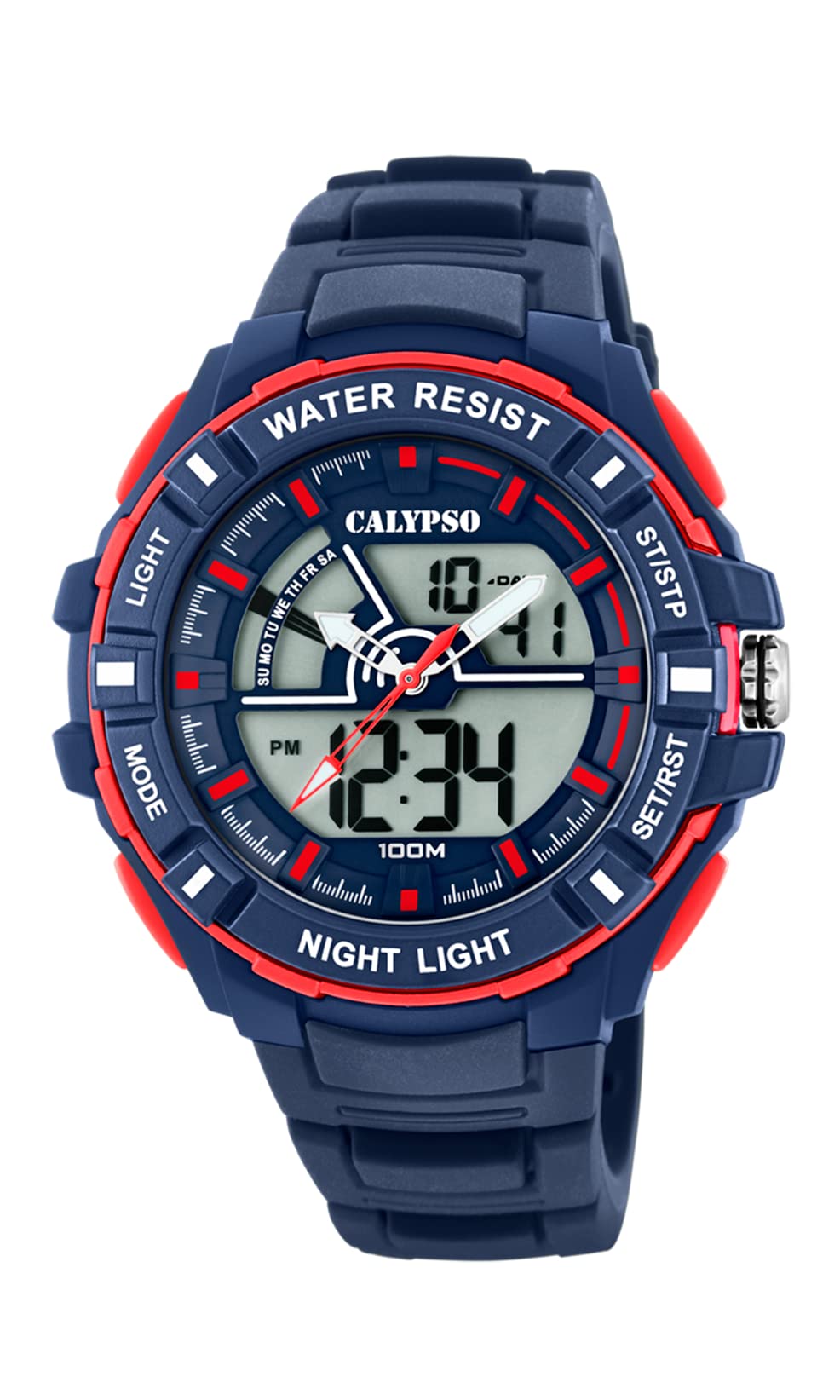
Imej: Depan view of the Calypso K5769/2 Analogue Digital Quartz Watch, showcasing its blue plastic case and silicone strap.
Persediaan
Tetapan Masa dan Tarikh Permulaan
Your Calypso K5769/2 watch features both analogue and digital displays. Both need to be set for accurate timekeeping.
- Tetapan Masa Digital:
- Tekan ke MODE butang berulang kali sehingga mod tetapan masa dipaparkan (biasanya ditunjukkan dengan digit berkelip).
- Gunakan SESUAIKAN button to select the digit you wish to change (hours, minutes, seconds).
- Gunakan SET or MULA/BERHENTI butang untuk meningkatkan nilai.
- Setelah ditetapkan, tekan MODE sekali lagi untuk keluar dari mod tetapan.
- Analogue Time Setting:
- Pull the crown (the small knob on the side of the watch case) out to the first or second position (refer to specific watch model for exact crown positions).
- Turn the crown to adjust the hour and minute hands to the correct time.
- Tolak mahkota kembali ke dalam untuk memastikan tetapan masa.
- Tetapan Tarikh:
- In digital time setting mode, after setting the time, continue using the SESUAIKAN button to navigate to the date (month, day, year) settings.
- Adjust values using the SET or MULA/BERHENTI butang.
- Exit by pressing MODE.

Imej: Sisi view of the Calypso K5769/2 watch, highlighting the control buttons and the crown used for adjustments.
Arahan Operasi
Your watch is equipped with several functions accessible via the control buttons.
Pemilihan Mod
Tekan ke MODE butang untuk melihat fungsi yang tersedia:
- Time Display (Analogue & Digital)
- Penggera
- Jam randik
- Zon Waktu Dwi
- Paparan Tarikh
Fungsi Penggera
- Tekan MODE until the Alarm mode is displayed.
- Tekan SESUAIKAN untuk memilih digit jam atau minit.
- guna SET or MULA/BERHENTI untuk menetapkan masa penggera yang diingini.
- Tekan MODE untuk mengesahkan dan keluar.
- To activate/deactivate the alarm, press a specific button (often SESUAIKAN or SET) while in Alarm mode. An alarm icon will appear when active.
Fungsi Jam randik
- Tekan MODE until the Stopwatch mode is displayed (usually showing 00:00:00).
- Tekan MULA/BERHENTI untuk memulakan masa.
- Tekan MULA/BERHENTI sekali lagi untuk menjeda/menyambung semula pemasa.
- Tekan TETAP SEMULA (often the SESUAIKAN button) to clear the stopwatch to zero.
Zon Waktu Dwi
This feature allows you to display a second time zone simultaneously.
- Tekan MODE until the Dual Time Zone mode is displayed.
- guna SESUAIKAN dan SET or MULA/BERHENTI untuk menetapkan zon waktu kedua yang diingini.
- Tekan MODE untuk mengesahkan dan keluar.
Fungsi Menyala
To illuminate the digital display in low-light conditions, press the CAHAYA button (usually located on the top left of the watch case).
Penyelenggaraan
Water Resistance (10 ATM / 100 Metres)
Your Calypso K5769/2 watch is water resistant up to 10 ATM (100 meters). This means it is suitable for swimming, snorkeling, and showering. However, it is bukan suitable for high-impact water sports or diving. Do not operate buttons or the crown while the watch is wet or submerged, as this can compromise the water resistance.
Pembersihan
Untuk membersihkan jam tangan anda, lap dengan lembut menggunakan kain lembutamp cloth. Avoid using harsh chemicals, solvents, or abrasive cleaners, as these can damage the case and strap materials.
Penggantian Bateri
The watch is powered by a Quartz (battery) movement. When the display becomes dim or the watch stops functioning, the battery may need replacement. Battery replacement should be performed by a qualified watch technician to ensure proper sealing and maintain water resistance.
Menyelesaikan masalah
| Masalah | Kemungkinan Punca | Penyelesaian |
|---|---|---|
| Watch not displaying time/functions. | Bateri lemah atau mati. | Gantikan bateri (khidmat profesional disyorkan). |
| Analogue hands not moving. | Crown pulled out; battery issue. | Push crown back in; if still not working, replace battery. |
| Digital display is dim or flickering. | Bateri lemah. | Gantikan bateri. |
| Air di dalam jam tangan. | Buttons operated underwater; seal compromised. | Segera bawa ke perkhidmatan pembaikan jam tangan profesional. Jangan cuba mengeringkannya sendiri. |
| Masa/tarikh yang dipaparkan salah. | Settings were not saved or incorrectly set. | Refer to the "Initial Time and Date Setting" section and re-set the watch. |
Spesifikasi
| Nombor Model: | K5769/2 |
| Jenama: | Calypso |
| Jenis Paparan: | Analogue-Digital |
| Jenis Pergerakan: | Quartz (Battery) |
| Tahan Air: | 10 ATM (100 Metres) |
| Bahan kes: | Polycarbonate (Plastic) |
| Bahan Tali: | Plastik (Silikon) |
| Diameter Sarung: | 53 Milimeter |
| Ketebalan Sarung: | 19 Milimeter |
| Lebar jalur: | 26 Milimeter |
| Ciri-ciri tambahan: | Alarm, Dual Time Zone, Light Up, Stopwatch |
| Berat Barang: | 65 Gram |
Maklumat Waranti
Calypso watches typically come with a manufacturer's warranty covering defects in materials and workmanship for a specified period from the date of purchase. This warranty usually does not cover damage resulting from improper handling, accidents, unauthorized repairs, or normal wear and tear (e.g., battery, strap, crystal). Please retain your proof of purchase for warranty claims. For specific warranty terms and conditions, refer to the warranty card included with your watch or contact Calypso customer support.
Sokongan Pelanggan
If you encounter any issues or have questions regarding your Calypso K5769/2 watch that are not addressed in this manual, please contact Calypso customer support. You can typically find contact information on the official Calypso webtapak atau pada pembungkusan produk anda.
- Sokongan dalam talian: Visit the official Calypso Watches website for FAQs and support contact details.
- Pusat Perkhidmatan: For repairs or battery replacement, locate an authorized Calypso service center.